- 目前版本Synthesia AI Video Creator
- 更新日期2025-05-14
- 作業系統Windows 7 / Windows 8 / Windows 10 / Windows 11
- 支援語系English
- 授權型式未分類
- 開發商 Synthesia Team
- 軟體分類Windows 軟體 / 影片軟體
##
編輯短評
Synthesia AI Video Creator 是一款雲端架構的 AI 影片生成平台,使用者直接在瀏覽器內操作,只要輸入腳本並設定畫面風格,就能讓虛擬演員以超過 120 種語言與口音演出,省去傳統拍攝所需的團隊、演員、器材與棚景成本。它最大的辨識度在於渲染出的虛擬人物相當自然,在 AI 影片生成領域被視為領導者之一;不過就下載站的收錄情況來看,近期更新頻率不高,評分樣本數也不算多,屬於特定需求導向的工具。
這套軟體適合需要快速產出多語言簡報、教學影片或企業內部溝通內容的個人與小團隊,尤其是沒有拍攝資源、卻需要大量影片素材的場合。與同分類常見的 KMPlayer、K-Lite 等播放或解碼工具相比,Synthesia 的定位完全不同,它著重於「生成」而非「播放」,取捨在於必須依賴雲端服務與網路連線。授權方式目前未明確分類,使用前需留意訂閱或計費模式;介面僅提供英文,且沒有中文版,對不熟悉英文操作介面的使用者來說,需要多花一點時間適應。
##
翻譯排程處理中,以下暫以英文原文呈現
軟體介紹
Synthesia is a cloud-powered AI video generation platform that allows users from all over the world to create stylish video presentations with AI actors in over 120 languages and accents in mere minutes, without the need for expensive production teams, actors, equipment, and studio space.
Users simply must provide the script and set up their video feel and look directly inside their favorite web browser.
Powered by the latest technologies in rendering authentic, relatable, and realistic virtual actors, Synthesia AI Video Creator has quickly managed to become one of the leaders in the space of virtual actor video production, attracting over 12 thousand business users, including those from some of the best-known companies in the world such as BBC, Google, Amazon, and Reuters.
But such traditional video production is costly and time-consuming.
Synthesia for Windows PC allows everyone to completely bypass this approach, providing everyone access to affordable, fast, and reliable video production capability that is powered by cloud hardware and the latest AI technologies.
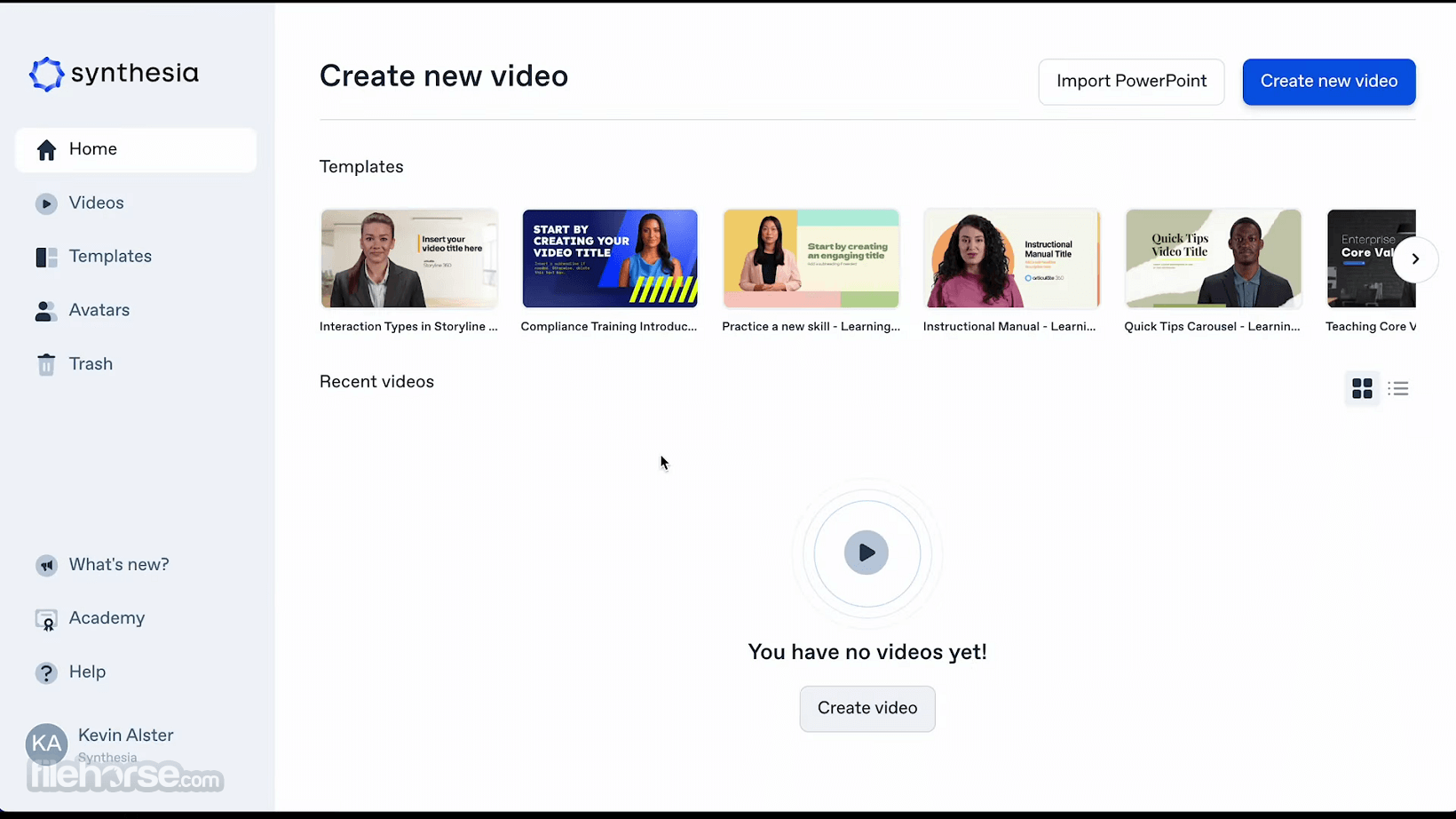
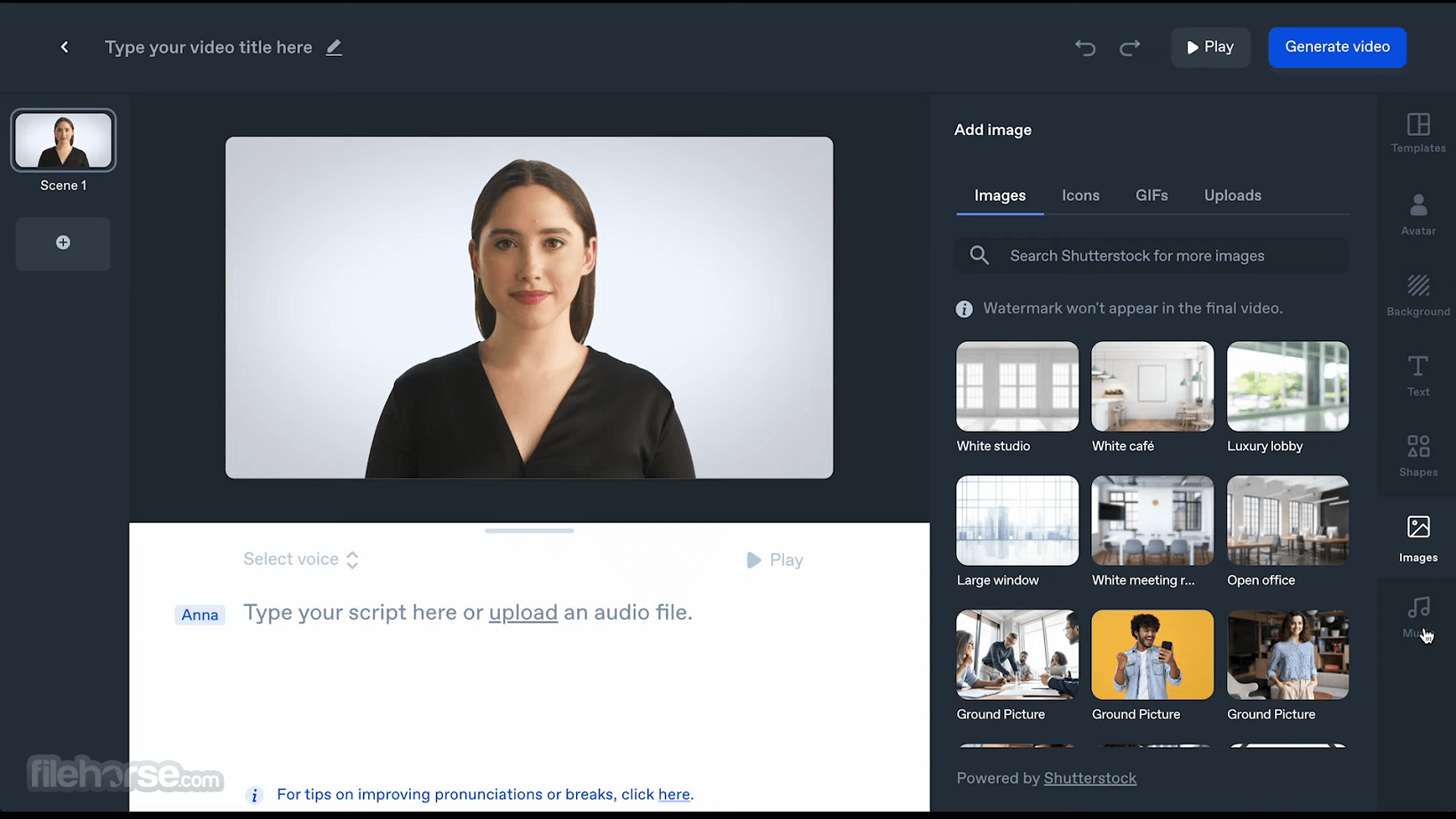
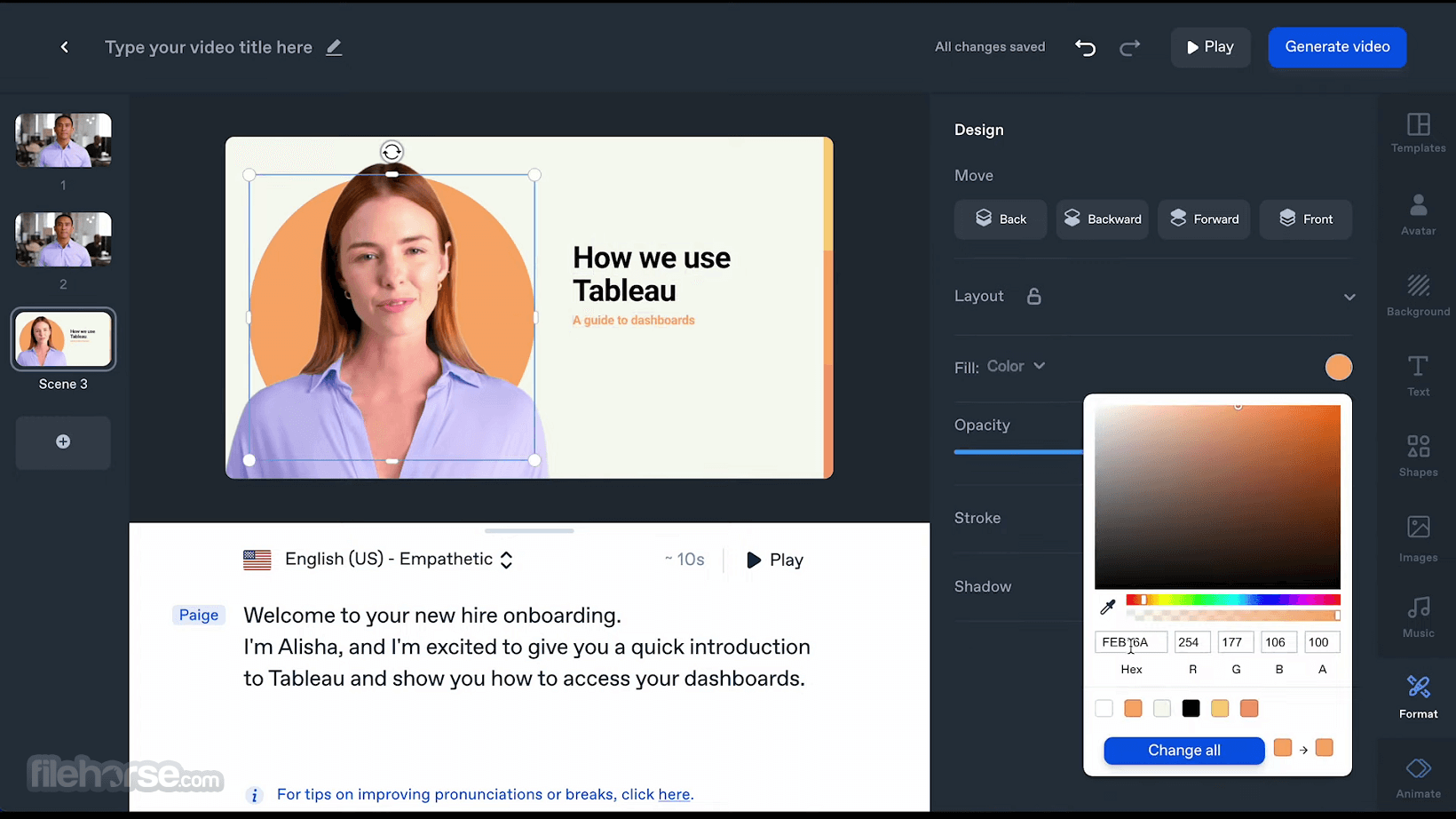
All the available options are found in seven tabs – Templates, Avatar, Background, Text, Shapes, Images, and Music, enabling anyone to craft a professional-looking video with a realistic presentation in mere minutes.
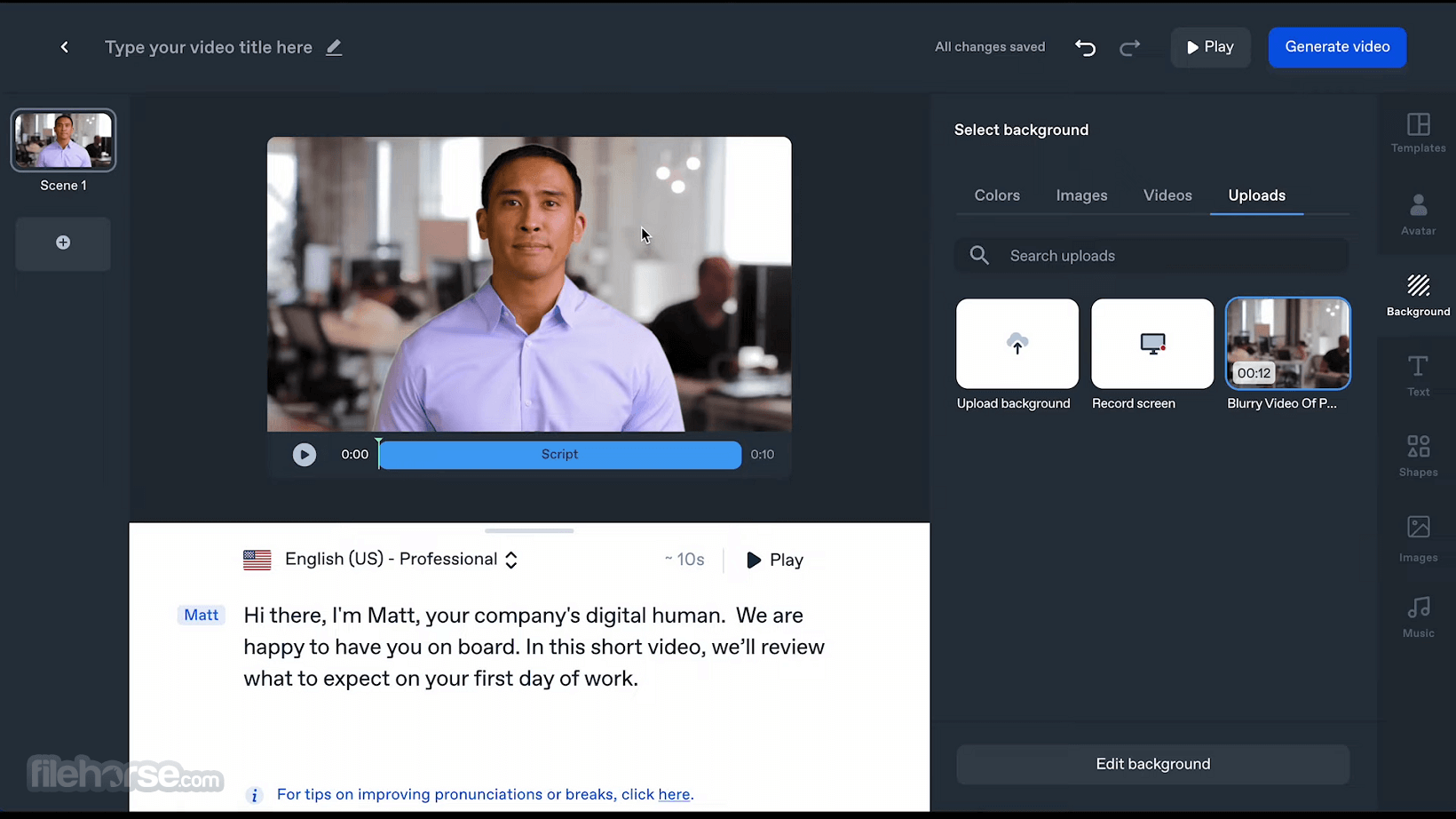
The preview window is always available to showcase the final look of the video, with an easy-to-find selector for currently active language and accent. This also means that once the video is finished, users can easily translate the video into any of the available 60+ languages and accents with a few clicks of a mouse.
The webapp can automatically generate voice from text script, but there is also a built-in option for providing voiceovers recorded via microphone.
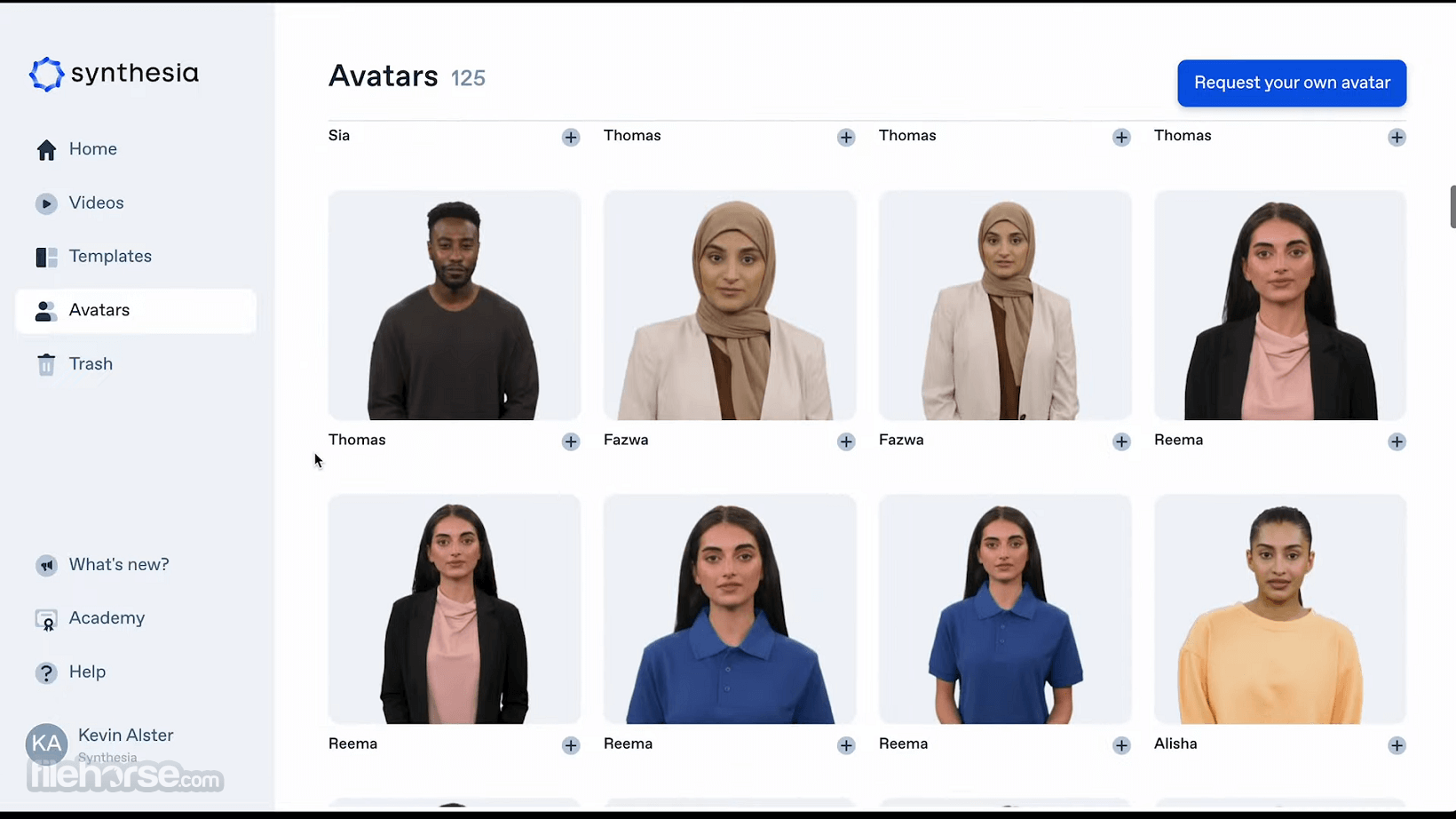
While Synthesia AI Video Generation Platform offers a library of over 100 attractive and authentic avatars, users also have the option to create their own avatars that can best promote their project or brand.
Final video projects created by Synthesia can be saved locally as a widely compatible MP4 file, or immediately shared or embedded online with built-in tools.
See concrete results from leading companies
Cost savings $5,000
By employing Synthesia instead of conventional approaches, Teleperformance achieves cost savings of $5,000 per video.
Engagement increase +30%
BSH witnessed a remarkable surge of over 30% in engagement when utilizing the app to create videos.
Time savings -50%
Thanks to Synthesia, the Bestseller team successfully reduced their video production time by an impressive 50%.
How to generate AI videos in just a few clicks
Step 1: Select a template
Choose from a wide range of professionally-designed templates tailored for various use cases, allowing you to swiftly begin your video creation journey.
Step 2: Choose your AI avatar
Pick a lifelike AI presenter who will skillfully narrate your video. You also have the option to create a personalized avatar using the advanced features.
Step 3: Input your text
Easily type or paste your desired text into the platform. Our text-to-video maker will automatically generate a voiceover for your video.
Step 4: Customize and edit
Unleash your creativity by modifying colors, shapes, fonts, transitions, and more. Enhance your video further by adding background music, stock media, or uploading your own photos, images, and audio.
Step 5: Generate and share
Once your video is ready, download it for offline use, stream it online, embed it on websites, or effortlessly share it with others. It empowers you to conveniently distribute your created videos.
FAQ
What is an AI video?
An AI video utilizes advanced artificial intelligence and machine learning models to analyze and understand extensive patterns and objects. This enables the AI to train itself and perform complex tasks, such as video creation.
Can AI generate videos?
Indeed, AI-powered video generation is no longer a futuristic concept. Synthesia's AI video maker can swiftly produce captivating videos using realistic avatars that resemble human beings.
What is the role of Synthesia AI?
It serves as an AI video generator, empowering users to effortlessly produce compelling video content by simply inputting text. In just five minutes, users can transform written video scripts into engaging visual presentations.
Is Synthesia.io a free service?
While the app offers a free demo video option for testing the AI generator (limited to 200 words), the platform also provides a Personal pricing plan for $22.50 per month. Additionally, users can explore custom Corporate plans by reaching out to them.
What are the ethical considerations for video generators?
The app upholds strong ethical principles regarding the use of videos created through their AI technology. For instance, the utilization of their pre-built avatars for advertising on social media platforms is strictly prohibited. Furthermore, all content generated on their platform undergoes internal screening before release. Finally, it is important to note that they never create an avatar of someone without their explicit consent.
Pricing
Free Plan
Includes Everything in Free Plan, plus:
Includes Everything in Starter Plan, plus:
Includes Everything in Creator Plan, plus:
If you are looking for great AI alternatives, we recommend you to try Colossyan Creator or DeepBrain AI.
PROS
Synthesia AI offers a cost-effective solution for creating engaging video content featuring virtual actors. While it may not replace traditional content creation methods entirely, it provides an accessible alternative for those with limited resources or time. The platform's impressive features and tools allow users to experiment and produce professional-looking videos.
However, it's important to note that there are limitations on the number of videos that can be produced monthly. To gauge its suitability, interested users can try Synthesia's free demo video option to assess its capabilities and determine if it aligns with their needs.
Download Synthesia AI Video Creator Latest Version Why is this app published on FileHorse? (More info)
Users simply must provide the script and set up their video feel and look directly inside their favorite web browser.
Powered by the latest technologies in rendering authentic, relatable, and realistic virtual actors, Synthesia AI Video Creator has quickly managed to become one of the leaders in the space of virtual actor video production, attracting over 12 thousand business users, including those from some of the best-known companies in the world such as BBC, Google, Amazon, and Reuters.
- Affordable video production starting at $22.50/month
- Used by over 12,000 training, support, and marketing teams
- Web-based app accessible in your browser
- Intuitive interface, suitable for beginners
- Edit or update your video at any time
- Localize videos in 120+ languages and accents
But such traditional video production is costly and time-consuming.
Synthesia for Windows PC allows everyone to completely bypass this approach, providing everyone access to affordable, fast, and reliable video production capability that is powered by cloud hardware and the latest AI technologies.
- Choose from 140+ diverse AI avatars
- Get an exclusive AI avatar for your brand
- Create your own custom AI avatar
- Intuitive interface, suitable for beginners
- 100+ fully customizable video templates
- Built-in screen recorder & media library
All the available options are found in seven tabs – Templates, Avatar, Background, Text, Shapes, Images, and Music, enabling anyone to craft a professional-looking video with a realistic presentation in mere minutes.
The preview window is always available to showcase the final look of the video, with an easy-to-find selector for currently active language and accent. This also means that once the video is finished, users can easily translate the video into any of the available 60+ languages and accents with a few clicks of a mouse.
The webapp can automatically generate voice from text script, but there is also a built-in option for providing voiceovers recorded via microphone.
While Synthesia AI Video Generation Platform offers a library of over 100 attractive and authentic avatars, users also have the option to create their own avatars that can best promote their project or brand.
Final video projects created by Synthesia can be saved locally as a widely compatible MP4 file, or immediately shared or embedded online with built-in tools.
See concrete results from leading companies
Cost savings $5,000
By employing Synthesia instead of conventional approaches, Teleperformance achieves cost savings of $5,000 per video.
Engagement increase +30%
BSH witnessed a remarkable surge of over 30% in engagement when utilizing the app to create videos.
Time savings -50%
Thanks to Synthesia, the Bestseller team successfully reduced their video production time by an impressive 50%.
How to generate AI videos in just a few clicks
Step 1: Select a template
Choose from a wide range of professionally-designed templates tailored for various use cases, allowing you to swiftly begin your video creation journey.
Step 2: Choose your AI avatar
Pick a lifelike AI presenter who will skillfully narrate your video. You also have the option to create a personalized avatar using the advanced features.
Step 3: Input your text
Easily type or paste your desired text into the platform. Our text-to-video maker will automatically generate a voiceover for your video.
Step 4: Customize and edit
Unleash your creativity by modifying colors, shapes, fonts, transitions, and more. Enhance your video further by adding background music, stock media, or uploading your own photos, images, and audio.
Step 5: Generate and share
Once your video is ready, download it for offline use, stream it online, embed it on websites, or effortlessly share it with others. It empowers you to conveniently distribute your created videos.
FAQ
What is an AI video?
An AI video utilizes advanced artificial intelligence and machine learning models to analyze and understand extensive patterns and objects. This enables the AI to train itself and perform complex tasks, such as video creation.
Can AI generate videos?
Indeed, AI-powered video generation is no longer a futuristic concept. Synthesia's AI video maker can swiftly produce captivating videos using realistic avatars that resemble human beings.
What is the role of Synthesia AI?
It serves as an AI video generator, empowering users to effortlessly produce compelling video content by simply inputting text. In just five minutes, users can transform written video scripts into engaging visual presentations.
Is Synthesia.io a free service?
While the app offers a free demo video option for testing the AI generator (limited to 200 words), the platform also provides a Personal pricing plan for $22.50 per month. Additionally, users can explore custom Corporate plans by reaching out to them.
What are the ethical considerations for video generators?
The app upholds strong ethical principles regarding the use of videos created through their AI technology. For instance, the utilization of their pre-built avatars for advertising on social media platforms is strictly prohibited. Furthermore, all content generated on their platform undergoes internal screening before release. Finally, it is important to note that they never create an avatar of someone without their explicit consent.
Pricing
Free Plan
- 1 editor
- 3 minutes of video per month
- 9 AI avatars
Includes Everything in Free Plan, plus:
- Downloadable videos
- AI video assistant
- Access to 140+ languages
- Removal of Synthesia logo
- 1 editor & 3 guests
- 10 minutes of video per month
- 125+ Synthesia AI avatars
- Chat/email support
Includes Everything in Starter Plan, plus:
- 5 personal avatars
- Video dubbing
- Branded video pages
- API access
- Multiple avatars per scene
- 1 editor & 5 guests
- 30 minutes of video per month
- 180+ Synthesia AI avatars
- Priority chat/email support
Includes Everything in Creator Plan, plus:
- Unlimited video minutes
- 1-click translations into 80+ languages
- Live collaboration with your team
- AI dubbing (paid add-on)
- SAML/SSO integration
- Brand kits
- Unlimited creators & guests
- Unlimited personal avatars
- 230+ stock avatars
- Dedicated Customer Success Manager
- Tailored onboarding & training
- SCORM export
If you are looking for great AI alternatives, we recommend you to try Colossyan Creator or DeepBrain AI.
PROS
- Cloud-powered AI video generation
- Stylish video presentations with AI actors
- Intuitive web-based app accessible in the browser
- Customizable video templates and avatars
- Fast and reliable video production capability
- Easy-to-use web editor with preview window
- Option to translate videos into multiple languages
- Ability to create personalized avatars
- Limited free demo video option (200 words)
- Additional cost for custom avatars
- Dependency on internet connection for cloud-based processing
- Possible learning curve for new users
Synthesia AI offers a cost-effective solution for creating engaging video content featuring virtual actors. While it may not replace traditional content creation methods entirely, it provides an accessible alternative for those with limited resources or time. The platform's impressive features and tools allow users to experiment and produce professional-looking videos.
However, it's important to note that there are limitations on the number of videos that can be produced monthly. To gauge its suitability, interested users can try Synthesia's free demo video option to assess its capabilities and determine if it aligns with their needs.
Download Synthesia AI Video Creator Latest Version Why is this app published on FileHorse? (More info)
##
影片介紹
##
畫面截圖