
- 目前版本2.5.2
- 更新日期2012-06-29
- 檔案大小1.62MB
- 檔案名稱tightvnc-2.5.2-setup-32bit.msi
- 作業系統Windows 7 64 / Windows 8 64 / Windows 10 64 / Windows 11
- 支援語系English
- 授權型式開源軟體
- 開發商 TightVNC Team
- 軟體分類Windows 軟體 / 檔案傳輸與網路
編輯短評
TightVNC 是一款加強版的 VNC 遠端控制軟體,主要解決透過網路操作另一台電腦的需求。它讓您用本地端的滑鼠與鍵盤,連線到指定 IP 的遠端機器,並可隱藏本地游標,避免雙游標干擾。其高效率資料傳輸與 JPG 壓縮,讓中低速網路下也能維持流暢的畫面更新;同時支援「完全控制」與「僅檢視」兩種權限密碼,提升安全性。這套開源工具長期維護,更新頻率穩定,在同類工具中屬於老牌且口碑不錯的選擇,但人氣不如部分商業或整合型軟體。
它適合需要輕量、免安裝的遠端桌面方案的使用者,例如臨時協助親友排除電腦問題,或管理家中或辦公室的數台機器。與 TeamViewer 或 AnyDesk 等商業軟體相比,TightVNC 沒有中繼伺服器,需自行設定網路與防火牆,但換來的是開源與可自訂性。若兩端都安裝 TightVNC,可啟用加強功能;若對方使用其他 VNC Server,也能維持基本連線。目前僅提供英文介面,Windows 平台可下載,使用前需留意語系與設定門檻。
軟體介紹
- 可經由 VNC 連線到某一IP位址的遠端電腦,並利用本地端的滑鼠及鍵盤來控制該電腦。
- VNC 控制過程,可隱藏本地端滑鼠游標,免去了出現兩個游標的困擾。
- 高效率的資料傳輸,使您在中低速的網路下也能有良好的畫面更新速度。
- 遠端影像JPG 壓縮功能,有助於您更快速地傳遞影像。
- 遠端的網路控制功能的加強,有助於您更順暢的瀏覽網路。
- 可依權限設定「完全控制遠端」或是「只顯示遠端畫面,而無法操控」的密碼,藉此增加安全性。
- 可對 UNIX 自動啟動SSL功能。
- 若有一方的Server端是使用其他 VNC Server , TightVNC 仍可支援其基本功能;如兩邊的Server端皆安裝TightVNC,則可享用加強版功能。
畫面截圖
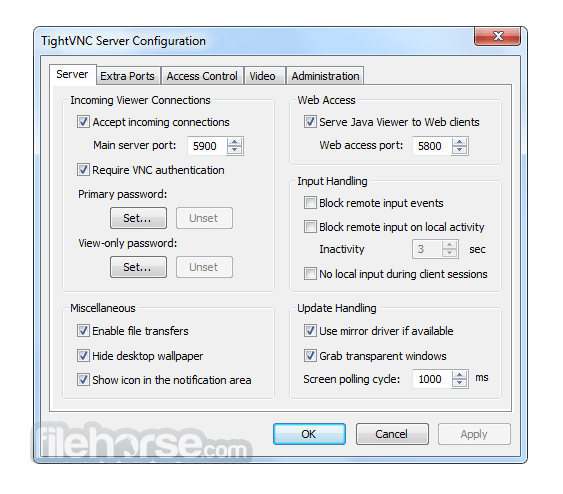
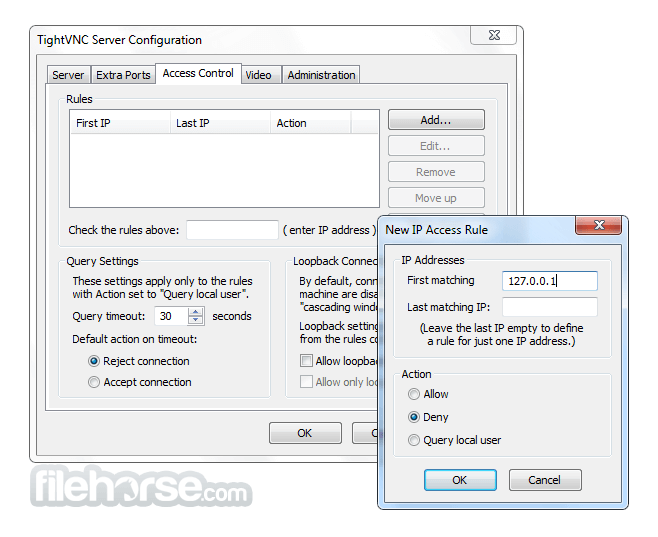
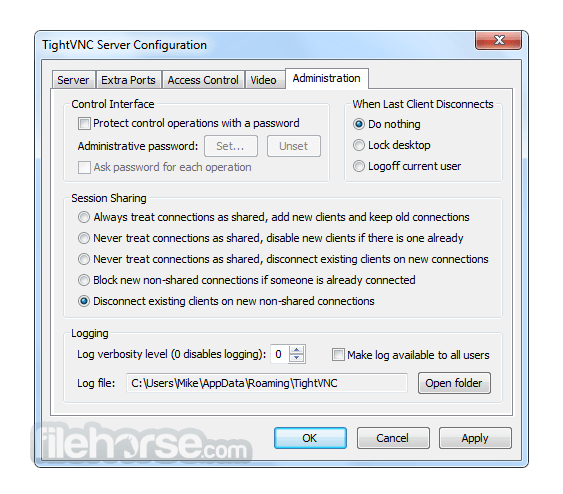
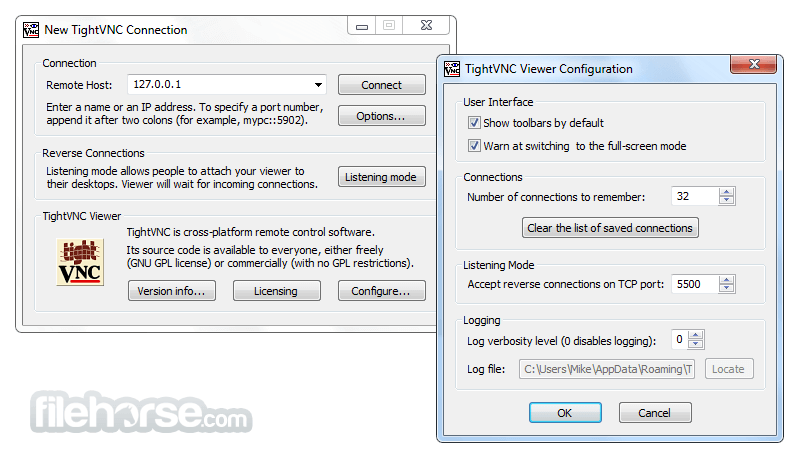
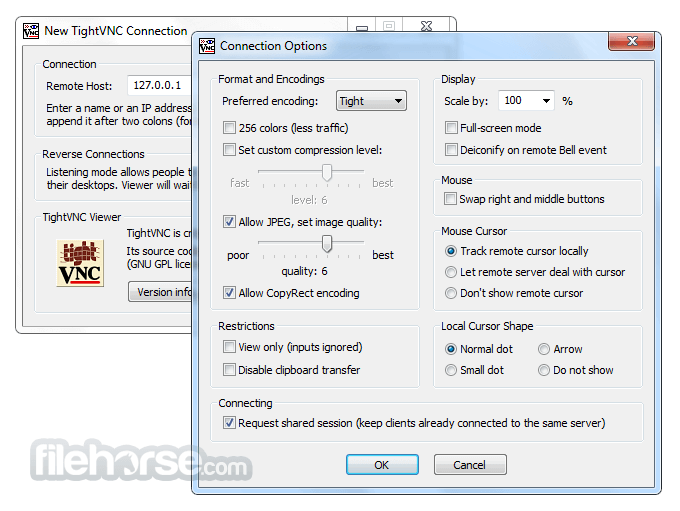
更新日誌
2.5.2 * Java Viewer:
- Introducing new full-screen mode, with optional auto-scaling, auto-scrolling and a pop-up toolbar.
* Installer for Windows:
- Added new MSI installer properties, to automate pre-setting passwords in silent mode.
* Server for Windows:
- Fixed a problem with querying local users on incoming connections. TightVNC has a feature to let local user approve or reject incoming connections. If there was no user action within a pre-configured time limit, new connection will be either accepted or rejected automatically. Unfortunately, the timeout setting did not work correctly in previous version and that could result in infinite timeouts. That has been fixed.
- Fixed the Apply button in the Configuration window - it stayed disabled on editing configuration settings.
* Viewer for Windows:
- Fixed authentication handling in RFB protocol version 3.7. This should resolve connectivity problems with Ubuntu systems and Vino servers.
- Fixed hang-up on changing language or keyboard layout. To fix this problem, Windows message handling has been re-designed completely.
- Fixed priority of preferred encodings. Previous version could work inefficiently with servers that do not support Tight encoding, because the viewer could choose uncompressed Raw encoding instead of well-compressed ZRLE.
- Eliminated 34-character limit on hostnames in the New Connection window.
- Using correct line ending characters in cross-platform clipboard transfers.
- Introduced a number of improvements and fixes in the user interface. That includes new commands in the toolbar and in the system menu, and architectural changes such as restoring the option to start new connections from the same Viewer instance.
- Adjusting viewer window size on remote desktop resizing.
- Other minor improvements and fixes.
* Source Code (Server and Viewer for Windows):
- Improved logging architecture. The changes will not be visible to end user, but developers will appreciate new logging system. There should be no more static methods and global log objects, so it will be easier to reuse separate components in third-party applications. Now all components work via a simple logging interface or can work without logging at all.
- Corrected build problems in various combinations of build configurations and platforms, in both Visual Studio 2008 and Visual Studio 2010.
- 2026-06-19 TightVNC 2.8.88 (32-bit) 2.02 MB
- 2026-06-19 TightVNC 2.8.88 (64-bit) 2.43 MB
- 2026-03-31 TightVNC 2.8.87 (32-bit) 2 MB
- 2026-03-31 TightVNC 2.8.87 (64-bit) 2.41 MB
- 2024-08-15 TightVNC 2.8.85 (32-bit) 2 MB
- 2024-08-15 TightVNC 2.8.85 (64-bit) 2.41 MB
- 2024-05-28 TightVNC 2.8.84 (32-bit) 2 MB
- 2024-05-28 TightVNC 2.8.84 (64-bit) 2.41 MB