
- 目前版本1.3.9
- 更新日期2007-05-15
- 檔案大小1.52MB
- 檔案名稱tightvnc-1.3.9-setup.exe
- 作業系統Windows 7 64 / Windows 8 64 / Windows 10 64 / Windows 11
- 支援語系English
- 授權型式開源軟體
- 開發商 TightVNC Team
- 軟體分類Windows 軟體 / 檔案傳輸與網路
編輯短評
TightVNC 是一款加強版的 VNC 遠端控制軟體,主要解決透過網路操作另一台電腦的需求。它讓您用本地端的滑鼠與鍵盤,連線到指定 IP 的遠端機器,並可隱藏本地游標,避免雙游標干擾。其高效率資料傳輸與 JPG 壓縮,讓中低速網路下也能維持流暢的畫面更新;同時支援「完全控制」與「僅檢視」兩種權限密碼,提升安全性。這套開源工具長期維護,更新頻率穩定,在同類工具中屬於老牌且口碑不錯的選擇,但人氣不如部分商業或整合型軟體。
它適合需要輕量、免安裝的遠端桌面方案的使用者,例如臨時協助親友排除電腦問題,或管理家中或辦公室的數台機器。與 TeamViewer 或 AnyDesk 等商業軟體相比,TightVNC 沒有中繼伺服器,需自行設定網路與防火牆,但換來的是開源與可自訂性。若兩端都安裝 TightVNC,可啟用加強功能;若對方使用其他 VNC Server,也能維持基本連線。目前僅提供英文介面,Windows 平台可下載,使用前需留意語系與設定門檻。
軟體介紹
TightVNC 是一款免費且開放原始碼的遠端桌面軟體,讓使用者能透過網路從另一台裝置控制電腦。
TightVNC for Windows 廣泛用於遠端管理、故障排除和螢幕分享。
功能
- 跨平台相容性 – 支援 Windows 和 Linux,並提供 Java 檢視器供其他平台使用。
- 高效壓縮 – 針對低頻寬連線最佳化。
- 檔案傳輸 – 支援本機與遠端機器之間的檔案交換。
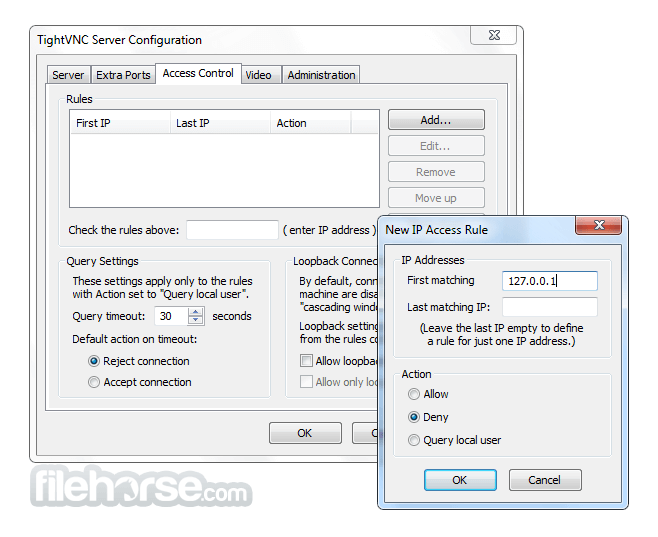
- 驗證與安全性 – 提供密碼保護和可選的加密功能。
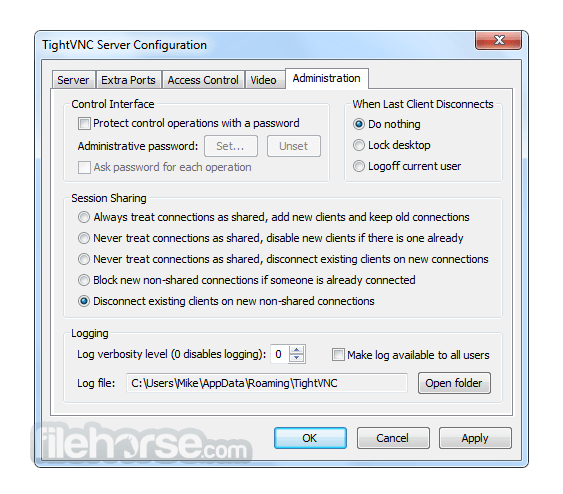
- 多重連線 – 允許多位使用者連線到同一台電腦。
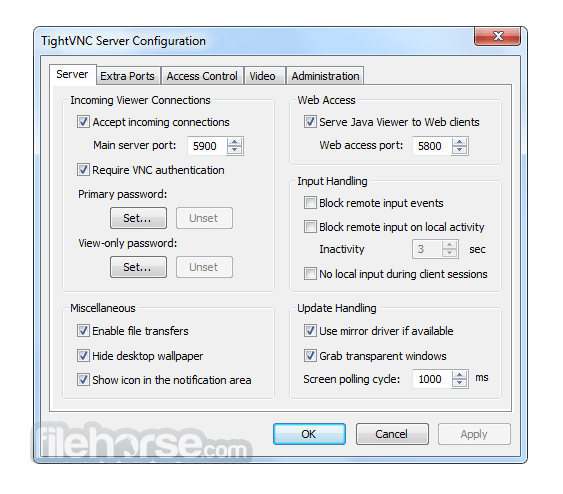
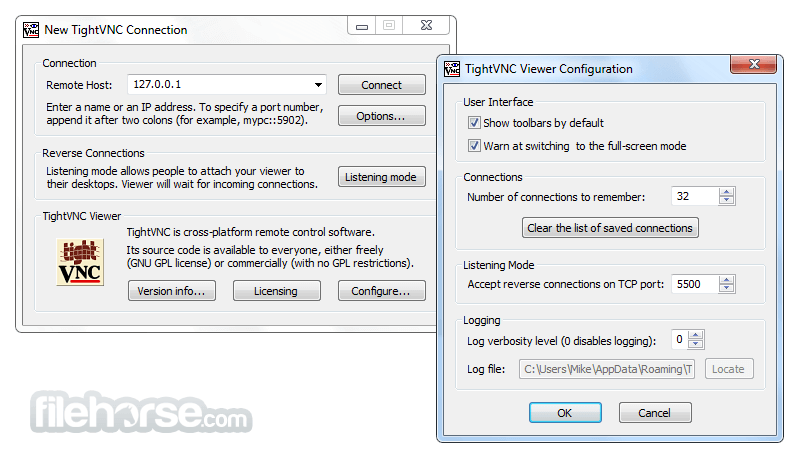
它提供了一個基本但實用的介面。伺服器在背景執行,而檢視器應用程式則讓使用者進行遠端連線。
設定選項簡單明瞭,適合初學者和進階使用者。
安裝與設定
- 在遠端電腦上下載並安裝 TightVNC 伺服器。
- 設定驗證與安全性偏好。
- 在本機電腦上安裝 TightVNC 檢視器。
- 輸入遠端電腦的 IP 位址和密碼以建立連線。
- 啟動 TightVNC 檢視器。
- 輸入遠端電腦的位址。
- 使用設定的密碼進行驗證。
- 取得遠端桌面的完整控制權。
TightVNC 是免費的嗎?
是的,個人和商業使用皆免費。
TightVNC 支援檔案傳輸嗎?
是的,它內建檔案傳輸功能。
TightVNC 安全嗎?
預設使用密碼驗證,但處理敏感資料時可能需要額外的加密。
我可以透過網際網路使用 TightVNC 嗎?
可以,但您可能需要在路由器上設定連接埠轉發。
它能在 macOS 上運作嗎?
沒有原生的 macOS 版本,但可以使用 Java 檢視器作為替代方案。
替代方案
TeamViewer – 更易於使用,但商業用途需要商業授權。
AnyDesk – 提供快速連線和更好的安全性。
UltraVNC – 適用於 Windows 的遠端管理和監控軟體。
VNC Viewer – 透過區域網路或網際網路控制另一台桌上型電腦。
價格
TightVNC 是完全免費的,但企業可以選擇 TightVNC Pro,它提供額外功能和專業支援。
系統需求
- Windows 7、8、10 和 11(32 位元和 64 位元)。
- 需要極少的系統資源。
- 免費且開放原始碼。
- 低資源消耗。
- 支援多重連線。
- 具備檔案傳輸功能。
- 在慢速網路上表現良好。
- 預設缺乏進階安全功能。
- 沒有官方 macOS 版本。
- 需要網路設定才能進行遠端網際網路存取。
TightVNC 是尋求輕量、免費且開放原始碼遠端桌面解決方案使用者的絕佳選擇。雖然它可能缺乏一些現代安全功能,但它仍然是遠端存取的可靠工具,尤其是在區域網路中。對於需要增強安全性和雲端存取的企業,TeamViewer 或 AnyDesk 等替代方案可能更為合適。
下載 TightVNC 最新版本 為什麼這個應用程式發布在 FileHorse 上?(更多資訊)
畫面截圖
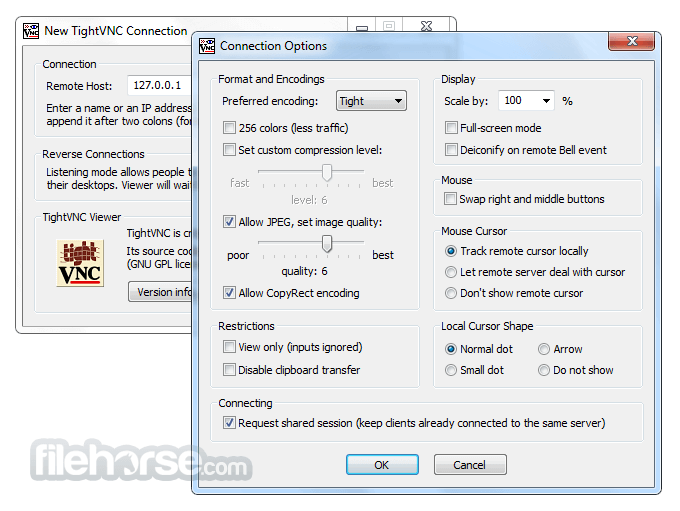
更新日誌
1.3.9 - All platforms: Added support for the standard RFB protocol version
3.8 with TightVNC extensions.
- All platforms: Made "host:port" parsing maximally compatible with
VNC4. Interpreting a number in host names like somehost:5900 as an
actual port number if it's not in the range [0..99].
- Windows Server: Various user interface enhancements - changes in
GUI labels, tray icon with a red border when incoming connections
are not possible for any reason, more information in the tray icon
tip, smarter logic in displaying the Properties dialog, and more.
- Windows Server: Fixed a problem introduced in TightVNC 1.3.8 -
default passwords were not respected if user passwords were not
set.
- Windows Server: Slightly improved handling of passwords. One of
the notable changes is that now it's enough to enter a view-only
password without providing primary password.
- Windows Server: Fixed problems with running WinVNC service and
Terminal Services. When a Remote Desktop (RDP) client connected to
the console, WinVNC showed black screen and did not restore normal
operations even on disconnection of that RDP client. Now, we
always share the console correctly, and disable simultaneous RDP
and VNC sessions. The changes were ported from VNC 4.1.2.
- Windows Server: Better way of simulating Ctrl+Alt+Del. There are
reports that this solves the problem with greyed username and
password fields on Windows 2003 Server (bug #887617).
- Windows Server: Bugfix for the bug #1109102: attempt to restart
the machine remotely via TightVNC led to disconnect if there was
some non-saved data, and further connections were rejected.
- Windows Viewer: Multiple selection now works in file transfers,
thanks to developers at Novell and personally Rohit Kumar.
- Windows Viewer: The viewer terminated silently when the server
dropped connection right after accepting it. Now we report such
errors.
- Windows version source archive: Included project files for
compiling with Visual C++ 2005 Express Edition. Also, all required
libraries are now included within the source distribution.
- Other improvements and bugfixes, see ChangeLog files within the
distribution for more details.
- 2026-06-19 TightVNC 2.8.88 (32-bit) 2.02 MB
- 2026-06-19 TightVNC 2.8.88 (64-bit) 2.43 MB
- 2026-03-31 TightVNC 2.8.87 (32-bit) 2 MB
- 2026-03-31 TightVNC 2.8.87 (64-bit) 2.41 MB
- 2024-08-15 TightVNC 2.8.85 (32-bit) 2 MB
- 2024-08-15 TightVNC 2.8.85 (64-bit) 2.41 MB
- 2024-05-28 TightVNC 2.8.84 (32-bit) 2 MB
- 2024-05-28 TightVNC 2.8.84 (64-bit) 2.41 MB