
TortoiseSVN 1.6.0
v 1.6.0- 目前版本1.6.0
- 更新日期2009-03-22
- 檔案大小18.88MB
- 檔案名稱TortoiseSVN-1.6.0.15855-win32-svn-1.6.0.msi
- 作業系統Windows 7 64 / Windows 8 64 / Windows 10 64 / Windows 11
- 支援語系English
- 授權型式開源軟體
- 開發商 TortoiseSVN Team
- 軟體分類Windows 軟體 / 開發者工具
編輯短評
TortoiseSVN 是一款以 Subversion 為基礎的版本控制客戶端,專為 Windows 環境設計,讓開發者能輕鬆管理程式碼的修訂紀錄。它最大的特色是直接整合進檔案總管的右鍵選單,不需開啟額外介面就能進行提交、更新、比對等操作,對習慣圖形化操作的開發者來說相當直覺。這套軟體以開源授權釋出,長期持續維護,在同類工具中屬於歷史悠久且穩定的選擇,雖然目前評分人數不多,但評價普遍偏向實用。
它適合需要與 Subversion 伺服器協作的開發者,尤其是那些不使用特定 IDE 整合、或混用多種編輯工具的團隊。與其他版本控制軟體相比,TortoiseSVN 的取捨在於它專注於 Subversion 協定,而非 Git 等分散式系統;若你的專案已採用 SVN,它會是順手的日常工具。需要注意的是,此軟體僅提供英文介面,且僅支援 Windows 平台,使用前需確認你的環境與語系需求是否相符。
軟體介紹
它簡化了管理與追蹤軟體專案變更的流程,是開發人員與協作編碼團隊不可或缺的工具。
功能特色
- 與 Windows 檔案總管整合:TortoiseSVN 64 位元版的突出特色之一,就是能與 Windows 檔案總管無縫整合。這表示你可以直接從右鍵選單執行版本控制操作,使用起來非常親切。
- 提交與更新:輕鬆將你的變更提交到儲存庫,並將工作副本更新為團隊的最新變更。
- 分支與合併:簡化建立分支與合併變更的流程,讓程式碼管理更有效率。
- Blame 與 Annotate:使用 Blame 與 Annotate 功能追蹤程式碼變更的來源,查看每次修改是由誰、在何時完成。
- 衝突解決:透過內建的衝突解決工具,處理程式碼變更之間的衝突。
- 變更記錄與修訂圖表:存取詳細的變更記錄與圖形化修訂歷史,深入掌握專案開發進度。
- 自動屬性設定:設定自動屬性,簡化為檔案新增中繼資料的流程。
- Hook 指令碼:實作自訂 Hook 指令碼,自動化工作並強制執行政策。
- 全新長期支援 (LTS) 版本:TortoiseSVN 1.14 現在是官方 LTS 版本,整合了先前所有功能,並加入新的增強與修正。
- Shelving 與 Unshelving 支援 (v2 與 v3):透過 Subversion 1.14 新增對第 2 版與第 3 版 shelving 的支援,讓變更管理更具彈性。
- 內建深色模式:在 TortoiseSVN 工具中導入深色主題支援,包括 TortoiseMerge、TortoiseIDiff、TortoiseUDiff、TortoiseBlame 以及主要對話方塊。
- 更新系統需求:現在需要 Windows 10 或更新版本,不再支援 Windows 8.1 與更舊的系統。
- Subversion 1.14 整合:完整納入 Subversion 1.14 程式庫的所有新功能與改進。
- 整體穩定性提升:包含多項錯誤修正與整體效能最佳化。
重點特色
- 所有指令都可直接從 Windows 檔案總管使用。
- 只會顯示對所選檔案/資料夾有意義的指令,不會看到目前情境下無法使用的指令。
- 直接在 Windows 檔案總管中檢視檔案狀態。
- 根據使用者回饋持續改進說明性對話方塊。
- 支援在 Windows 檔案總管中按住右鍵拖曳來移動檔案。
- 支援 Subversion 協定:http://、https://、svn://、svn+ssh://、file:/// 以及 svn+XXX://。
- 內建記錄訊息的拼字檢查功能
- 自動完成已修改檔案的路徑與關鍵字
- 支援特殊字元的文字格式化
- 還有更多...
它提供友善的使用者介面,能與 Windows 檔案總管無縫整合。其右鍵選單選項讓你可以直接從檔案管理員執行版本控制工作。
介面直覺易用,無論是初學者或經驗豐富的開發人員都適合。
安裝與設定
- 從官方網站或 FileHorse 下載安裝程式。
- 執行安裝程式,並依照螢幕指示操作。
- 安裝完成後,指定儲存庫 URL 與驗證資訊來設定軟體。
- 在工作副本中的資料夾或檔案上按右鍵。
- 瀏覽選單以執行提交、更新、分支與合併等操作。
- 使用右鍵選單存取 Blame、Annotate 與 Revision Graph 等進階功能。
常見問題
什麼是版本控制?
版本控制是一種追蹤檔案與目錄隨時間變更的系統。它允許多位使用者協作專案,保留變更歷史,並促進程式碼管理。
TortoiseSVN 是免費的嗎?
是的,TortoiseSVN 是開放原始碼且完全免費使用。
我可以在其他作業系統上使用 TortoiseSVN 嗎?
此軟體專為 Windows 設計。不過,你可以在其他作業系統上使用 Subversion 用戶端來操作 SVN 儲存庫。
TortoiseSVN 與 Git 等其他版本控制系統有何不同?
TortoiseSVN 是 Apache Subversion (SVN) 的用戶端,而 Git 是分散式版本控制系統。SVN 採用集中式儲存庫模型,而 Git 是去中心化的。選擇哪一種取決於你的專案需求與偏好。
如何在 TortoiseSVN 中建立分支?
若要建立分支,請在工作副本上按右鍵,選取「TortoiseSVN」,然後選擇「Branch/Tag」。依照提示指定分支名稱與修訂版本。
系統需求
此應用程式專為 Windows 設計,相容於 Windows 11、10、8 或 7。
它需要的系統資源極少,適用於各種 Windows 電腦。
優點
- 易於使用的圖形化介面,與 Windows 檔案總管整合。
- 對團隊與個人開發人員都是有效的版本控制工具。
- 流暢的分支與合併能力。
- 詳細的修訂歷史與變更記錄。
- 免費且開放原始碼。
- 僅限於 Windows 作業系統。
- SVN 的集中式儲存庫模型可能不適合所有專案需求。
- 相較於其他版本控制系統,學習曲線較陡。
TortoiseSVN 對 Windows 使用者,尤其是從事軟體開發專案的人來說,是一套非常有價值的版本控制工具。它與 Windows 檔案總管的整合、友善的介面,以及強大的版本控制能力,讓它成為團隊與個人開發人員有效管理程式碼的絕佳選擇。
雖然它可能不適合跨平台開發,且有一定的學習曲線,但它在版本控制、分支、合併與歷史追蹤方面的優勢,讓它成為 Windows 專案可靠且免費的選擇。如果你正在尋找能與 Windows 環境無縫整合的高效版本控制解決方案,不妨考慮 TortoiseSVN。
下載 TortoiseSVN 最新版本 為什麼此應用程式會發布在 FileHorse 上?(更多資訊)
畫面截圖
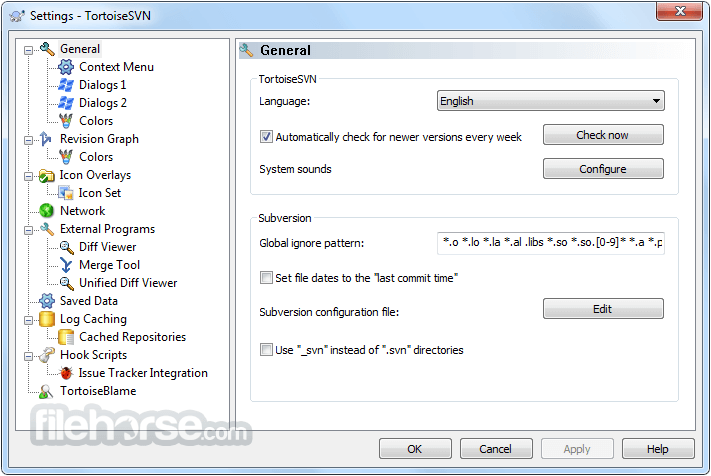
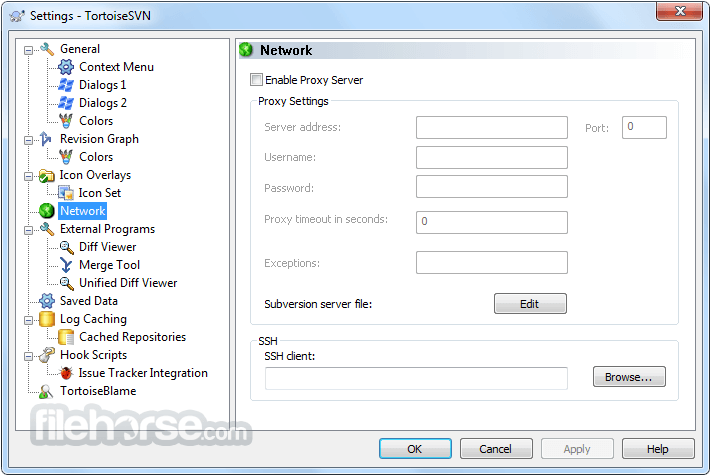
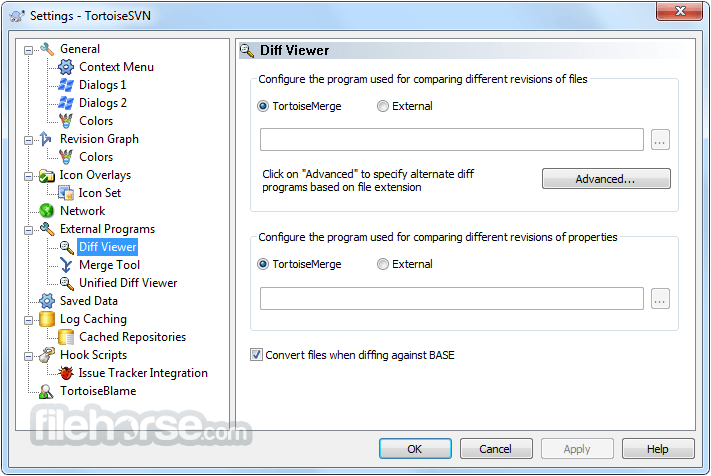
更新日誌
1.6.0 Notes:
Culminating over 9 months of development effort, this is the best release of TortoiseSVN yet, and delivers powerful features, including:
* Early support for tree conflict detection
* improved revision graph
* ...and many more.
Changes:
Version 1.6.0
- NEW: Ignoring of multiple selected items by their extension. See
issue #423 for details. (Stefan)
- NEW: The log dialog allows filtering by bug-ID.
See issue #422 for details. (Stefan)
- NEW: Column to show the remote revision in the CfM dialog. (Stefan)
- NEW: The current revision of the working copy item is shown in
bold in the log dialog. See issue #425 for details. (Stefan)
- NEW: The custom tsvn: urls allow a revision to be specified after the
real url, separated with '?'. (Stefan)
- NEW: The state of the 'merge non-interactive' checkbox is remembered
across sessions. (Stefan)
- NEW: editing the author in the log dialog is now possible for
multiple selected revisions. (Stefan)
- NEW: Paste command to paste copied/cut files from explorer into
a working copy. See issue #427 for details. (Stefan)
- NEW: TortoiseProc returns now 0 after the command finished successfully
and -1 if the command failed with an error. See issue #426
for details. (Stefan)
- NEW: Added blame command to context menu of the status list control. (Stefan)
- NEW: "up" button in the repo browser. (Stefan)
- NEW: Checkbox to exclude the externals in the Check-For-Modifications
dialog. (Stefan)
- NEW: Ability to cancel the "patch all" function. (Stefan)
- NEW: Option to disable the context menu for specific paths. (Stefan)
- NEW: Extended the IBugTraqProvider. See issue #428 for details. (Stefan)
- NEW: The status cache handles "runas" now better. (Stefan)
- NEW: Automated removal of unused log caches. (Stefan Fuhrmann)
- NEW: When diffing against BASE, the diff tool now shows the BASE revision
in the view title. (Stefan)
- NEW: if "unversioned files mark parent folder as modified" is active,
the revert dialog shows a hint if unversioned files are found. (Stefan)
- NEW: Auto-maintenance for log caches plus several settings to control
its behavior. (Stefan Fuhrmann)
- NEW: Log cache supports multiple repositories with the same UUID.
(Stefan Fuhrmann)
- NEW: Revision graph settings page. Several previously hidden
features are now available to the user. (Stefan Fuhrmann)
- NEW: The status list control shows the entries grouped by externals if
no changelists are present. (Stefan)
- NEW: two project properties (bugtraq:provideruuid and bugtraq:providerparams)
to specifiy the IBugTraqProvider for the project. (Stefan)
- NEW: Helper dialog to resolve property conflicts. (Stefan)
- NEW: Revision graph can be collapsed / expanded as well as
split and joined. (Stefan Fuhrmann)
- NEW: Helper dialog to resolve tree conflicts. (Stefan)
- NEW: TortoiseBlame shows the revision range in the title. See
issue #429 for details. (Stefan)
- NEW: Revision graph: Option to hide unmodified branches (Stefan Fuhrmann)
- NEW: Revision graph: Option to show workspace modifications as extra node
(Stefan Fuhrmann)
- NEW: Revision graph: Update / Switch WC in node context menu
(Stefan Fuhrmann)
- NEW: A warning is shown if the user tries to add a file that was versioned
but renamed in case. (Stefan)
- NEW: TortoiseMerge scrolls the views automatically when selecting with
the left mouse button down. (Stefan)
- NEW: In the log dialog filter, a ! char at the beginning will negate
the filter string. (Stefan)
- NEW: Column in the check-for-modifications dialog to show
the lock date. (Stefan)
- NEW: Context menu to delete and ignore files at the same time. (Stefan)
- NEW: Tooltips in the action column of the log dialog, explaining the
action icons. (Stefan)
- NEW: When moving/copying a file over an existing file, ask the user whether
to replace that existing file. (Stefan)
- NEW: Shift-click feature for merge tools. See issue #430 for details. (Stefan)
- NEW: "Create patch" and "Check for Modifications" available from
commit/CfM dialog. (Stefan)
- NEW: new column for checkout depth in the CSVNStatusListCtrl. (Stefan)
- NEW: overlays in the CSVNStatusListCtrl for the different depths and
external/nested files and folders. (Stefan)
- CHG: The bug-ID column width in the log dialog is now limited
to 200 pixels. (Stefan)
- CHG: The right-drag context menu now only shows "Export" if a versioned
folder is dragged (for files, the windows 'copy' does the same). (Stefan)
- CHG: The right-drag context menu checks whether source and target are
from the same repository and shows the "SVN move" and "SVN copy"
commands only if they are. (Stefan)
- CHG: When only files are selected for "Add", the Add-dialog is not
shown anymore but the files are added immediately. (Stefan)
- CHG: file:// access to BDB based repositories is no longer supported. (Stefan)
- CHG: the log dialog now shows a possible error message when fetching the
log as a text in the top list control instead of showing a popup
message box. (Stefan)
- CHG: New revision graph look. (Stefan Fuhrmann)
- CHG: Faster and more reliable revision graph filtering. (Stefan Fuhrmann)
- CHG: If tsvn:logtemplate was set and not changed in the commit dialog, it
isn't added to the log history anymore. (Stefan)
- CHG: "Ambiguous URL" option no longer limits log cache functionality.
(Stefan Fuhrmann)
- CHG: Various improvements to log statistics graphs (Aras Pranckevicius)
- CHG: The merge wizard is now resizable. (Stefan)
- CHG: The checkout/export dialogs do not ask whether to create the folder
to checkout/export aynmore but silently create it. (Stefan)
- 2026-03-01 TortoiseSVN 1.14.9 (64-bit) 29.82 MB
- 2024-12-10 TortoiseSVN 1.14.9 (32-bit) 17.36 MB
- 2024-10-09 TortoiseSVN 1.14.8 (32-bit) 17.33 MB
- 2024-10-09 TortoiseSVN 1.14.8 (64-bit) 29.68 MB
- 2024-04-17 TortoiseSVN 1.14.7 (32-bit) 17.3 MB
- 2024-04-17 TortoiseSVN 1.14.7 (64-bit) 29.69 MB
- 2023-12-29 TortoiseSVN 1.14.6 (32-bit) 17.29 MB
- 2023-12-29 TortoiseSVN 1.14.6 (64-bit) 29.66 MB