Trello Desktop - Teamwork Project Tool
v Trello Desktop - Teamwork Project Tool
Windows
未分類
8.6/10 (23)
- 目前版本Trello Desktop - Teamwork Project Tool
- 更新日期2025-05-12
- 作業系統Windows 10 / Windows 11
- 支援語系English
- 授權型式未分類
- 開發商 Atlassian
- 軟體分類Windows 軟體 / 辦公商務
##
編輯短評
Trello Desktop 是 Atlassian 官方推出的桌面版應用,將原本以網頁為主的看板式任務管理工具帶到 Windows 環境。它透過可自訂的欄位與卡片,讓團隊能清楚掌握任務進度、指派負責人並留下回饋,核心特色在於視覺化的看板介面,大幅降低專案管理的入門門檻。這款軟體由原廠開發,全球有超過兩百萬個團隊採用,屬於同類工具中的主流首選,不過近期更新並不活躍,版本維護節奏較為平緩。
這套工具適合需要輕量任務追蹤的個人或中小型團隊,尤其常用於行銷活動、產品開發或內容排程等情境。與 Microsoft Office 等文書軟體相比,Trello 更聚焦在流程協作而非文件產出,取捨在於它不具備完整的專案報表或甘特圖功能。目前僅提供英文介面,且授權方式未明確分類,下載前需留意語系支援與使用條款,若團隊成員不熟悉英文操作,可能需要額外適應成本。
##
翻譯排程處理中,以下暫以英文原文呈現
軟體介紹
Trello is a popular web-based task management and list-making application that promotes the creation of dedicated task boards with customizable column and row entries, where users can collaborate in the creation of tasks, keeping up with assignments, provide feedback, and manage large workflows inside a simple user interface.
Join over 2,000,000 teams worldwide that are using this app to get more done.
Developed by Atlassian, the company behind the original platform, it aims to provide users with a dedicated and optimized desktop experience. It builds upon the core features of Trello and offers additional functionalities that cater specifically to desktop users.
Optimized for both private and business use (with full compatibility for integration into large enterprise systems and custom cloud-based services), Atlassian Trello Desktop today ranks as one of the top 150 most visited online destinations in the entire world, and is regularly used to manage software development projects, school bulletin boards, web design projects, lesson planning or any other activities that involve in-depth planning.
To take full advantage of Trello on your desktop PC or laptop, you can install its official Windows app that will help you better organize your activities, delegate tasks, cooperate with colleagues and friends, improve your workflow, and better understand the scope of your challenges in private life, school or work tasks.
The app provides simple access to all your Trello boards and tools that are needed not only for task creation and oversight but also for the management of all collaboration features.
While the user interface closely resemble that of the official Trello web app, the presence of the standalone app can help you to get access to your share of work, get notified of changes in numerous “To-Do” cards, check attacked files, view uploaded photos and more.
The interface can be managed either with intuitive mouse-friendly buttons and tabs or via keyboard shortcuts that can greatly increase your work speed and productivity.
All the tools and features of the Trello desktop app are available to both home and business users for free. The app is relatively small, fast, and fully optimized for deployment on any modern Windows 8.1 or 10 PC.
Highlights
Enhanced Offline Access: It allows you to work offline, ensuring that you can access and update your boards even without an internet connection.
Desktop Notifications: Stay updated with real-time notifications on your desktop, so you never miss important updates or deadlines.
Keyboard Shortcuts: Effortlessly navigate and interact with your boards using custom keyboard shortcuts, boosting your efficiency.
Integration Capabilities: Seamlessly integrate with other popular tools such as Slack, Google Drive, and more, to centralize your work and communication.
Improved Performance: The app is optimized for your computer's hardware, providing faster load times and smoother performance.
User Interface
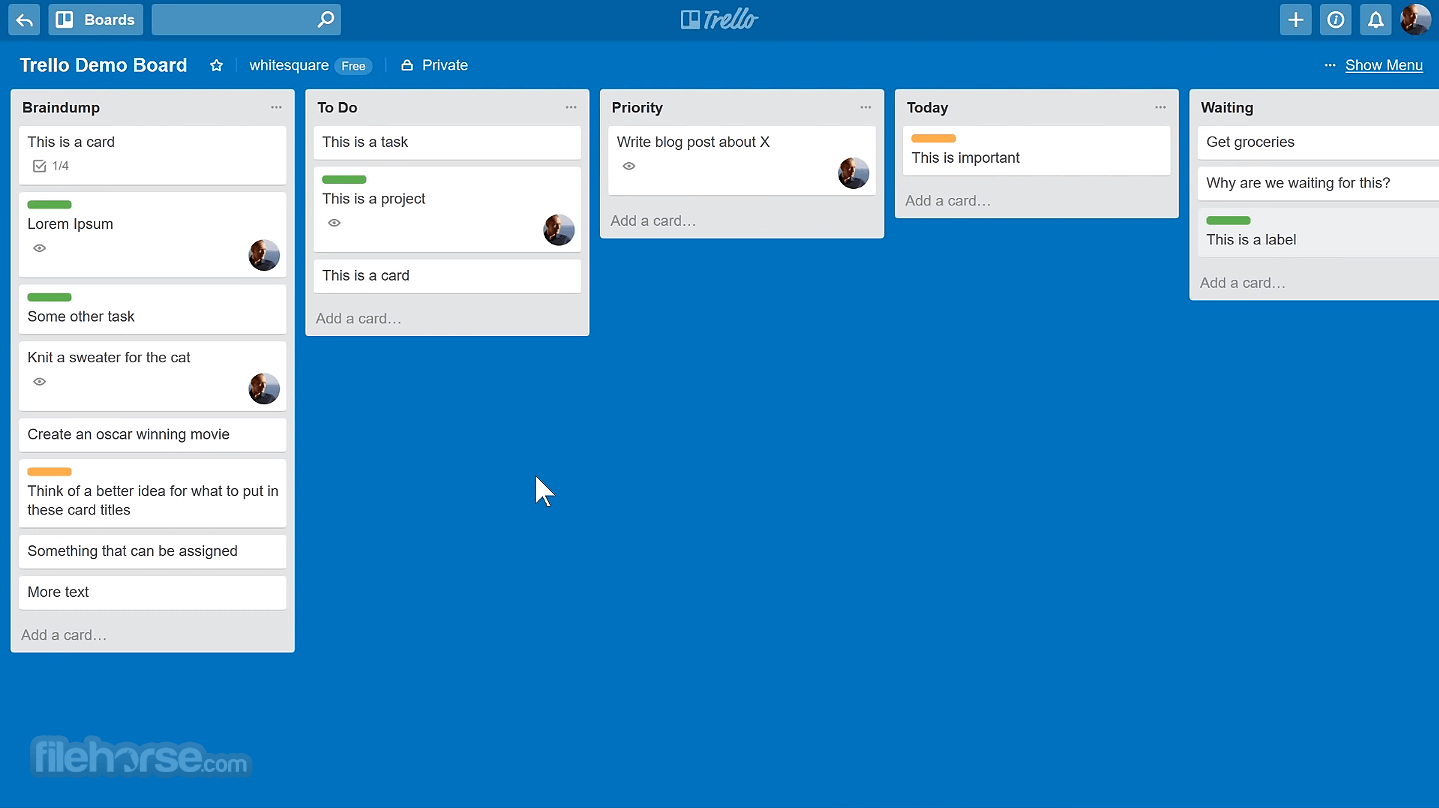
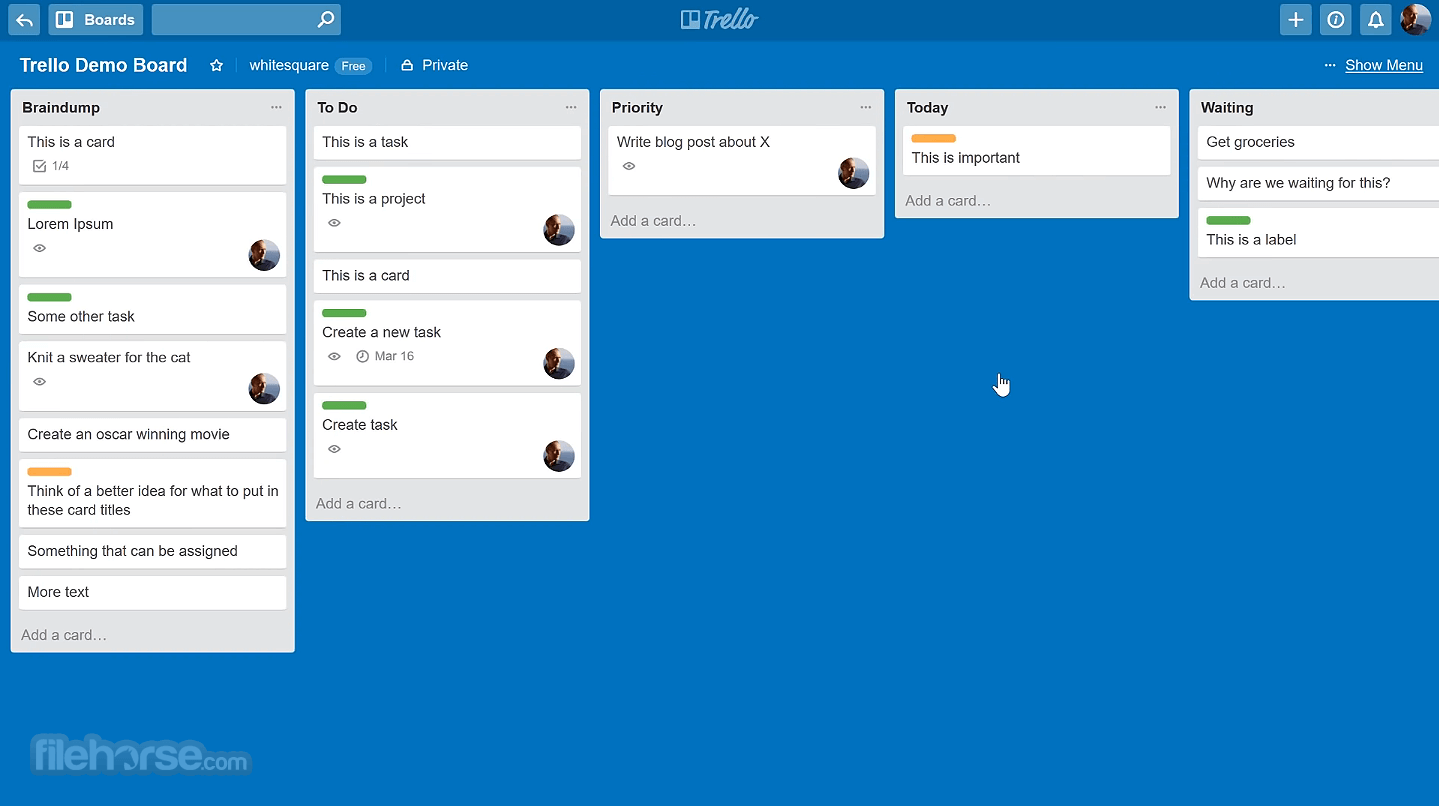
The program maintains the clean and user-friendly interface that users are accustomed to. It features a responsive layout with customizable boards, lists, and cards, making it easy to organize and prioritize tasks.
The desktop version also benefits from a larger screen space, allowing for a more comprehensive view of your projects.
Installation and Setup
Create Boards: Start by creating boards for different projects or workflows.
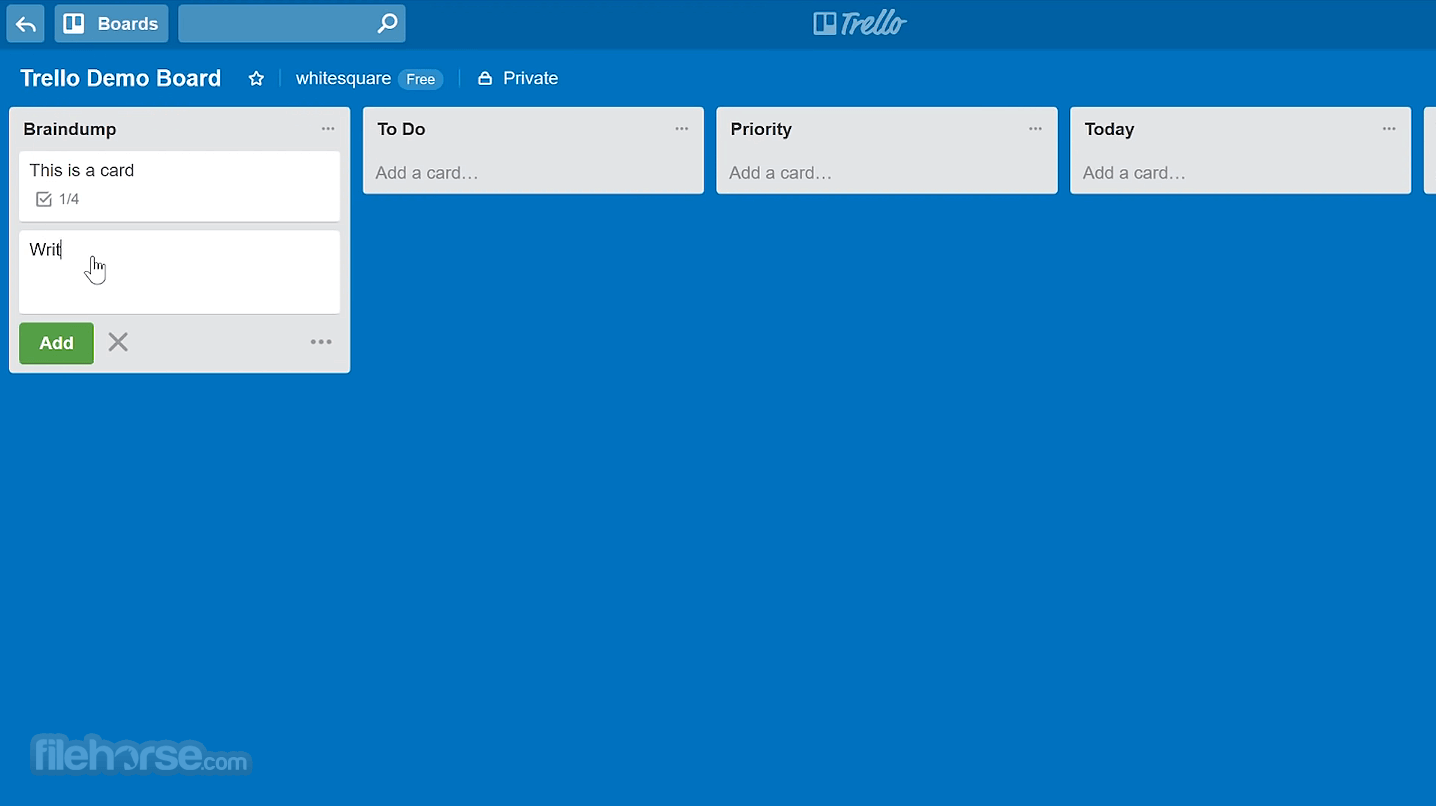
Add Lists: Within each board, create lists to represent different stages or categories of tasks.
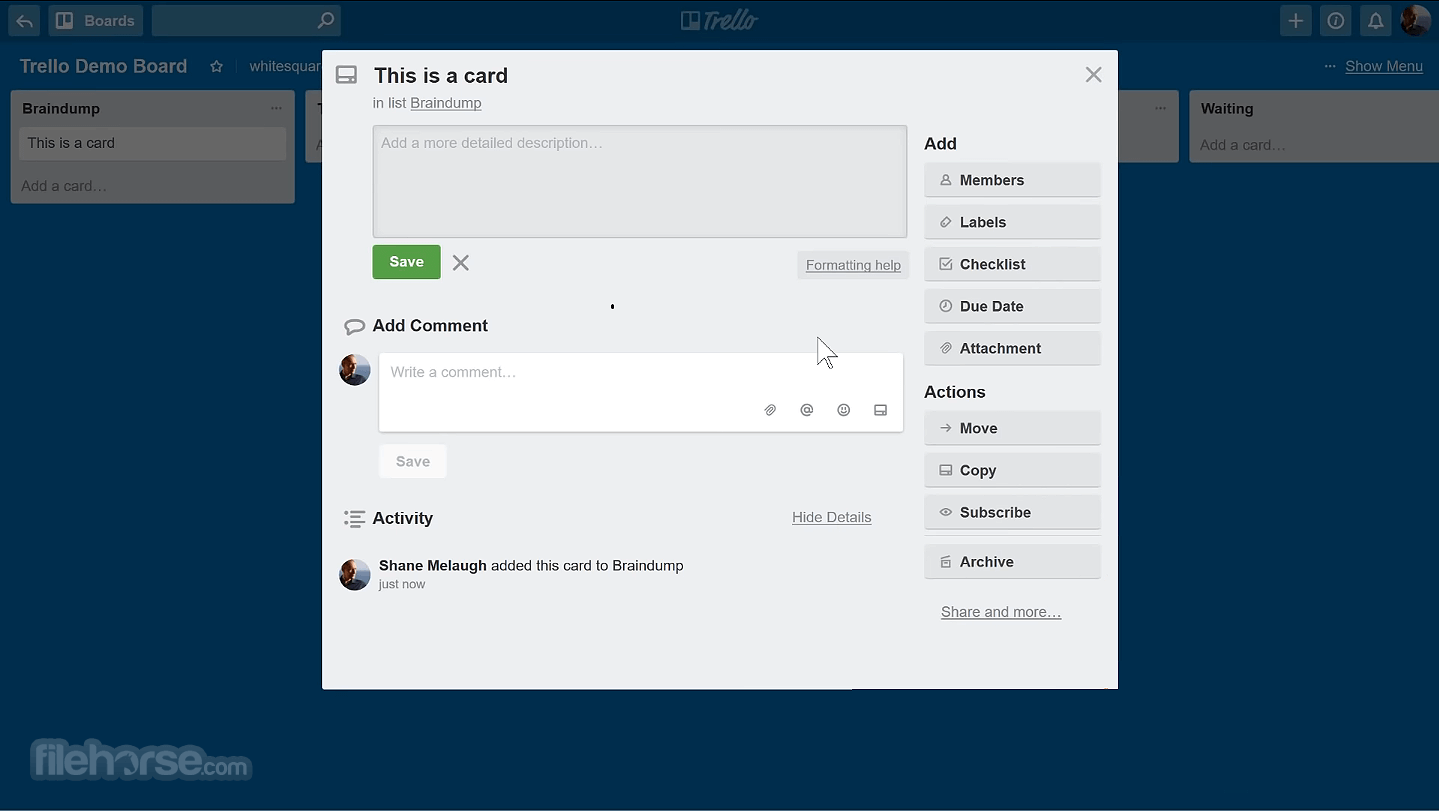
Create Cards: Populate your lists with cards, each representing a specific task or item.
Customize Cards: Add due dates, labels, descriptions, and attachments to your cards to provide more context.
Collaborate: Invite team members to collaborate on your boards and assign tasks accordingly.
FAQ
Is Trello Desktop FREE to use?
Yes, Trello Desktop is available for free. However, there is a paid version, Trello Business Class, which offers advanced features and customization options.
Can I use Trello Desktop offline?
Yes, it allows offline access to your boards and cards, making it a great choice for users who need to work without an internet connection.
How do I sync my existing Trello boards with Trello Desktop?
Simply log in to Trello Desktop with your account credentials, and your existing boards and data will be automatically synchronized.
What are the keyboard shortcuts available in Trello Desktop?
It offers a variety of keyboard shortcuts to navigate and interact with your boards efficiently. You can find a list of these shortcuts in the application's settings.
Can I use Trello Desktop on multiple devices?
Yes, you can use the software on multiple devices, and changes made on one device will be synchronized across all devices logged in with the same account.
Alternatives
ClickUp: ClickUp offers a highly customizable workspace with features for task management, goal tracking, and time management.
Asana: Known for its project management capabilities and task tracking, Asana is a robust alternative to this app.
Notion: Notion is a versatile workspace tool that combines task management, note-taking, and collaboration features.
Pricing
FREE
For individuals or teams looking to organize any project.
STANDARD - $5 USD Per user/month
For small teams that need to manage work and scale collaboration.
PREMIUM - $10 USD Per user/month
For teams that need to track and visualize multiple projects in several ways, including boards, timelines, calendars, etc.
ENTERPRISE - $17.5 USD Per user/month
For organizations that need to connect work across teams with more security and controls.
PROS
Overall, Trello Desktop is a valuable addition to the Trello ecosystem, offering desktop users a more tailored and feature-rich experience. Its offline capabilities, desktop notifications, and integration options make it a compelling choice for individuals and teams seeking effective task management.
While it may not match the depth of features found in some specialized project management tools, its simplicity and accessibility make it an excellent choice for a wide range of users. Whether you're a seasoned Trello user or new to the platform, the app is worth trying out to supercharge your productivity.
Also Available: Download Trello for Mac
Download Trello Desktop Latest Version Why is this app published on FileHorse? (More info)
Join over 2,000,000 teams worldwide that are using this app to get more done.
Developed by Atlassian, the company behind the original platform, it aims to provide users with a dedicated and optimized desktop experience. It builds upon the core features of Trello and offers additional functionalities that cater specifically to desktop users.
Optimized for both private and business use (with full compatibility for integration into large enterprise systems and custom cloud-based services), Atlassian Trello Desktop today ranks as one of the top 150 most visited online destinations in the entire world, and is regularly used to manage software development projects, school bulletin boards, web design projects, lesson planning or any other activities that involve in-depth planning.
To take full advantage of Trello on your desktop PC or laptop, you can install its official Windows app that will help you better organize your activities, delegate tasks, cooperate with colleagues and friends, improve your workflow, and better understand the scope of your challenges in private life, school or work tasks.
The app provides simple access to all your Trello boards and tools that are needed not only for task creation and oversight but also for the management of all collaboration features.
While the user interface closely resemble that of the official Trello web app, the presence of the standalone app can help you to get access to your share of work, get notified of changes in numerous “To-Do” cards, check attacked files, view uploaded photos and more.
The interface can be managed either with intuitive mouse-friendly buttons and tabs or via keyboard shortcuts that can greatly increase your work speed and productivity.
All the tools and features of the Trello desktop app are available to both home and business users for free. The app is relatively small, fast, and fully optimized for deployment on any modern Windows 8.1 or 10 PC.
Highlights
- Create boards to organize anything you're working on
- Use them solo or invite coworkers, friends and family to collaborate
- Customize workflows for different projects
- Add checklists of "To-Dos" on cards
- Assign tasks to yourself and coworkers
- Comment on items with your friends
- Upload photos and videos
- Attach files
- Display cards in a calendar view with the Calendar Power-Up
- The app is free to use forever with options to upgrade to Gold for loads of extra fun and functionality
Enhanced Offline Access: It allows you to work offline, ensuring that you can access and update your boards even without an internet connection.
Desktop Notifications: Stay updated with real-time notifications on your desktop, so you never miss important updates or deadlines.
Keyboard Shortcuts: Effortlessly navigate and interact with your boards using custom keyboard shortcuts, boosting your efficiency.
Integration Capabilities: Seamlessly integrate with other popular tools such as Slack, Google Drive, and more, to centralize your work and communication.
Improved Performance: The app is optimized for your computer's hardware, providing faster load times and smoother performance.
User Interface
The program maintains the clean and user-friendly interface that users are accustomed to. It features a responsive layout with customizable boards, lists, and cards, making it easy to organize and prioritize tasks.
The desktop version also benefits from a larger screen space, allowing for a more comprehensive view of your projects.
Installation and Setup
- Visit the official website or FileHorse to download the installer for your specific operating system (Chrome, Webapp, Windows, macOS, or Linux).
- Run the installer and follow the on-screen instructions.
- Once installed, launch the application and log in with your credentials.
- It will automatically sync with your account, pulling in your existing boards and data.
Create Boards: Start by creating boards for different projects or workflows.
Add Lists: Within each board, create lists to represent different stages or categories of tasks.
Create Cards: Populate your lists with cards, each representing a specific task or item.
Customize Cards: Add due dates, labels, descriptions, and attachments to your cards to provide more context.
Collaborate: Invite team members to collaborate on your boards and assign tasks accordingly.
FAQ
Is Trello Desktop FREE to use?
Yes, Trello Desktop is available for free. However, there is a paid version, Trello Business Class, which offers advanced features and customization options.
Can I use Trello Desktop offline?
Yes, it allows offline access to your boards and cards, making it a great choice for users who need to work without an internet connection.
How do I sync my existing Trello boards with Trello Desktop?
Simply log in to Trello Desktop with your account credentials, and your existing boards and data will be automatically synchronized.
What are the keyboard shortcuts available in Trello Desktop?
It offers a variety of keyboard shortcuts to navigate and interact with your boards efficiently. You can find a list of these shortcuts in the application's settings.
Can I use Trello Desktop on multiple devices?
Yes, you can use the software on multiple devices, and changes made on one device will be synchronized across all devices logged in with the same account.
Alternatives
ClickUp: ClickUp offers a highly customizable workspace with features for task management, goal tracking, and time management.
Asana: Known for its project management capabilities and task tracking, Asana is a robust alternative to this app.
Notion: Notion is a versatile workspace tool that combines task management, note-taking, and collaboration features.
Pricing
FREE
For individuals or teams looking to organize any project.
STANDARD - $5 USD Per user/month
For small teams that need to manage work and scale collaboration.
PREMIUM - $10 USD Per user/month
For teams that need to track and visualize multiple projects in several ways, including boards, timelines, calendars, etc.
ENTERPRISE - $17.5 USD Per user/month
For organizations that need to connect work across teams with more security and controls.
PROS
- Enhanced offline access for productivity on the go.
- Desktop notifications keep you updated in real-time.
- Customizable keyboard shortcuts for efficiency.
- Seamless integration with other tools.
- Improved performance compared to the web version.
- Some advanced features require a paid subscription.
- Not as feature-rich as specialized project management tools.
- Limited reporting and analytics capabilities.
- Steeper learning curve for new users.
- Occasional synchronization issues, although they are rare.
Overall, Trello Desktop is a valuable addition to the Trello ecosystem, offering desktop users a more tailored and feature-rich experience. Its offline capabilities, desktop notifications, and integration options make it a compelling choice for individuals and teams seeking effective task management.
While it may not match the depth of features found in some specialized project management tools, its simplicity and accessibility make it an excellent choice for a wide range of users. Whether you're a seasoned Trello user or new to the platform, the app is worth trying out to supercharge your productivity.
Also Available: Download Trello for Mac
Download Trello Desktop Latest Version Why is this app published on FileHorse? (More info)
##
畫面截圖