- 目前版本2.12.0
- 更新日期2026-04-11
- 檔案大小115 MB
- 檔案名稱Twine-2.12.0-Windows.exe
- 作業系統Windows 10 / Windows 11
- 支援語系English
- 授權型式開源軟體
- 開發商 Chris Klimas
- 軟體分類Windows 軟體 / 開發者工具
##
翻譯排程處理中,以下暫以英文原文呈現
軟體介紹
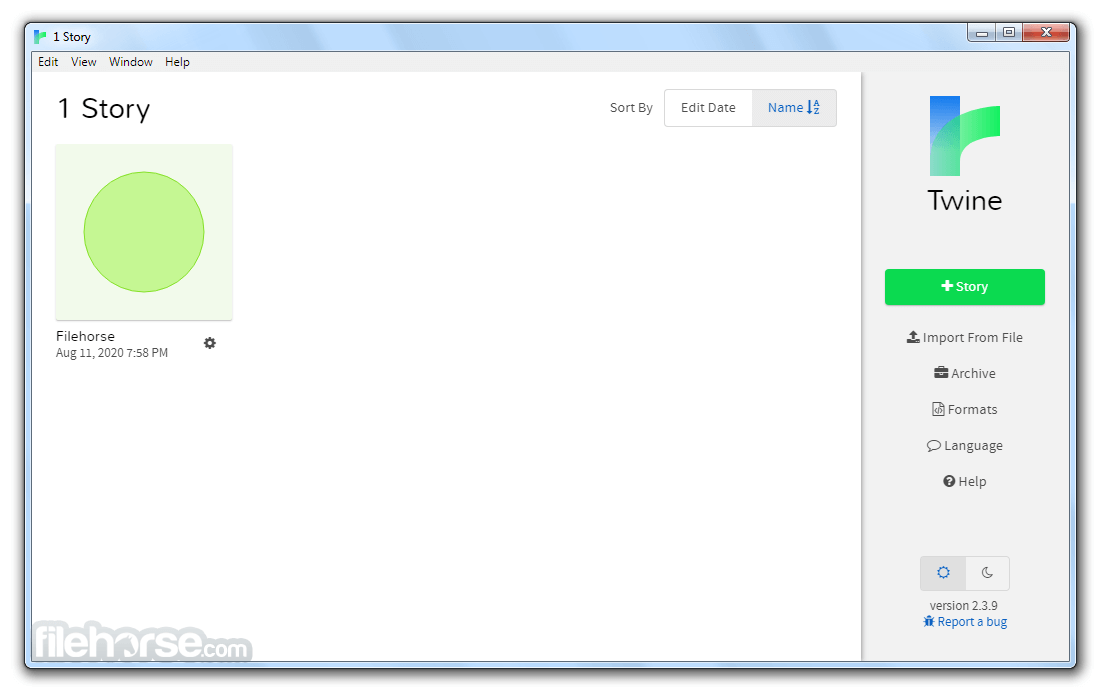
Twine is an open-source tool for telling interactive, nonlinear stories. Twine publishes directly to HTML, so you can post your work nearly anywhere. Anything you create with it is completely free to use any way you like, including for commercial purposes.
You don't need to write any code to create a simple story with the app, but you can extend your stories with variables, conditional logic, images, CSS, and JavaScript when you're ready.
It was originally created by Chris Klimas in 2009 and is now maintained by a whole bunch of people at several different repositories.
What Can You Build With Twine?
At its heart, Twine for PC is a tool for creating hypertext. The difference between hypertext and a linear story, the kind found in books and magazines, is that it allows the reader to have some measure of agency. In other words, the reader has some ability over what he or she reads next.
In a story about a haunted house, for example, the reader might be able to tell the protagonist to Turn around and run or Venture deeper into the mausoleum. In a nonfiction piece, the reader might ask to learn more about my aunt who went missing.
The convention that has emerged over the past three decades is that readers navigate hypertexts by clicking links. In this sense, you're already a seasoned hypertext reader. You clicked several links to reach this text, after all, and you've probably clicked an uncountable number of links in your life so far.
Can you build games with Twine for Desktop? Of course! Twine has the capability to do conditional logic, so if the protagonist finds a key in an early part of the story, he or she can use it to open a door later on.
It can also incorporate variables, which encompass the traditional trappings of games such as hit points and scores. These, along with the agency, are foundational concepts of interactivity, the currency of game design.
How to Use Twine for PC
Download Twine Latest Version Why is this app published on FileHorse? (More info)
You don't need to write any code to create a simple story with the app, but you can extend your stories with variables, conditional logic, images, CSS, and JavaScript when you're ready.
It was originally created by Chris Klimas in 2009 and is now maintained by a whole bunch of people at several different repositories.
What Can You Build With Twine?
At its heart, Twine for PC is a tool for creating hypertext. The difference between hypertext and a linear story, the kind found in books and magazines, is that it allows the reader to have some measure of agency. In other words, the reader has some ability over what he or she reads next.
In a story about a haunted house, for example, the reader might be able to tell the protagonist to Turn around and run or Venture deeper into the mausoleum. In a nonfiction piece, the reader might ask to learn more about my aunt who went missing.
The convention that has emerged over the past three decades is that readers navigate hypertexts by clicking links. In this sense, you're already a seasoned hypertext reader. You clicked several links to reach this text, after all, and you've probably clicked an uncountable number of links in your life so far.
Can you build games with Twine for Desktop? Of course! Twine has the capability to do conditional logic, so if the protagonist finds a key in an early part of the story, he or she can use it to open a door later on.
It can also incorporate variables, which encompass the traditional trappings of games such as hit points and scores. These, along with the agency, are foundational concepts of interactivity, the currency of game design.
How to Use Twine for PC
- Install Twine on your Windows PC
- Open Twine and start a new story project
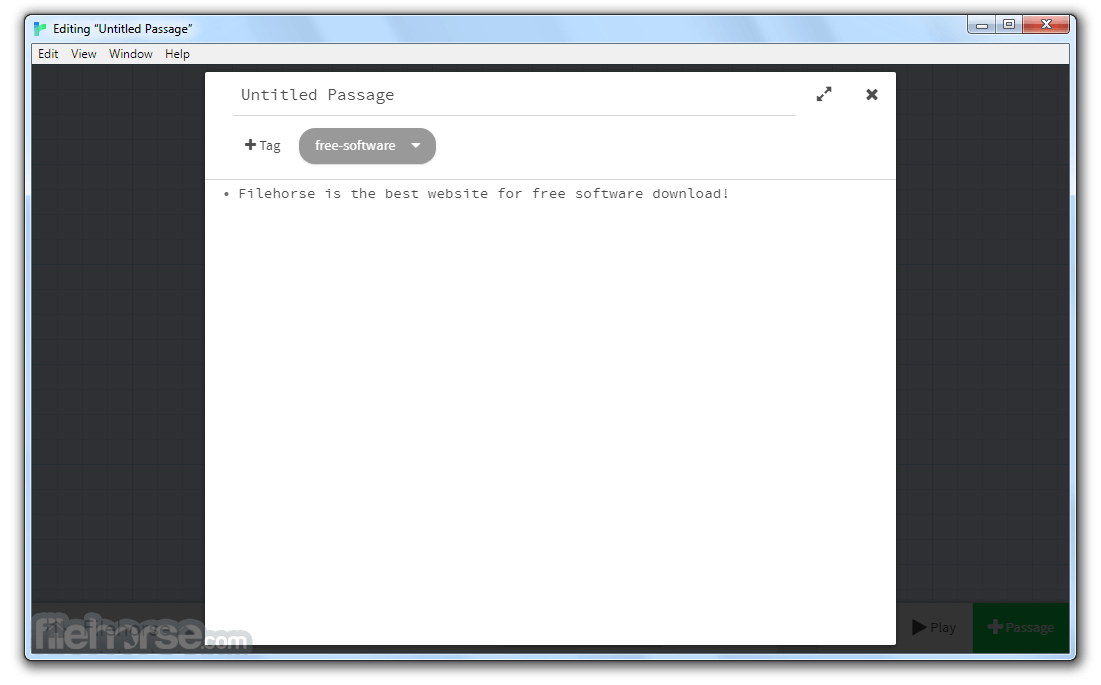
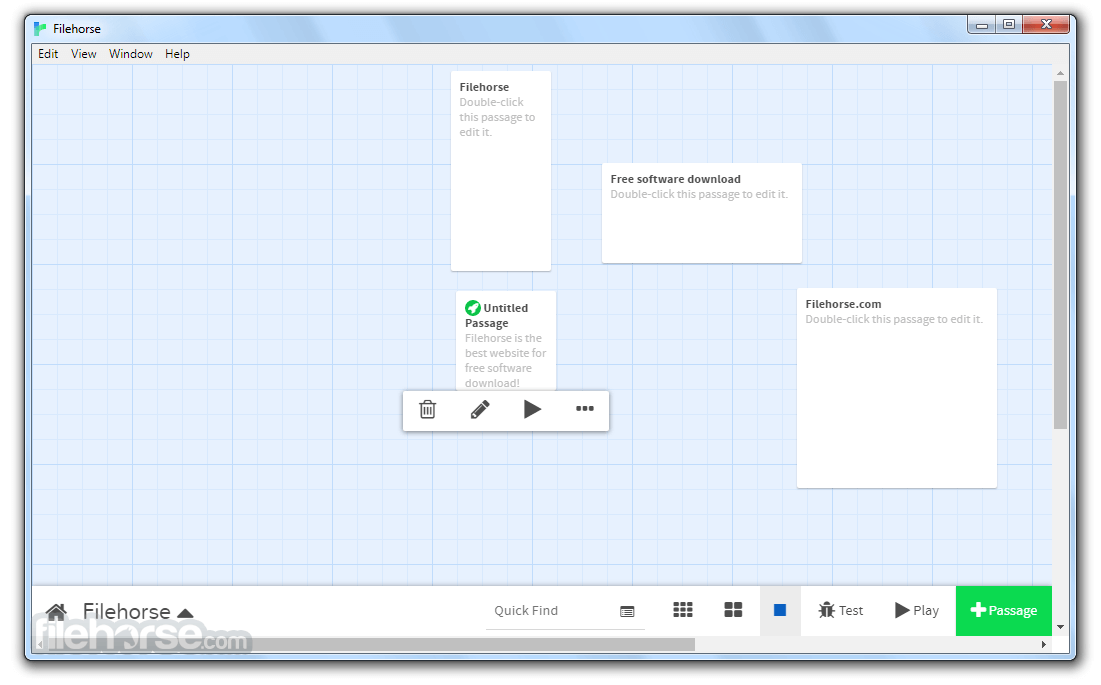
- Create passages by clicking the "New Passage" button
- Link passages using brackets like [[Choice]]
- Use the Story Map to organize your narrative flow
- Customize text using built-in styling options
- Add logic with Twine’s scripting features (Harlowe, SugarCube)
- Preview your story to test its functionality
- Export your story as HTML for sharing or publishing
- OS: Windows 11 or Windows 10
- Processor: Intel or AMD, 1GHz or higher
- RAM: 2GB minimum, 4GB recommended
- Storage: At least 100MB free space
- Display: 1024x768 resolution or higher
- Free and open-source software
- Easy-to-use visual story editor
- No coding required for basic use
- Exports interactive HTML stories
- Supports scripting for advanced features
- Limited built-in graphics support
- No direct mobile app version
- Basic UI can feel outdated
- Learning curve for scripting
- Limited built-in collaboration tools
Download Twine Latest Version Why is this app published on FileHorse? (More info)
##
畫面截圖