UltraSearch 4.9.1.1204
v 4.9.1.1204
Windows
免費軟體
7.52/10 (42)
- 目前版本4.9.1.1204
- 更新日期2026-03-10
- 檔案大小20.2 MB
- 檔案名稱UltraSearch-Setup.exe
- 作業系統Windows 7 64 / Windows 8 64 / Windows 10 64 / Windows 11
- 支援語系English
- 授權型式免費軟體
- 開發商 JAM Software
- 軟體分類Windows 軟體 / 桌面強化
##
翻譯排程處理中,以下暫以英文原文呈現
軟體介紹
UltraSearch by JAM Software is a high-performance file search tool for Windows that allows users to locate files and folders almost instantly.
Unlike traditional search tools that rely on indexing, UltraSearch leverages the Master File Table (MFT) of the NTFS file system, enabling real-time searches without the need for background indexing.
This results in a highly efficient and lightweight search experience, ideal for users who need quick and accurate file retrieval.
Features
Real-Time File Search: Instantly finds files and folders without pre-indexing.
Wildcard and Regular Expression Support: Allows advanced searches using filters.
Content Search: Can search for specific text within files.
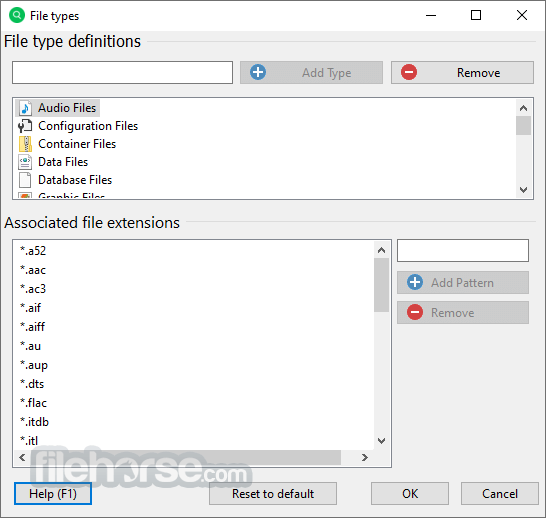
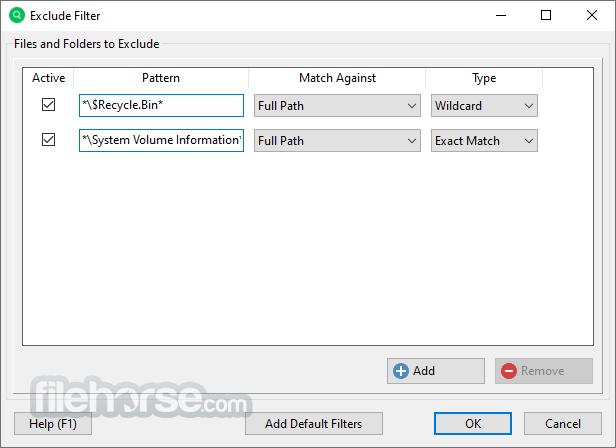
Customizable Filters: Users can exclude or include file types, folders, and locations.
Network Drive and FAT Support: Searches can extend beyond NTFS drives.
Search Result Export: Results can be exported in formats such as CSV and Excel.
Context Menu Integration: Right-click functionality within Windows Explorer.
File Preview: Displays previews of certain file types before opening.
Command Line Support: Enables searches via scripts and command-line queries.
User Interface
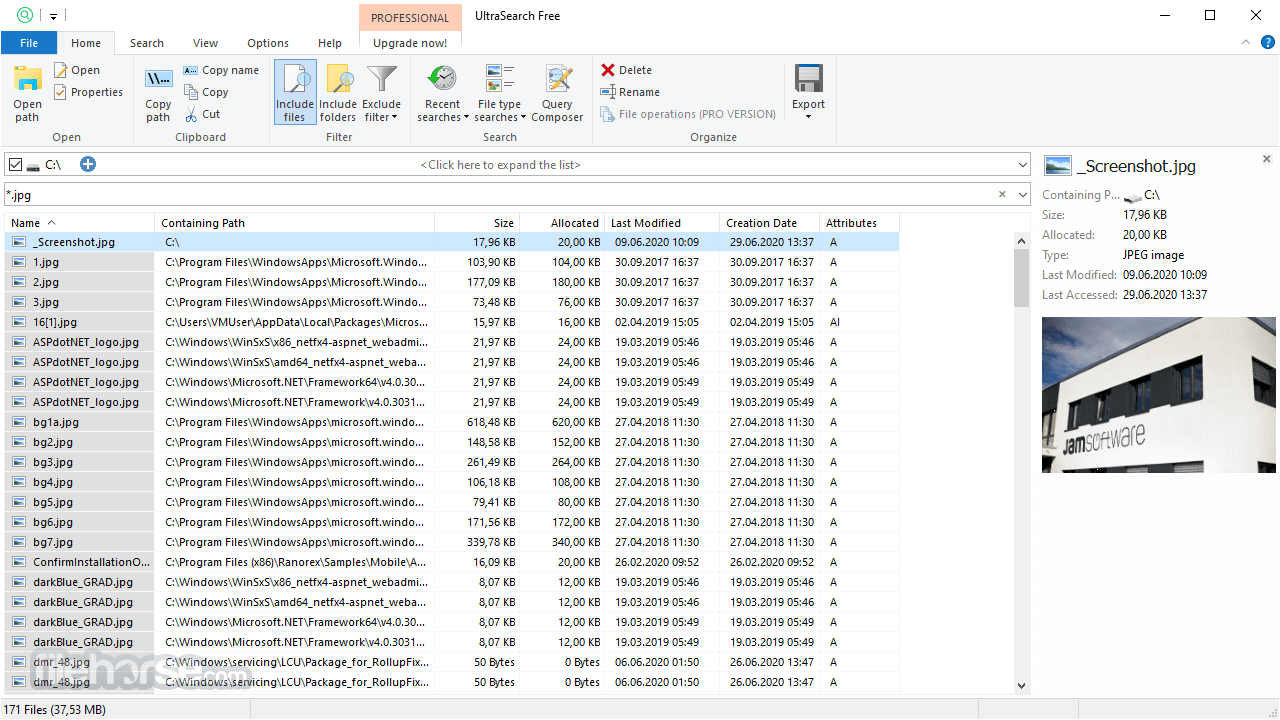
The app features a simple and intuitive interface, making it accessible even for novice users. The main search bar is prominent at the top, allowing users to input queries directly.
Below it, search results appear in a dynamic list with details such as file name, path, size, and modification date. Filters and advanced settings are neatly organized, making customization straightforward.
The interface is lightweight and responsive, ensuring smooth operation without unnecessary clutter.
Installation and Setup
Enter a Search Term: Type a file name, part of a name, or a wildcard expression.
Refine Results: Use filters to limit searches to specific folders, drives, or file types.
Open Files: Double-click a result to open the file, or use the context menu for additional options.
Search Within Files: Enable content search to look for text inside documents.
Export Results: Save the search results to a file for further analysis or documentation.
FAQ
Does UltraSearch work on non-NTFS drives?
Yes, but performance is slower as it cannot leverage the MFT for instant searches.
Is UltraSearch completely free?
Yes, UltraSearch Free is available, but a Pro version offers additional features like more extensive filtering and scripting support.
Can UltraSearch search inside file contents?
Yes, it supports content search, but this feature takes longer as files must be read sequentially.
Does it integrate with Windows Explorer?
Yes, it adds a right-click search option for easier file lookup.
Can I search across multiple drives?
Yes, it supports multiple drive searches, including network drives.
Alternatives
Everything by Voidtools: Another fast, non-indexing search tool.
Windows Search (Built-in): The default Windows search tool, though slower than UltraSearch.
Pricing
UltraSearch Free: Basic search capabilities at no cost.
UltraSearch Pro (one-time for $29.90): Offers additional features such as advanced filtering, scripting, and enhanced search performance.
System Requirements
UltraSearch by JAM Software is a top-tier file search utility for Windows, especially for users working with NTFS file systems. Its ability to deliver near-instant results without requiring pre-indexing makes it a superior alternative to built-in Windows search. While its content search is slower compared to indexed search tools, its overall speed and efficiency more than compensate for this limitation.
Download UltraSearch Latest Version Why is this app published on FileHorse? (More info)
Unlike traditional search tools that rely on indexing, UltraSearch leverages the Master File Table (MFT) of the NTFS file system, enabling real-time searches without the need for background indexing.
This results in a highly efficient and lightweight search experience, ideal for users who need quick and accurate file retrieval.
Features
Real-Time File Search: Instantly finds files and folders without pre-indexing.
Wildcard and Regular Expression Support: Allows advanced searches using filters.
Content Search: Can search for specific text within files.
Customizable Filters: Users can exclude or include file types, folders, and locations.
Network Drive and FAT Support: Searches can extend beyond NTFS drives.
Search Result Export: Results can be exported in formats such as CSV and Excel.
Context Menu Integration: Right-click functionality within Windows Explorer.
File Preview: Displays previews of certain file types before opening.
Command Line Support: Enables searches via scripts and command-line queries.
User Interface
The app features a simple and intuitive interface, making it accessible even for novice users. The main search bar is prominent at the top, allowing users to input queries directly.
Below it, search results appear in a dynamic list with details such as file name, path, size, and modification date. Filters and advanced settings are neatly organized, making customization straightforward.
The interface is lightweight and responsive, ensuring smooth operation without unnecessary clutter.
Installation and Setup
- Download: UltraSearch is available from JAM Software’s official website.
- Install: The installation process is straightforward with minimal user intervention required.
- First Launch: Upon startup, the software quickly accesses the MFT and is ready to use without any indexing delay.
- Customization: Users can configure file filters, network drive searches, and integration options in the settings menu.
Enter a Search Term: Type a file name, part of a name, or a wildcard expression.
Refine Results: Use filters to limit searches to specific folders, drives, or file types.
Open Files: Double-click a result to open the file, or use the context menu for additional options.
Search Within Files: Enable content search to look for text inside documents.
Export Results: Save the search results to a file for further analysis or documentation.
FAQ
Does UltraSearch work on non-NTFS drives?
Yes, but performance is slower as it cannot leverage the MFT for instant searches.
Is UltraSearch completely free?
Yes, UltraSearch Free is available, but a Pro version offers additional features like more extensive filtering and scripting support.
Can UltraSearch search inside file contents?
Yes, it supports content search, but this feature takes longer as files must be read sequentially.
Does it integrate with Windows Explorer?
Yes, it adds a right-click search option for easier file lookup.
Can I search across multiple drives?
Yes, it supports multiple drive searches, including network drives.
Alternatives
Everything by Voidtools: Another fast, non-indexing search tool.
Windows Search (Built-in): The default Windows search tool, though slower than UltraSearch.
Pricing
UltraSearch Free: Basic search capabilities at no cost.
UltraSearch Pro (one-time for $29.90): Offers additional features such as advanced filtering, scripting, and enhanced search performance.
System Requirements
- OS: Windows 7, 8, 10, 11 (32-bit & 64-bit)
- Processor: Intel/AMD, 1 GHz or higher
- RAM: 2 GB or more recommended
- Disk Space: Minimal (Under 50MB)
- Instant file search without indexing
- Lightweight and efficient
- Supports advanced search operators
- Integrates well with Windows Explorer
- Can search inside file contents
- NTFS-dependent for best performance
- Content search can be slow for large files
- Limited customization in the free version
- No built-in thumbnail previews for images
- Lacks built-in cloud storage search
UltraSearch by JAM Software is a top-tier file search utility for Windows, especially for users working with NTFS file systems. Its ability to deliver near-instant results without requiring pre-indexing makes it a superior alternative to built-in Windows search. While its content search is slower compared to indexed search tools, its overall speed and efficiency more than compensate for this limitation.
Download UltraSearch Latest Version Why is this app published on FileHorse? (More info)
##
畫面截圖