
- 目前版本VirtualBox 4.3.0 RC1
- 更新日期2013-10-09
- 檔案大小90.96MB
- 檔案名稱VirtualBox-4.3.0_RC1-89687-Win.exe
- 作業系統Windows 7 / Windows 8 / Windows 10 / Windows 11
- 支援語系English
- 授權型式開源軟體
- 開發商 Oracle
- 軟體分類Windows 軟體 / 開發者工具
編輯短評
VirtualBox 是 Oracle 推出的開源虛擬機器軟體,主要解決「在同一台電腦上同時運行多個作業系統」的需求。安裝後就像在電腦裡再變出一台虛擬電腦,可以放心把測試用的 Linux、Unix 等系統裝在裡面,即使弄壞了也不會影響主系統,直接移除重裝即可。它最大的辨識度在於免費開源、跨平台支援 Windows 與 macOS,且長期維護、更新活躍,在同類工具中屬於主流首選,評價普遍不錯。
這套軟體適合開發者、系統管理員,或是想學習 Linux/Unix 卻不想破壞現有環境的人。與 VMware Workstation Player 相比,VirtualBox 完全免費且開源,但進階功能與效能調校選項相對精簡;而 BlueStacks 這類模擬器則專注於 Android 應用,用途不同。使用上需留意介面僅提供英文,且虛擬機器運作時會佔用一定記憶體,建議主機至少具備 512MB 以上的可用空間再執行。
軟體介紹
這款跨平台軟體可安裝於 Windows、macOS、Linux 和 Solaris 主機上,並支援多種客端作業系統,包括 Windows、Linux 以及較舊版本的 macOS。
Oracle VM VirtualBox 特別受到開發人員、測試人員和 IT 專業人士的歡迎,他們需要建立和管理虛擬機器(VM)來測試軟體、模擬不同環境,或安全地隔離工作空間。
它讓使用者能在單一機器上執行幾乎任何作業系統,並可自由切換同時運行的作業系統實例。
這款程式是一款多功能的虛擬化軟體,專為 x86_64 硬體設計,支援多種裝置,包括筆記型電腦、桌上型電腦、伺服器和嵌入式系統。版本 7.1 也擴展了對 macOS/Arm 架構的相容性。
VirtualBox 不僅是功能極其豐富、高效能的企業級產品,也是唯一以開放原始碼軟體形式免費提供的專業解決方案。立即使用 VirtualBox 在 Windows 上免費執行 macOS!
主要功能
- 跨平台支援:支援多種主機和客端作業系統,使其成為不同平台使用者的多功能工具。
- 快照:使用者可以拍攝虛擬機器目前狀態的快照,以便在不會遺失資料的情況下還原到先前的設定。
- 虛擬網路:提供多種網路選項,包括 NAT、橋接網路和內部網路,可實現各種虛擬機器連線設定。
- 無縫模式:此功能讓使用者將客端應用程式整合到主機桌面,使其看起來就像原生執行一樣。
- 共用資料夾和剪貼簿:支援共用資料夾和剪貼簿功能,讓在主機與客端系統之間傳輸檔案和文字更加容易。
- USB 裝置支援:使用者可以將 USB 裝置連接到虛擬機器,直接與隨身碟、印表機和掃描器等周邊裝置互動。
- 命令列介面:進階使用者可以利用 CLI 進行指令碼編寫和自動化,更輕鬆地管理多個虛擬機器。
- 3D 圖形支援:此應用程式提供 3D 圖形加速,特別適合執行需要硬體圖形支援的應用程式。
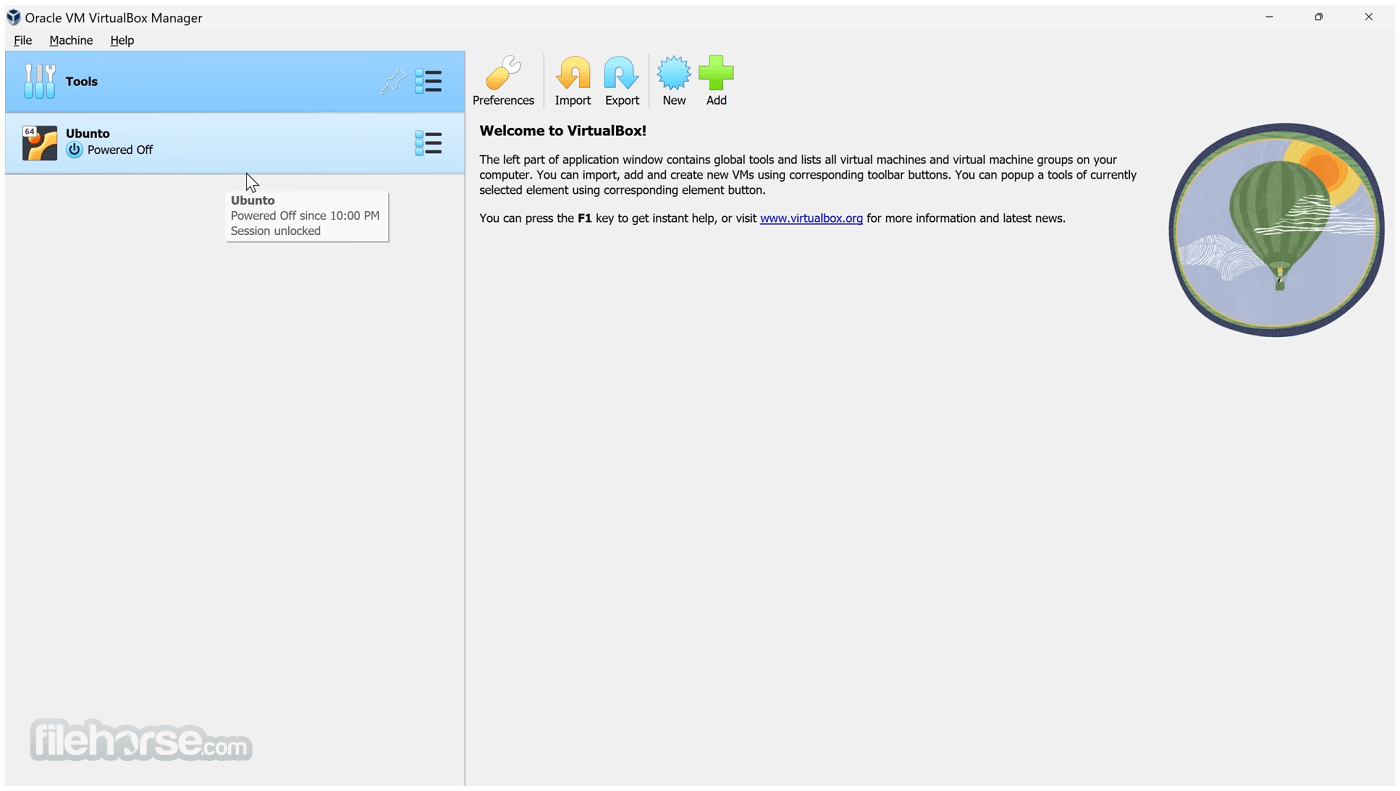
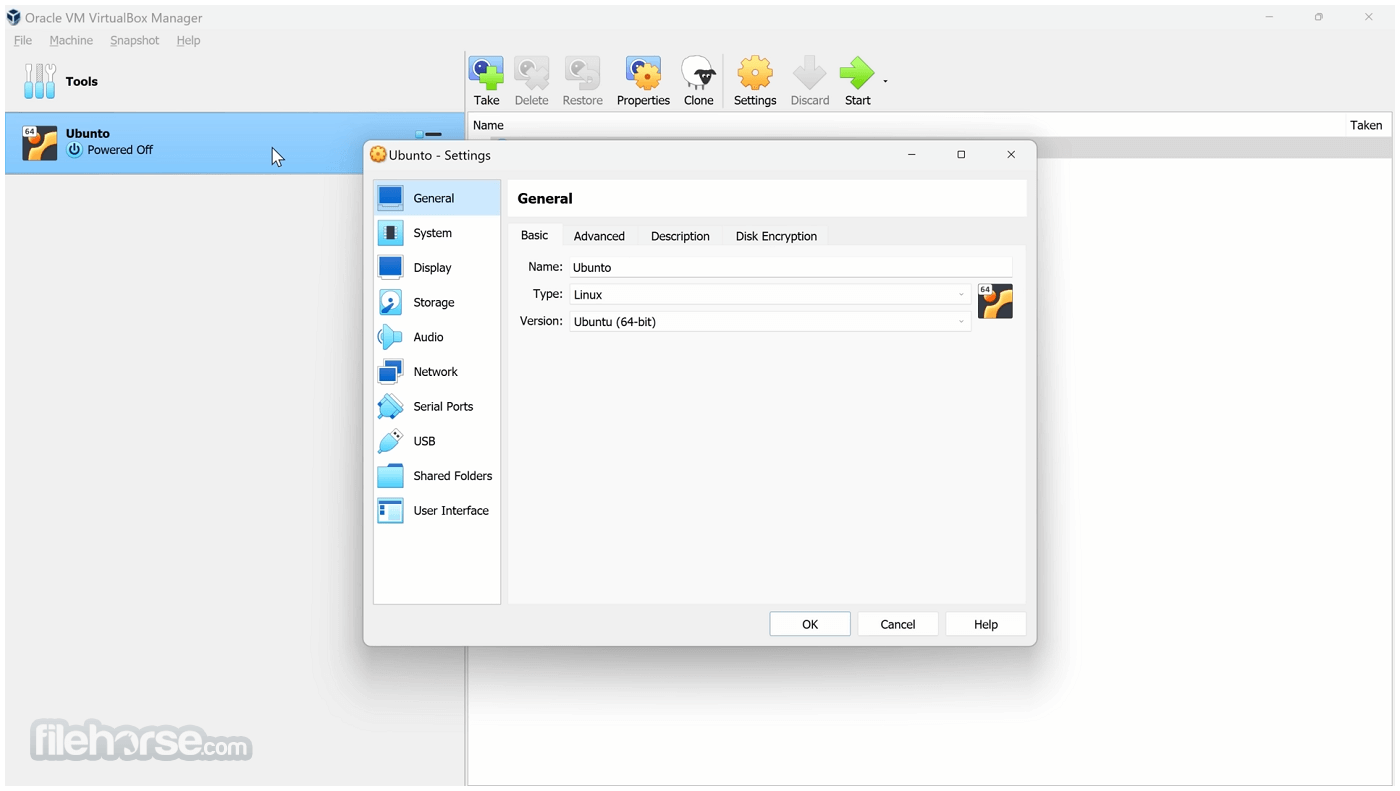
VirtualBox 的使用者介面簡單明瞭且易於使用。主視窗會顯示可用的虛擬機器清單,以及它們的狀態和設定。
側邊欄提供建立、啟動和刪除虛擬機器等主要功能的快速存取。每個虛擬機器的設定選單非常詳細,讓使用者可以自訂從配置的 RAM 和 CPU 核心數量到網路介面卡和儲存選項的一切。
介面設計即使對初學者也很直觀,有清晰的標籤和工具提示來說明每個選項。虛擬機器主控台視窗提供客端作業系統的即時顯示,使用者可以輕鬆使用滑鼠和鍵盤與其互動。
安裝與設定
下載與安裝:可從 Oracle 官方網站或 FileHorse 下載。安裝過程簡單明瞭,幾乎不需要使用者輸入。安裝期間,軟體會提示安裝其他元件,例如網路介面卡,這對於橋接網路等功能是必要的。
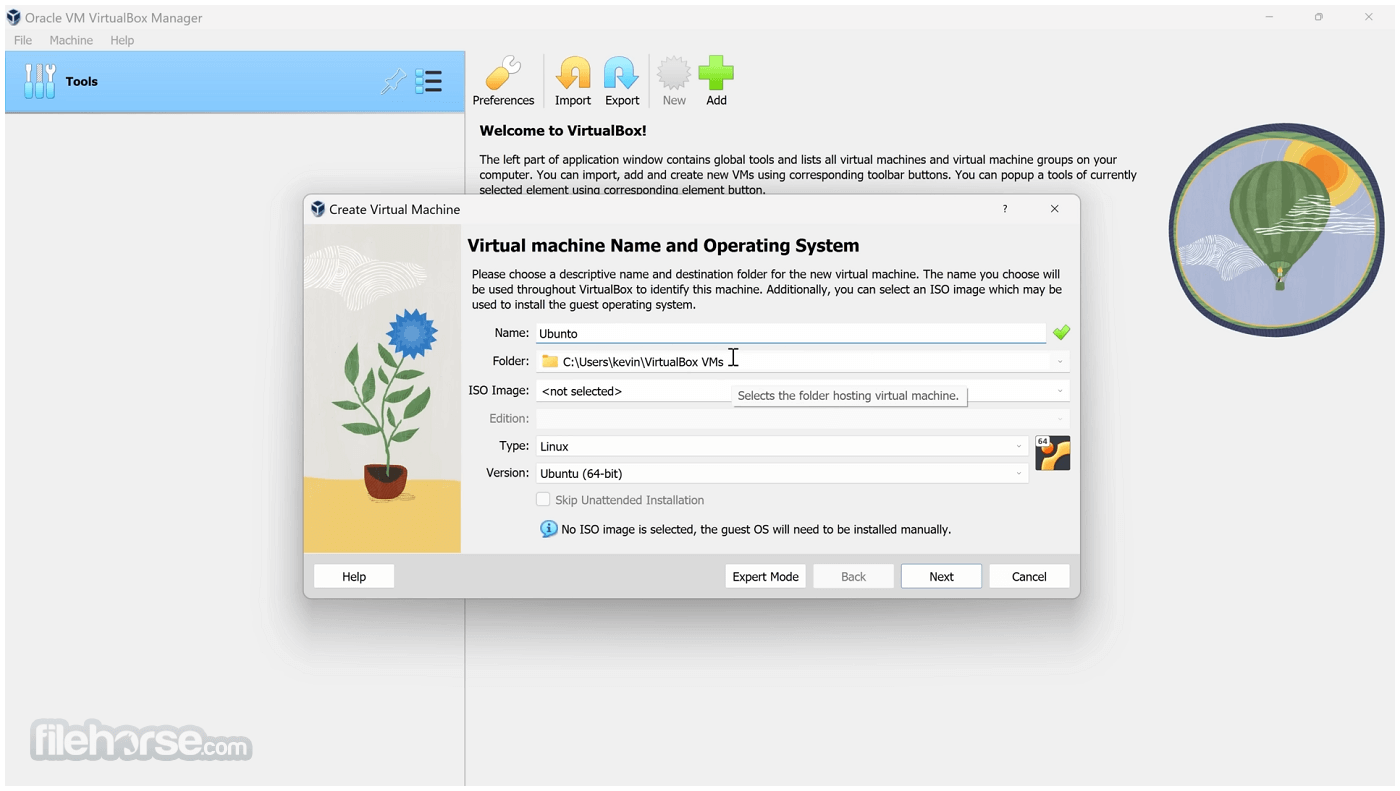
建立虛擬機器:安裝後,建立虛擬機器很簡單。「新增」按鈕會引導使用者透過精靈選擇客端作業系統類型、配置記憶體和儲存空間等資源,並設定初始選項。
安裝客端作業系統:建立虛擬機器後,使用者需要安裝客端作業系統。這可以使用 ISO 檔案或可開機 USB 隨身碟來完成。它提供了易於遵循的介面來附加安裝媒體並開始安裝程序。
客端額外功能:為了增強虛擬機器的功能,建議安裝客端額外功能。此套件包含驅動程式和系統應用程式,可改善主機與客端之間的整合,例如更好的視訊效能、共用資料夾和剪貼簿同步。
如何使用
啟動虛擬機器:啟動此程式,然後從清單中選擇所需的虛擬機器。按一下「啟動」按鈕來啟動它。虛擬機器會像實體機器一樣開機,使用者可以使用鍵盤和滑鼠與客端作業系統互動。
配置設定:在虛擬機器上按右鍵,然後選擇「設定」來修改記憶體、儲存空間和網路設定等配置。可以在虛擬機器關機時進行變更。
使用快照:若要拍攝快照,請選取虛擬機器,前往「快照」標籤,然後按一下「拍攝」按鈕。這可讓使用者儲存虛擬機器的目前狀態,並可隨時還原。
共用資料夾:若要設定共用資料夾,請前往虛擬機器的設定,瀏覽到「共用資料夾」區段,然後新增所需的主機目錄。此功能可輕鬆在主機與客端系統之間共用檔案。
網路:提供多種網路模式,例如 NAT、橋接和僅限主機。根據您的需求配置網路設定,無論是為了網際網路存取還是多個虛擬機器之間的通訊。
常見問題
我可以在 VirtualBox 上將 macOS 作為客端作業系統執行嗎?
雖然技術上可行,但在 VirtualBox 上執行 macOS 並未獲得官方支援,可能需要額外的配置和調整。此外,根據 Apple 的授權條款,也存在法律限制。
如何提高虛擬機器的效能?
為虛擬機器分配更多系統資源(CPU、RAM)、啟用 3D 加速,並安裝客端額外功能以改善效能。
我可以同時執行多少個虛擬機器?
這取決於主機系統的硬體能力,尤其是 CPU 和 RAM。VirtualBox 本身沒有嚴格限制。
我可以在主機和客端作業系統之間傳輸檔案嗎?
可以,透過共用資料夾和剪貼簿共用。如果正確配置,也可以使用網路共用。
如何將虛擬機器還原到先前的狀態?
使用快照功能。從「快照」標籤中選擇所需的快照,然後按一下「還原」按鈕。
替代方案
- VMware Workstation Player
- VMware Workstation Pro
- Parallels Desktop for ChromeOS
- Windows Virtual PC
- Docker
- Citrix Workspace App
此軟體在 GNU 通用公共授權(GPL)下免費供個人使用,並提供包含額外功能的擴充套件,例如 USB 2.0/3.0 支援和遠端桌面協定(RDP)功能。
擴充套件對個人使用免費,但企業部署需要授權。
系統需求
- 主機作業系統:Windows 11/10、macOS、Linux、Solaris
- CPU:Intel 或 AMD x86 處理器
- RAM:最低 512 MB,但建議 2 GB 或以上以獲得更好的效能
- 儲存空間:應用程式至少需要 500 MB,加上虛擬機器的額外空間
- 免費且開放原始碼
- 跨平台支援
- 豐富的功能集,包括快照、共用資料夾和無縫模式
- 支援多種客端作業系統
- 與某些商業替代方案相比,效能略低
- 進階功能需要手動配置
VirtualBox 是一款多功能且強大的虛擬化解決方案,適合初學者和進階使用者。其豐富的功能集、跨平台支援和開放原始碼特性,使其成為想要在單一機器上執行多個作業系統的理想選擇。
雖然進階使用案例可能需要一些手動配置,但它在靈活性和成本效益方面提供的優勢難以匹敵。
注意:若要擴展 VirtualBox 的功能,建議下載並安裝 VirtualBox Extension Pack。
也可取得:下載 VirtualBox for Mac
下載 VirtualBox 最新版本 為什麼此應用程式發佈在 FileHorse 上?(更多資訊)
畫面截圖
更新日誌
VirtualBox 4.3.0 RC1 # The following major new features were added:
* VMM: major rewrite of the VT-x code and the AMD-V code including many bug fixes and performance improvements
* VMM: introduced a lightweight instruction interpreter for situations not handled by hardware virtualization
* GUI: extended messaging mechanism (new non-modal popup overlays used to show noncritical warnings and provide user with additional information)
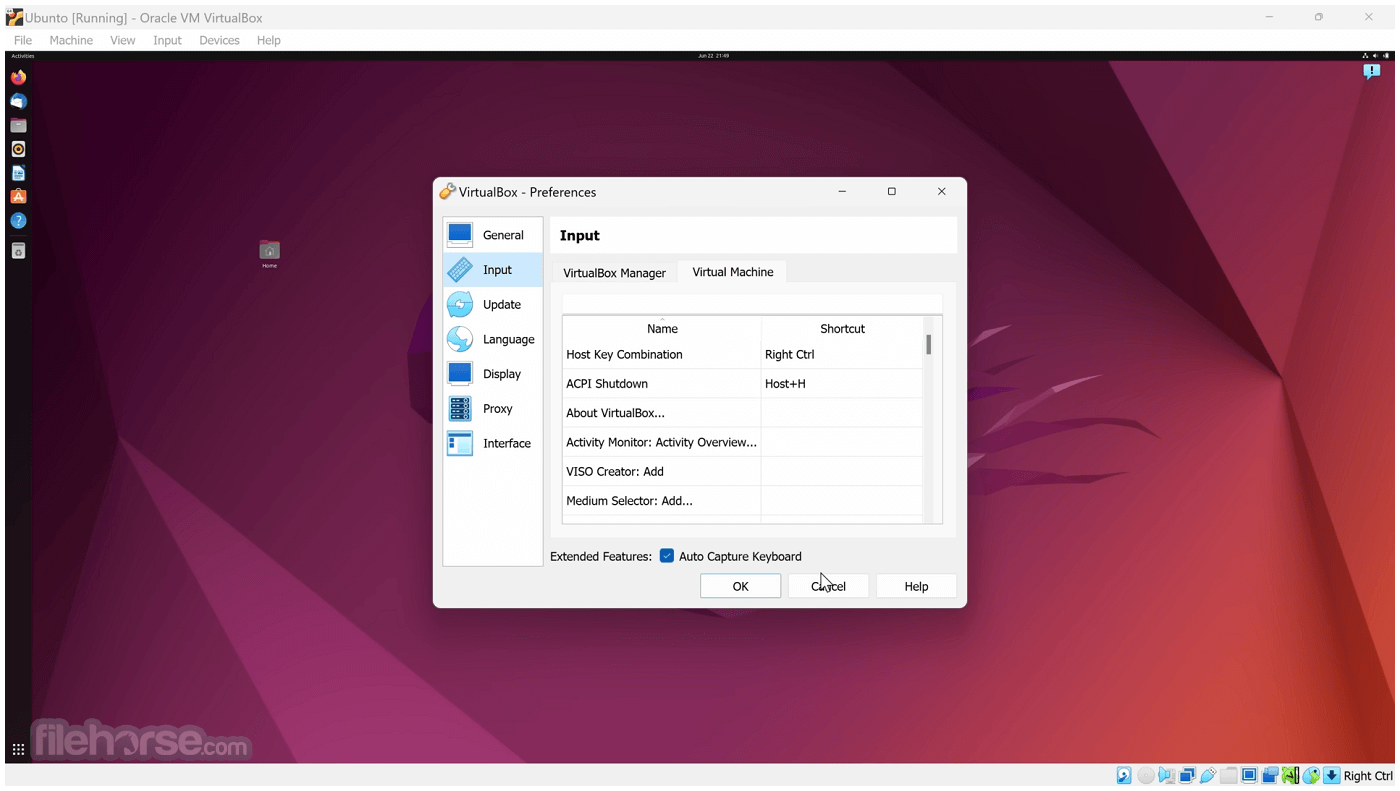
* GUI: keyboard shortcuts management (input page of global preferences extended with possibility to edit general keyboard shortcuts for VirtualBox Manager and Virtual Machine)
* GUI: video capturing support
* Added USB touch device emulation
* Added SCSI CD-ROM emulation, including boot support
* VRDP: support for IPv6
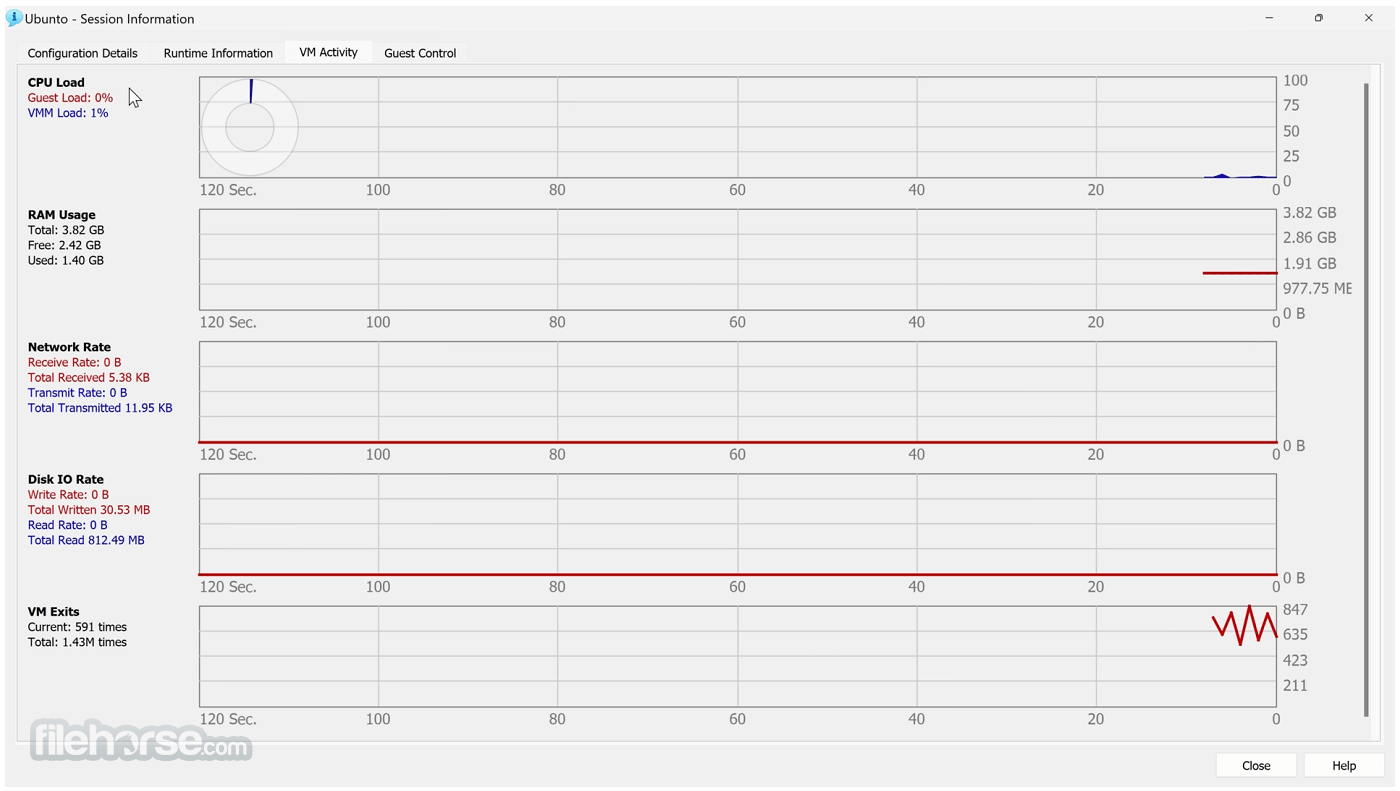
* Guest Control: guest sessions now are running in dedicated, impersonated session processes (needs at least Guest Additions 4.3 installed)
* Guest Control: implemented IGuestFile support
* NAT: experimental virtual router mode: several VMs are attached to the same internal network and share one NAT service
# In addition, the following items were fixed and/or added:
* VMM: significantly improved performance of NetWare 5.x/6.x guests on host systems without nested paging support
* VMM: fixed losing host NMIs while in VT-x guest-context
* VMM: changed order of actions in emulated task switch
* GUI: update check uses https
* GUI: numerous minor internal cleanups and bug fixes
* GUI, VBoxManage: when unregistering a VM, also unregister the hard disk images which are used exclusively
* GUI: use the number of physical presented processor cores instead of the number of logical processor cores to check if the users assigned too many virtual CPUs to the guest
* Snapshots: made live snapshots work again
* Teleportation: made it work again
* Storage: implemented AHA-154x compatibility mode in the emulated BusLogic SCSI HBA
* Storage: significantly improved performance of large ATAPI PIO transfers (BeOS, Minix 3 guests affected)
* Storage: added floppy formatting emulation (NB: cannot be used to change existing media geometry)
* Settings: global and per-VM default frontend configuration, useful to select the use of alternative VM frontends
* Settings: limit depth of snapshot tree to 250 levels, as more will lead to decreased performance and may trigger crashes
* Settings: the per-VM hwvirtextexcl setting has been replaced by a global hwvirtexclusive property
* Main: new event queue implementation which does not use the host’s native event queue for processing VirtualBox events anymore
* Main: eliminate the use of SysV semaphores on all host OSes other than Windows, namely Linux, Solaris and Mac OS X, with the consequence that no system reconfiguration is needed to run more than approximately 100 VMs
* Main: use the XDG standard configuration folder instead of .VirtualBox on systems where it is appropriate
* Main: extension pack framework can now support loading HGCM modules
* VBoxManage: list more information about hard disk/DVD/floppy media, and support the --long option to show really all available details
* VBoxManage: added support for optional command line parameters for the automatic Guest Additions update
* VBoxManage: added support for listing active guest sessions, guest processes and/or guest files via guestcontrol list <all|sessions|processes|files>
* VBoxManage: added support for closing active guest sessions via guestcontrol session close --session-id <ID>| --session-name <name or pattern>|--all
* VBoxManage: added support for terminating active guest processes via guestcontrol process kill|close|terminate --session-id <ID>| --session-name <name or pattern> <PID> ... <PID n> or guestcontrol [p[s]]kill --session-id <ID>| --session-name <name or pattern> <PID> ... <PID n>
* VBoxManage: added support for watching guest sessions via guestcontrol watch
* 3D support: several fixes
* 3D support: several fixes for Mac OS X hosts
* OVF: several fixes
* Extpack Installer: make it work if the file is located in a folder with special characters
* Keyboard: fix for reporting key sequences like Ctrl+Alt+Del for the USB keyboard emulation
* Shared Clipboard/X11: support for BMP-format images, contributed by François Revol
* Windows hosts: don’t cause massive DPC latency (only on certain hosts; still needs improving)
* Windows hosts: consider symlinks when retrieving volume information
* Windows hosts: fixed an issue with USB2 devices being inaccessible when plugged into USB 3.0 ports
* Windows Additions: fixed misbehavior with guest display power management (WDDM driver only)
* Windows Additions: fixed memory leak caused by WTSQuerySessionInformation() on Windows 2000 guests
* Linux Additions: fixed udev detection in the init script with Linux 3.x kernels
* Windows guests: ability to track guest user idle times through the newly introduced event IGuestUserStateChangedEvent
- 2026-07-22 VirtualBox 7.2.14 Build 174565 170 MB
- 2026-07-01 VirtualBox 7.2.12 Build 174389 170 MB
- 2026-06-17 VirtualBox 7.2.10 Build 174163 170 MB
- 2026-04-21 VirtualBox 7.2.8 Build 173730 170 MB
- 2026-01-29 VirtualBox 7.2.6 Build 172322 116 MB
- 2025-10-21 VirtualBox 7.2.4 Build 170995 168 MB
- 2025-09-11 VirtualBox 7.2.2 Build 170484 168 MB
- 2025-08-15 VirtualBox 7.2.0 Build 170228 167 MB