⚠ 這是歷史版本頁面 — 查看 VLC Media Player 3.0.23 (64-bit) 最新版本 →

VLC Media Player 3.0.9.2 (64-bit)
v 3.0.9.2 (64-bit)
Windows
開源軟體
8/10 (2535)
- 目前版本3.0.9.2 (64-bit)
- 更新日期2020-04-09
- 檔案大小40.39 MB
- 檔案名稱vlc-3.0.9.2-win64.exe
- 作業系統Windows 7 64 / Windows 8 64 / Windows 10 64 / Windows 11
- 支援語系English
- 授權型式開源軟體
- 開發商 VideoLAN team
- 軟體分類Windows 軟體 / 影片軟體
##
編輯短評
VLC Media Player 是長年維持活躍更新的開源播放器,核心價值在於「什麼都能播」——從常見的 MP4、MKV 到冷門格式、DVD/VCD 乃至網路串流皆可應付,免安裝的攜帶版設計也讓它成為隨身碟必備工具。在同類軟體中,它屬於主流首選,評價普遍不錯,開發團隊持續維護,近年更針對 4K/HDR 與新一代編碼格式做最佳化,是許多人安裝系統後第一個下載的影音工具。
它適合不想為了不同格式安裝多套播放器的一般使用者,也適合需要播放非主流檔案或測試串流的人。與 KMPlayer、K-Lite Codec Pack 相比,VLC 不需額外掛載解碼包,介面相對樸素但穩定,且完全免費無廣告;不過目前僅提供英文介面,對不熟悉英文操作的人稍有門檻,但基本播放功能直覺,影響不大。開源授權意味著可自由使用與散佈,Windows 版本安裝或免安裝皆可,彈性相當高。
##
軟體介紹
VLC Media Player (原名 VideoLAN Client) 是一款高度可攜式的免費 multimedia player,支援多種音訊與視訊格式,包括 MPEG-1, MPEG-2, MPEG-4, DivX, MP3 和 OGG,以及 DVD、VCD 與各種 streaming protocols。
它也可以作為高頻寬網路中 IPv4 或 IPv6 的 unicast or multicast streams 伺服器。
憑藉全新的 audio core、hardware decoding 與 encoding、移植至行動平台、針對 Ultra-HD video 的準備,以及對更多格式的支援,2.1 版本是 VLC 2026 的重大更新。
Rincewind 擁有全新的 new rendering pipeline for audio,在效率、音量與裝置管理方面表現更佳,以提升 VLC audio support。它支援許多新裝置的輸入、格式與 metadata,並改善了大多數現有項目,為 next-gen codecs 做準備。
What`s New
要使用 VLC,您首先需要在電腦上 download and install the tool 。安裝完成後,您可以開啟軟體並按照以下步驟播放視訊或音訊檔案:
Advanced formats
Input Media
UDP/RTP Unicast, UDP/RTP Multicast, HTTP / FTP, MMS, TCP/RTP Unicast, DCCP/RTP Unicast, File, DVD Video, Video CD / VCD, SVCD, Audio CD (no DTS-CD), DVB (Satellite, Digital TV, Cable TV), MPEG encoder, Video acquisition.
Input Formats
MPEG (ES, PS, TS, PVA, MP3), AVI, ASF / WMV / WMA, MP4 / MOV / 3GP, OGG / OGM / Annodex, Matroska (MKV), Real, WAV (including DTS), Raw Audio: DTS, AAC, AC3/A52, Raw DV, FLAC, FLV (Flash), MXF, Nut, Standard MIDI / SMF, Creative™ Voice.
Miscellaneous
SAP/SDP announces, Bonjour protocol, Mozilla/Firefox plugin, ActiveX plugin, SVCD Menus, Localization, CD-Text, CDDB CD info, IGMPv3, IPv6, MLDv2, CPU acceleration.
Plays all formats
DVD, Text files (MicroDVD, SubRIP, SubViewer, SSA1-5, SAMI, VPlayer), Closed captions, Vobsub, Universal Subtitle Format (USF), SVCD / CVD, DVB, OGM, CMML, Kate. ID3 tags, APEv2, Vorbis comment.
FAQ
Is VLC Safe to Use?
是的,VLC Media Player 通常被認為是非常安全的。它是一款開源軟體,受到 trusted by millions of users worldwide。其原始碼公開,並經過許多安全專家的審查與稽核,降低了安全性漏洞的風險。
What formats does VLC Media Player support?
VLC 支援廣泛的音訊與 video 格式,包括 MP3, MP4, AVI, FLAC 等。
Is VLC Media Player free to use?
是的,VLC Player 是免費且開源的軟體。
Can VLC Media Player play DVDs and Blu-rays?
是的,它可以播放 DVDs 和 Blu-rays。
Can VLC Media Player stream online content?
是的,它能透過各種協定串流線上內容,包括 HTTP, RTP 和 RTSP。
How do I take screenshots in VLC Media Player?
若要在 VLC 中截圖,請前往 Video > Take Snapshot。
How do I add subtitles to a video in VLC Media Player?
若要在 VLC 視訊中添加字幕,請前往 Subtitle > Add Subtitle File。
How do I change the aspect ratio in VLC Media Player?
若要更改 VLC 的畫面比例,請前往 Video > Aspect Ratio 並選擇所需的 aspect ratio。
Can I customize the interface of VLC Media Player?
是的,它允許透過 skins 與自定義設定來調整介面。
Does VLC Media Player support audio and video effects?
是的,它提供音訊與視訊效果,包括 equalizer, audio spatializer 等。
Can VLC Media Player be used on multiple platforms?
是的,VLC Player 支援 Windows, MacOS, Linux, Android 和 iOS。
How to Uninstall VLC
若要在 Windows 上卸載 VLC Media Player,請按照以下步驟操作:
Features and Highlights
Alternatives
PotPlayer: 一款強大的 multimedia player,擁有簡潔現代的介面。它提供極其豐富的自定義選項,支援多種 codecs,並包含 3D 播放與螢幕錄影等進階功能。
KMPlayer: 一款能為各種媒體檔案提供全面播放解決方案的 multimedia player,提供一系列功能以提升觀影體驗。
GOM Player: 一款免費視訊播放器,可流暢播放多種格式。它內建 codec,確保與廣泛的視訊檔案類型相容。
Media Player Classic - Home Cinema (MPC-HC): 這是一款輕量且可自定義的 media player,介面類似經典的 Windows Media Player,支援多種格式並提供基礎播放功能。
5KPlayer: 一款支援 4K, 5K 甚至 8K 視訊播放的 multimedia player。它包含 AirPlay 支援與 DLNA streaming 等功能,是本地與線上媒體播放的多功能選擇。
System Requirements
VLC Player 是一款免費、開源且 cross-platform media player app,能播放各種多媒體檔案與串流協定。它以其強大的通用性著稱,幾乎不需要額外安裝 codecs 即可播放任何格式。
它還提供 equalizer、playlist 管理以及廣泛的字幕支援。憑藉其直覺的介面與可自定義的設定,它是 使用者播放音訊與視訊檔案的熱門選擇。
Also Available: VLC Media Player (32-bit), VLC Media Player for Mac and VLC Media Player Portable
Download VLC Media Player (64-bit) Latest Version Why is this app published on FileHorse? (More info)
它也可以作為高頻寬網路中 IPv4 或 IPv6 的 unicast or multicast streams 伺服器。
憑藉全新的 audio core、hardware decoding 與 encoding、移植至行動平台、針對 Ultra-HD video 的準備,以及對更多格式的支援,2.1 版本是 VLC 2026 的重大更新。
Rincewind 擁有全新的 new rendering pipeline for audio,在效率、音量與裝置管理方面表現更佳,以提升 VLC audio support。它支援許多新裝置的輸入、格式與 metadata,並改善了大多數現有項目,為 next-gen codecs 做準備。
What`s New
- 提升 hardware decoding 支援,使 4K 與 HDR 播放更流暢。
- 增強與現代 video 及 audio codecs 的相容性。
- 優化網路與線上媒體的 streaming performance。
- 更新字幕渲染,提供更好的樣式與同步效果。
- 提升使用者介面的回應速度與主題一致性。
- 擴展對新 container formats 與 media extensions 的支援。
- 優化 playlist 管理,使導覽更流暢。
- 修復近期媒體解析漏洞的安全問題。
- 提升 Blu-ray 與 DVD 播放的穩定性。
- 跨平台的通用 bug 修復與 performance optimizations。
要使用 VLC,您首先需要在電腦上 download and install the tool 。安裝完成後,您可以開啟軟體並按照以下步驟播放視訊或音訊檔案:
- 點擊「Media」選單並選擇「Open File」或「Open Folder」,以開啟包含您想 play 之媒體的檔案或資料夾。
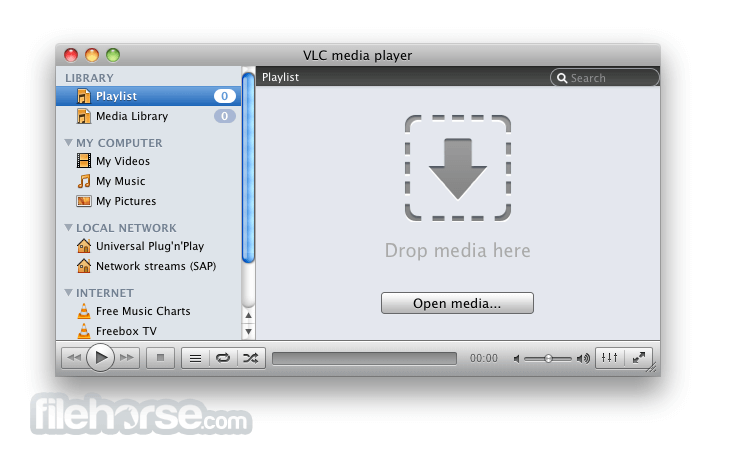
- 或者,您也可以直接將媒體檔案 drag and drop 到視窗中。
- 檔案開啟後將會 playing automatically。
- 您可以使用視窗底部的 controls 來播放、暫停、快進或快退視訊與音訊。
- 您也可以使用「Audio」和「Video」選單來調整音量、亮度及 other settings。
- 若要播放播放清單,請使用「Media」選單並選擇「Open Playlist」,或將播放清單檔案直接拖放到視窗中。
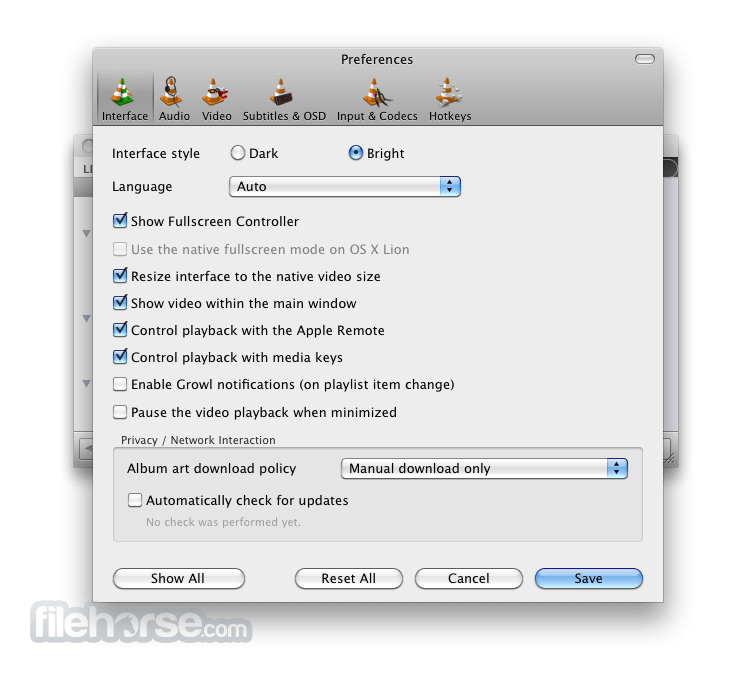
- To customize the interface,您可以使用「View」選單來切換不同 skins,也可以從 tools 選單進入偏好設定。
- 若要播放 DVD,請使用「Media」選單並選擇「Open Disc」,然後選擇 DVD 選項。
- 若要串流媒體,請使用「Media」選單並選擇「Open Network Stream」,然後輸入串流的 URL。
Advanced formats
Input Media
UDP/RTP Unicast, UDP/RTP Multicast, HTTP / FTP, MMS, TCP/RTP Unicast, DCCP/RTP Unicast, File, DVD Video, Video CD / VCD, SVCD, Audio CD (no DTS-CD), DVB (Satellite, Digital TV, Cable TV), MPEG encoder, Video acquisition.
Input Formats
MPEG (ES, PS, TS, PVA, MP3), AVI, ASF / WMV / WMA, MP4 / MOV / 3GP, OGG / OGM / Annodex, Matroska (MKV), Real, WAV (including DTS), Raw Audio: DTS, AAC, AC3/A52, Raw DV, FLAC, FLV (Flash), MXF, Nut, Standard MIDI / SMF, Creative™ Voice.
Miscellaneous
SAP/SDP announces, Bonjour protocol, Mozilla/Firefox plugin, ActiveX plugin, SVCD Menus, Localization, CD-Text, CDDB CD info, IGMPv3, IPv6, MLDv2, CPU acceleration.
Plays all formats
DVD, Text files (MicroDVD, SubRIP, SubViewer, SSA1-5, SAMI, VPlayer), Closed captions, Vobsub, Universal Subtitle Format (USF), SVCD / CVD, DVB, OGM, CMML, Kate. ID3 tags, APEv2, Vorbis comment.
FAQ
Is VLC Safe to Use?
是的,VLC Media Player 通常被認為是非常安全的。它是一款開源軟體,受到 trusted by millions of users worldwide。其原始碼公開,並經過許多安全專家的審查與稽核,降低了安全性漏洞的風險。
What formats does VLC Media Player support?
VLC 支援廣泛的音訊與 video 格式,包括 MP3, MP4, AVI, FLAC 等。
Is VLC Media Player free to use?
是的,VLC Player 是免費且開源的軟體。
Can VLC Media Player play DVDs and Blu-rays?
是的,它可以播放 DVDs 和 Blu-rays。
Can VLC Media Player stream online content?
是的,它能透過各種協定串流線上內容,包括 HTTP, RTP 和 RTSP。
How do I take screenshots in VLC Media Player?
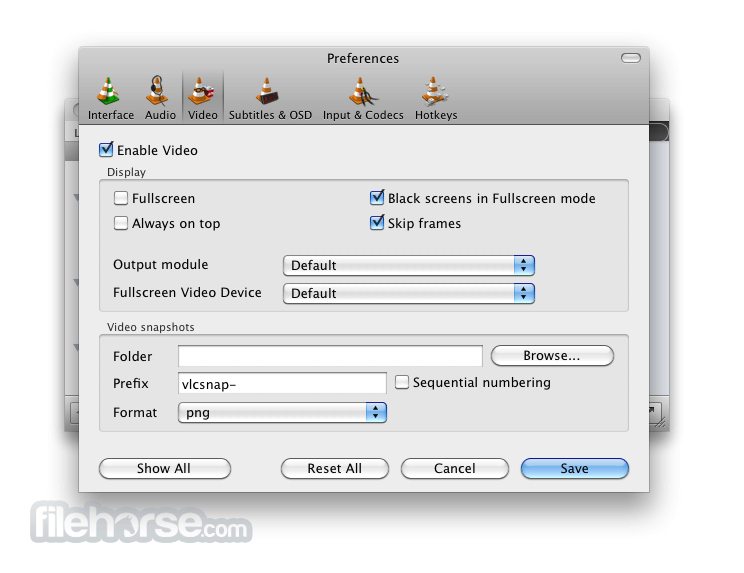
若要在 VLC 中截圖,請前往 Video > Take Snapshot。
How do I add subtitles to a video in VLC Media Player?
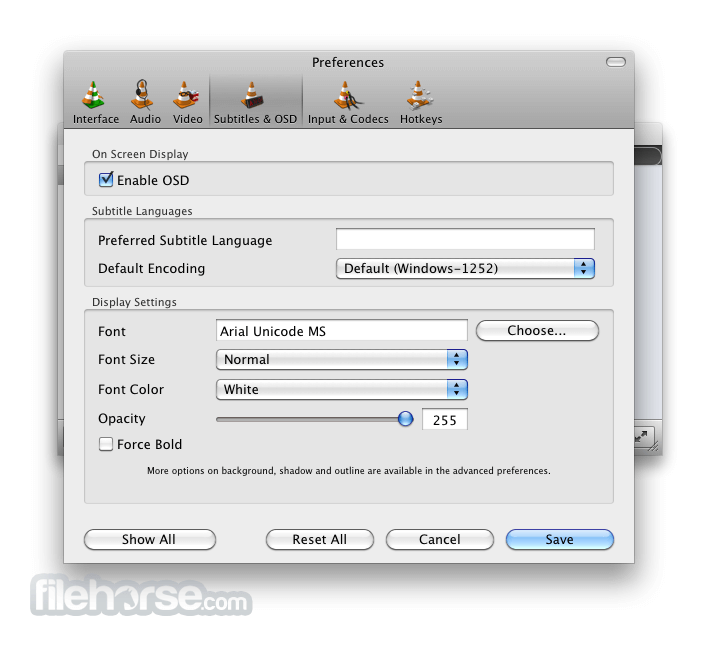
若要在 VLC 視訊中添加字幕,請前往 Subtitle > Add Subtitle File。
How do I change the aspect ratio in VLC Media Player?
若要更改 VLC 的畫面比例,請前往 Video > Aspect Ratio 並選擇所需的 aspect ratio。
Can I customize the interface of VLC Media Player?
是的,它允許透過 skins 與自定義設定來調整介面。
Does VLC Media Player support audio and video effects?
是的,它提供音訊與視訊效果,包括 equalizer, audio spatializer 等。
Can VLC Media Player be used on multiple platforms?
是的,VLC Player 支援 Windows, MacOS, Linux, Android 和 iOS。
How to Uninstall VLC
若要在 Windows 上卸載 VLC Media Player,請按照以下步驟操作:
- 前往開始功能表並點擊「Control Panel」(控制台)。
- 在控制台中,選擇「Programs and Features」(程式和功能)。
- 在已安裝程式列表中找到 VLC Media Player 並點擊它。
- 點擊「Uninstall」(卸載) 按鈕。
- 按照螢幕上的指示完成卸載過程。
- 重新啟動電腦以完成卸載。
Features and Highlights
- 支援 8K (預設開啟 hardware decoding)
- 支援 Chromecast/Google Cast
- HDR 與 10-bit video
- HDMI Audio passthrough
- NAS 系統的網路瀏覽功能
- 360 video 與 3D audio
- 可即時修改字幕大小
- 支援 drag and drop
- 支援 HD DVD
- 重寫視訊輸出核心與模組,允許在 GPU 中進行 blending
- OpenGL 輸出支援 Shader,用於轉換(包括 10bits)
- 支援 Windows 10 64-bit, 8 和 7, Android, iOS 及 OS/2 的視訊輸出
- 提供 Debanding, grain, denoising 與 anti-flickering 濾波器
- Deinterlacing 濾波器,包含 Inverse Telecine 演算法
- 更高品質音訊的 Resamplers
- Dynamic range compressor 與 karaoke 濾波器
- 簡化 audio core 以加快處理速度
- 支援 iOS, Android 和 OS/2 的音訊輸出
- H.264, MPEG-4/Xvid 和 WebM 的多執行緒解碼 (Multi-threaded decoding)
- 支援 10-bit codecs, WMV image 及其他部分 codecs
- 重寫影像支援,包括 jpeg, png, xcf, bmp 等
- RealVideo 與 Real Format 支援的重要變更
- CrystalHD 顯示卡與 Android OpenMAX 的 hardware decoding 支援
- 以及更多功能...
Alternatives
PotPlayer: 一款強大的 multimedia player,擁有簡潔現代的介面。它提供極其豐富的自定義選項,支援多種 codecs,並包含 3D 播放與螢幕錄影等進階功能。
KMPlayer: 一款能為各種媒體檔案提供全面播放解決方案的 multimedia player,提供一系列功能以提升觀影體驗。
GOM Player: 一款免費視訊播放器,可流暢播放多種格式。它內建 codec,確保與廣泛的視訊檔案類型相容。
Media Player Classic - Home Cinema (MPC-HC): 這是一款輕量且可自定義的 media player,介面類似經典的 Windows Media Player,支援多種格式並提供基礎播放功能。
5KPlayer: 一款支援 4K, 5K 甚至 8K 視訊播放的 multimedia player。它包含 AirPlay 支援與 DLNA streaming 等功能,是本地與線上媒體播放的多功能選擇。
System Requirements
- Operating System: Windows (7, 8, 10, 11), macOS (10.7 或更高版本), Linux, Unix, Android, iOS 等。
- Processor: 1 GHz 或更快的處理器 (建議使用多核心以進行 HD 播放)。
- RAM: 512 MB RAM (建議 1 GB 以進行 HD 播放)。
- Storage Space: 約 200 MB 的可用硬碟空間用於安裝。
- Graphics Card: 支援大多數現代顯示卡。
- Sound Card: 任何相容的音效卡。
- Internet Connection: 線上媒體串流及部分附加功能需要網路連接。
- 極其強大的媒體支援能力
- 跨平台相容性高
- 介面可高度自定義
- 進階的播放功能
- 開源開發
- 串流功能相對有限
- 偏好設定選單過於複雜
- 偶爾會出現播放問題
- 使用者介面較為陳舊
VLC Player 是一款免費、開源且 cross-platform media player app,能播放各種多媒體檔案與串流協定。它以其強大的通用性著稱,幾乎不需要額外安裝 codecs 即可播放任何格式。
它還提供 equalizer、playlist 管理以及廣泛的字幕支援。憑藉其直覺的介面與可自定義的設定,它是 使用者播放音訊與視訊檔案的熱門選擇。
Also Available: VLC Media Player (32-bit), VLC Media Player for Mac and VLC Media Player Portable
Download VLC Media Player (64-bit) Latest Version Why is this app published on FileHorse? (More info)
##
影片介紹
##
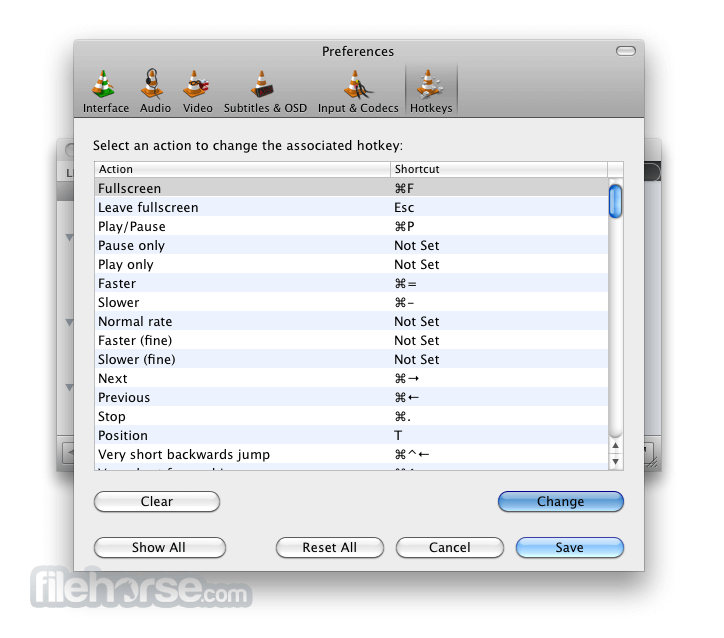
畫面截圖
- 2026-01-01 VLC Media Player 3.0.23 (64-bit) 43.82 MB
- 2025-12-03 VLC Media Player 3.0.22 (64-bit) 43.44 MB
- 2024-06-09 VLC Media Player 3.0.21 (64-bit) 42.86 MB
- 2023-10-31 VLC Media Player 3.0.20 (64-bit) 42.36 MB
- 2023-10-09 VLC Media Player 3.0.19 (64-bit) 42.37 MB
- 2022-11-22 VLC Media Player 3.0.18 (64-bit) 42.23 MB
- 2022-04-19 VLC Media Player 3.0.17.4 (64-bit) 41.51 MB
- 2021-06-19 VLC Media Player 3.0.16 (64-bit) 40.78 MB