⚠ 這是歷史版本頁面 — 查看 VLC Media Player Portable 最新版本 →

VLC Media Player Portable 3.0.10
v 3.0.10
Windows
開源軟體
9/10 (31)
- 目前版本3.0.10
- 更新日期2020-04-29
- 檔案大小36.18 MB
- 檔案名稱VLCPortable_3.0.10.paf.exe
- 作業系統Windows 7 / Windows 8 / Windows 10 / Windows 11
- 支援語系English
- 授權型式開源軟體
- 開發商 VideoLAN team
- 軟體分類Windows 軟體 / 影片軟體
##
編輯短評
VLC Media Player Portable 是知名開源播放器 VLC 的免安裝版本,由 VideoLAN 團隊開發,可直接從 USB 隨身碟或外接硬碟執行,不需安裝程序、不會在系統留下使用痕跡。它保留了原版幾乎所有功能,最突出的辨識度在於能播放絕大多數多媒體格式,幾乎不必另裝解碼包。此版本長期持續維護,更新頻率穩定,在同類免安裝播放器中屬於熱門選擇,使用者評價普遍不錯。
這套軟體適合經常在不同電腦間切換、或身處無法安裝軟體的環境(如公用電腦、公司設備)的使用者,隨身攜帶即可隨時播放影片或音樂。與 KMPlayer、K-Lite Codec Pack 等替代方案相比,它的優勢在於單一檔案即可搞定格式支援,但介面僅提供英文,沒有正體中文,對不熟悉英文操作介面的人需要一些適應時間。授權為開源免費,Windows 平台適用,下載後解壓縮即可使用,無需額外安裝步驟。
##
翻譯排程處理中,以下暫以英文原文呈現
軟體介紹
VLC Media Player Portable is a lightweight, no-installation-required version of the popular VLC Media Player.
Developed by VideoLAN, this portable version retains all the powerful features of the original software while allowing users to run it directly from a USB stick or external drive without modifying system files or leaving traces on the host computer.
Designed for flexibility and portability, VLC Media Player Portable is ideal for users who frequently switch between devices or work in environments where they can’t install software.
Features
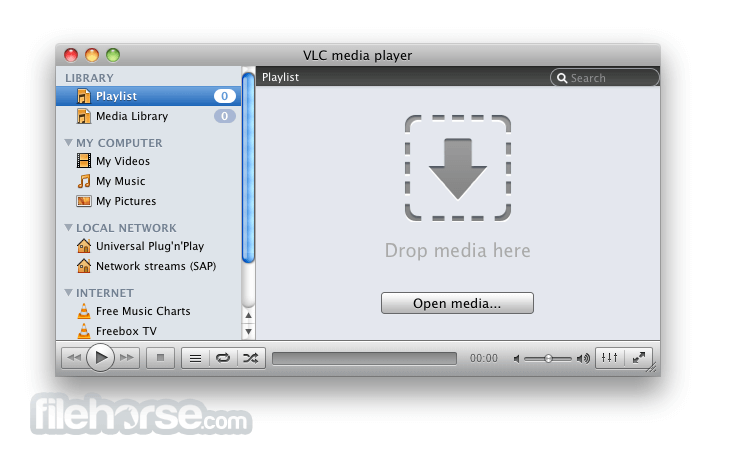
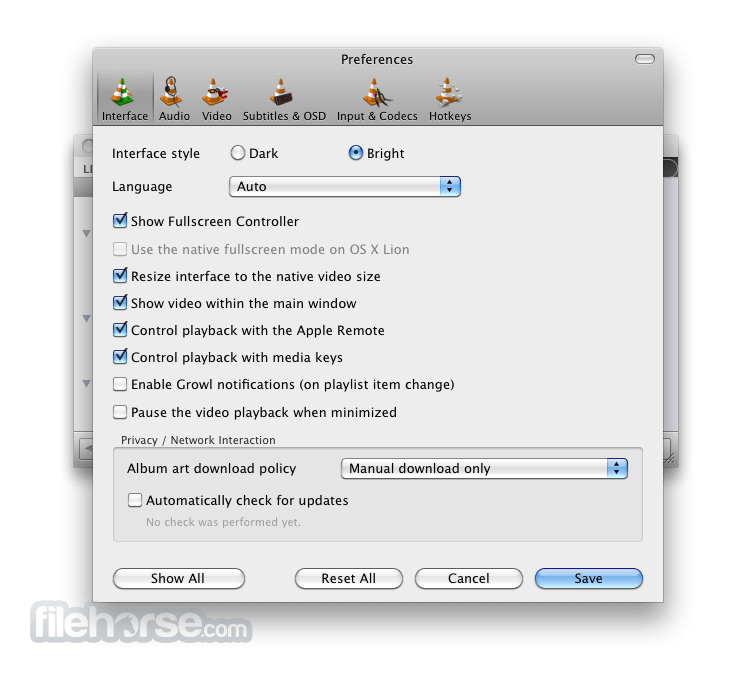
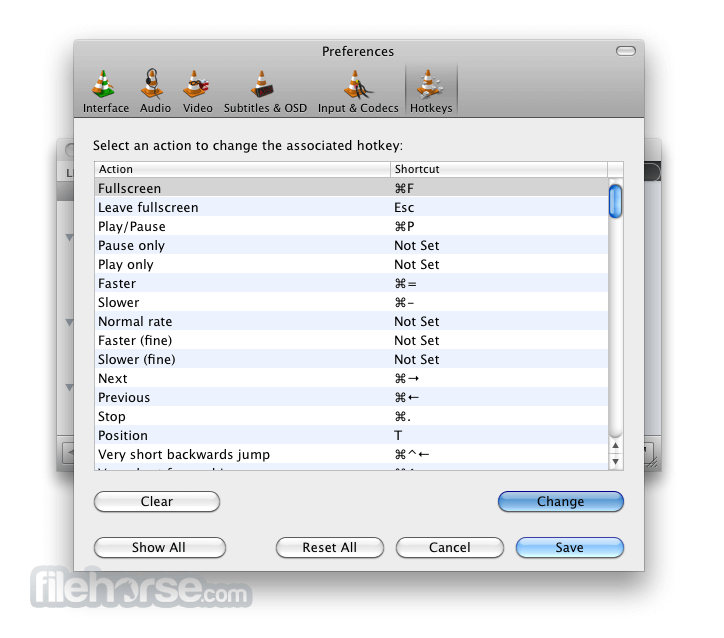
The interface is minimalistic and straightforward, focusing on ease of access and control. The layout includes standard media controls, a media library pane, and top-bar menus for advanced settings.
While it lacks flashy design elements, the clean UI makes it suitable for both novice users and power users who prioritize function over form.
Installation and Setup
There is no traditional installation process. Users simply download the ZIP package or executable file from PortableApps or VideoLAN, extract it to a USB drive or desired folder, and run the VLCPortable.exe file.
It stores all user settings and preferences within its own directory, making it fully portable.
How to Use
FAQs
Is VLC Media Player Portable different from the regular version?
No major feature differences. The portable version is designed to run without installation and doesn’t leave registry traces.
Can it play DVDs and Blu-rays?
Yes, it can play both, although Blu-ray support may be limited depending on encryption.
Are updates automatic?
No. You need to manually download and update the portable version.
Does it support plugins?
Yes, most VLC extensions work, but they must reside within the portable directory.
Can settings be retained across different PCs?
Yes, all preferences are saved in the same folder, so they persist across systems.
Alternatives
KMPlayer - A feature-rich alternative with broad format support and advanced playback tools.
PotPlayer - Highly customizable with rich codec support, but not natively portable.
MPC-HC - Lightweight, open-source player ideal for classic Windows environments.
System Requirements
VLC Media Player Portable is an outstanding solution for users who need a powerful and flexible media player without the need to install software on every machine. It’s especially useful for professionals, students, or anyone frequently on the go.
Also Available: Download VLC Media Player for Mac
Download VLC Media Player Portable Latest Version Why is this app published on FileHorse? (More info)
Developed by VideoLAN, this portable version retains all the powerful features of the original software while allowing users to run it directly from a USB stick or external drive without modifying system files or leaving traces on the host computer.
Designed for flexibility and portability, VLC Media Player Portable is ideal for users who frequently switch between devices or work in environments where they can’t install software.
Features
- Wide Format Support: Plays virtually all multimedia file formats, including MP4, MKV, AVI, FLAC, MP3, and even DVD and Blu-ray content.
- Portable Functionality: No installation required; run it from any external storage device.
- Streaming Support: Play network streams and online media with ease.
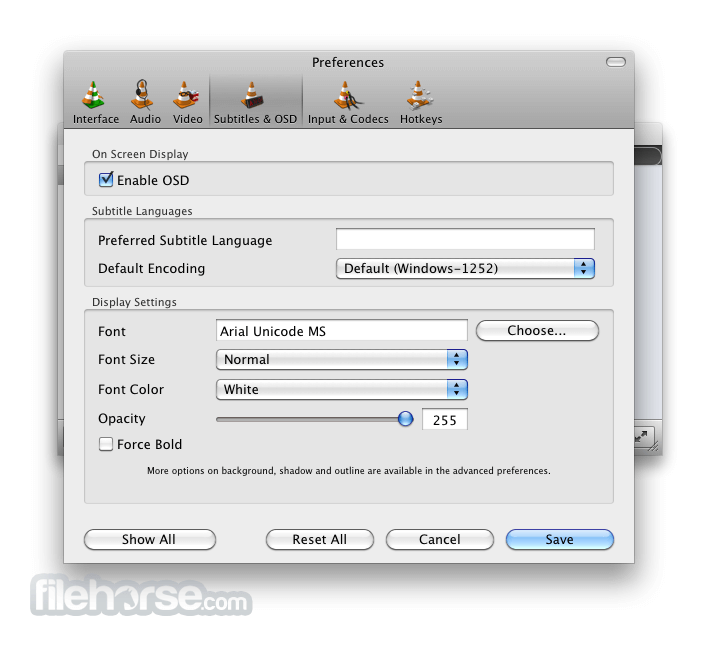
- Subtitle Support: Load external subtitle files or fetch subtitles online automatically.
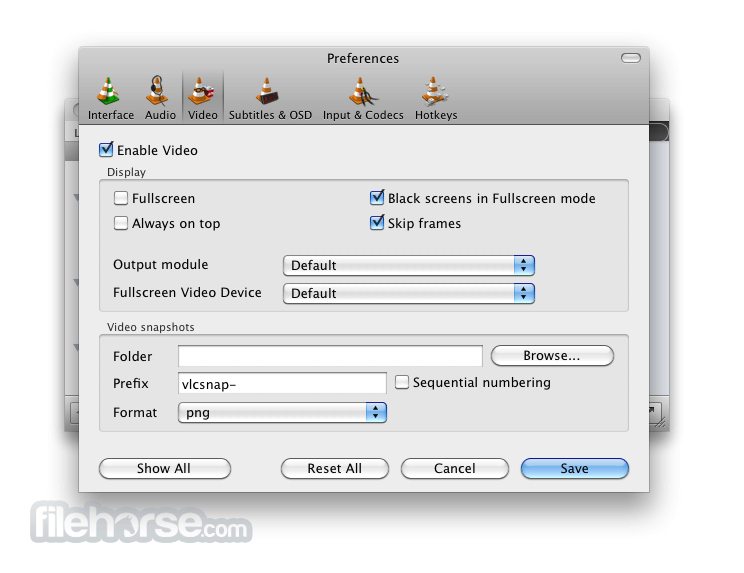
- Advanced Controls: Includes customizable playback speed, audio equalizer, video filters, and synchronization settings.
- Media Conversion: Offers basic media format conversion and streaming server capabilities.
The interface is minimalistic and straightforward, focusing on ease of access and control. The layout includes standard media controls, a media library pane, and top-bar menus for advanced settings.
While it lacks flashy design elements, the clean UI makes it suitable for both novice users and power users who prioritize function over form.
Installation and Setup
There is no traditional installation process. Users simply download the ZIP package or executable file from PortableApps or VideoLAN, extract it to a USB drive or desired folder, and run the VLCPortable.exe file.
It stores all user settings and preferences within its own directory, making it fully portable.
How to Use
- Download and Extract: Obtain the portable version and unzip it into a folder or external drive.
- Launch the Player: Open VLCPortable.exe.
- Open Media: Use drag-and-drop or go to Media > Open File to start playback.
- Customize Settings: Access advanced audio/video settings from the Tools menu.
- Enable Subtitles: Load subtitles via Subtitle > Add Subtitle File.
FAQs
Is VLC Media Player Portable different from the regular version?
No major feature differences. The portable version is designed to run without installation and doesn’t leave registry traces.
Can it play DVDs and Blu-rays?
Yes, it can play both, although Blu-ray support may be limited depending on encryption.
Are updates automatic?
No. You need to manually download and update the portable version.
Does it support plugins?
Yes, most VLC extensions work, but they must reside within the portable directory.
Can settings be retained across different PCs?
Yes, all preferences are saved in the same folder, so they persist across systems.
Alternatives
KMPlayer - A feature-rich alternative with broad format support and advanced playback tools.
PotPlayer - Highly customizable with rich codec support, but not natively portable.
MPC-HC - Lightweight, open-source player ideal for classic Windows environments.
System Requirements
- OS: Windows 11, 10, 8, or 7
- CPU: Minimum 1 GHz
- RAM: 512 MB or more
- Storage: Approx. 100 MB for the portable folder
- Fully portable and doesn't require installation
- Supports almost every media format
- Free and open-source
- Lightweight and resource-friendly
- No ads or bundled software
- Lacks automatic updates
- Limited Blu-ray support
- Basic media library management
- No native cloud sync options
VLC Media Player Portable is an outstanding solution for users who need a powerful and flexible media player without the need to install software on every machine. It’s especially useful for professionals, students, or anyone frequently on the go.
Also Available: Download VLC Media Player for Mac
Download VLC Media Player Portable Latest Version Why is this app published on FileHorse? (More info)
##
畫面截圖
- 2026-04-28 VLC Media Player Portable 3.0.23 42.88 MB
- 2024-06-16 VLC Media Player Portable 3.0.21 41.38 MB
- 2023-10-31 VLC Media Player Portable 3.0.20 41.15 MB
- 2023-10-09 VLC Media Player Portable 3.0.19 41.15 MB
- 2022-11-22 VLC Media Player Portable 3.0.18 41.02 MB
- 2022-04-29 VLC Media Player Portable 3.0.17 40.65 MB
- 2021-06-19 VLC Media Player Portable 3.0.16 39.46 MB
- 2021-05-11 VLC Media Player Portable 3.0.14 39.6 MB