- 目前版本3.24
- 更新日期2026-04-05
- 檔案大小8.8 MB
- 檔案名稱VoxengoSPAN_324_Win32_64_VST_VST3_AAX_setup.exe
- 作業系統Windows 7 / Windows 8 / Windows 10 / Windows 11
- 支援語系English
- 授權型式免費軟體
- 開發商 Aleksey Vaneev
- 軟體分類Windows 軟體 / 音訊軟體
##
翻譯排程處理中,以下暫以英文原文呈現
軟體介紹
Voxengo SPAN is a free real-time FFT (Fast Fourier Transform) spectrum analyzer designed for professional audio engineers, producers, and musicians.
Developed by Voxengo, a well-known developer of high-quality audio plugins, SPAN for PC provides detailed frequency analysis to help users make informed mixing and mastering decisions.
It integrates seamlessly with Digital Audio Workstations (DAWs) as a VST/AU plugin, making it an essential tool for music production and post-production environments.
Main Features
User Interface
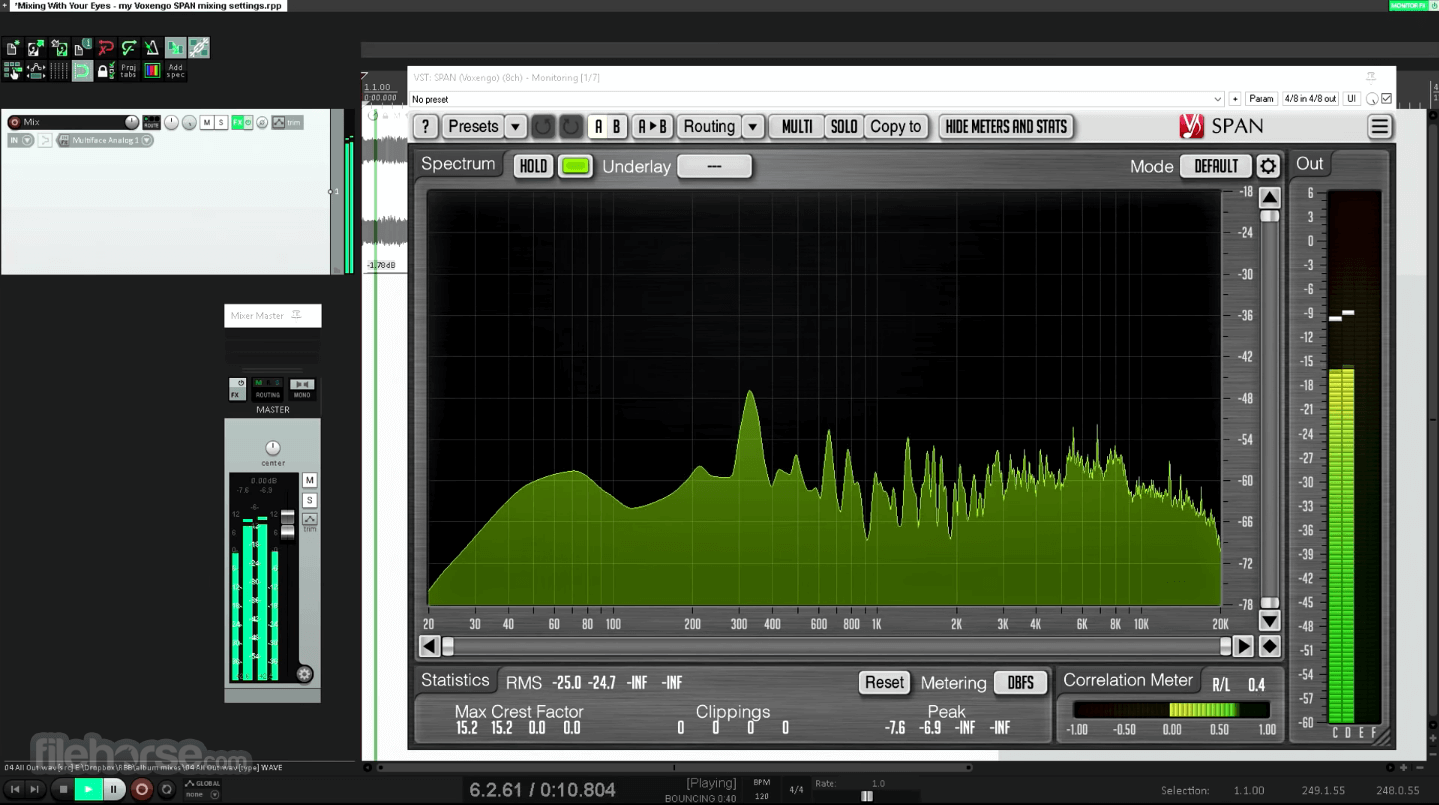
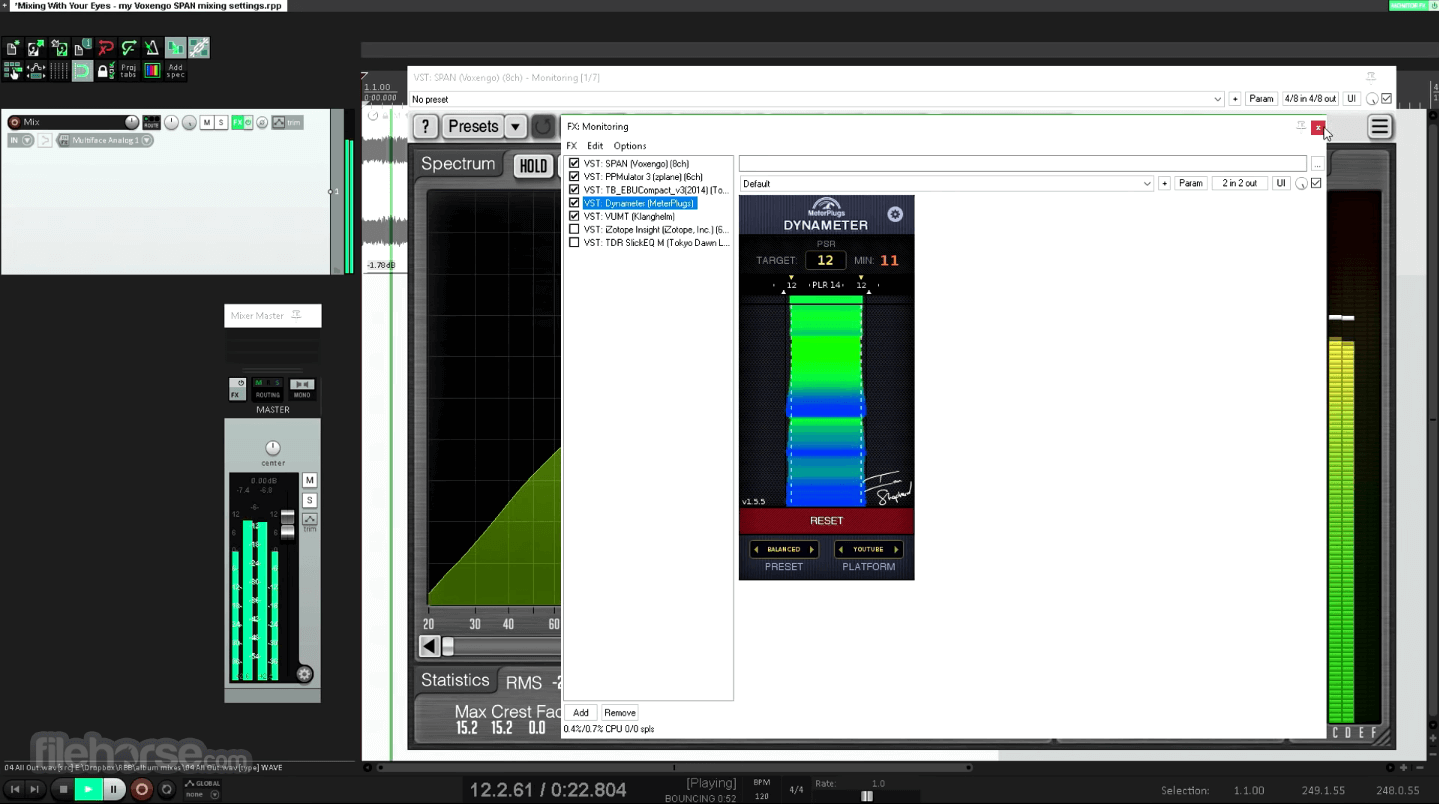
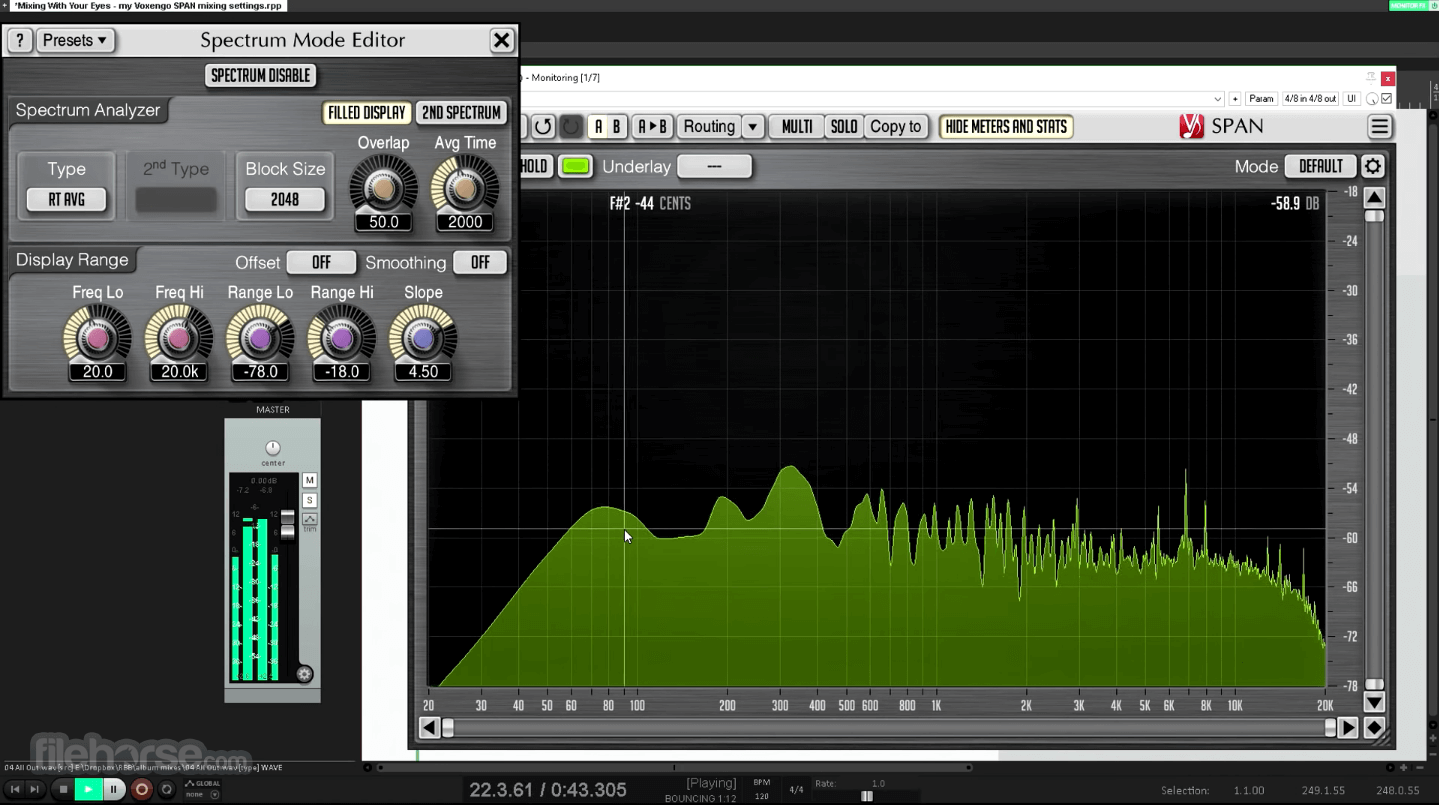
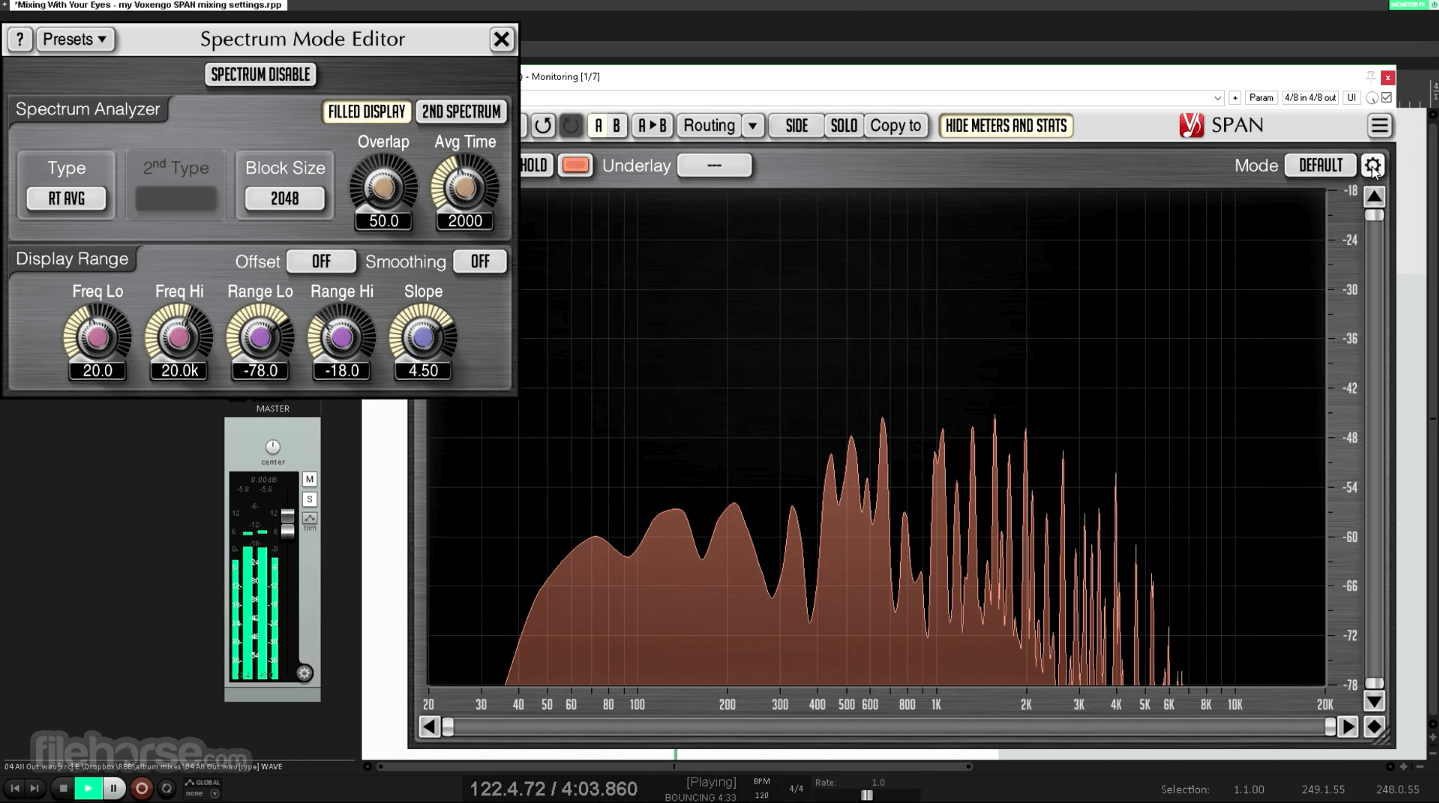
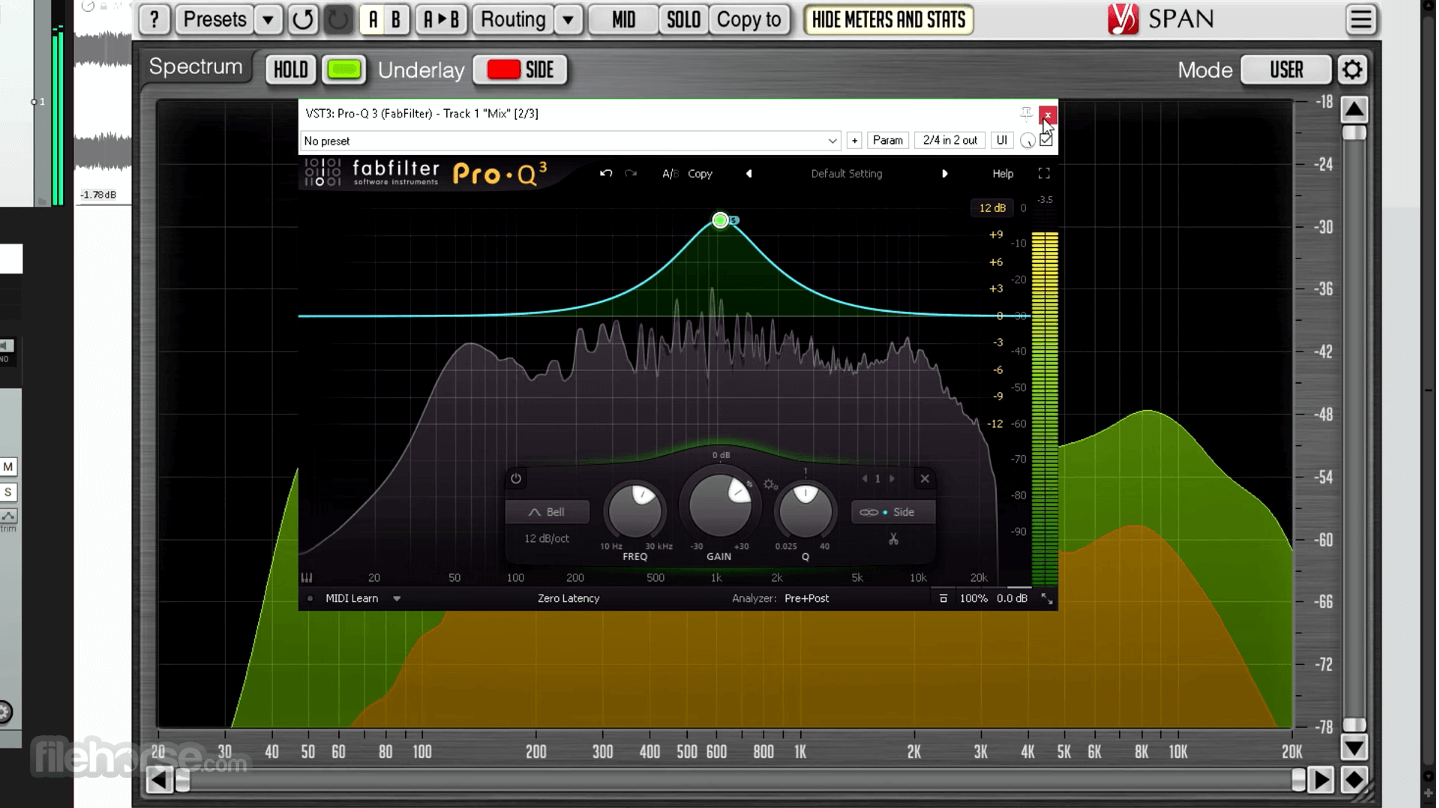
Voxengo SPAN features a clean, well-organized interface with customizable graph colors and display settings. The spectrum graph is clear, with grid lines that make frequency and amplitude levels easy to read.
Tooltips and numerical displays provide precise information, and the layout ensures quick navigation. While the interface might look overwhelming to beginners, it becomes intuitive with use.
Installation and Setup
FAQs
Is Voxengo SPAN completely free?
Yes, SPAN is a free plugin with no hidden costs or trial limitations.
Which DAWs support Voxengo SPAN?
SPAN is compatible with most DAWs that support VST, AU, and AAX formats, including Ableton Live, FL Studio, Cubase, Pro Tools, and Reaper.
Can SPAN be used for mastering?
Yes, it is commonly used in mastering to visualize frequency balance and optimize the final mix.
Does SPAN affect the sound of my mix?
No, SPAN is a visual analysis tool and does not alter the audio signal.
How does SPAN compare to paid spectrum analyzers?
While SPAN is feature-rich, paid alternatives like FabFilter Pro-Q 3 and iZotope Insight offer more advanced metering and visualization tools.
System Requirements
Compatible Windows and macOS plugin software: Cubase, Logic Pro, Pro Tools, Ableton Live, Reaper, Presonus Studio One, FL Studio, Cakewalk, Nuendo, WaveLab, GarageBand, Vegas, SoundForge, Audition, Samplitude, Digital Performer, Mixcraft, Bitwig Studio, Edius, others.
PROS
Voxengo SPAN is a powerful, free spectrum analyzer that provides professional-level frequency visualization and metering tools. Its accurate real-time analysis, low CPU footprint, and extensive customization options make it an invaluable tool for mixing and mastering engineers.
While it lacks some advanced features found in premium spectrum analyzers, its zero-cost entry makes it a must-have plugin for any producer looking to improve their audio analysis workflow.
Also Available: Download Voxengo Span for Mac
Download Voxengo Span Latest Version Why is this app published on FileHorse? (More info)
Developed by Voxengo, a well-known developer of high-quality audio plugins, SPAN for PC provides detailed frequency analysis to help users make informed mixing and mastering decisions.
It integrates seamlessly with Digital Audio Workstations (DAWs) as a VST/AU plugin, making it an essential tool for music production and post-production environments.
Main Features
- Real-Time Spectrum Analysis: Displays a detailed, accurate visualization of the frequency spectrum of an audio signal.
- Configurable Spectrum Display: Users can adjust the FFT size, block overlap percentage, and window function for optimal performance.
- Multiple Channel Analysis: Supports multi-channel processing, allowing left/right and mid/side spectrum monitoring.
- Peak and RMS Metering: Offers precise peak and root mean square (RMS) metering for gain structuring.
- Clipping Detector: Alerts users to potential audio clipping issues to prevent distortion.
- Correlation Meter: Helps monitor phase relationships between stereo signals to avoid phase cancellation issues.
- Customizable GUI: Adjustable colors, window resizing, and other user preferences to match workflow needs.
- Presets and User Profiles: Save and load different analysis settings to optimize workflow efficiency.
User Interface
Voxengo SPAN features a clean, well-organized interface with customizable graph colors and display settings. The spectrum graph is clear, with grid lines that make frequency and amplitude levels easy to read.
Tooltips and numerical displays provide precise information, and the layout ensures quick navigation. While the interface might look overwhelming to beginners, it becomes intuitive with use.
Installation and Setup
- Download this program from the official website or FileHorse.
- Install the plugin by running the setup file and following the on-screen instructions.
- Load the plugin into a compatible DAW (such as Ableton Live, Pro Tools, or Cubase).
- Insert SPAN on the master or individual tracks to begin spectrum analysis.
- Adjust settings according to preference for optimized performance.
- Load the Plugin: Open your DAW and insert SPAN on a track or the master bus.
- Adjust Settings: Configure FFT size, overlap percentage, and color themes to suit your needs.
- Monitor the Frequency Spectrum: Observe frequency peaks and valleys to identify problem areas in the mix.
- Utilize the Metering Tools: Use peak and RMS meters to adjust volume levels effectively.
- Check Stereo and Mid-Side Analysis: Monitor phase relationships and stereo imaging to maintain balance in the mix.
FAQs
Is Voxengo SPAN completely free?
Yes, SPAN is a free plugin with no hidden costs or trial limitations.
Which DAWs support Voxengo SPAN?
SPAN is compatible with most DAWs that support VST, AU, and AAX formats, including Ableton Live, FL Studio, Cubase, Pro Tools, and Reaper.
Can SPAN be used for mastering?
Yes, it is commonly used in mastering to visualize frequency balance and optimize the final mix.
Does SPAN affect the sound of my mix?
No, SPAN is a visual analysis tool and does not alter the audio signal.
How does SPAN compare to paid spectrum analyzers?
While SPAN is feature-rich, paid alternatives like FabFilter Pro-Q 3 and iZotope Insight offer more advanced metering and visualization tools.
System Requirements
- OS: Windows 7, 8, 10, 11 (64-bit recommended)
- Processor: Intel/AMD dual-core or higher
- RAM: 4GB minimum (8GB recommended)
- Disk Space: Less than 100MB
Compatible Windows and macOS plugin software: Cubase, Logic Pro, Pro Tools, Ableton Live, Reaper, Presonus Studio One, FL Studio, Cakewalk, Nuendo, WaveLab, GarageBand, Vegas, SoundForge, Audition, Samplitude, Digital Performer, Mixcraft, Bitwig Studio, Edius, others.
PROS
- Free to use with no limitations
- Accurate and customizable spectrum analysis
- Multi-channel and mid/side analysis support
- Low CPU usage for efficient performance
- Works with all major DAWs
- Basic user interface compared to premium analyzers
- Lacks some advanced features found in paid alternatives
- Learning curve for complete beginners
Voxengo SPAN is a powerful, free spectrum analyzer that provides professional-level frequency visualization and metering tools. Its accurate real-time analysis, low CPU footprint, and extensive customization options make it an invaluable tool for mixing and mastering engineers.
While it lacks some advanced features found in premium spectrum analyzers, its zero-cost entry makes it a must-have plugin for any producer looking to improve their audio analysis workflow.
Also Available: Download Voxengo Span for Mac
Download Voxengo Span Latest Version Why is this app published on FileHorse? (More info)
##
畫面截圖