Windows Firewall Control 6.32.0.0
v 6.32.0.0
Windows
試用版
7/10 (84)
- 目前版本6.32.0.0
- 更新日期2026-05-02
- 檔案大小3.4 MB
- 檔案名稱wfc6setup.exe
- 作業系統Windows 7 / Windows 8 / Windows 10 / Windows 11
- 支援語系English
- 授權型式試用版
- 開發商 BiniSoft.org
- 軟體分類Windows 軟體 / 安全工具
##
翻譯排程處理中,以下暫以英文原文呈現
軟體介紹
Windows Firewall Control is a powerful software that extends the functionality of the Windows Firewall and provides new extra features that make the app even better.
WFC software runs in the system tray and allows the user to control the native firewall easily without having to waste time navigating to the specific part of the firewall.
This is the best tool to manage the native firewall from Windows 11, 10, 8.1, 8, 7, Vista, Server 2008, Server 2012.
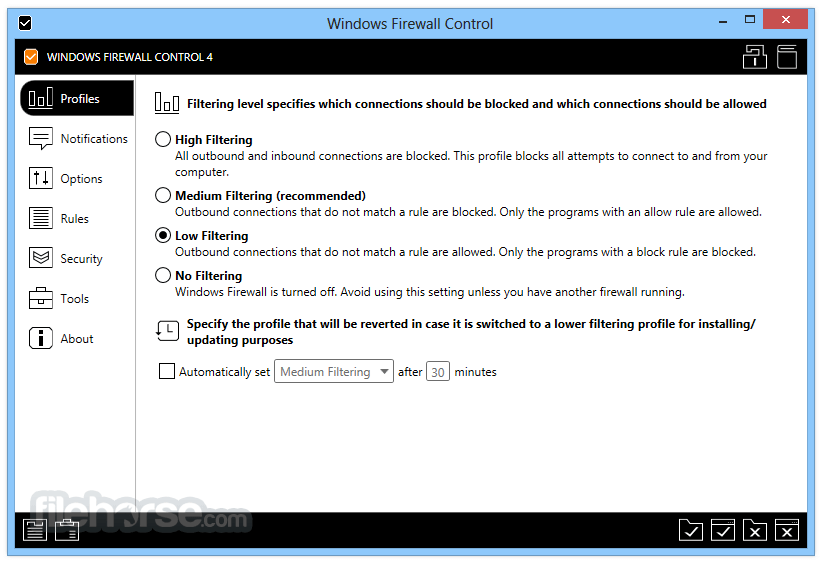
Windows Firewall Control offers four filtering modes which can be switched with just a mouse click:
High Filtering - All outbound and inbound connections are blocked. This profile blocks all attempts to connect to and from your computer.
Medium Filtering - Outbound connections that do not match a rule are blocked. Only the programs that you allow can initiate outbound connections.
Low Filtering - Outbound connections that do not match a rule are allowed. The user can block the programs he doesn't want to allow initiating outbound connections.
No Filtering - Windows Firewall is turned off. Avoid using this setting unless you have another firewall running on your computer.
Windows Firewall Control doesn't do any packet filtering and does not block or allow any connection. This is done by the tool itself based on the existing firewall rules.
Note: Requires Microsoft .NET Framework version 4.5 or newer version. Windows Firewall service is required to be enabled for Windows Firewall Control to run.
DNS Client service is required to be enabled for the notifications to work properly. The notification system is disabled in the unregistered version.
How to Use
Supported OS: Windows 10, Windows 11
.NET Framework: Version 4.5 or higher required
RAM: 512 MB or more
Disk Space: ~10 MB free space
Internet: Required for rule updates and notifications
PROS
Download Windows Firewall Control Latest Version Why is this app published on FileHorse? (More info)
WFC software runs in the system tray and allows the user to control the native firewall easily without having to waste time navigating to the specific part of the firewall.
This is the best tool to manage the native firewall from Windows 11, 10, 8.1, 8, 7, Vista, Server 2008, Server 2012.
Windows Firewall Control offers four filtering modes which can be switched with just a mouse click:
High Filtering - All outbound and inbound connections are blocked. This profile blocks all attempts to connect to and from your computer.
Medium Filtering - Outbound connections that do not match a rule are blocked. Only the programs that you allow can initiate outbound connections.
Low Filtering - Outbound connections that do not match a rule are allowed. The user can block the programs he doesn't want to allow initiating outbound connections.
No Filtering - Windows Firewall is turned off. Avoid using this setting unless you have another firewall running on your computer.
Windows Firewall Control doesn't do any packet filtering and does not block or allow any connection. This is done by the tool itself based on the existing firewall rules.
Note: Requires Microsoft .NET Framework version 4.5 or newer version. Windows Firewall service is required to be enabled for Windows Firewall Control to run.
DNS Client service is required to be enabled for the notifications to work properly. The notification system is disabled in the unregistered version.
How to Use
- Run the installer and follow setup instructions
- Launch the program from the Start menu or system tray
- Select your preferred filtering profile (e.g., Medium Filtering)
- Use the "Connections Log" to review recent network activity
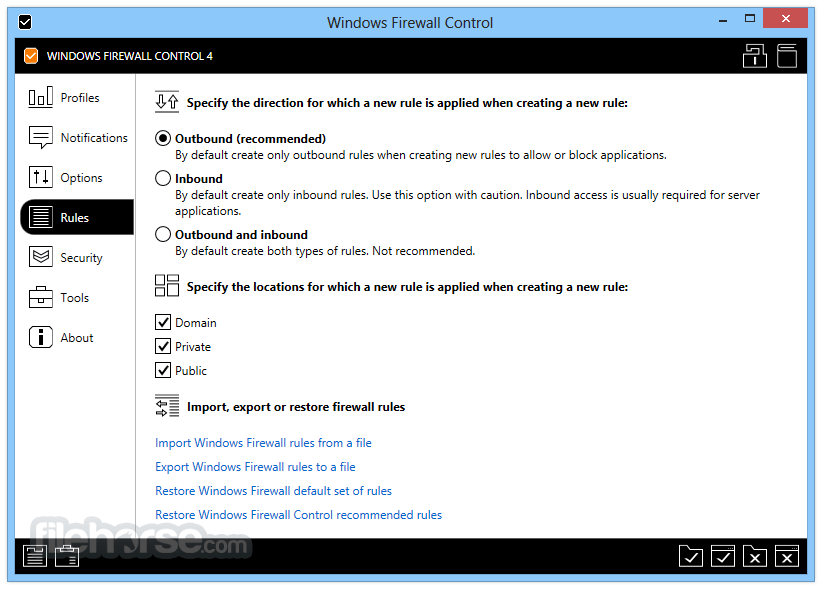
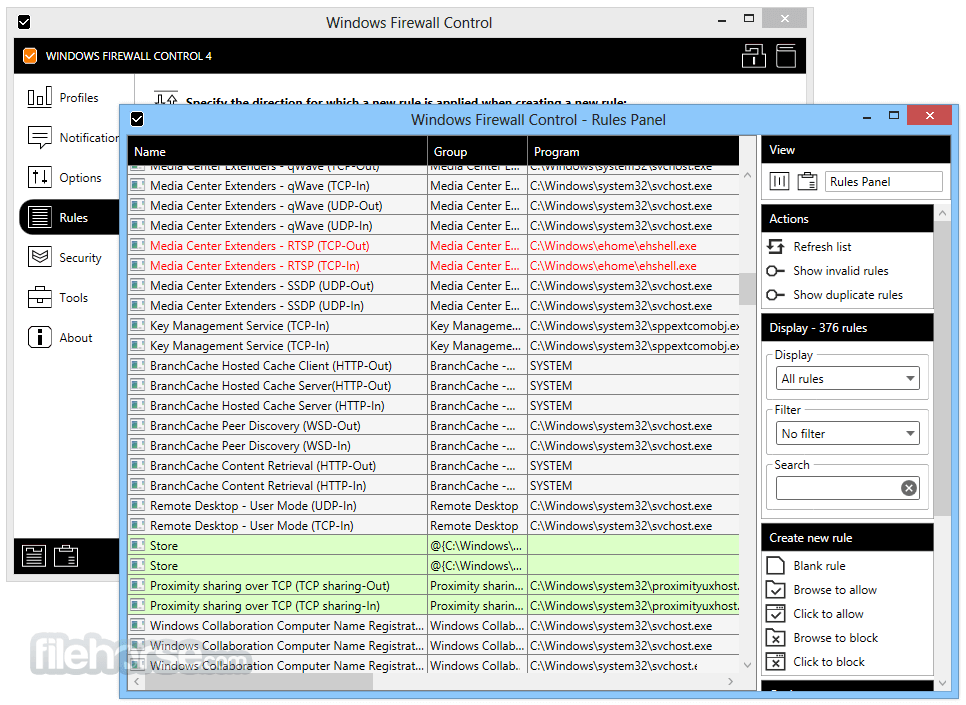
- Create custom rules via "Rules Panel" for apps and ports
- Set notifications to alert on blocked outbound connections
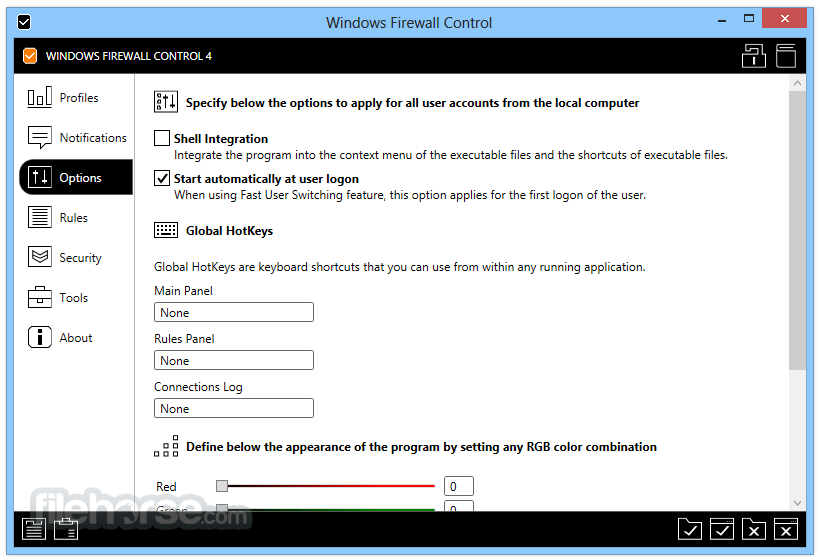
- Access program settings to tweak interface and behavior
- Use hotkeys for quick rule creation and access
- Export or import rules for backup and restore
Supported OS: Windows 10, Windows 11
.NET Framework: Version 4.5 or higher required
RAM: 512 MB or more
Disk Space: ~10 MB free space
Internet: Required for rule updates and notifications
PROS
- Lightweight and low system resource use
- Easy rule management interface
- Enhances Windows Firewall control
- Real-time connection monitoring
- Highly customizable notifications
- No support for Windows versions before 10
- Advanced settings may confuse beginners
- Relies on Windows Firewall being active
- Limited help documentation included
- Free version lacks all premium features
Download Windows Firewall Control Latest Version Why is this app published on FileHorse? (More info)
##
畫面截圖