⚠ 這是歷史版本頁面 — 查看 Windows PowerShell 7.6.4 (64-bit) 最新版本 →

Windows PowerShell 7.4.11 (64-bit)
v 7.4.11 (64-bit)
Windows
免費軟體
8.2/10 (88)
- 目前版本7.4.11 (64-bit)
- 更新日期2025-06-24
- 檔案大小105 MB
- 檔案名稱PowerShell-7.4.11-win-x64.msi
- 作業系統Windows 7 64 / Windows 8 64 / Windows 10 64 / Windows 11
- 支援語系English
- 授權型式免費軟體
- 開發商 Microsoft Corporation
- 軟體分類Windows 軟體 / 開發者工具
##
編輯短評
Windows PowerShell 是由 Microsoft 開發的強大工作自動化框架與指令碼語言。它旨在幫助 IT 專業人員、系統管理員及開發者解決繁瑣的管理任務,透過 .NET 框架將指令行功能與強大的腳本環境結合,讓使用者能高效執行複雜的系統配置並簡化工作流程。由於更新頻率高且受眾廣泛,它是目前 Windows 環境下主流且維護活躍的工具。
這款軟體適合需要高度自動化管理系統的技術人員,在處理伺服器配置或大量重複性操作時尤其好用。相較於同類其他開發者工具,它更專注於系統層級的控制與指令執行。使用者在下載前需留意此版本僅提供英文介面且僅支援 Windows 平台。作為一款免費軟體,它提供了極高的靈活性,是追求高效能管理時的熱門選擇。
##
翻譯排程處理中,以下暫以英文原文呈現
軟體介紹
Windows PowerShell (64-bit) is a powerful task automation framework and scripting language developed by Microsoft.
Built on the .NET framework, PowerShell is designed to help IT professionals, system administrators, and developers automate administrative tasks, manage system configurations, and streamline workflows.
Unlike traditional command-line interfaces, it integrates a robust scripting environment with command-line functionality, allowing users to execute complex administrative tasks efficiently.
Key Features
Cmdlets (Commandlets) – A set of lightweight commands for administrative tasks.
Pipeline Processing – Enables output from one command to be used as input for another.
Scripting and Automation – Supports scripting with loops, conditions, and functions for advanced task automation.
Remote Management – Allows administrators to run commands on remote systems.
Access to .NET Framework – Provides integration with .NET classes for enhanced functionality.
Object-Based Output – Unlike traditional text-based outputs, PowerShell outputs structured objects.
Module Support – Extensible through modules that add additional cmdlets and functions.
Secure Execution Policies – Various execution policies to control script execution security.
Integration with Windows Management Instrumentation (WMI) and Active Directory – Facilitates system management and administration.
Task Scheduling – Can automate tasks by integrating with Windows Task Scheduler.
User Interface
PowerShell (64-bit) primarily operates through a command-line interface (CLI), providing a structured and interactive scripting environment.
Users can execute single-line commands or write complex scripts in PowerShell ISE (Integrated Scripting Environment) or Visual Studio Code with the PowerShell extension.
Although it lacks a graphical user interface (GUI), the CLI is optimized for efficiency and automation, catering to system administrators and developers.
Installation and Setup
It comes pre-installed in most modern Windows operating systems. However, users can manually install newer versions from the Microsoft website or through package managers like Winget or Chocolatey.
What is the difference between PowerShell and Command Prompt?
PowerShell is more powerful, supporting scripting, automation, and object-oriented commands, while Command Prompt is a simple text-based command-line interface.
Can PowerShell be used on Linux and macOS?
Yes, PowerShell Core (now called PowerShell 7) is cross-platform and runs on Windows, Linux, and macOS.
How do I execute a script in PowerShell?
Use .\script.ps1 after navigating to the script location in this software.
How do I change execution policies in PowerShell?
Run Set-ExecutionPolicy (e.g., RemoteSigned) to change script execution settings.
Is PowerShell safe to use?
Yes, but it should be used with caution. Execution policies and security features help prevent malicious script execution.
Alternatives
Cmder – Enhanced Windows console emulator.
Git Bash – Unix-style command-line interface for Windows.
WSL (Windows Subsystem for Linux) – Runs Linux command-line tools on Windows.
Python – Used for automation, scripting, and system administration tasks.
Command Prompt – Basic command-line tool in Windows.
System Requirements
Windows PowerShell (64-bit) is an indispensable tool for IT professionals, system administrators, and developers seeking robust automation and scripting capabilities. With its integration into the Windows ecosystem, cross-platform support, and object-oriented approach, it enables efficient task automation and system management.
Note: Microsoft .NET Framework needs to be installed. Requires WinRM 2.0 CTP3 to use remoting features.
Also Available: Windows PowerShell (32-bit)
Download Windows PowerShell (64-bit) Latest Version Why is this app published on FileHorse? (More info)
Built on the .NET framework, PowerShell is designed to help IT professionals, system administrators, and developers automate administrative tasks, manage system configurations, and streamline workflows.
Unlike traditional command-line interfaces, it integrates a robust scripting environment with command-line functionality, allowing users to execute complex administrative tasks efficiently.
Key Features
Cmdlets (Commandlets) – A set of lightweight commands for administrative tasks.
Pipeline Processing – Enables output from one command to be used as input for another.
Scripting and Automation – Supports scripting with loops, conditions, and functions for advanced task automation.
Remote Management – Allows administrators to run commands on remote systems.
Access to .NET Framework – Provides integration with .NET classes for enhanced functionality.
Object-Based Output – Unlike traditional text-based outputs, PowerShell outputs structured objects.
Module Support – Extensible through modules that add additional cmdlets and functions.
Secure Execution Policies – Various execution policies to control script execution security.
Integration with Windows Management Instrumentation (WMI) and Active Directory – Facilitates system management and administration.
Task Scheduling – Can automate tasks by integrating with Windows Task Scheduler.
User Interface
PowerShell (64-bit) primarily operates through a command-line interface (CLI), providing a structured and interactive scripting environment.
Users can execute single-line commands or write complex scripts in PowerShell ISE (Integrated Scripting Environment) or Visual Studio Code with the PowerShell extension.
Although it lacks a graphical user interface (GUI), the CLI is optimized for efficiency and automation, catering to system administrators and developers.
Installation and Setup
It comes pre-installed in most modern Windows operating systems. However, users can manually install newer versions from the Microsoft website or through package managers like Winget or Chocolatey.
- Download this program from the official Microsoft website or FileHorse.
- Run the installer and follow the on-screen instructions.
- After installation, open PowerShell by searching for PowerShell in the Windows Start menu.
- (Optional) Install additional modules using Install-Module for extended functionalities.
- Open PowerShell (Admin) for administrative privileges.
- Use Get-Help <cmdlet> to get information on commands.
- Execute basic commands like Get-Process to display running processes.
- Write and execute scripts using .ps1 files.
- Automate tasks with scheduled scripts.
- Use Import-Module to load additional functionality.
What is the difference between PowerShell and Command Prompt?
PowerShell is more powerful, supporting scripting, automation, and object-oriented commands, while Command Prompt is a simple text-based command-line interface.
Can PowerShell be used on Linux and macOS?
Yes, PowerShell Core (now called PowerShell 7) is cross-platform and runs on Windows, Linux, and macOS.
How do I execute a script in PowerShell?
Use .\script.ps1 after navigating to the script location in this software.
How do I change execution policies in PowerShell?
Run Set-ExecutionPolicy (e.g., RemoteSigned) to change script execution settings.
Is PowerShell safe to use?
Yes, but it should be used with caution. Execution policies and security features help prevent malicious script execution.
Alternatives
Cmder – Enhanced Windows console emulator.
Git Bash – Unix-style command-line interface for Windows.
WSL (Windows Subsystem for Linux) – Runs Linux command-line tools on Windows.
Python – Used for automation, scripting, and system administration tasks.
Command Prompt – Basic command-line tool in Windows.
System Requirements
- Operating System: Windows 10, Windows 11, Windows Server 2016 or later.
- Processor: 64-bit architecture.
- Memory: Minimum 512MB RAM.
- Storage: 100MB of available disk space.
- .NET Framework: Required for legacy versions.
- Powerful automation and scripting capabilities.
- Deep integration with Windows components.
- Cross-platform availability.
- Open-source and regularly updated.
- Supports remote administration.
- Lacks a graphical user interface.
- Can be complex for basic users.
- Execution policies may restrict script execution by default.
- Requires knowledge of scripting and object-oriented principles.
Windows PowerShell (64-bit) is an indispensable tool for IT professionals, system administrators, and developers seeking robust automation and scripting capabilities. With its integration into the Windows ecosystem, cross-platform support, and object-oriented approach, it enables efficient task automation and system management.
Note: Microsoft .NET Framework needs to be installed. Requires WinRM 2.0 CTP3 to use remoting features.
Also Available: Windows PowerShell (32-bit)
Download Windows PowerShell (64-bit) Latest Version Why is this app published on FileHorse? (More info)
##
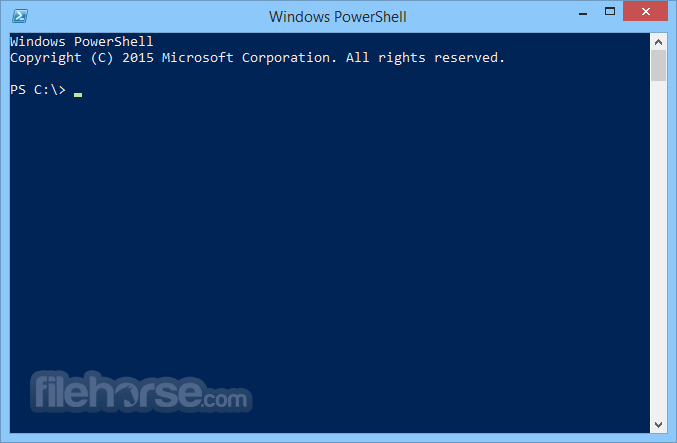
畫面截圖
- 2026-07-20 Windows PowerShell 7.6.4 (64-bit) 110 MB
- 2026-06-16 Windows PowerShell 7.6.3 (64-bit) 110 MB
- 2026-05-21 Windows PowerShell 7.4.16 (64-bit) 105 MB
- 2026-05-21 Windows PowerShell 7.5.7 (64-bit) 108 MB
- 2026-05-21 Windows PowerShell 7.6.2 (64-bit) 110 MB
- 2026-04-21 Windows PowerShell 7.6.1 (64-bit) 110 MB
- 2026-03-20 Windows PowerShell 7.6.0 (64-bit) 110 MB
- 2026-03-12 Windows PowerShell 7.4.14 (64-bit) 105 MB