⚠ 這是歷史版本頁面 — 查看 Xmanager 8.0 Build 最新版本 →

- 目前版本0158
- 更新日期2024-07-02
- 檔案大小109.14 MB
- 檔案名稱Xmanager-7.0.0158.exe
- 作業系統Windows 7 / Windows 8 / Windows 10 / Windows 11
- 支援語系English
- 授權型式商業試用
- 開發商 NetSarang Computer, Inc.
- 軟體分類Windows 軟體 / 檔案傳輸與網路
##
編輯短評
Xmanager 是 NetSarang 推出的 PC X server 軟體,主要解決 Windows 使用者需要同時操作遠端 UNIX 或 Linux 圖形介面程式的需求。它讓安裝在遠端主機上的 X 應用程式能與本機 Windows 程式並排執行,並提供工作階段管理、應用程式啟動器、SSH 模組等工具。這套軟體在同類工具中屬於主流選擇,目前仍持續維護,近一年內有多次更新,使用者評價普遍不錯,但不算特別熱門。
這套軟體適合需要同時管理 Windows 與 UNIX/Linux 環境的 IT 人員,例如系統管理員或開發者,尤其常用於連線虛擬化或遠端主機上的圖形介面應用。與 Internet Download Manager、uTorrent 等檔案傳輸工具不同,Xmanager 專注於遠端圖形介面連線,定位明顯不同。需要注意的是,此版本為試用版,且僅提供英文介面,沒有中文版,使用前需確認是否能接受英文操作環境。
##
翻譯排程處理中,以下暫以英文原文呈現
軟體介紹
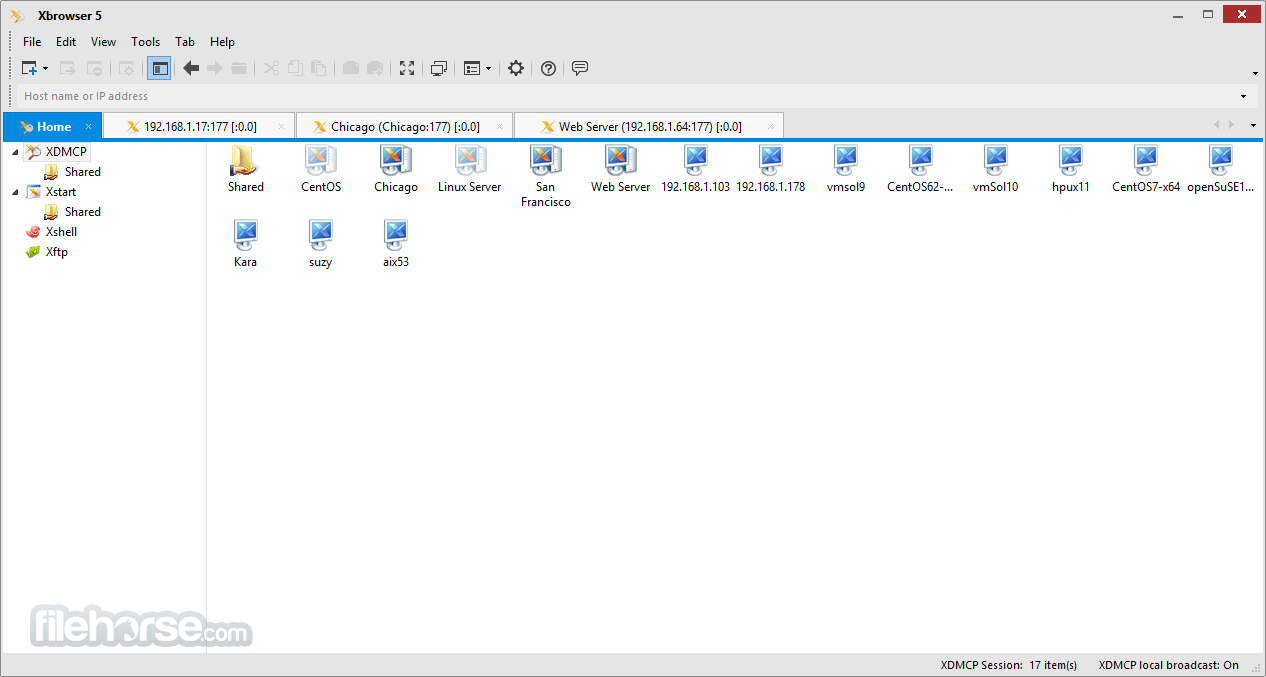
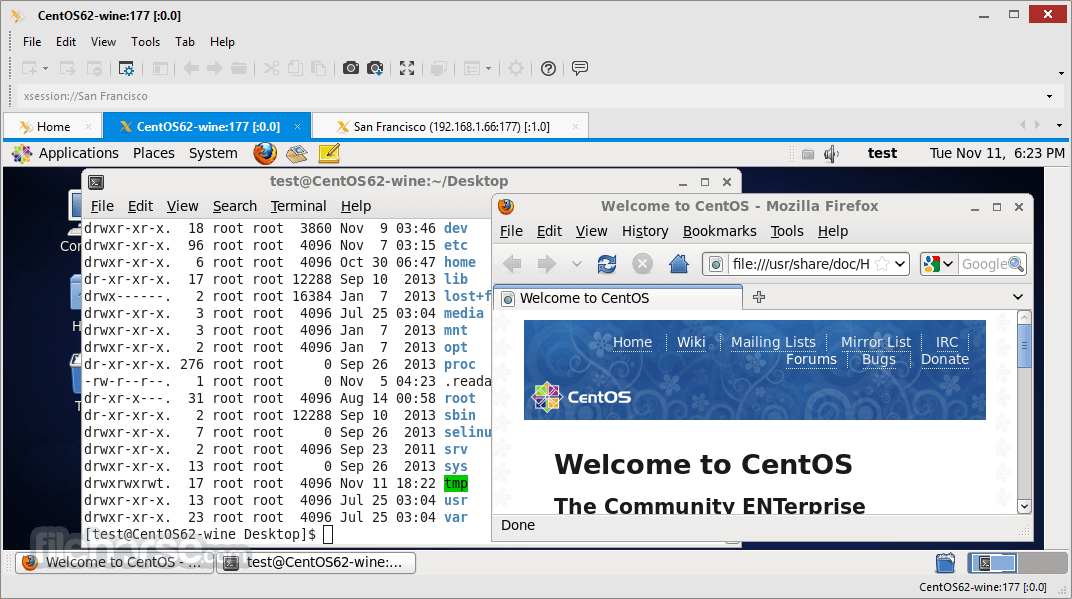
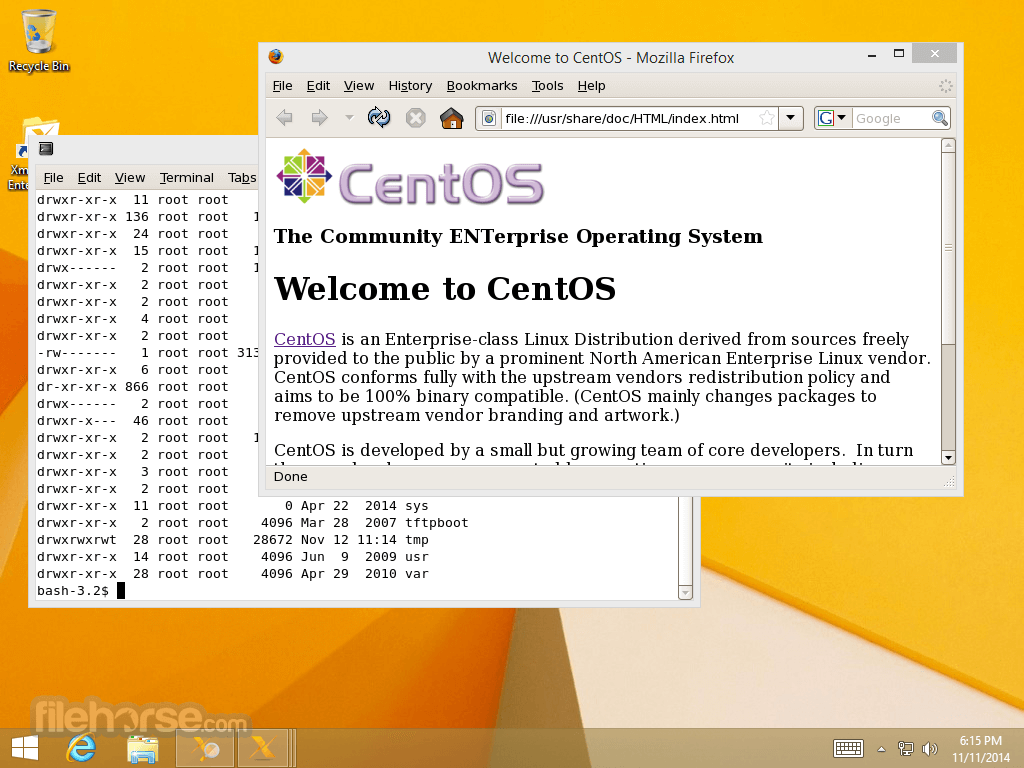
Xmanager is the market's leading PC X server that brings the power of X applications to a Windows environment. With Xmanager, X applications installed on remote UNIX based machines run seamlessly with Windows application side by side.
It provides a powerful session management console, easy-to-use X application launcher, X server profile management tool, SSH module, and a high-performance PC X server for securely accessing a remote and virtualized UNIX and Linux environment.
Today’s IT infrastructure requires various operating systems to run side by side. UNIX and Linux are rapidly replacing mainframes and Windows servers, but Windows is still the platform of choice when it comes to desktop PCs.
Since X Window System is the standard technology that any modern UNIX based systems are packaged with, the software requires no additional server-side installation, and only small to no changes are required to your existing IT infrastructure.
The tool provides a single point of access to consolidate heterogeneous Operating Systems and provides a flexible work environment to increase productivity. Try Xmanager free for 30 days to see if it is the network connectivity solution for you.
The app is used in various fields of work including large-scale craft and semiconductor designing and server management in an IDC (Internet Data Center).
It is widely used by server administrators of universities and corporations, as well as personal users who want to connect to remote hosts over the internet.
The app is an easy and powerful PC X server designed to satisfy the needs and wants of these various users.
Features and Highlights
Connect to the remote server system whether you are at work or at home
If your home and office PC are connected to the internet, you can work remotely from home. It is impossible to handle all business tasks with only text-based terminals (such as telnet). The Secure XDMCP feature of the tool will connect from a private network or even from behind a firewall.
Share the X applications and Unix/Linux server systems
A group of users can share various X applications like CAD/GIS that run on Unix server systems. This is especially useful in an environment such as a company's training facility or computer rooms of schools where user groups often switch in and out.
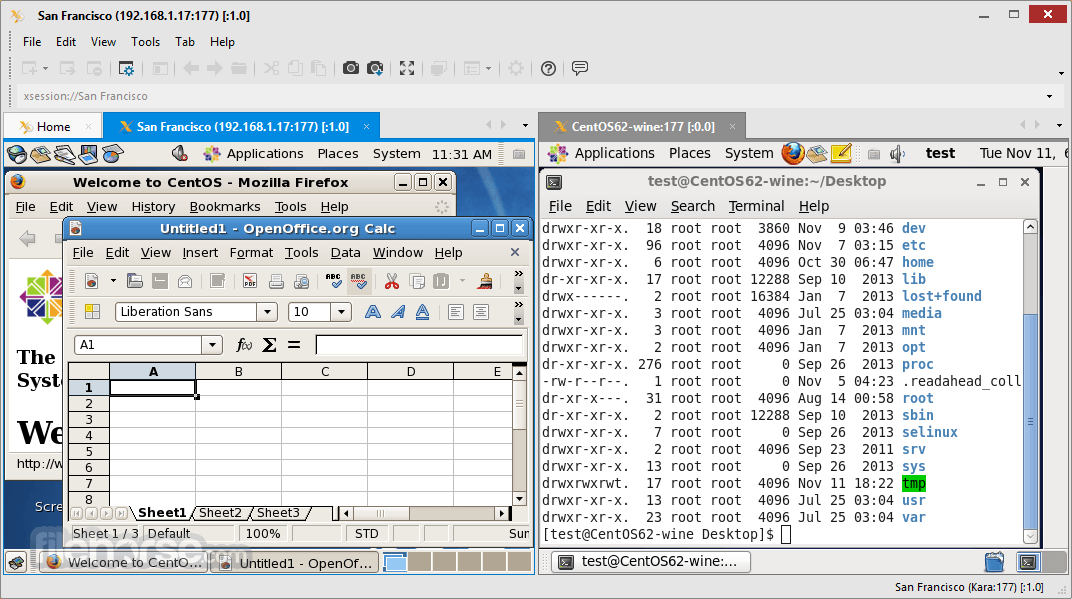
Run MS Windows and Unix/Linux applications simultaneously
The software helps you finish your job efficiently in a complex network environment. You can easily switch from window to window on your computer screen.
Be creative with 3D applications
Start your creative work with the tool. Other PC X Servers may require you to purchase extra 3D add-on. With version 5, the app Standard comes in standard with the OpenGL support. X manager supports OpenGL out of the box and allows running CAD and other GLX based 3D tools.
How to Use
Download Xmanager Latest Version Why is this app published on FileHorse? (More info)
It provides a powerful session management console, easy-to-use X application launcher, X server profile management tool, SSH module, and a high-performance PC X server for securely accessing a remote and virtualized UNIX and Linux environment.
Today’s IT infrastructure requires various operating systems to run side by side. UNIX and Linux are rapidly replacing mainframes and Windows servers, but Windows is still the platform of choice when it comes to desktop PCs.
Since X Window System is the standard technology that any modern UNIX based systems are packaged with, the software requires no additional server-side installation, and only small to no changes are required to your existing IT infrastructure.
The tool provides a single point of access to consolidate heterogeneous Operating Systems and provides a flexible work environment to increase productivity. Try Xmanager free for 30 days to see if it is the network connectivity solution for you.
The app is used in various fields of work including large-scale craft and semiconductor designing and server management in an IDC (Internet Data Center).
It is widely used by server administrators of universities and corporations, as well as personal users who want to connect to remote hosts over the internet.
The app is an easy and powerful PC X server designed to satisfy the needs and wants of these various users.
Features and Highlights
Connect to the remote server system whether you are at work or at home
If your home and office PC are connected to the internet, you can work remotely from home. It is impossible to handle all business tasks with only text-based terminals (such as telnet). The Secure XDMCP feature of the tool will connect from a private network or even from behind a firewall.
Share the X applications and Unix/Linux server systems
A group of users can share various X applications like CAD/GIS that run on Unix server systems. This is especially useful in an environment such as a company's training facility or computer rooms of schools where user groups often switch in and out.
Run MS Windows and Unix/Linux applications simultaneously
The software helps you finish your job efficiently in a complex network environment. You can easily switch from window to window on your computer screen.
Be creative with 3D applications
Start your creative work with the tool. Other PC X Servers may require you to purchase extra 3D add-on. With version 5, the app Standard comes in standard with the OpenGL support. X manager supports OpenGL out of the box and allows running CAD and other GLX based 3D tools.
How to Use
- Launch the application and configure settings
- Connect to a remote server via SSH or TELNET
- Manage multiple remote sessions efficiently
- Customize display settings for better usability
- Transfer files between local and remote systems
- Use Xshell integration for command-line access
- Secure connections with encryption protocols
- Save session settings for quick access
- Troubleshoot connectivity issues if needed
- OS: Windows 7, 8, 10, or 11 (32-bit or 64-bit)
- Processor: Intel or AMD 1 GHz or faster
- RAM: Minimum 2GB (4GB recommended)
- Storage: At least 200MB free disk space
- Network: Stable internet connection required
- Display: Minimum 1024x768 screen resolution
- Supports multiple remote connections
- High-speed performance and stability
- Secure encryption for data protection
- User-friendly interface and customization
- Seamless integration with other tools
- Requires technical knowledge to set up
- Limited free version with restrictions
- High resource usage on large sessions
- No native support for macOS or Linux
- Occasional connection drop issues
Download Xmanager Latest Version Why is this app published on FileHorse? (More info)
##
畫面截圖
- 2026-07-09 Xmanager 8.0 Build 0099 104.59 MB
- 2026-02-15 Xmanager 8.0 Build 0095 103.5 MB
- 2025-10-03 Xmanager 8.0 Build 0086 103.49 MB
- 2025-08-08 Xmanager 8.0 Build 0084 103.49 MB
- 2025-07-04 Xmanager 8.0 Build 0082 103.46 MB
- 2025-05-26 Xmanager 8.0 Build 0074 103.45 MB
- 2025-04-01 Xmanager 8.0 Build 0068 103.45 MB
- 2025-02-13 Xmanager 8.0 Build 0066 103.45 MB