⚠ 這是歷史版本頁面 — 查看 Xshell Free 8.0 Build 最新版本 →

Xshell Free 7.0 Build 0137
v 0137
Windows
免費軟體
7.74/10 (71)
- 目前版本0137
- 更新日期2023-09-17
- 檔案大小46.94 MB
- 檔案名稱Xshell-7.0.0137.exe
- 作業系統Windows 7 / Windows 8 / Windows 10 / Windows 11
- 支援語系English
- 授權型式免費軟體
- 開發商 NetSarang Computer, Inc.
- 軟體分類Windows 軟體 / 檔案傳輸與網路
##
編輯短評
Xshell Free 是一款專為 Windows 設計的終端機模擬器,主要用來透過 SSH、SFTP、Telnet 等協定安全連線到遠端伺服器,是系統管理員與開發者常用的工具。它的分頁介面可同時管理多個連線,動態連接埠轉發功能也便於繞過防火牆限制。軟體由 NetSarang 開發,持續有更新,近一年仍釋出多次版本,在同類工具中屬於穩定且受歡迎的選擇,使用者評價中上。
這套軟體適合需要頻繁操作遠端主機的工程師,例如管理 Linux 伺服器或網路設備時,能提供比命令列更友善的操作環境。相較於其他免費終端機,Xshell 的介面較完整,但僅提供英文語系,且為免費授權,使用上需自行確認是否符合需求。若只是偶爾連線,也可考慮更輕量的替代方案,但 Xshell 在功能與穩定性上仍有其優勢。
##
翻譯排程處理中,以下暫以英文原文呈現
軟體介紹
Xshell Free is a terminal emulator designed for Windows users who need a secure and efficient way to connect to remote servers using SSH, SFTP, Telnet, and more.
Developed by NetSarang, this Xshell Free software is a go-to choice for system administrators, network engineers, and developers who require a reliable terminal environment for managing remote systems.
Main Features
Multiple Protocol Support: SSH, SFTP, Telnet, Rlogin, and Serial connections.
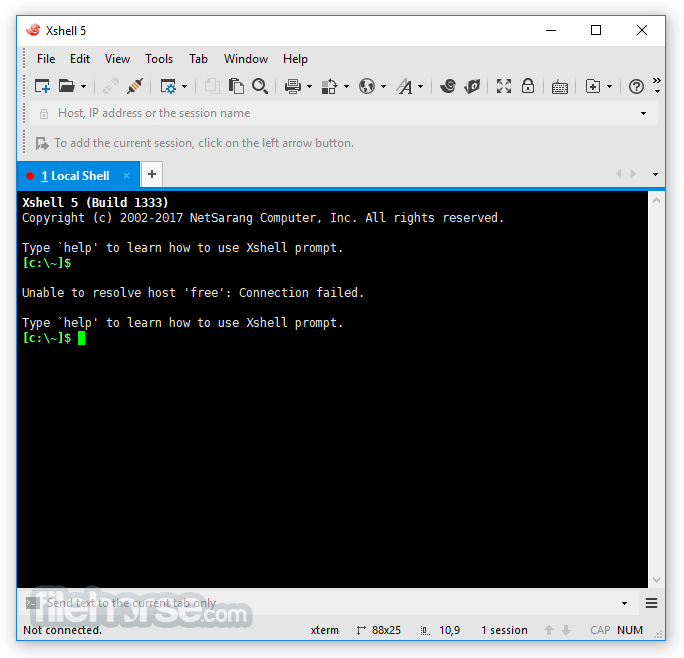
Tabbed Interface: Manage multiple terminal sessions in a single window.
Dynamic Port Forwarding: Securely route network traffic.
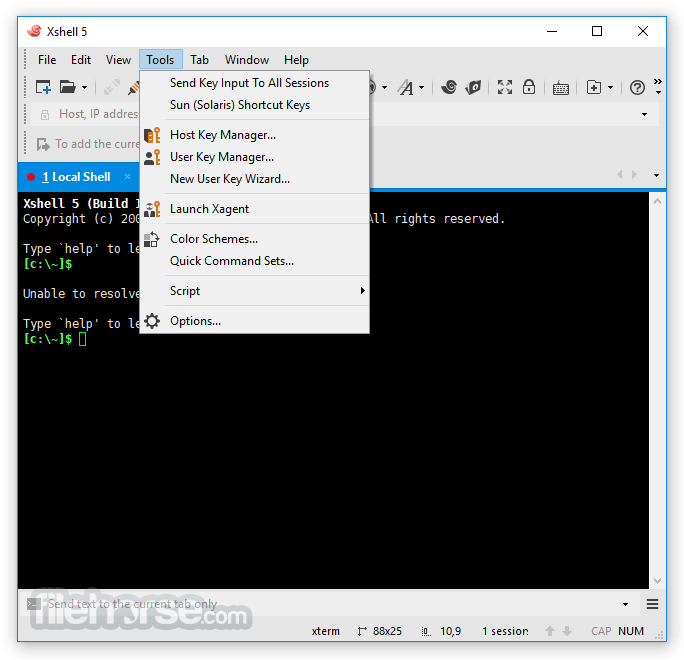
Customizable UI: Supports themes, fonts, and color schemes.
Highlight Keywords: Helps identify important output in terminal logs.
Session Manager: Organize and quickly access frequently used connections.
Dual Keyboard Support: Perfect for bilingual users.
Secure Key Mapping: Ensures safe authentication methods.
User Interface
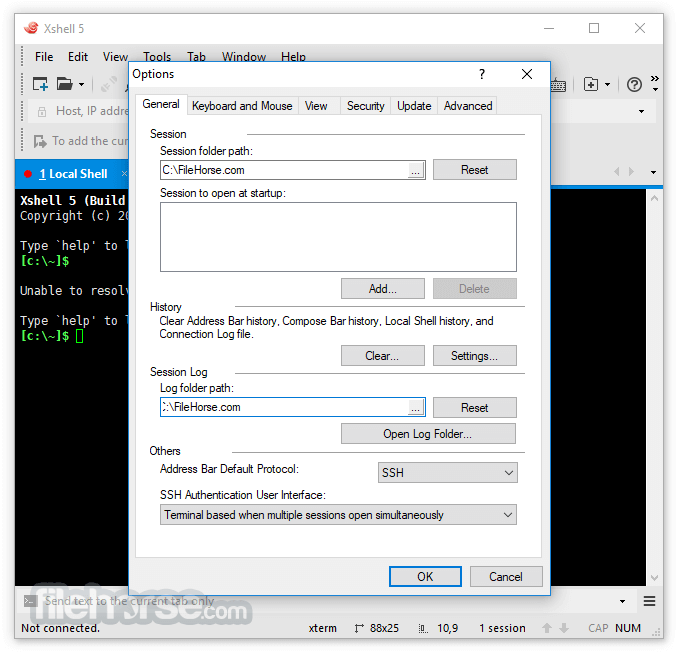
Xshell Free has an intuitive UI with a modern, tabbed interface that allows users to organize multiple sessions effectively.
The customizable layout makes it easy to adjust fonts, themes, and window arrangement to suit individual preferences.
Installation and Setup
FAQ
Is Xshell Free completely free to use?
Yes, but it is limited to non-commercial use. Businesses require a paid license.
Can Xshell Free support SSH key authentication?
Yes, it allows SSH key authentication for enhanced security.
Does it support multiple connections at the same time?
Yes, the tabbed interface lets you manage multiple sessions efficiently.
Can I transfer files using Xshell Free?
No, for file transfers, you need Xftp, a separate tool from NetSarang.
Does Xshell Free work on macOS or Linux?
No, it is exclusively available for Windows.
Alternatives
PuTTY - (Lightweight, open-source SSH client)
MobaXterm - (Feature-rich with built-in SFTP)
Termius - (Cloud-synced terminal tool)
Bitvise SSH Client - (Graphical and scripting SSH support)
Pricing
Xshell Free: Free for personal and educational use.
Xshell Commercial: Paid version with additional features.
System Requirements
Xshell Free is a powerful and feature-rich SSH client for Windows, making it an excellent tool for system administrators and developers. Its intuitive tabbed interface, extensive protocol support, and security features make it stand out among terminal emulators.
Download Xshell Free Latest Version Why is this app published on FileHorse? (More info)
Developed by NetSarang, this Xshell Free software is a go-to choice for system administrators, network engineers, and developers who require a reliable terminal environment for managing remote systems.
Main Features
Multiple Protocol Support: SSH, SFTP, Telnet, Rlogin, and Serial connections.
Tabbed Interface: Manage multiple terminal sessions in a single window.
Dynamic Port Forwarding: Securely route network traffic.
Customizable UI: Supports themes, fonts, and color schemes.
Highlight Keywords: Helps identify important output in terminal logs.
Session Manager: Organize and quickly access frequently used connections.
Dual Keyboard Support: Perfect for bilingual users.
Secure Key Mapping: Ensures safe authentication methods.
User Interface
Xshell Free has an intuitive UI with a modern, tabbed interface that allows users to organize multiple sessions effectively.
The customizable layout makes it easy to adjust fonts, themes, and window arrangement to suit individual preferences.
Installation and Setup
- Download the installer from the official NetSarang website.
- Run the setup wizard and follow on-screen instructions.
- Choose installation directory and configure initial settings.
- Launch the software and set up a new session with connection details.
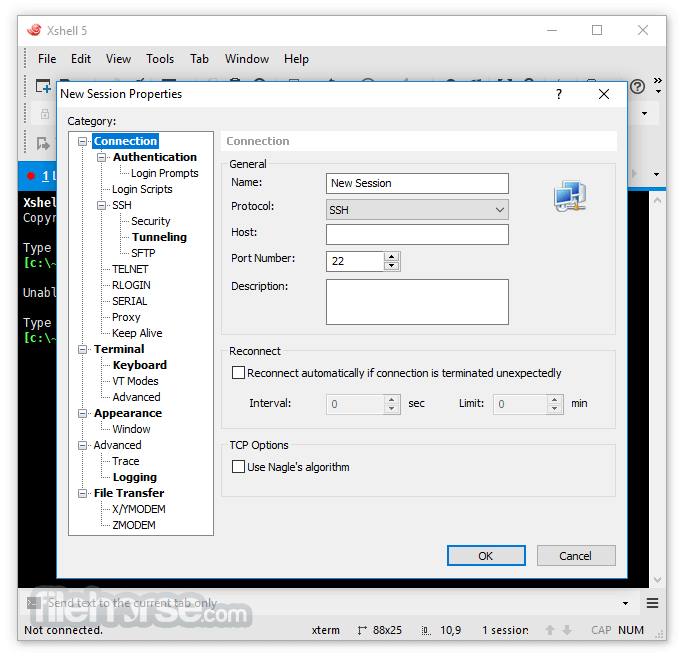
- Open Xshell Free and click New Session.
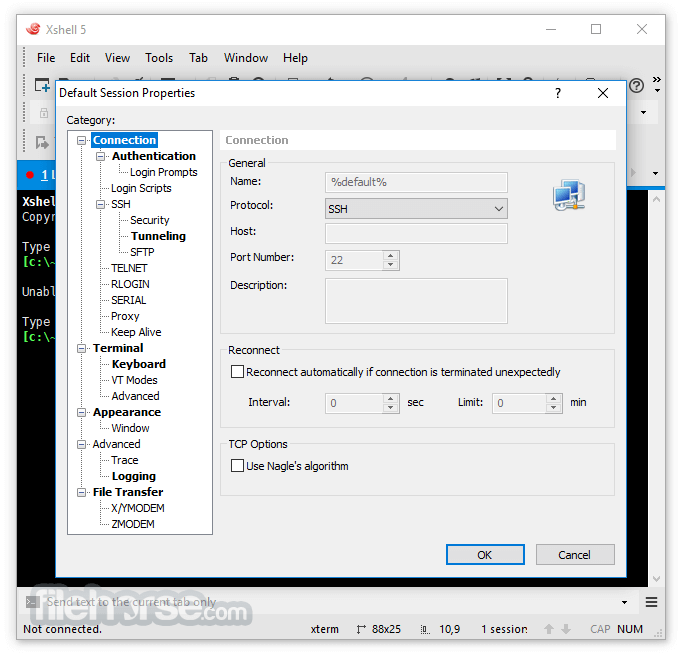
- Choose a connection protocol (SSH, SFTP, etc.).
- Enter remote server details (IP address, port, authentication method).
- Save the session for future use.
- Click Connect to establish a remote session.
FAQ
Is Xshell Free completely free to use?
Yes, but it is limited to non-commercial use. Businesses require a paid license.
Can Xshell Free support SSH key authentication?
Yes, it allows SSH key authentication for enhanced security.
Does it support multiple connections at the same time?
Yes, the tabbed interface lets you manage multiple sessions efficiently.
Can I transfer files using Xshell Free?
No, for file transfers, you need Xftp, a separate tool from NetSarang.
Does Xshell Free work on macOS or Linux?
No, it is exclusively available for Windows.
Alternatives
PuTTY - (Lightweight, open-source SSH client)
MobaXterm - (Feature-rich with built-in SFTP)
Termius - (Cloud-synced terminal tool)
Bitvise SSH Client - (Graphical and scripting SSH support)
Pricing
Xshell Free: Free for personal and educational use.
Xshell Commercial: Paid version with additional features.
System Requirements
- OS: Windows 7, 8, 10, 11 (32-bit & 64-bit)
- RAM: Minimum 512MB (1GB+ recommended)
- Storage: 50MB of free disk space
- Processor: Intel/AMD 1GHz or higher
- Free for non-commercial use
- Supports multiple protocols (SSH, Telnet, etc.)
- Secure and efficient with SSH key authentication
- Tabbed interface for better multitasking
- Highly customizable with scripting support
- Not available for macOS or Linux
- Lacks built-in file transfer (requires Xftp)
- Free version restricted to personal use
- Can be overwhelming for beginners
- Requires manual configuration for advanced features
Xshell Free is a powerful and feature-rich SSH client for Windows, making it an excellent tool for system administrators and developers. Its intuitive tabbed interface, extensive protocol support, and security features make it stand out among terminal emulators.
Download Xshell Free Latest Version Why is this app published on FileHorse? (More info)
##
畫面截圖
- 2026-07-09 Xshell Free 8.0 Build 0099 44.99 MB
- 2026-02-15 Xshell Free 8.0 Build 0095 44.61 MB
- 2025-10-03 Xshell Free 8.0 Build 0087 44.6 MB
- 2025-08-08 Xshell Free 8.0 Build 0084 44.59 MB
- 2025-07-04 Xshell Free 8.0 Build 0082 44.56 MB
- 2025-05-26 Xshell Free 8.0 Build 0074 44.48 MB
- 2025-04-01 Xshell Free 8.0 Build 0069 44.48 MB
- 2025-02-13 Xshell Free 8.0 Build 0066 44.48 MB