XSplit Broadcaster 4.6.2605.2111
v 4.6.2605.2111
Windows
試用版
8.2/10 (50)
- 目前版本4.6.2605.2111
- 更新日期2026-06-30
- 檔案大小411 MB
- 檔案名稱XSplit_Broadcaster_4.6.2605.2111-xsolla.exe
- 作業系統Windows 7 / Windows 7 64 / Windows 8 / Windows 8 64 / Windows 10 / Windows 10 64 / Windows 11
- 支援語系English
- 授權型式試用版
- 開發商 SplitmediaLabs, Ltd.
- 軟體分類Windows 軟體 / 影片軟體
##
編輯短評
XSplit Broadcaster 是一款針對 Windows 平台設計的強大直播與錄影軟體,旨在協助使用者製作豐富的影片內容。其最顯著的特色在於高度自定義的佈局功能,讓使用者能靈活調整視訊鏡頭的位置與大小,並透過 Chroma Key 綠幕透明效果增加直播的沉浸感。該軟體在同類工具中屬於熱門選擇且持續維護中,是許多遊戲實況主建立專業畫面的可靠工具。
這套軟體適合追求高品質畫面呈現的遊戲玩家或內容創作者,尤其在需要同步錄製遊戲過程與個人影像時非常實用。相較於一般的影片播放或編碼軟體,它更專注於即時直播的生產力。使用者在下載前需注意,此軟體目前僅支援英文語系且提供試用版授權,建議對介面語言有要求的使用者先行評估。
##
翻譯排程處理中,以下暫以英文原文呈現
軟體介紹
XSplit Broadcaster is a simple yet powerful live streaming and recording software for Windows PC, that powers countless live streams and recordings around the world and is the perfect choice for producing rich video content with the video games you love.
Powerful Live streaming and recording studio that offers limitless customization - SIGN UP Now!
It's easier than ever to add, resize and reposition your webcam, whether you're streaming or recording gameplay. Activate Chroma Key and make your broadcast even more immersive using a green screen transparency effect.
XSplit Broadcaster is a powerful and feature-rich live streaming and video production software designed for content creators, gamers, and businesses. Developed by SplitmediaLabs, it provides users with an intuitive platform to stream and record professional-quality content with ease.
The program is widely used by streamers on platforms such as Twitch, YouTube, Facebook, and more, offering an extensive range of tools for enhancing and managing live broadcasts.
If XSplit Broadcaster, is your canvas then multimedia sources are your paint. When producing a broadcast, add everything from your videos and music to your webcam and remote guests from Skype. Utilize enhanced audio features for higher fidelity sound, and preview and edit new shots before going live with scene preview editor.
The app features a wealth of customizations thanks to the plugin store, letting you further personalize your broadcast with donation alerts, music requests and more. You can even develop your own! The possibilities are endless.
Key Features
High-Quality Streaming & Recording: Supports 4K video streaming and local recording with various encoding options, including x264 and NVIDIA NVENC.
Multi-Scene Support: Allows users to create multiple scenes with different overlays, sources, and layouts for dynamic content switching.
Custom Overlays & Effects: Offers customizable overlays, animations, and widgets to enhance stream aesthetics.
Chroma Key & Background Removal: Includes green screen support for background removal or replacement without requiring additional hardware.
Integrated Chat & Alerts: Supports built-in chat widgets and live alerts for audience engagement.
Third-Party Integrations: Compatible with various third-party tools such as OBS plugins, VST plugins, and other broadcasting utilities.
Scene Preview Editor: Provides a real-time preview of scenes before switching them live.
Simultaneous Streaming: Allows users to broadcast simultaneously on multiple platforms.
Remote Production Control: Enables users to manage scenes and sources remotely using a mobile device.
User Interface
Download the Installer: Visit the official website or FileHorse.com and download the latest version.
Run the Installer: Open the downloaded file and follow the installation wizard.
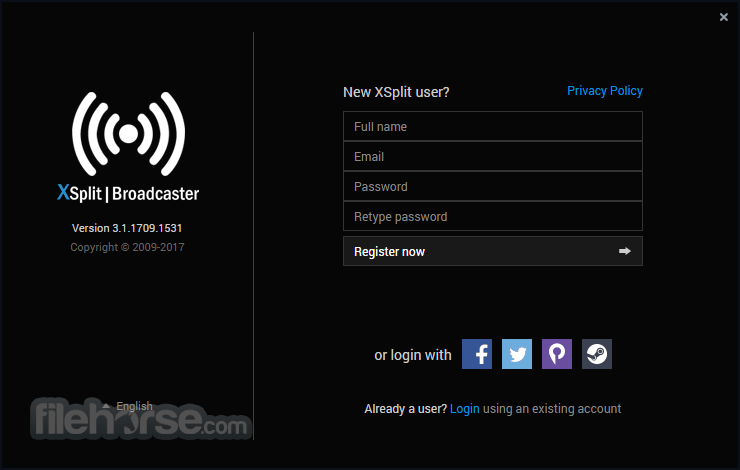
Create/Log in to Your Account: You need an XSplit account to activate and use the software.
Configure Basic Settings: Set up your streaming resolution, frame rate, and audio sources.
Connect to Streaming Platforms: Log in to platforms like Twitch, YouTube, or Facebook to link your account for live streaming.
Test and Optimize: Run test streams to ensure smooth performance before going live.
How to Use
Create a New Scene: Click on the "Add Scene" button to start a new broadcast layout.
Add Sources: Select sources such as webcam, gameplay, browser windows, or images.
Adjust Audio Levels: Configure microphone and system audio to balance sound properly.
Customize Overlays: Add alerts, chat windows, and animations to enhance viewer engagement.
Configure Encoding Settings: Choose bitrate and resolution settings based on your internet speed and hardware capabilities.
Start Streaming or Recording: Click "Go Live" or "Start Recording" to begin your session.
Monitor Performance: Keep an eye on CPU/GPU usage and stream health indicators to prevent lag or dropped frames.
FAQ
Is XSplit Broadcaster free?
XSplit Broadcaster offers a free version with limited features, including watermarks on some recordings. A premium subscription is required for full functionality and higher resolution streaming.
What platforms does XSplit support for streaming?
XSplit Broadcaster supports major platforms such as Twitch, YouTube, Facebook Live, and various RTMP-based streaming services.
Can I use XSplit Broadcaster on Mac?
Currently, XSplit Broadcaster is only available for Windows. Mac users need to use alternatives like OBS Studio or Streamlabs.
Does XSplit support multi-streaming?
Yes, XSplit Broadcaster allows users to stream to multiple platforms simultaneously, but this feature is only available in the premium version.
How does XSplit compare to OBS Studio?
XSplit offers a more user-friendly experience with built-in features like direct streaming integration and scene previewing. OBS Studio, on the other hand, is open-source and offers greater customization but requires manual setup for many features.
Alternatives
OBS Studio – Free, open-source, customizable streaming tool.
Restream Studio – Multi-platform streaming with cloud support.
Streamlabs – User-friendly with built-in overlays & alerts.
vMix – Advanced production tools for pro streaming.
Wirecast – High-end live production for businesses.
Nvidia ShadowPlay – GPU-powered, low-impact streaming.
Pricing
Free Version: Limited features with watermarks on recordings.
Premium Subscription:
Monthly Plan: $15 per month
Annual Plan: $60 per year ($5 per month equivalent)
Lifetime License: $200 (one-time payment)
Premium users gain access to multi-streaming, scene previewing, custom branding, and more advanced tools.
System Requirements
To run this program smoothly, ensure your PC meets the following requirements:
Minimum Requirements:
XSplit Broadcaster is an excellent choice for streamers and content creators looking for a professional, user-friendly broadcasting solution. With its robust set of features, seamless integrations, and high-quality streaming capabilities, it stands out as one of the best live streaming tools available.
While the free version has limitations, upgrading to the premium plan unlocks a suite of powerful tools that enhance content production. If you're looking for an all-in-one broadcasting solution, XSplit Broadcaster is definitely worth considering.
Note: Limited functionality in demo version.
Download XSplit Broadcaster Latest Version Why is this app published on FileHorse? (More info)
Powerful Live streaming and recording studio that offers limitless customization - SIGN UP Now!
It's easier than ever to add, resize and reposition your webcam, whether you're streaming or recording gameplay. Activate Chroma Key and make your broadcast even more immersive using a green screen transparency effect.
XSplit Broadcaster is a powerful and feature-rich live streaming and video production software designed for content creators, gamers, and businesses. Developed by SplitmediaLabs, it provides users with an intuitive platform to stream and record professional-quality content with ease.
The program is widely used by streamers on platforms such as Twitch, YouTube, Facebook, and more, offering an extensive range of tools for enhancing and managing live broadcasts.
If XSplit Broadcaster, is your canvas then multimedia sources are your paint. When producing a broadcast, add everything from your videos and music to your webcam and remote guests from Skype. Utilize enhanced audio features for higher fidelity sound, and preview and edit new shots before going live with scene preview editor.
The app features a wealth of customizations thanks to the plugin store, letting you further personalize your broadcast with donation alerts, music requests and more. You can even develop your own! The possibilities are endless.
Key Features
High-Quality Streaming & Recording: Supports 4K video streaming and local recording with various encoding options, including x264 and NVIDIA NVENC.
Multi-Scene Support: Allows users to create multiple scenes with different overlays, sources, and layouts for dynamic content switching.
Custom Overlays & Effects: Offers customizable overlays, animations, and widgets to enhance stream aesthetics.
Chroma Key & Background Removal: Includes green screen support for background removal or replacement without requiring additional hardware.
Integrated Chat & Alerts: Supports built-in chat widgets and live alerts for audience engagement.
Third-Party Integrations: Compatible with various third-party tools such as OBS plugins, VST plugins, and other broadcasting utilities.
Scene Preview Editor: Provides a real-time preview of scenes before switching them live.
Simultaneous Streaming: Allows users to broadcast simultaneously on multiple platforms.
Remote Production Control: Enables users to manage scenes and sources remotely using a mobile device.
User Interface
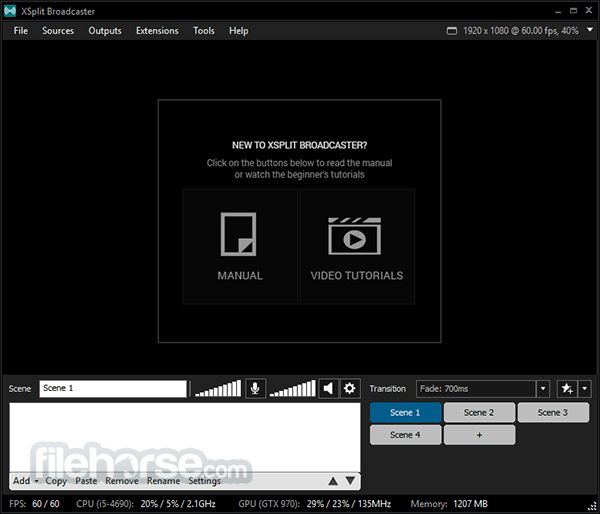
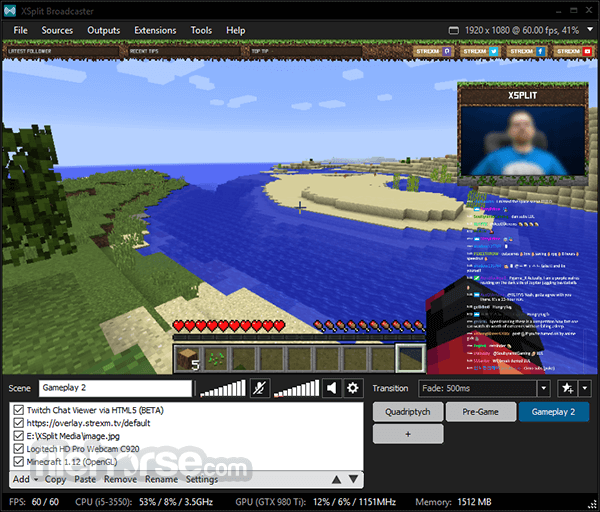
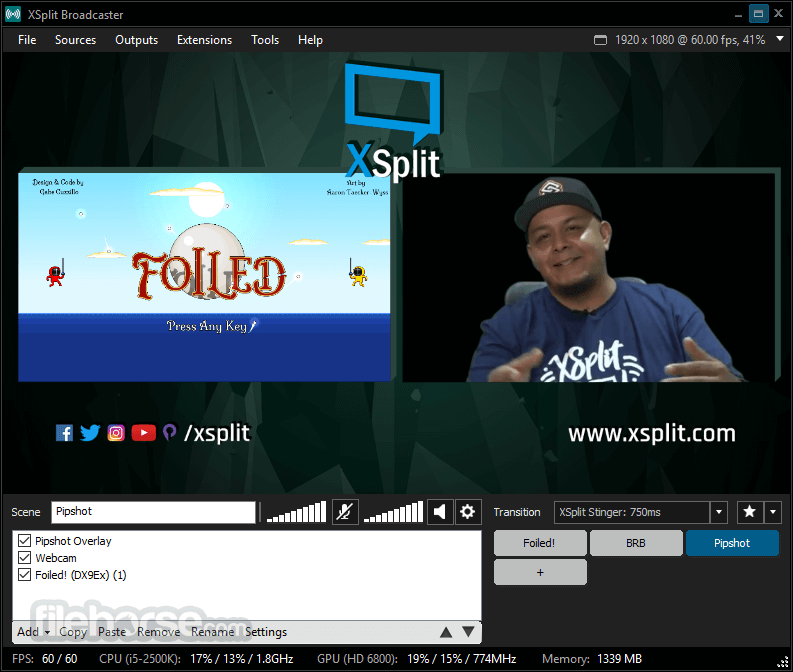
- Main Canvas: Displays the active scene for preview and adjustments.
- Scene List: Located at the bottom, allowing easy switching between different scenes.
- Source Panel: Allows users to add and manage different media sources, including webcams, gameplay capture, images, and text.
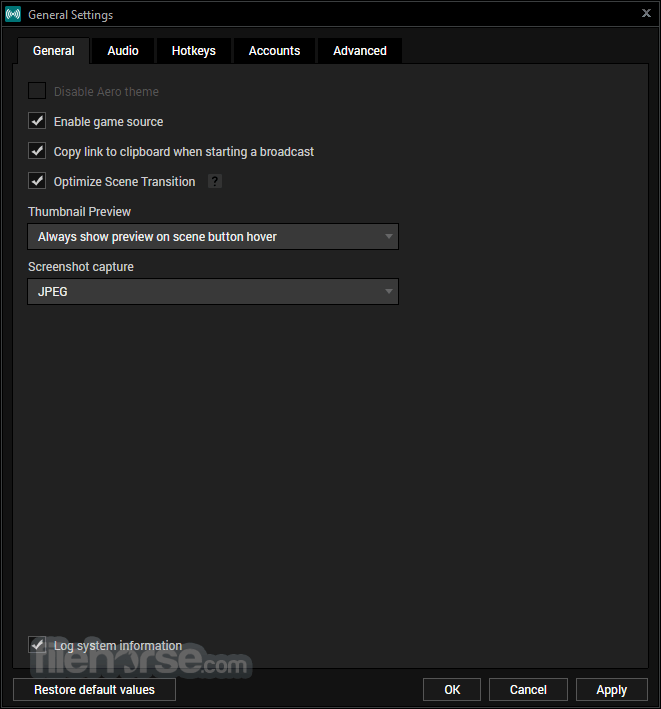
- Settings & Configuration Menu: Provides access to resolution, bitrate, hotkeys, and other stream settings.
- The drag-and-drop functionality and intuitive controls make it easy to configure a professional-looking broadcast with minimal effort.
Download the Installer: Visit the official website or FileHorse.com and download the latest version.
Run the Installer: Open the downloaded file and follow the installation wizard.
Create/Log in to Your Account: You need an XSplit account to activate and use the software.
Configure Basic Settings: Set up your streaming resolution, frame rate, and audio sources.
Connect to Streaming Platforms: Log in to platforms like Twitch, YouTube, or Facebook to link your account for live streaming.
Test and Optimize: Run test streams to ensure smooth performance before going live.
How to Use
Create a New Scene: Click on the "Add Scene" button to start a new broadcast layout.
Add Sources: Select sources such as webcam, gameplay, browser windows, or images.
Adjust Audio Levels: Configure microphone and system audio to balance sound properly.
Customize Overlays: Add alerts, chat windows, and animations to enhance viewer engagement.
Configure Encoding Settings: Choose bitrate and resolution settings based on your internet speed and hardware capabilities.
Start Streaming or Recording: Click "Go Live" or "Start Recording" to begin your session.
Monitor Performance: Keep an eye on CPU/GPU usage and stream health indicators to prevent lag or dropped frames.
FAQ
Is XSplit Broadcaster free?
XSplit Broadcaster offers a free version with limited features, including watermarks on some recordings. A premium subscription is required for full functionality and higher resolution streaming.
What platforms does XSplit support for streaming?
XSplit Broadcaster supports major platforms such as Twitch, YouTube, Facebook Live, and various RTMP-based streaming services.
Can I use XSplit Broadcaster on Mac?
Currently, XSplit Broadcaster is only available for Windows. Mac users need to use alternatives like OBS Studio or Streamlabs.
Does XSplit support multi-streaming?
Yes, XSplit Broadcaster allows users to stream to multiple platforms simultaneously, but this feature is only available in the premium version.
How does XSplit compare to OBS Studio?
XSplit offers a more user-friendly experience with built-in features like direct streaming integration and scene previewing. OBS Studio, on the other hand, is open-source and offers greater customization but requires manual setup for many features.
Alternatives
OBS Studio – Free, open-source, customizable streaming tool.
Restream Studio – Multi-platform streaming with cloud support.
Streamlabs – User-friendly with built-in overlays & alerts.
vMix – Advanced production tools for pro streaming.
Wirecast – High-end live production for businesses.
Nvidia ShadowPlay – GPU-powered, low-impact streaming.
Pricing
Free Version: Limited features with watermarks on recordings.
Premium Subscription:
Monthly Plan: $15 per month
Annual Plan: $60 per year ($5 per month equivalent)
Lifetime License: $200 (one-time payment)
Premium users gain access to multi-streaming, scene previewing, custom branding, and more advanced tools.
System Requirements
To run this program smoothly, ensure your PC meets the following requirements:
Minimum Requirements:
- OS: Windows 10/11 (64-bit)
- Processor: Intel i5 4th Gen or AMD Ryzen 3
- RAM: 8GB
- Graphics: Intel HD Graphics 4000 or better
- Internet: Stable broadband connection
- OS: Windows 10/11 (64-bit)
- Processor: Intel i7 7th Gen or AMD Ryzen 7
- RAM: 16GB
- Graphics: NVIDIA GTX 1060 or AMD Radeon RX 580
- Internet: High-speed broadband for optimal streaming quality
- Easy-to-use interface with powerful tools.
- High-quality streaming and recording.
- Integrated chat, alerts, and overlays.
- Multi-streaming support (Premium feature).
- Excellent customer support and frequent updates.
- Free version includes watermarks.
- Higher resource usage compared to OBS Studio.
- Not supported on Mac.
XSplit Broadcaster is an excellent choice for streamers and content creators looking for a professional, user-friendly broadcasting solution. With its robust set of features, seamless integrations, and high-quality streaming capabilities, it stands out as one of the best live streaming tools available.
While the free version has limitations, upgrading to the premium plan unlocks a suite of powerful tools that enhance content production. If you're looking for an all-in-one broadcasting solution, XSplit Broadcaster is definitely worth considering.
Note: Limited functionality in demo version.
Download XSplit Broadcaster Latest Version Why is this app published on FileHorse? (More info)
##
影片介紹
##
畫面截圖