- 目前版本12.0.9
- 更新日期2025-11-15
- 檔案大小15.5 MB
- 檔案名稱SRSetup.exe
- 作業系統Windows 7 / Windows 8 / Windows 10 / Windows 11
- 支援語系English
- 授權型式試用版
- 開發商 ZD Soft
- 軟體分類Windows 軟體 / 影片軟體
##
翻譯排程處理中,以下暫以英文原文呈現
軟體介紹
ZD Soft Screen Recorder is a powerful yet lightweight screen recording software for Windows 11/10 that enables users to capture high-quality video from their desktop with minimal system impact.
Designed for a wide range of uses—from tutorial creation and online meeting recordings to gameplay capture and software demonstrations—ZD Soft Screen Recorder blends ease of use with powerful customization options.
It caters to both novice users and advanced professionals looking for a stable and versatile recording tool.
Features
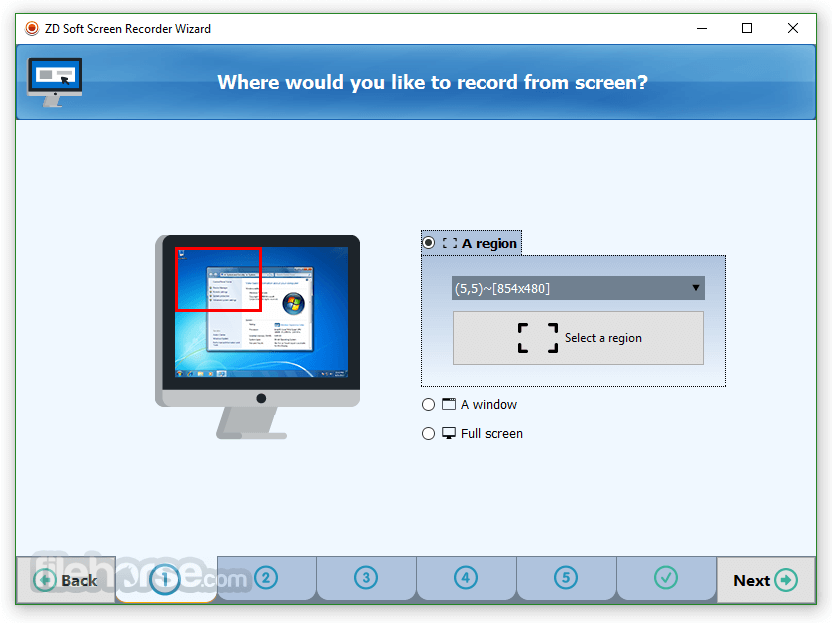
Full-Screen and Region Recording: Record your entire screen or just a specific portion.
Webcam Overlay: Integrate your webcam feed into the screen capture.
Audio Recording: Simultaneously record system audio and microphone input.
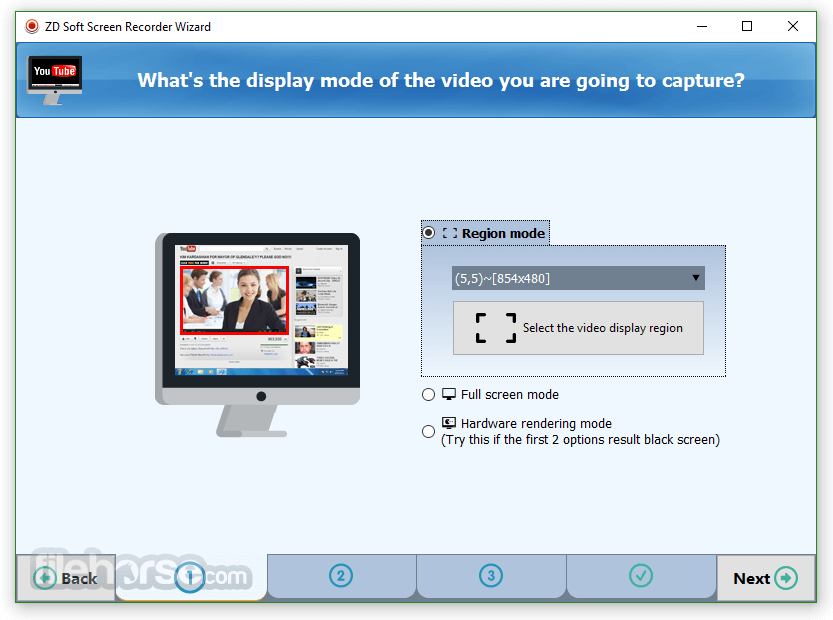
Live Streaming: Broadcast your screen live on platforms like YouTube, Twitch, and Facebook.
Scheduled Recording: Automate recordings at specific times.
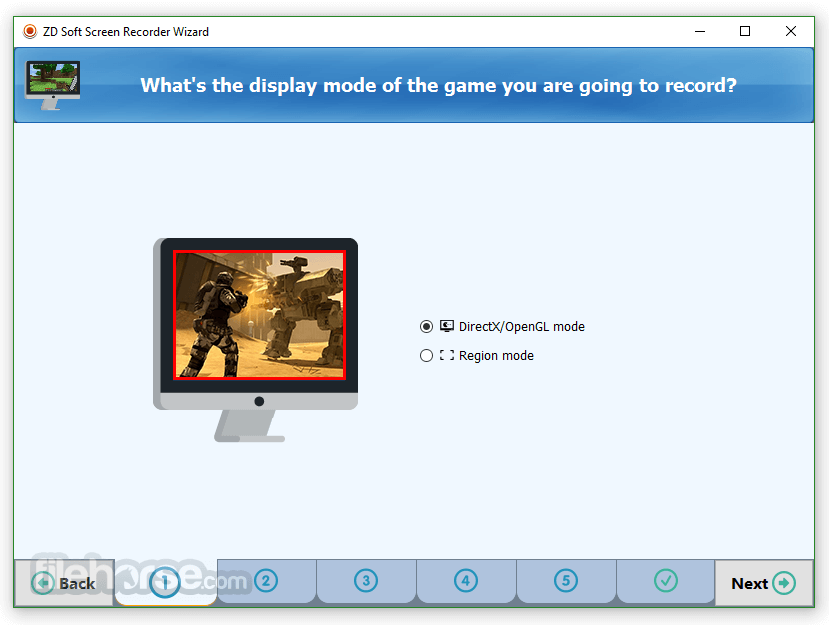
Game Recording: Optimized for recording DirectX/OpenGL games.
Annotation Tools: Draw and highlight on-screen during live recordings.
Custom Hotkeys: Set personalized shortcuts for starting, pausing, and stopping recordings.
User Interface
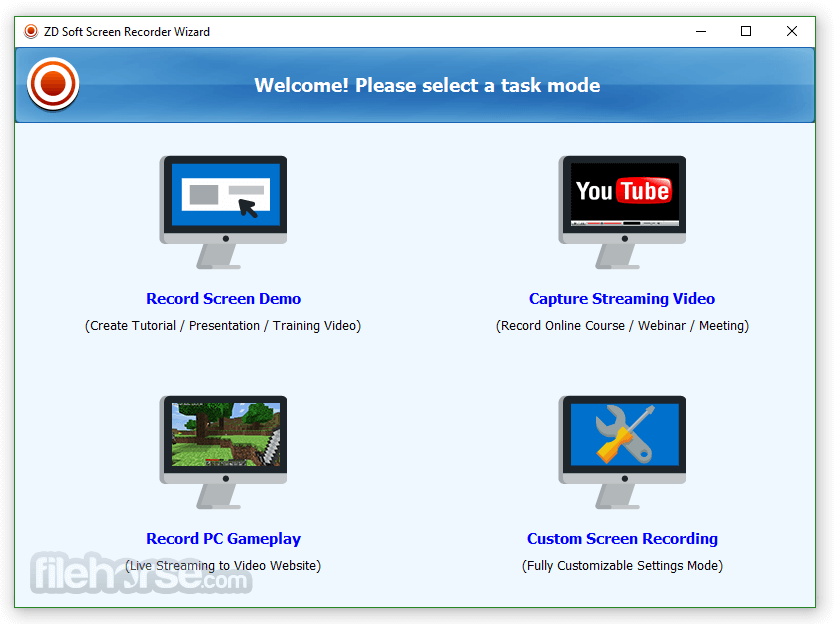
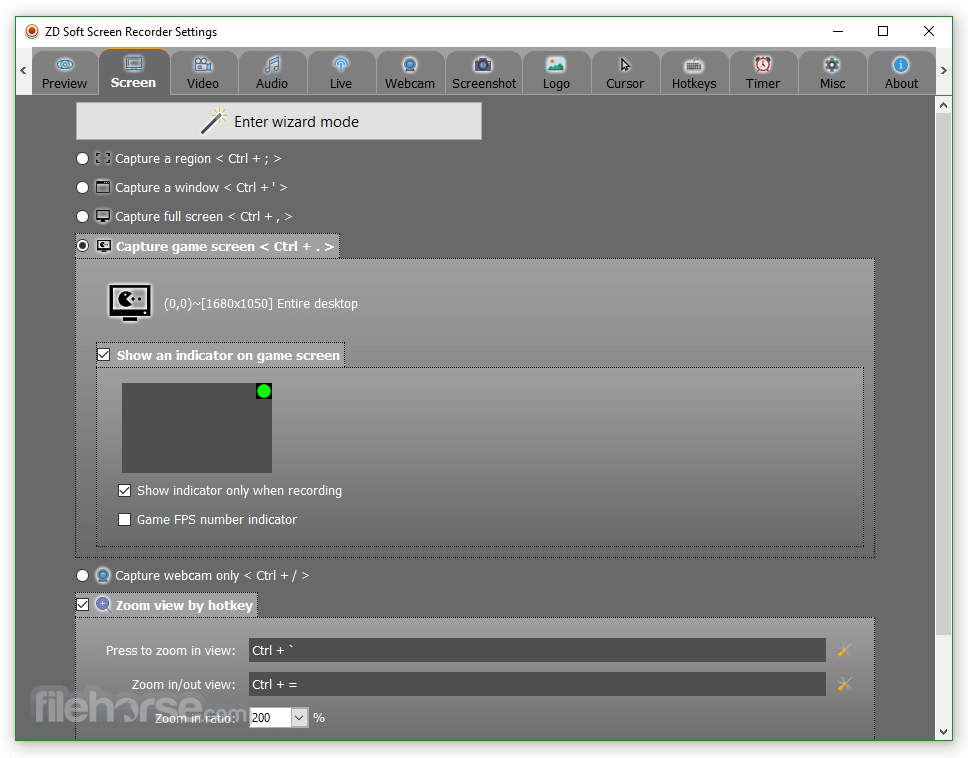
ZD Soft Screen Recorder features a clean, no-nonsense interface. The main dashboard is intuitive with clear tabs for recording, settings, output, and hotkeys.
Users are not overwhelmed by options but can still dive deep into customization if needed. The floating toolbar during recording allows quick access to pause, resume, or annotate without interrupting the session.
Installation and Setup
Installing ZD Soft Screen Recorder is simple. The installer is lightweight (under 10 MB), and setup completes within minutes. During installation, users can select basic configuration preferences.
The software launches smoothly on first run and presents a quick-start guide to help users get started immediately.
How to Use
FAQ
Can I record both my screen and webcam simultaneously?
Yes, ZD Soft allows webcam overlay while recording the screen.
Does ZD Soft support 4K resolution?
Yes, it supports high-resolution recordings including 4K, provided your hardware can handle it.
Can I livestream directly using ZD Soft?
Yes, the software supports live broadcasting to major platforms.
Are there any watermarks in the trial version?
Yes, the trial version includes a watermark. Removing it requires purchasing a license.
Is there a delay or lag while recording games?
ZD Soft is optimized for game capture and performs efficiently with minimal lag, especially on modern PCs.
Alternatives
OBS Studio: Free, open-source software with robust features.
Bandicam: Great for high-compression game recording.
Camtasia: Includes editing tools but comes at a premium price.
NVIDIA ShadowPlay (NVIDIA GeForce Experience): Ideal for NVIDIA GPU users.
ShareX: Free and open-source, packed with features for tech-savvy users.
Pricing
Free Trial: Includes watermark
Full License: $39 (one-time payment)
System Requirements
ZD Soft Screen Recorder is a reliable and efficient choice for users seeking a straightforward yet powerful screen recording solution. Whether you're a content creator, teacher, or gamer, its versatility, performance, and ease of use make it a worthy investment.
Note: 30 days trial version. Watermark on output file.
Download ZD Soft Screen Recorder Latest Version Why is this app published on FileHorse? (More info)
Designed for a wide range of uses—from tutorial creation and online meeting recordings to gameplay capture and software demonstrations—ZD Soft Screen Recorder blends ease of use with powerful customization options.
It caters to both novice users and advanced professionals looking for a stable and versatile recording tool.
Features
Full-Screen and Region Recording: Record your entire screen or just a specific portion.
Webcam Overlay: Integrate your webcam feed into the screen capture.
Audio Recording: Simultaneously record system audio and microphone input.
Live Streaming: Broadcast your screen live on platforms like YouTube, Twitch, and Facebook.
Scheduled Recording: Automate recordings at specific times.
Game Recording: Optimized for recording DirectX/OpenGL games.
Annotation Tools: Draw and highlight on-screen during live recordings.
Custom Hotkeys: Set personalized shortcuts for starting, pausing, and stopping recordings.
User Interface
ZD Soft Screen Recorder features a clean, no-nonsense interface. The main dashboard is intuitive with clear tabs for recording, settings, output, and hotkeys.
Users are not overwhelmed by options but can still dive deep into customization if needed. The floating toolbar during recording allows quick access to pause, resume, or annotate without interrupting the session.
Installation and Setup
Installing ZD Soft Screen Recorder is simple. The installer is lightweight (under 10 MB), and setup completes within minutes. During installation, users can select basic configuration preferences.
The software launches smoothly on first run and presents a quick-start guide to help users get started immediately.
How to Use
- Launch the software and select your recording mode (full screen, region, or game).
- Choose your audio input devices (microphone, system sound, or both).
- Optionally enable the webcam overlay and annotation tools.
- Press the Record button or use your hotkey to start recording.
- Use the floating toolbar to control the session.
- Once done, click Stop, and the video is saved in your default directory.
FAQ
Can I record both my screen and webcam simultaneously?
Yes, ZD Soft allows webcam overlay while recording the screen.
Does ZD Soft support 4K resolution?
Yes, it supports high-resolution recordings including 4K, provided your hardware can handle it.
Can I livestream directly using ZD Soft?
Yes, the software supports live broadcasting to major platforms.
Are there any watermarks in the trial version?
Yes, the trial version includes a watermark. Removing it requires purchasing a license.
Is there a delay or lag while recording games?
ZD Soft is optimized for game capture and performs efficiently with minimal lag, especially on modern PCs.
Alternatives
OBS Studio: Free, open-source software with robust features.
Bandicam: Great for high-compression game recording.
Camtasia: Includes editing tools but comes at a premium price.
NVIDIA ShadowPlay (NVIDIA GeForce Experience): Ideal for NVIDIA GPU users.
ShareX: Free and open-source, packed with features for tech-savvy users.
Pricing
Free Trial: Includes watermark
Full License: $39 (one-time payment)
System Requirements
- OS: Windows 7/8/10/11
- Processor: Dual-core CPU or better
- RAM: 2GB minimum (4GB+ recommended)
- Disk Space: 100MB for installation
- Graphics: DirectX 9 compatible GPU
- Lightweight and easy to use
- Supports high-quality and 4K recording
- Game capture optimization
- Live streaming integration
- Customizable hotkeys and annotation tools
- Limited editing tools
- Watermark in free version
- Dated UI design compared to some competitors
ZD Soft Screen Recorder is a reliable and efficient choice for users seeking a straightforward yet powerful screen recording solution. Whether you're a content creator, teacher, or gamer, its versatility, performance, and ease of use make it a worthy investment.
Note: 30 days trial version. Watermark on output file.
Download ZD Soft Screen Recorder Latest Version Why is this app published on FileHorse? (More info)
##
畫面截圖