ZoneAlarm Pro Antivirus + Firewall NextGen 4.3.260
v 4.3.260
Windows
商業試用
6.16/10 (71)
- 目前版本4.3.260
- 更新日期2025-11-27
- 檔案大小1.1 MB
- 檔案名稱ZoneAlarmNGSetup_ZANG3_PRO.exe
- 作業系統Windows 7 / Windows 8 / Windows 10 / Windows 11
- 支援語系English
- 授權型式商業試用
- 開發商 Zone Labs
- 軟體分類Windows 軟體 / 防毒軟體
##
翻譯排程處理中,以下暫以英文原文呈現
軟體介紹
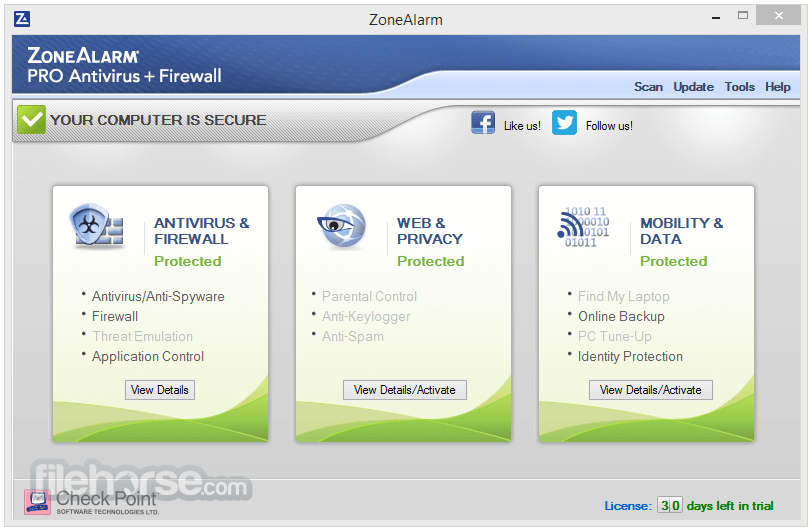
ZoneAlarm Pro Antivirus + Firewall NextGen stops the toughest viruses and spyware and blocks the cleverest intruders. Includes a firewall that is proven to stop 20-30% more viruses than anti-virus alone.
Advanced Antivirus boasts behavioral and cloud technologies to stop attacks that traditional anti-virus solutions miss.
Note: ZoneAlarm Pro Antivirus + Firewall is now ZoneAlarm Pro Antivirus + Firewall NextGen. Compatible with Windows 11 - Improved security and performance, including a new design.
Get the combined power of ZoneAlarm's firewall and anti-virus technology, with ZoneAlarm Pro Antivirus + Firewall NextGen. Anti-Phishing Chrome Extension- Secure your online privacy (NEW).
Don't worry about viruses, ransomware, or spyware jeopardizing your computer and causing chaos in your life. The cutting-edge software safeguards your data from cyber threats instantly.
It constantly updates its extensive virus database, scanning your files to block all types of threats, including malicious attachments, links, and websites.
Features and Highlights
Antivirus & Anti-Spyware Engine
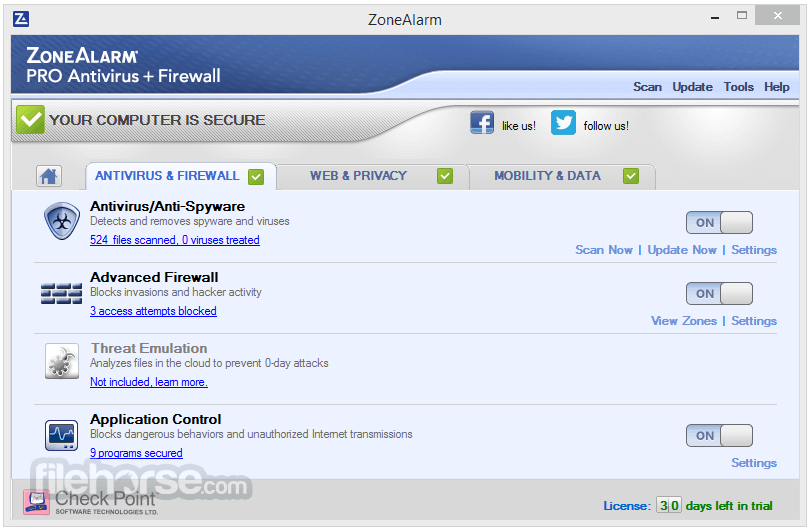
Enhanced engine detects, blocks, and eliminates various types of viruses, including ransomware, worms, spyware, Trojan horses, and bots.
Advanced Real-Time Antivirus
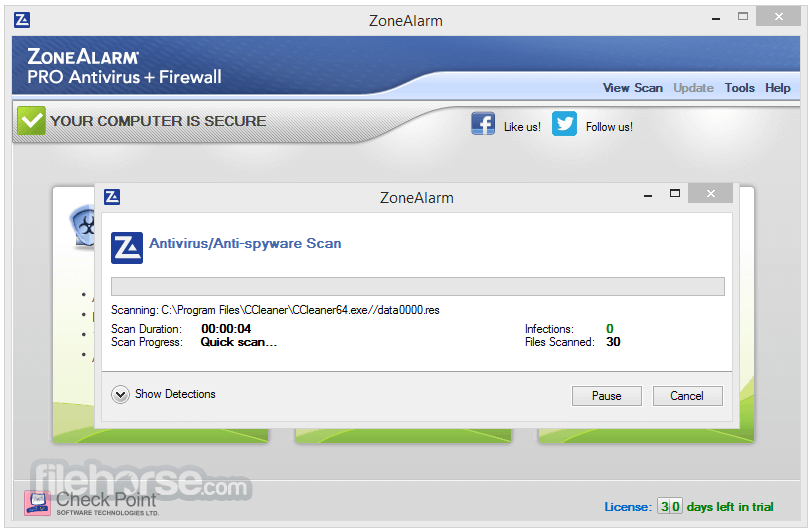
Utilizes an expansive malware database to inspect files and prevent virus infections in real-time.
Advanced Two-way Firewall
Award-winning firewall technology checks programs for suspicious activity, safeguarding your PC and personal data from hackers.
Comprehensive Anti-Phishing Protection
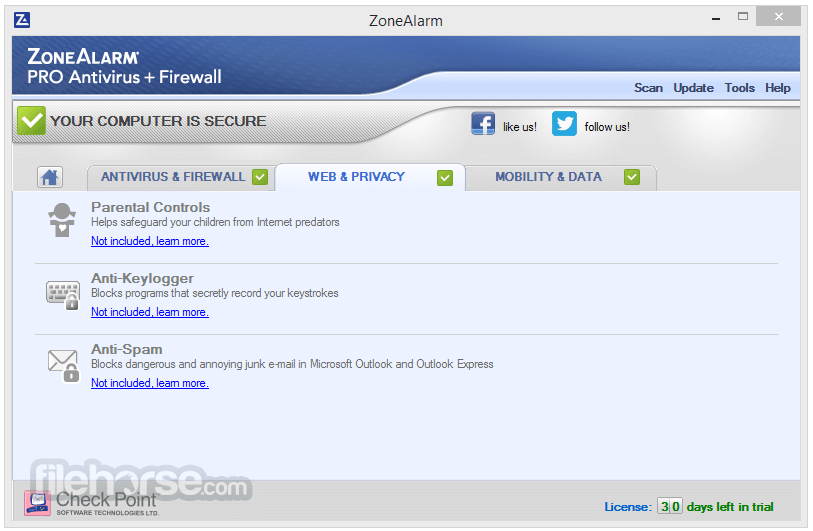
Shields you from phishing scams during online browsing, banking, and shopping, scanning websites for known and unknown threats, and preventing unauthorized access to your personal data. Included in the Web Secure extension for Chrome, Edge, and Firefox.
Enhanced Threat Extraction
Eliminates potential dangers from web downloads and email attachments, effectively preventing malicious incursions on your PC. Included in the Web Secure extension for Chrome, Edge, and Firefox.
Advanced Threat Emulation
Examines every download and email attachment in a secure virtual environment in the Cloud to protect against zero-day attacks.
Reliable Customer Support
Benefit from free online customer support, including 24/7 access to helpful guides and resources.
Real-time Security Updates
Stay protected against emerging threats with prompt security updates based on ZoneAlarm's real-time DefenseNet.
Web Monitor
Proactively scans websites and content before they are accessed and downloaded, ensuring protection against fraudulent and dangerous web-based threats.
Choose your PC protection
ZoneAlarm Extreme Security NextGen
ZoneAlarm Free Antivirus + Firewall
ZoneAlarm Free Firewall
ZoneAlarm Anti-Ransomware
How to Use
Installation: Download the ZoneAlarm Pro Antivirus + Firewall NextGen software from the official website or FileHorse and follow the on-screen instructions to install it on your computer. Initial Setup: Upon installation, the software will guide you through the initial setup process, allowing you to customize various settings according to your preferences. Scanning and Protection: The antivirus and firewall features are automatically activated, providing continuous protection. Schedule regular scans or perform manual scans to keep your system secure. Customization: ZoneAlarm offers numerous settings and options to personalize your security experience. Explore the software's interface to customize it according to your specific requirements. FAQs
Can I use ZoneAlarm alongside other antivirus software?
It is generally not recommended to use multiple antivirus programs simultaneously, as they can conflict with each other and impact performance. However, the app is designed to provide comprehensive protection on its own.
How often should I update the virus database?
The software automatically updates the virus database in the background, ensuring you have the latest protection against emerging threats.
Does ZoneAlarm Pro Antivirus + Firewall NextGen slow down my computer?
ZoneAlarm is designed to have minimal impact on system performance, utilizing advanced optimization techniques. However, performance may vary depending on your computer's specifications.
Alternatives
It offers a comprehensive security solution; there are alternative software options available in the market.
Some notable alternatives include Norton 360 Deluxe, 360 Total Security, McAfee Total Protection, Bitdefender Internet Security, and Avast Premium Security. Enjoy!
Pricing
The pricing varies depending on the duration and number of devices covered.
For 1 PC - 1 Year is only $11.95 (Discount applies for 1st payment only, regular price is $39.99)
Compatibility Requirements
ZoneAlarm is only compatible with MS Windows Defender and is not compatible with any other anti-malware software.
To install ZoneAlarm, you must first uninstall other anti-malware software. Otherwise, you may experience OS stability and computer performance issues.
PROS
Download ZoneAlarm Pro Antivirus + Firewall NextGen Latest Version Why is this app published on FileHorse? (More info)
Advanced Antivirus boasts behavioral and cloud technologies to stop attacks that traditional anti-virus solutions miss.
Note: ZoneAlarm Pro Antivirus + Firewall is now ZoneAlarm Pro Antivirus + Firewall NextGen. Compatible with Windows 11 - Improved security and performance, including a new design.
- Advanced antivirus technology secures your computer and personal data more effectively than ever before.
- A robust firewall provides a powerful defense against both incoming and outgoing attacks.
- Enhanced anti-phishing capabilities shield you from email scams and deceptive websites.
- Cloud-based file scanning ensures comprehensive protection against hidden threats, safeguarding your files with increased efficiency.
Get the combined power of ZoneAlarm's firewall and anti-virus technology, with ZoneAlarm Pro Antivirus + Firewall NextGen. Anti-Phishing Chrome Extension- Secure your online privacy (NEW).
Don't worry about viruses, ransomware, or spyware jeopardizing your computer and causing chaos in your life. The cutting-edge software safeguards your data from cyber threats instantly.
It constantly updates its extensive virus database, scanning your files to block all types of threats, including malicious attachments, links, and websites.
Features and Highlights
Antivirus & Anti-Spyware Engine
Enhanced engine detects, blocks, and eliminates various types of viruses, including ransomware, worms, spyware, Trojan horses, and bots.
Advanced Real-Time Antivirus
Utilizes an expansive malware database to inspect files and prevent virus infections in real-time.
Advanced Two-way Firewall
Award-winning firewall technology checks programs for suspicious activity, safeguarding your PC and personal data from hackers.
Comprehensive Anti-Phishing Protection
Shields you from phishing scams during online browsing, banking, and shopping, scanning websites for known and unknown threats, and preventing unauthorized access to your personal data. Included in the Web Secure extension for Chrome, Edge, and Firefox.
Enhanced Threat Extraction
Eliminates potential dangers from web downloads and email attachments, effectively preventing malicious incursions on your PC. Included in the Web Secure extension for Chrome, Edge, and Firefox.
Advanced Threat Emulation
Examines every download and email attachment in a secure virtual environment in the Cloud to protect against zero-day attacks.
Reliable Customer Support
Benefit from free online customer support, including 24/7 access to helpful guides and resources.
Real-time Security Updates
Stay protected against emerging threats with prompt security updates based on ZoneAlarm's real-time DefenseNet.
Web Monitor
Proactively scans websites and content before they are accessed and downloaded, ensuring protection against fraudulent and dangerous web-based threats.
Choose your PC protection
ZoneAlarm Extreme Security NextGen
ZoneAlarm Free Antivirus + Firewall
ZoneAlarm Free Firewall
ZoneAlarm Anti-Ransomware
How to Use
Can I use ZoneAlarm alongside other antivirus software?
It is generally not recommended to use multiple antivirus programs simultaneously, as they can conflict with each other and impact performance. However, the app is designed to provide comprehensive protection on its own.
How often should I update the virus database?
The software automatically updates the virus database in the background, ensuring you have the latest protection against emerging threats.
Does ZoneAlarm Pro Antivirus + Firewall NextGen slow down my computer?
ZoneAlarm is designed to have minimal impact on system performance, utilizing advanced optimization techniques. However, performance may vary depending on your computer's specifications.
Alternatives
It offers a comprehensive security solution; there are alternative software options available in the market.
Some notable alternatives include Norton 360 Deluxe, 360 Total Security, McAfee Total Protection, Bitdefender Internet Security, and Avast Premium Security. Enjoy!
Pricing
The pricing varies depending on the duration and number of devices covered.
For 1 PC - 1 Year is only $11.95 (Discount applies for 1st payment only, regular price is $39.99)
- 30-day money-back guarantee.
- 24/7 online help.
- Microsoft® Windows® 10 or 11
- 32-bit, 3 GB RAM / 64-bit, 4 GB RAM
- 2 GHz or faster processor
- 1.5GB of available free disk space
- Microsoft .NET Framework - Version 3.5 or later
Compatibility Requirements
ZoneAlarm is only compatible with MS Windows Defender and is not compatible with any other anti-malware software.
To install ZoneAlarm, you must first uninstall other anti-malware software. Otherwise, you may experience OS stability and computer performance issues.
PROS
- Comprehensive protection against viruses, malware, and online threats
- Two-way firewall for enhanced security
- Advanced threat emulation to detect and neutralize unknown malware
- Identity protection and anti-phishing features for safeguarding personal information
- Game Mode for uninterrupted gaming performance
- The software may have a slight impact on system performance, depending on hardware specifications
- Some advanced features might be overwhelming for casual users
Download ZoneAlarm Pro Antivirus + Firewall NextGen Latest Version Why is this app published on FileHorse? (More info)
##
影片介紹
##
畫面截圖