⚠ 這是歷史版本頁面 — 查看 AnyDVD HD 最新版本 →

- 目前版本8.6.3.0
- 更新日期2022-10-25
- 檔案大小18.24 MB
- 檔案名稱SetupAnyDVD8630.exe
- 作業系統Windows XP / Vista / Windows 7 / Windows 8 / Windows 10 / Windows 11
- 支援語系English
- 授權型式商業試用
- 開發商 RedFox
- 軟體分類Windows 軟體 / 光碟藍光
##
編輯短評
AnyDVD HD 是一款在 Windows 背景默默運作的工具,主要用途是自動解除 DVD 與藍光光碟的播放與讀取限制。當你將光碟放入光碟機,它便會即時介入,讓作業系統與其他程式(例如 CloneDVD、CloneBD 等備份軟體)能直接讀取光碟內容,省去手動破解的麻煩。它最特別的地方在於運作方式完全透明,使用者無需任何操作,光碟一放進去就能用;此外它也能選擇停用 DVD 的 RPC 區碼限制,讓跨區播放更便利。這套軟體在光碟備份圈內屬於小眾但評價普遍不錯的工具,不過原廠已停止更新,使用上需留意後續相容性。
這款工具最適合手邊有大量實體 DVD 或藍光光碟、且經常需要備份或轉檔的使用者,尤其是搭配其他備份軟體時,能省去不少前置處理的麻煩。與同類熱門工具如 DVD Shrink 或 DAEMON Tools 相比,AnyDVD HD 的定位更專注於「解除限制」而非燒錄或虛擬光碟,因此通常會作為輔助角色與其他軟體搭配使用。需要注意的是,它僅提供試用版、介面只有英文,且僅支援 Windows 平台;由於開發商已停止維護,在新版作業系統上能否正常運作,建議先試用確認再考慮長期依賴。
##
翻譯排程處理中,以下暫以英文原文呈現
軟體介紹
AnyDVD HD is a Windows-based tool that removes restrictions of DVD and Blu-ray media automatically in the background.
It works in the background to automatically and transparently enable read access to the contents of a movie DVD or Blu-ray as soon as it's inserted into the drive.
Note: This app has been discontinued.
The DVD/Blu-ray will become usable to your Windows operating system and all programs on your computers, such as DVD/Blu-ray backup software like CloneDVD, CloneBD, and others, then supporting any DVD or Blu-ray.
AnyDVD HD optionally disables RPC region codes, thereby making the movie region-free and comfortably viewable on any DVD/Blu-ray player and with any DVD/Blu-ray playback software.
AnyDVD HD is capable of disabling unwanted movie features such as forced subtitles, forced delays, and no-skip marks, giving you full control over your movie experience. It also allows you to launch an external application whenever you insert or remove a disc, and prevents unwanted software from automatically launching when you insert a video DVD.
You can control the drive speed of your DVD drive, allowing you to reduce the noise level when watching movies on your PC. You can even adjust the display frequency of your monitor for both NTSC and PAL displays.
It doesn't just stop at DVD's or Blu-rays, it also fixes audio cd's to allow you to play and use them. The app allows you to watch Blu-ray movies over a digital display connection, without an HDCP-compliant graphics card, and without an HDCP-compliant display.
No need to buy an expensive monitor. Sweet! Any DVD HD is the must-have utility for the serious home theater enthusiast.
Key Features
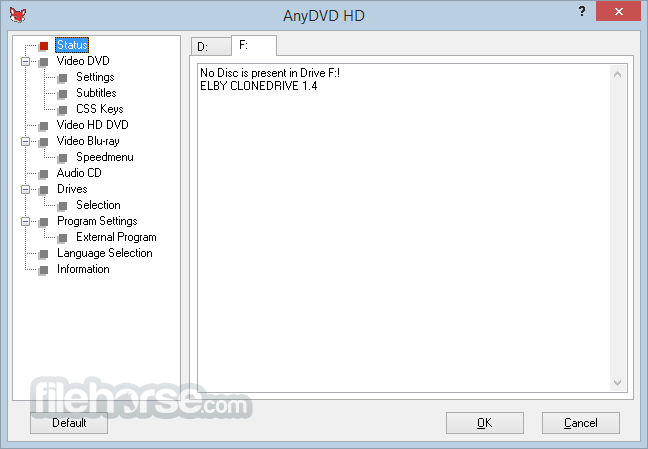
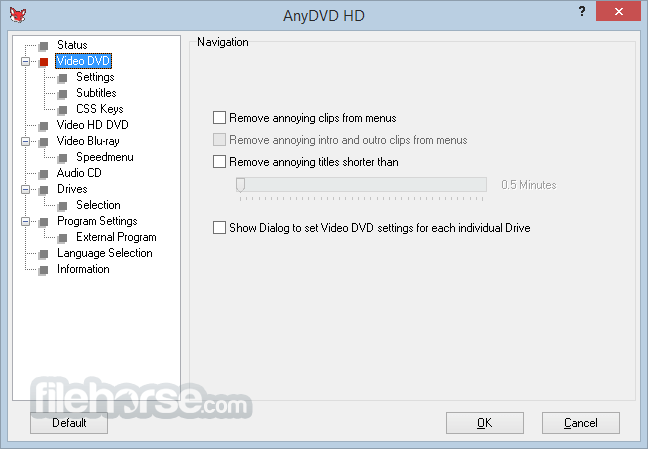
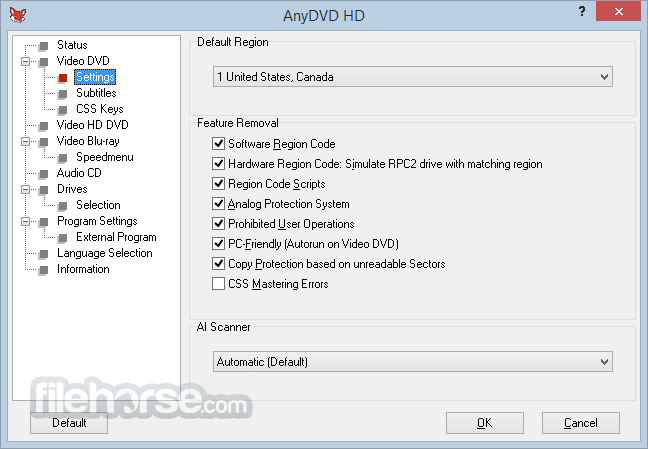
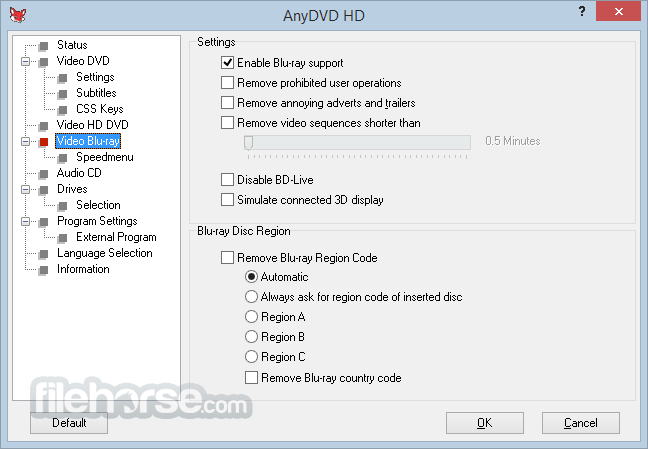
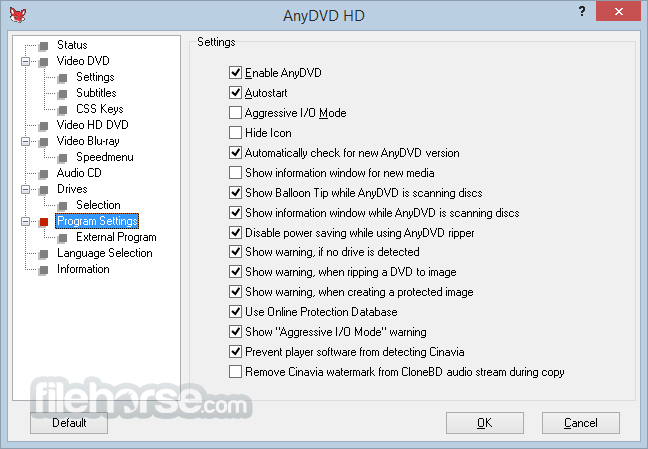
The AnyDVD HD interface is simple, minimalistic, and functional. It primarily operates in the background, meaning there are no complex UI elements to navigate.
The main interface provides options for enabling and disabling decryption, tweaking performance settings, and accessing update features.
Although not flashy, its straightforward design makes it easy for users to set their preferences and let the software do the rest.
Installation and Setup
Step 1: Insert a DVD or Blu-ray
Insert the disc you want to decrypt into your computer’s optical drive.
Step 2: Let AnyDVD HD Work
It will automatically recognize the disc and remove encryption in the background.
Step 3: Use Third-Party Software (Optional)
If you wish to rip or back up the disc, you can use third-party software like CloneDVD, MakeMKV, or HandBrake to extract content.
Step 4: Watch or Copy
You can now play the decrypted disc in any media player or copy its contents to your hard drive for backup.
FAQs
Is AnyDVD HD legal?
The legality of AnyDVD HD varies by country. While it is legal in some places to make personal backups, other regions have strict laws against circumventing copy protection.
Does AnyDVD HD support all Blu-ray and DVD protections?
Yes, this tool is regularly updated to handle the latest encryption and copy protection schemes.
Can I use AnyDVD HD to rip DVDs and Blu-rays?
No, the app itself does not rip discs, but it works with third-party software like CloneDVD or HandBrake for that purpose.
Is there a Mac version of AnyDVD HD?
No, this software is only available for Windows. Mac users need to use alternative decryption software.
Do I need an internet connection to use AnyDVD HD?
While the program does not require an internet connection for basic use, it needs internet access to download updates for handling new copy protection measures.
Alternatives
WinX DVD Ripper Platinum - A premium DVD ripping software that converts DVDs to various digital formats with hardware acceleration support, offering fast processing and broad device compatibility.
MakeMKV - A simple tool that converts DVD and Blu-ray discs into MKV files while preserving original video, audio, and subtitle tracks without quality loss.
Pricing
It offers a subscription-based and lifetime licensing model:
System Requirements
Download AnyDVD HD Latest Version Why is this app published on FileHorse? (More info)
It works in the background to automatically and transparently enable read access to the contents of a movie DVD or Blu-ray as soon as it's inserted into the drive.
Note: This app has been discontinued.
The DVD/Blu-ray will become usable to your Windows operating system and all programs on your computers, such as DVD/Blu-ray backup software like CloneDVD, CloneBD, and others, then supporting any DVD or Blu-ray.
AnyDVD HD optionally disables RPC region codes, thereby making the movie region-free and comfortably viewable on any DVD/Blu-ray player and with any DVD/Blu-ray playback software.
AnyDVD HD is capable of disabling unwanted movie features such as forced subtitles, forced delays, and no-skip marks, giving you full control over your movie experience. It also allows you to launch an external application whenever you insert or remove a disc, and prevents unwanted software from automatically launching when you insert a video DVD.
You can control the drive speed of your DVD drive, allowing you to reduce the noise level when watching movies on your PC. You can even adjust the display frequency of your monitor for both NTSC and PAL displays.
It doesn't just stop at DVD's or Blu-rays, it also fixes audio cd's to allow you to play and use them. The app allows you to watch Blu-ray movies over a digital display connection, without an HDCP-compliant graphics card, and without an HDCP-compliant display.
No need to buy an expensive monitor. Sweet! Any DVD HD is the must-have utility for the serious home theater enthusiast.
Key Features
- Real-Time Decryption – Removes CSS encryption, region codes, and copy protection on DVDs and Blu-ray discs automatically.
- Region-Free Playback – Enables playback of DVDs and Blu-rays from any region on any player.
- Disables Forced Features – Skips trailers, forced subtitles, and unskippable warnings.
- Enhanced HD Capabilities – Supports UHD and HDR Blu-rays with decryption features.
- 4K UHD Support – Decrypts 4K UHD discs (with compatible drives).
- Seamless Backup Options – Works with third-party software for making backups or digital copies.
- Blu-ray & DVD Speed Control – Adjusts disc drive speeds for quieter operation.
- Automatic Updates – Ensures compatibility with the latest protection mechanisms.
The AnyDVD HD interface is simple, minimalistic, and functional. It primarily operates in the background, meaning there are no complex UI elements to navigate.
The main interface provides options for enabling and disabling decryption, tweaking performance settings, and accessing update features.
Although not flashy, its straightforward design makes it easy for users to set their preferences and let the software do the rest.
Installation and Setup
- Download the Installer: Visit the RedFox official website (The official website no longer exists) or FileHorse.com and download the latest version of this program.
- Run the Setup File: Launch the installer and follow the on-screen instructions.
- Enter License Information: If you have purchased the full version, enter your license key during setup.
- Restart Your PC: The software integrates with the system, requiring a reboot.
- Configure Preferences: Once installed, it runs automatically, but you can customize settings from the system tray.
Step 1: Insert a DVD or Blu-ray
Insert the disc you want to decrypt into your computer’s optical drive.
Step 2: Let AnyDVD HD Work
It will automatically recognize the disc and remove encryption in the background.
Step 3: Use Third-Party Software (Optional)
If you wish to rip or back up the disc, you can use third-party software like CloneDVD, MakeMKV, or HandBrake to extract content.
Step 4: Watch or Copy
You can now play the decrypted disc in any media player or copy its contents to your hard drive for backup.
FAQs
Is AnyDVD HD legal?
The legality of AnyDVD HD varies by country. While it is legal in some places to make personal backups, other regions have strict laws against circumventing copy protection.
Does AnyDVD HD support all Blu-ray and DVD protections?
Yes, this tool is regularly updated to handle the latest encryption and copy protection schemes.
Can I use AnyDVD HD to rip DVDs and Blu-rays?
No, the app itself does not rip discs, but it works with third-party software like CloneDVD or HandBrake for that purpose.
Is there a Mac version of AnyDVD HD?
No, this software is only available for Windows. Mac users need to use alternative decryption software.
Do I need an internet connection to use AnyDVD HD?
While the program does not require an internet connection for basic use, it needs internet access to download updates for handling new copy protection measures.
Alternatives
WinX DVD Ripper Platinum - A premium DVD ripping software that converts DVDs to various digital formats with hardware acceleration support, offering fast processing and broad device compatibility.
MakeMKV - A simple tool that converts DVD and Blu-ray discs into MKV files while preserving original video, audio, and subtitle tracks without quality loss.
Pricing
It offers a subscription-based and lifetime licensing model:
- 1-Year License: €59.00
- 2-Year License: €75.00
- 3-Year License: €89.00
- Lifetime License: €129.00
System Requirements
- OS: Windows 7/8/10/11 (32-bit & 64-bit)
- Processor: Intel or AMD 2 GHz processor or higher
- Memory: 2 GB RAM (4 GB recommended for Blu-ray decryption)
- Disk Space: 50 MB free space (additional space required for backups)
- Optical Drive: DVD-ROM or Blu-ray drive
- Internet Connection: Required for updates
- Real-time decryption with no intermediate steps
- Compatible with almost all DVDs and Blu-rays
- Allows region-free playback
- Works in the background without user intervention
- Regular updates to handle new protections
- This app has been discontinued
- Only available for Windows
- Requires a paid license with no free version
- Can be legally questionable in some regions
- No built-in ripping functionality
Download AnyDVD HD Latest Version Why is this app published on FileHorse? (More info)
##
畫面截圖
- 2026-02-17 AnyDVD HD 8.7.1.0 19.24 MB
- 2024-03-27 AnyDVD HD 8.7.0.0 19.22 MB
- 2023-12-19 AnyDVD HD 8.6.8.0 19 MB
- 2023-11-15 AnyDVD HD 8.6.7.0 18.92 MB
- 2023-08-25 AnyDVD HD 8.6.6.0 18.79 MB
- 2023-07-13 AnyDVD HD 8.6.5.0 18.72 MB
- 2023-02-10 AnyDVD HD 8.6.4.0 18.45 MB
- 2022-10-25 AnyDVD HD 8.6.3.0 18.24 MB