- 目前版本1.7.1
- 更新日期2025-07-03
- 檔案大小27.3 MB
- 檔案名稱Onekey.exe
- 作業系統Windows XP / Vista / Windows 7 / Windows 8 / Windows 10 / Windows 11
- 支援語系English
- 授權型式試用版
- 開發商 AOMEI Technology
- 軟體分類Windows 軟體 / 備份還原
##
翻譯排程處理中,以下暫以英文原文呈現
軟體介紹
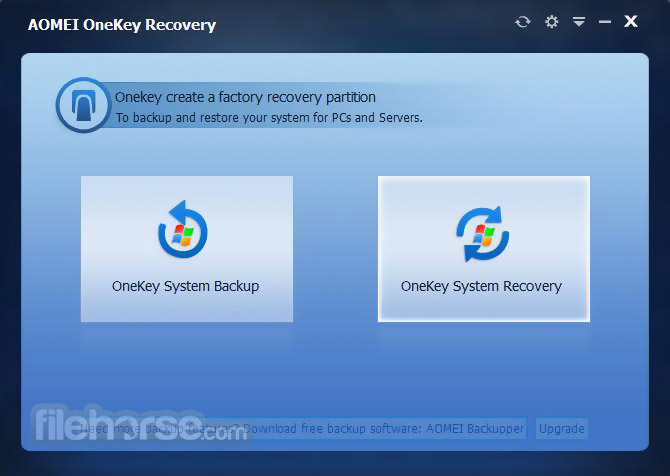
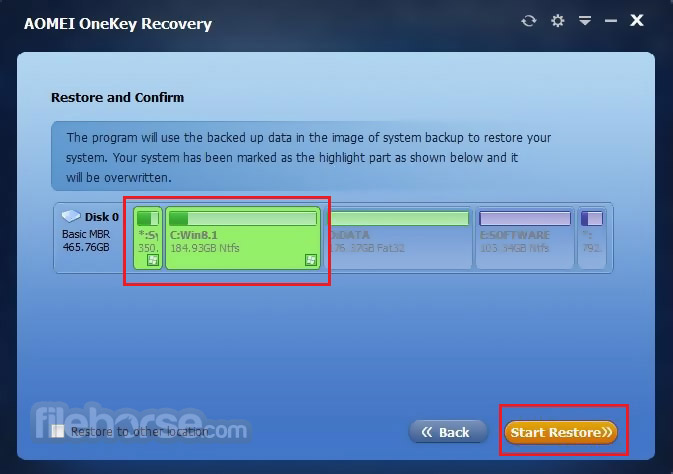
AOMEI OneKey Recovery is a kind of software designed for system data. There are two buttons on the interface of AOMEI OneKey Recovery - one is for system backup, and the other is for system recovery.
Create a Custom "Factory" Recovery Partition for System Backup and Press F11 or A Key for System Restore!
As an alternative to Lenovo's one key recovery, it can be installed and used on any brand of computers and PCs shipped with the Windows system. Once your system crashes, you can press F11 or A after starting up, and the computer can enter a recovery environment to rescue your system.
AOMEI OneKey Recovery not only recovers your Operating System but also all your applications, drivers, and all personal data to the initial state when the AOMEI One Key Recovery image was made.
Overview
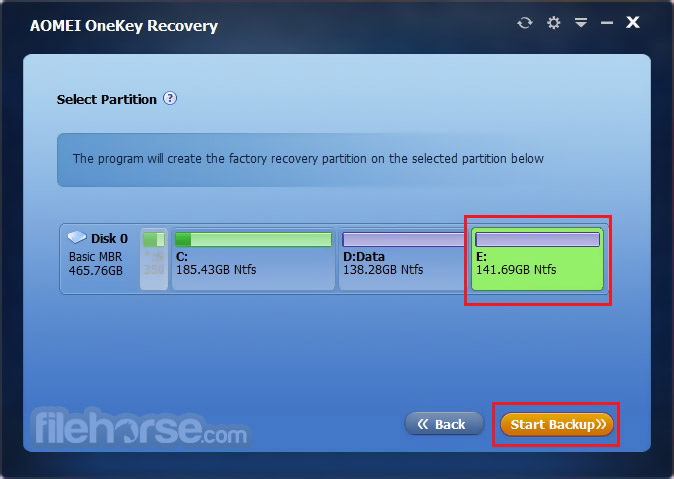
Ensure you allocate sufficient free space to back up the Windows OS, settings, and applications. Create a custom recovery partition to store a system backup image. To protect the backup images from damage, this recovery partition is hidden by default.
Restore your computer to its factory settings or a previously backed-up state by pressing the "F11" (default) or "A" key during system startup. This is the most effective way to return to normal after a disaster. You can choose to restore the system to its original location or a different one.
Set an automatic backup schedule to run system backups daily, weekly, or monthly. Compress backup images to reduce their size and save storage space. Additionally, you can encrypt backup images to protect critical system information from leakage.
Features and Highlights
Backup and Recovery Methods
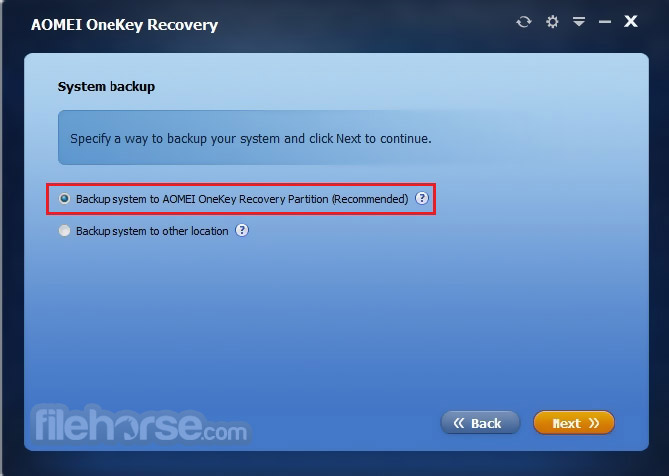
There are two kinds of backup and restore methods: creating a recovery partition or storing the system in other locations.
Emergency Recovery key
You can press “A”/“F11” to restore the system image quickly after starting up.
Security and Convenience
Support for encryption and compression during backup.
Personal Tailor
Support to customize interface text, images, and other aspects of UI.
Pricing
Money Back Guarantee
License Code
Immediate Delivery
24x7 Lifetime
Technical Support
256-Bit SSL
Secure Order
Alternatives
EaseUS Partition Recovery - a user-friendly tool that helps recover lost or deleted partitions on hard drives, SSDs, and external storage devices. It supports FAT, NTFS, and EXT file systems and can restore partitions lost due to deletion, formatting, or system crashes.
DiskGenius - a powerful disk management and data recovery tool that offers partition recovery, file recovery, disk cloning, and advanced partition management features. It’s suitable for both home and professional users needing full control over their storage devices.
Supported Operating Systems
Download AOMEI OneKey Recovery Latest Version Why is this app published on FileHorse? (More info)
Create a Custom "Factory" Recovery Partition for System Backup and Press F11 or A Key for System Restore!
As an alternative to Lenovo's one key recovery, it can be installed and used on any brand of computers and PCs shipped with the Windows system. Once your system crashes, you can press F11 or A after starting up, and the computer can enter a recovery environment to rescue your system.
AOMEI OneKey Recovery not only recovers your Operating System but also all your applications, drivers, and all personal data to the initial state when the AOMEI One Key Recovery image was made.
Overview
Ensure you allocate sufficient free space to back up the Windows OS, settings, and applications. Create a custom recovery partition to store a system backup image. To protect the backup images from damage, this recovery partition is hidden by default.
Restore your computer to its factory settings or a previously backed-up state by pressing the "F11" (default) or "A" key during system startup. This is the most effective way to return to normal after a disaster. You can choose to restore the system to its original location or a different one.
Set an automatic backup schedule to run system backups daily, weekly, or monthly. Compress backup images to reduce their size and save storage space. Additionally, you can encrypt backup images to protect critical system information from leakage.
Features and Highlights
Backup and Recovery Methods
There are two kinds of backup and restore methods: creating a recovery partition or storing the system in other locations.
Emergency Recovery key
You can press “A”/“F11” to restore the system image quickly after starting up.
Security and Convenience
Support for encryption and compression during backup.
Personal Tailor
Support to customize interface text, images, and other aspects of UI.
Pricing
- Professional Edition - Single (1 Computer) $29.95
- Technician Edition - Unlimited Computers / License $499.00
- Customization Edition - Unlimited Computers / License $999.00
Money Back Guarantee
License Code
Immediate Delivery
24x7 Lifetime
Technical Support
256-Bit SSL
Secure Order
Alternatives
EaseUS Partition Recovery - a user-friendly tool that helps recover lost or deleted partitions on hard drives, SSDs, and external storage devices. It supports FAT, NTFS, and EXT file systems and can restore partitions lost due to deletion, formatting, or system crashes.
DiskGenius - a powerful disk management and data recovery tool that offers partition recovery, file recovery, disk cloning, and advanced partition management features. It’s suitable for both home and professional users needing full control over their storage devices.
Supported Operating Systems
- Windows 11/10/8.1/8/7/XP/Vista
- Windows Server 2022/2019/2016/2012/2011
- Local disks, external hard disks
- Solid state drives, USB flash drives, etc.
- MBR disk, GPT disk
- UEFI boot mode
- User-Friendly Interface: Simple and intuitive, making it easy for all levels.
- One-Key Backup and Restore: Simplifies the process of system backup and recovery.
- Customizable: Allows users to set up custom recovery partitions and schedules.
- Compatibility: Supports various Windows versions and hardware configurations.
- Reliable Recovery: Effective in restoring the system to a previous state without data loss.
- Limited Free Version: The free version has limited features compared to the paid version.
- Storage Requirement: Requires significant disk space for backups.
- No Incremental Backups: Only supports full backups, which can be time-consuming and space-intensive.
Download AOMEI OneKey Recovery Latest Version Why is this app published on FileHorse? (More info)
##
畫面截圖