⚠ 這是歷史版本頁面 — 查看 ASRock APP Shop 最新版本 →

ASRock APP Shop 2.0.0.3
v 2.0.0.3
Windows
免費軟體
8/10 (17)
- 目前版本2.0.0.3
- 更新日期2022-12-14
- 檔案大小4.25 MB
- 檔案名稱APPShop(v2.0.0.3).zip
- 作業系統Windows 11
- 支援語系English
- 授權型式免費軟體
- 開發商 ASRock Inc.
- 軟體分類Windows 軟體 / 驅動程式
##
編輯短評
ASRock APP Shop 是一款專為 Windows 系統設計的一站式管理工具,旨在簡化驅動程式與 BIOS 的更新流程。它整合了主機板驅動、支援軟體以及系統優化功能,讓使用者能快速將電腦維持在最新狀態,避免手動搜尋的麻煩。此外,該工具還提供熱門遊戲下載與專屬獎勵,是目前 ASRock 用戶中評價普遍不錯且長期維護的官方輔助軟體。
這套軟體適合使用 ASRock 主機板且希望簡化系統維護流程的使用者,在需要更新元件或獲取遊戲特典時非常方便。相較於單獨安裝各項驅動程式,它提供了更集中的管理體驗,但僅限於特定品牌硬體使用。使用者在下載前需留意此軟體為免費提供,且目前支援語系僅有英文,並僅運行於 Windows 平台。
##
翻譯排程處理中,以下暫以英文原文呈現
軟體介紹
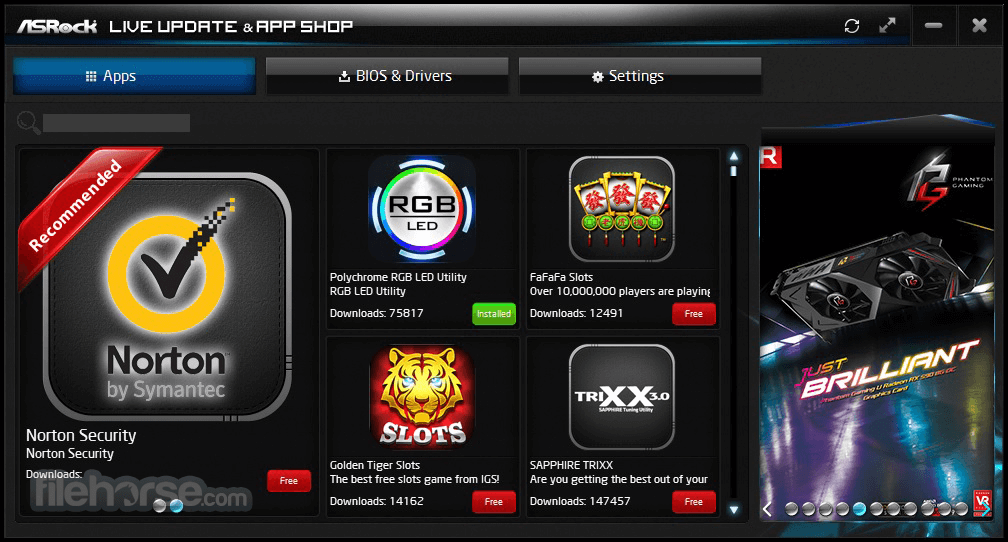
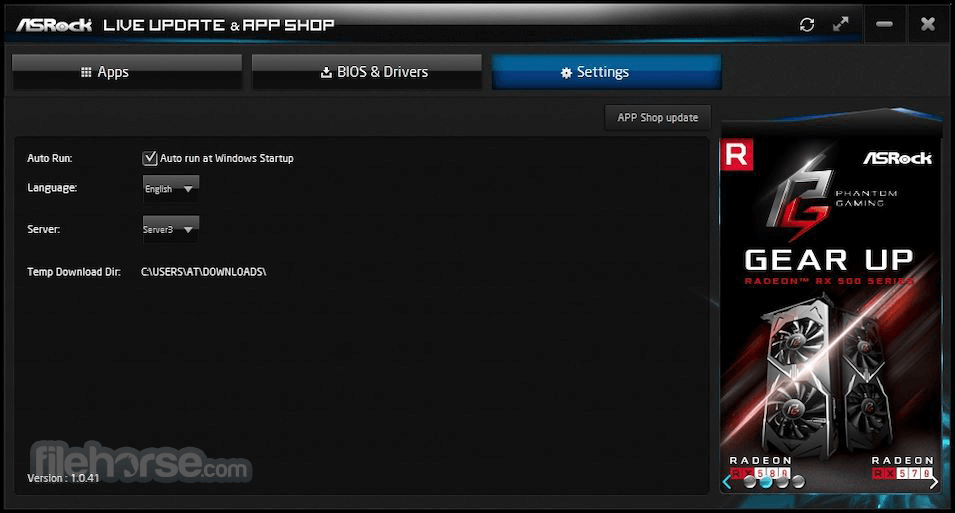
ASRock APP Shop is an all-in-one utility designed for system updates and software downloads. It is integrated with a variety of applications, motherboard drivers, and support software.
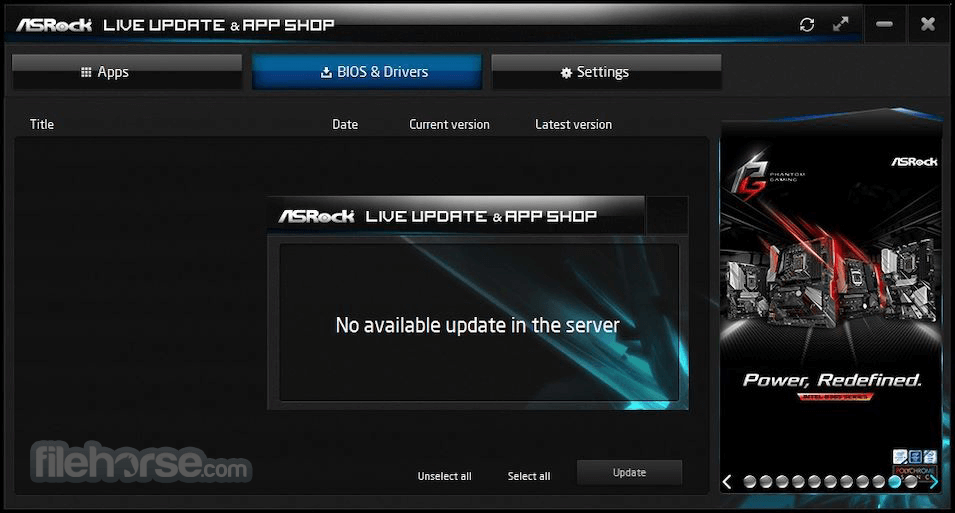
The ASRock APP Shop provides the latest BIOS updates and system upgrade apps for users to download.
You can easily optimize your system and keep your PC up-to-date with the app. What's more? The ASRock APP Shop is geared up with numerous popular PC games, making it easier for gamers to hook up to the gaming world.
You can also receive exclusive bonuses, in-game items, and experience the premium gaming feast on the app!
How to install the latest BIOS & Driver ASRock
How to Use
What is ASRock APP Shop used for?
ASRock APP Shop is a utility platform provided by ASRock that allows users to download drivers, BIOS updates, and motherboard-related utilities. It also provides access to optional applications designed to enhance system management and hardware control.
Do you need an ASRock motherboard to use APP Shop?
Yes. ASRock APP Shop is designed specifically for systems using ASRock motherboards. Its features and updates are tailored to compatible ASRock hardware.
Is ASRock APP Shop still useful in 2026?
Yes. In 2026, it remains a convenient way for ASRock motherboard users to keep drivers and system utilities updated without manually searching for downloads on the official website.
System Requirements
Download ASRock APP Shop Latest Version Why is this app published on FileHorse? (More info)
The ASRock APP Shop provides the latest BIOS updates and system upgrade apps for users to download.
You can easily optimize your system and keep your PC up-to-date with the app. What's more? The ASRock APP Shop is geared up with numerous popular PC games, making it easier for gamers to hook up to the gaming world.
You can also receive exclusive bonuses, in-game items, and experience the premium gaming feast on the app!
How to install the latest BIOS & Driver ASRock
- Click on “BIOS & Driver” on ASRock APP Driver Shop
- Click the drivers and the driver you wish to update
- Click update to start
- Click on "FREE" to choose the APP
- Move your mouse to "FREE" and click on "GO"
- Download and install the APP
- Z390 Phantom Gaming X
- Z390 Phantom Gaming 9
- Z390 Phantom Gaming 7
- Z390 Phantom Gaming 6
- Z390 Phantom Gaming SLI/ac
- Z390 Phantom Gaming 4S
- Z390 Phantom Gaming-ITX/ac
- B365 Phantom Gaming 4
- B365M Phantom Gaming 4
- X399 Phantom Gaming 6
- X570 Phantom Gaming X
- X570 Phantom Gaming 4 WiFi ax
- X570 Phantom Gaming 4
- X570 Phantom Gaming-ITX/TB3
- X570 AQUA
- X299 Creator
- TRX40 Creator
- X570 Creator
- X299 Steel Legend
- Z390 Steel Legend
- X570 Steel Legend WiFi ax
- B450 Steel Legend
- B450M Steel Legend
- Z390 Pro4
- Z390M Pro4
- Z370M Pro4
- B365 Pro4
- B365M Pro4
- B250 Pro4
- H170 Pro4S
- H110 Pro BTC+
- H87M Pro4/ASM
- H81 Pro BTC R2.0
- Z77 Pro3
- J3455 Pro BTC+
- X570 Pro4
- 970M Pro3
- And many more!
How to Use
- Launch the application and log in if required
- Browse available drivers, utilities, and BIOS updates
- Select desired updates and click "Install"
- Wait for the installation to complete and restart if needed
What is ASRock APP Shop used for?
ASRock APP Shop is a utility platform provided by ASRock that allows users to download drivers, BIOS updates, and motherboard-related utilities. It also provides access to optional applications designed to enhance system management and hardware control.
Do you need an ASRock motherboard to use APP Shop?
Yes. ASRock APP Shop is designed specifically for systems using ASRock motherboards. Its features and updates are tailored to compatible ASRock hardware.
Is ASRock APP Shop still useful in 2026?
Yes. In 2026, it remains a convenient way for ASRock motherboard users to keep drivers and system utilities updated without manually searching for downloads on the official website.
System Requirements
- Operating System: Windows 10 / 11 (64-bit recommended)
- Processor: Intel or AMD, 2 GHz or faster
- RAM: 4GB minimum, 8GB recommended
- Storage: At least 200MB of free disk space
- Internet: Required for downloads and updates
- Easy driver and BIOS updates
- User-friendly interface
- Direct access to ASRock utilities
- Saves time on manual updates
- Free to use for ASRock users
- Lack of new updates
- Limited support for non-ASRock products
- Occasional update errors
- Requires an internet connection
- Lacks advanced customization options
- Can be slow at times
Download ASRock APP Shop Latest Version Why is this app published on FileHorse? (More info)
##
畫面截圖
- 2026-03-12 ASRock APP Shop 2.0.0.4 4.26 MB
- 2024-04-02 ASRock APP Shop 1.0.58 4.04 MB
- 2022-12-14 ASRock APP Shop 2.0.0.3 4.25 MB
- 2020-03-23 ASRock APP Shop 1.0.46 3.4 MB