- 目前版本11.2.0.6
- 更新日期2026-04-30
- 作業系統Windows 7 / Windows 8 / Windows 10 / Windows 11
- 支援語系English
- 授權型式未分類
- 開發商 Auslogics Software
- 軟體分類Windows 軟體 / 系統優化
##
翻譯排程處理中,以下暫以英文原文呈現
軟體介紹
Auslogics Duplicate File Finder finds identical pictures, documents, and any other files. It compares files not only by names but by their content and significantly increases free space on your disk.
It helps you to organize your media collections and reduces the time needed to defragment your hard drive.
Download today Auslogics Duplicate File Finder, expert-recommended PC solution from Auslogics.
Auslogics Duplicate File Finder is a PC utility software designed to help users identify and remove duplicate files from their systems. Duplicate files can consume valuable storage space and clutter the system, making file management challenging.
It aims to provide a simple and efficient solution to this problem, helping users to free up disk space and improve system performance.
The problem: You may have hundreds of photos, videos, music files, or documents that you have lost track of. You are running out of disk space on your PC, but sorting through your files seems overwhelming because there are just too many of them.
The solution: Duplicate File Finder will help you locate and remove useless file duplicates to free up disk space and better organize your file collections. You will have full control in being able to look through the list of duplicates and decide which copy to keep.
Why Duplicate File Finder?
Improve computer performance by deleting duplicate files
Identical files not only waste your hard disk space but also may cause system slowdowns. By deleting duplicate files you can reduce the time needed to defragment your hard drives and minimize time used by antivirus to scan your computer.
Sort and organize your media collections
Media files collections, such as music, video, images, and photos, often become the primary source of identical files. If you have a music collection of several hundred or even thousands of mp3-files, you may want to sort them by deleting identical tracks. With the app, you can organize your media files and increase free disk space needed to enlarge your collection.
Find duplicate files by content!
Auslogics Duplicate FileFinder has the MD5 search engine which allows the program to search for duplicate files by content, regardless of other match criteria. It would be helpful, for example, when two identical mp3 tracks or video files have different names.
Key Features
Powerful Scanning Engine
The software uses an advanced algorithm to scan for duplicate files. It can identify duplicates based on content, ensuring accurate results.
Flexible Scanning Options
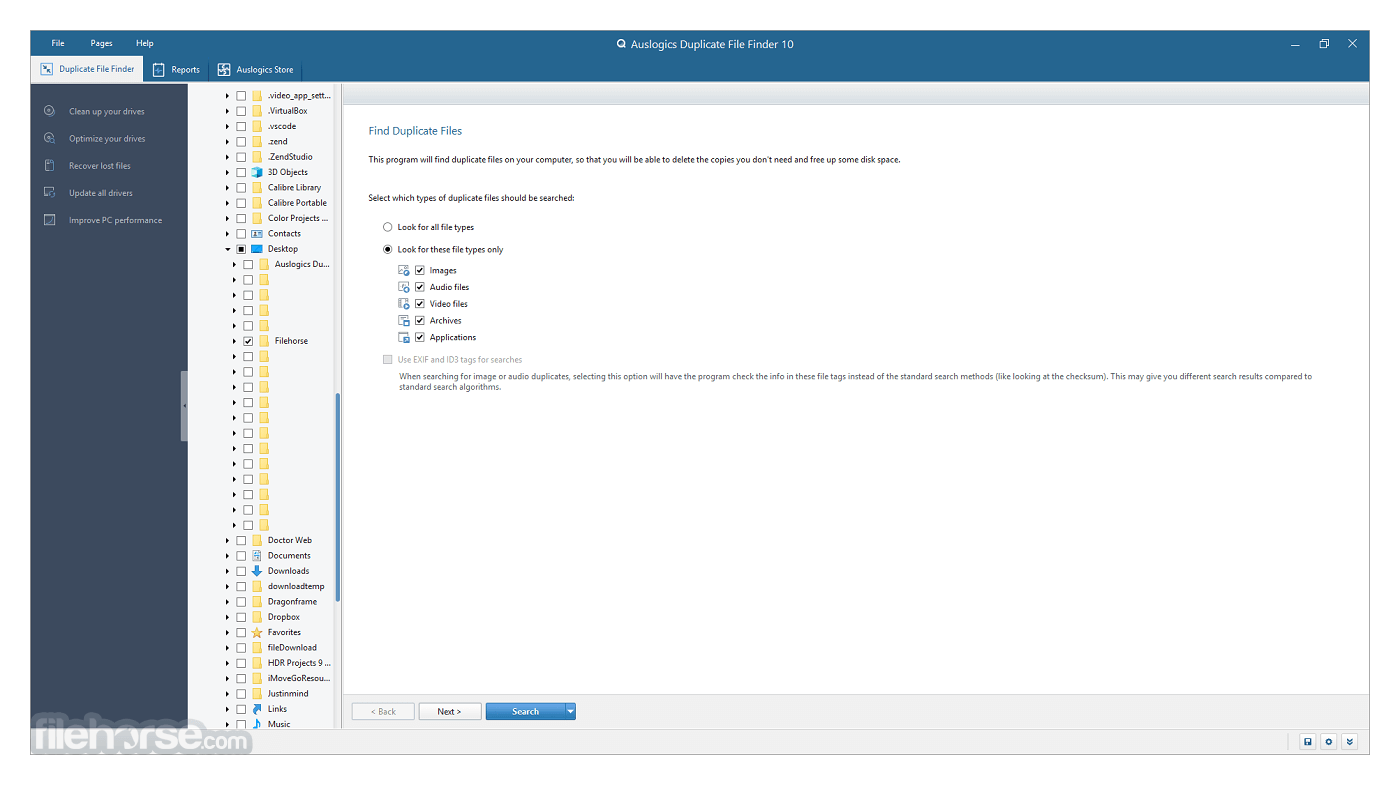
Users can customize their scan by selecting specific drives, folders, or file types. This flexibility allows for targeted searches, making the process quicker and more efficient.
Preview and Filter Duplicates
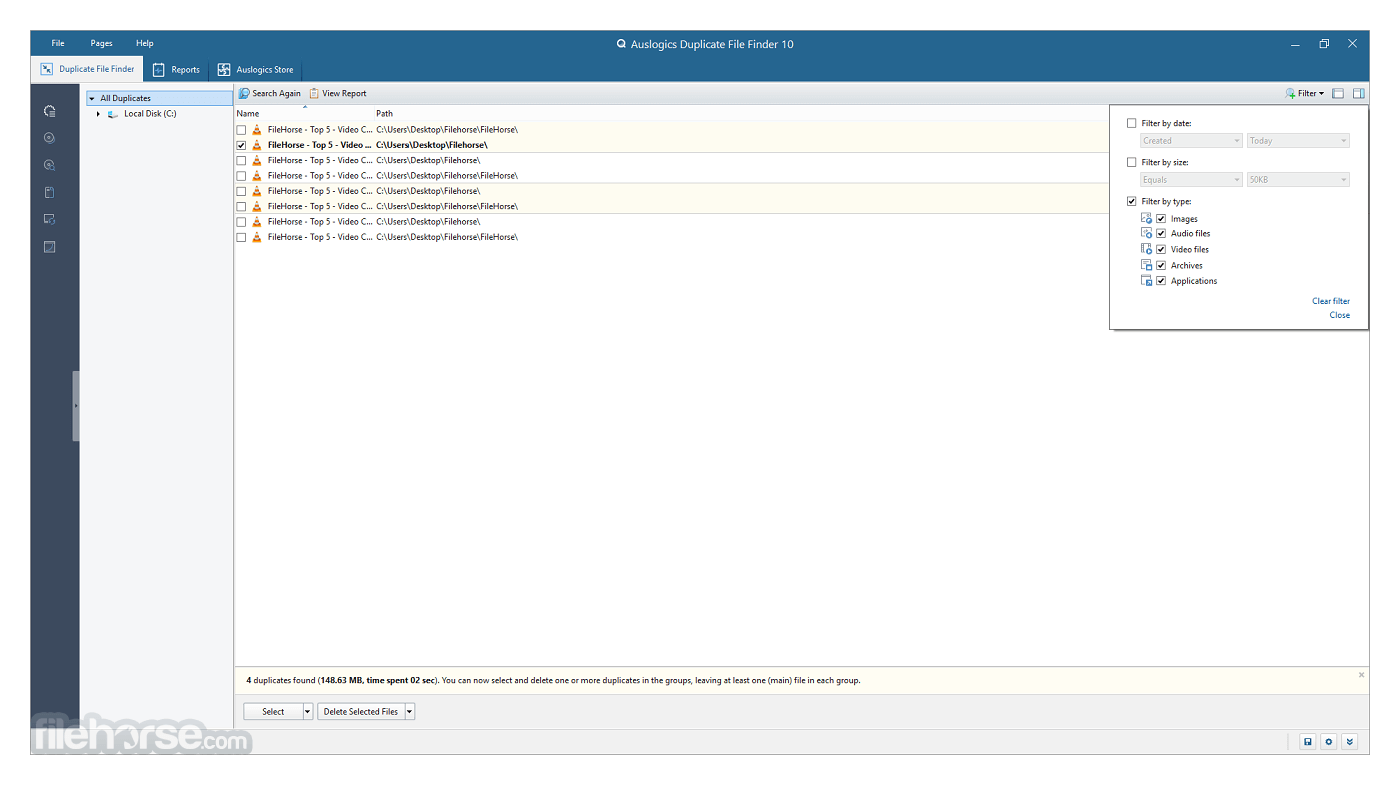
Before deleting files, users can preview the duplicates and apply filters based on file type, size, and date. This ensures that only unnecessary duplicates are removed.
Safe File Deletion
Auslogics Duplicate File Finder moves deleted files to the Recycle Bin by default, allowing users to restore them if needed. There is also an option to permanently delete files for more confident users.
User-Friendly Interface
The software features an intuitive and easy-to-navigate interface, making it accessible to both novice and experienced users.
Multilingual Support
The application supports multiple languages, catering to a global audience.
Installation and Setup
Download the Installer
Visit the Auslogics website or FileHorse and download the installer file.
Run the Installer
Double-click the downloaded file to run the installer.
Follow the Installation Wizard
The wizard will guide you through the installation process. You can choose the installation directory and decide whether to create desktop shortcuts.
Complete Installation
After the installation is complete, you can launch the software directly from the wizard or from your desktop.
Initial Setup
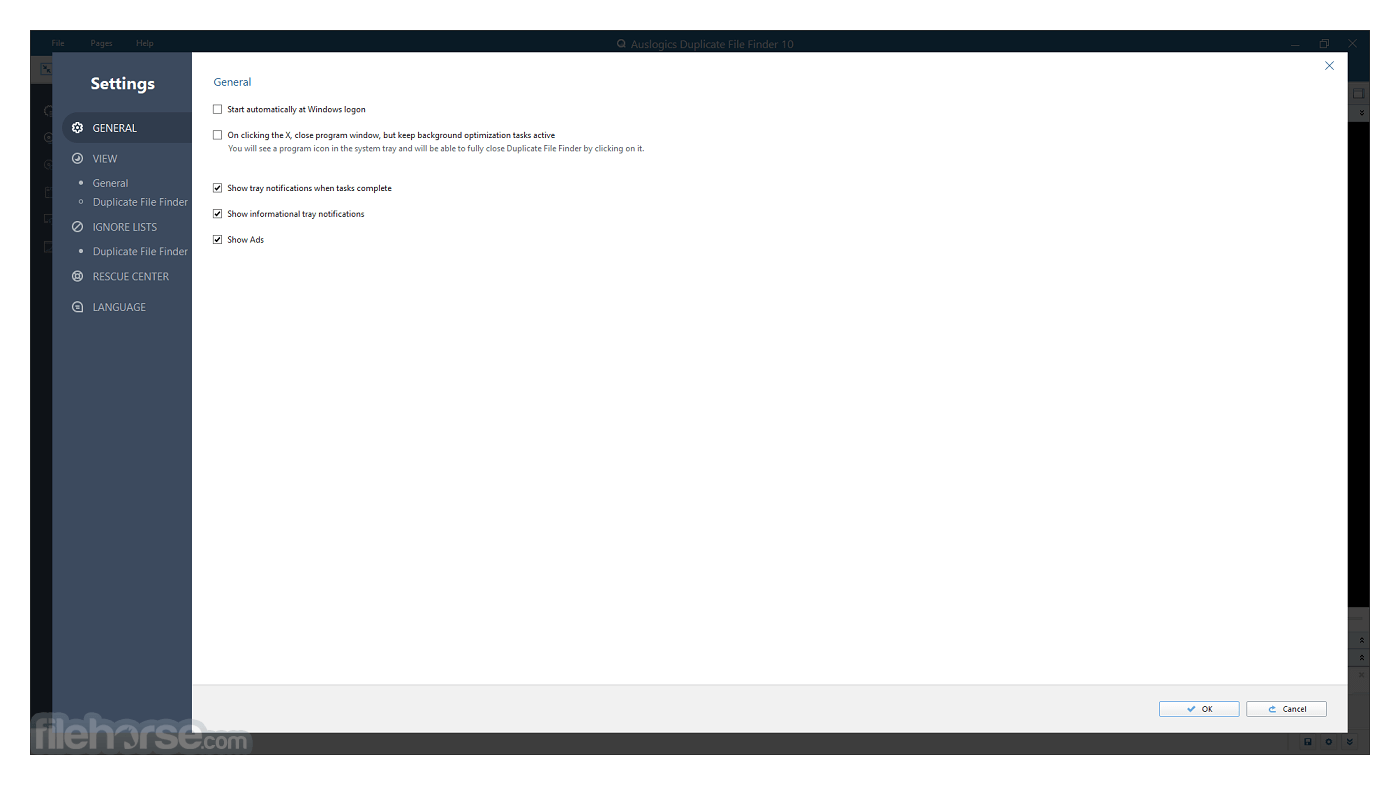
Upon first launch, the software may prompt you to check for updates and configure basic settings. This ensures you are using the latest version with all the newest features and bug fixes.
How to Use
Launch the Software
Open the application from your desktop or start menu.
Select Scan Area
Choose the drives or folders you want to scan for duplicates.
Customize Scan Settings
Adjust settings to focus on specific file types or sizes if needed.
Initiate the Scan
Click the “Start Scan” button to begin the process.
Review Scan Results
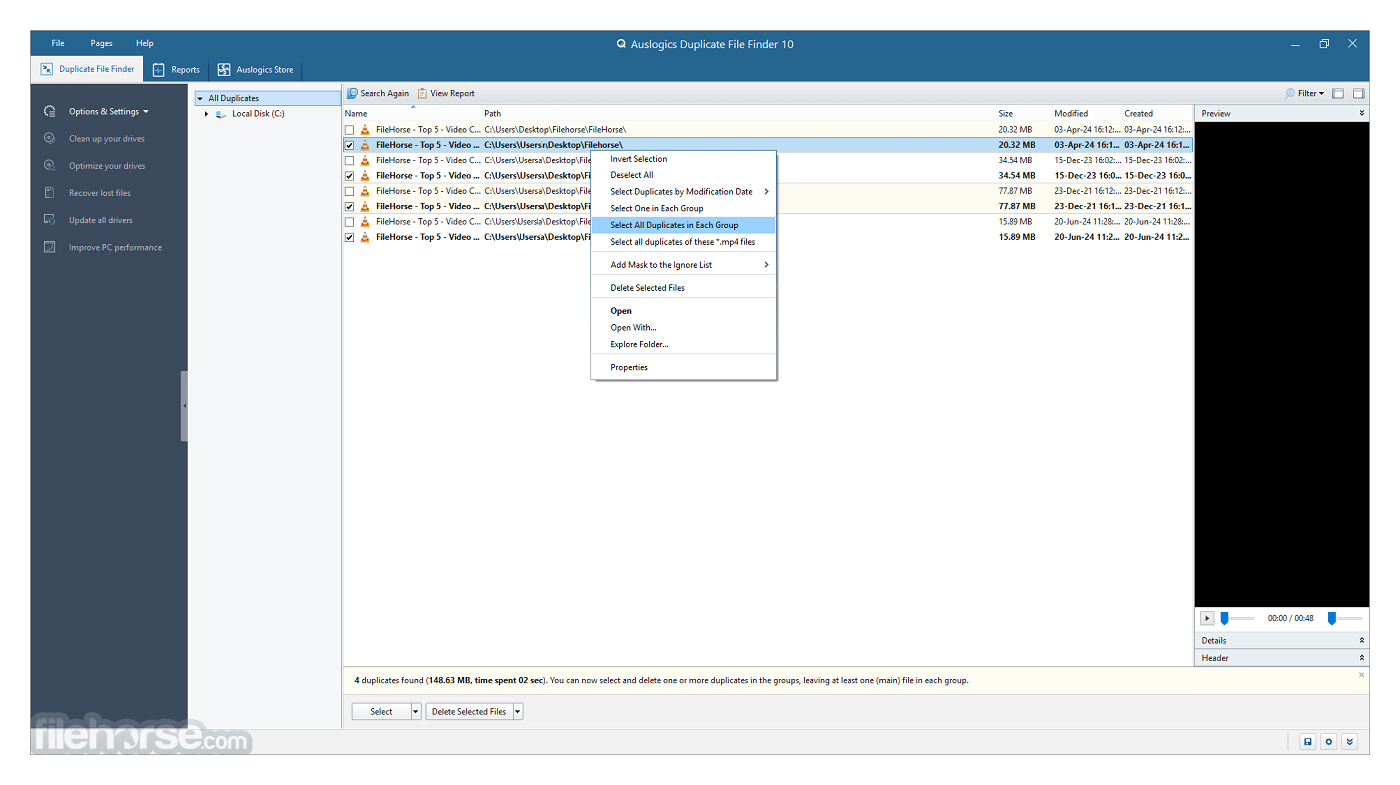
Once the scan is complete, review the list of duplicate files. Use the preview option to verify the files.
Select and Delete Duplicates
Choose the duplicates you want to remove and click the “Delete Selected” button. Confirm your action to proceed.
Scheduling Scans
Set up scheduled scans to regularly check for duplicates.
Exclusion Lists
Create lists of files or folders to exclude from scans, ensuring important files are never deleted.
FAQ
Is Auslogics Duplicate File Finder free?
Yes, Auslogics Duplicate File Finder is available as a free tool. However, there is a Pro version with additional features.
Can I undo a file deletion?
By default, deleted files are moved to the Recycle Bin, allowing you to restore them if needed. Ensure to check this setting before deleting files permanently.
How long does a scan take?
The scan duration depends on the size of the selected area and the number of files. Typically, a scan can take a few minutes to complete.
Does the software support external drives?
Yes, you can scan external drives and removable storage devices for duplicate files.
Is the software safe to use?
This program is safe to use and does not delete files without user confirmation. Always review scan results before deleting files.
Alternatives
CCleaner - A popular system optimization tool that includes a duplicate file finder feature.
4DDiG Duplicate File Deleter - AI-Powered Duplicate File Finder & Deleter Expert for PC.
PassFab Duplicate File Deleter - Easily Detect and Delete Duplicate Files on Windows PC.
System Requirements
Operating System
Windows 11, 10, 8, 7, Vista (both 32-bit and 64-bit)
Processor
1 GHz or faster
RAM
512 MB or more
Disk Space
50 MB of free space for installation
PROS
Auslogics Duplicate File Finder is a reliable and user-friendly solution for managing duplicate files on your PC. Its powerful scanning engine and flexible options make it a great choice for both casual users and more experienced ones.
While it may not offer as many advanced features as some paid alternatives, its free availability and solid performance make it an excellent tool for freeing up disk space and improving system performance. Whether you're looking to clean up your hard drive or simply manage your files more efficiently, this PC program is a valuable addition to your software toolkit.
This comprehensive review provides a detailed look into the capabilities and benefits of Auslogics Duplicate File Finder, helping potential users make an informed decision about whether this tool is right for their needs.
Download Auslogics Duplicate File Finder Latest Version Why is this app published on FileHorse? (More info)
It helps you to organize your media collections and reduces the time needed to defragment your hard drive.
Download today Auslogics Duplicate File Finder, expert-recommended PC solution from Auslogics.
Auslogics Duplicate File Finder is a PC utility software designed to help users identify and remove duplicate files from their systems. Duplicate files can consume valuable storage space and clutter the system, making file management challenging.
It aims to provide a simple and efficient solution to this problem, helping users to free up disk space and improve system performance.
The problem: You may have hundreds of photos, videos, music files, or documents that you have lost track of. You are running out of disk space on your PC, but sorting through your files seems overwhelming because there are just too many of them.
The solution: Duplicate File Finder will help you locate and remove useless file duplicates to free up disk space and better organize your file collections. You will have full control in being able to look through the list of duplicates and decide which copy to keep.
Why Duplicate File Finder?
Improve computer performance by deleting duplicate files
Identical files not only waste your hard disk space but also may cause system slowdowns. By deleting duplicate files you can reduce the time needed to defragment your hard drives and minimize time used by antivirus to scan your computer.
Sort and organize your media collections
Media files collections, such as music, video, images, and photos, often become the primary source of identical files. If you have a music collection of several hundred or even thousands of mp3-files, you may want to sort them by deleting identical tracks. With the app, you can organize your media files and increase free disk space needed to enlarge your collection.
Find duplicate files by content!
Auslogics Duplicate FileFinder has the MD5 search engine which allows the program to search for duplicate files by content, regardless of other match criteria. It would be helpful, for example, when two identical mp3 tracks or video files have different names.
Key Features
Powerful Scanning Engine
The software uses an advanced algorithm to scan for duplicate files. It can identify duplicates based on content, ensuring accurate results.
Flexible Scanning Options
Users can customize their scan by selecting specific drives, folders, or file types. This flexibility allows for targeted searches, making the process quicker and more efficient.
Preview and Filter Duplicates
Before deleting files, users can preview the duplicates and apply filters based on file type, size, and date. This ensures that only unnecessary duplicates are removed.
Safe File Deletion
Auslogics Duplicate File Finder moves deleted files to the Recycle Bin by default, allowing users to restore them if needed. There is also an option to permanently delete files for more confident users.
User-Friendly Interface
The software features an intuitive and easy-to-navigate interface, making it accessible to both novice and experienced users.
Multilingual Support
The application supports multiple languages, catering to a global audience.
Installation and Setup
Download the Installer
Visit the Auslogics website or FileHorse and download the installer file.
Run the Installer
Double-click the downloaded file to run the installer.
Follow the Installation Wizard
The wizard will guide you through the installation process. You can choose the installation directory and decide whether to create desktop shortcuts.
Complete Installation
After the installation is complete, you can launch the software directly from the wizard or from your desktop.
Initial Setup
Upon first launch, the software may prompt you to check for updates and configure basic settings. This ensures you are using the latest version with all the newest features and bug fixes.
How to Use
Launch the Software
Open the application from your desktop or start menu.
Select Scan Area
Choose the drives or folders you want to scan for duplicates.
Customize Scan Settings
Adjust settings to focus on specific file types or sizes if needed.
Initiate the Scan
Click the “Start Scan” button to begin the process.
Review Scan Results
Once the scan is complete, review the list of duplicate files. Use the preview option to verify the files.
Select and Delete Duplicates
Choose the duplicates you want to remove and click the “Delete Selected” button. Confirm your action to proceed.
Scheduling Scans
Set up scheduled scans to regularly check for duplicates.
Exclusion Lists
Create lists of files or folders to exclude from scans, ensuring important files are never deleted.
FAQ
Is Auslogics Duplicate File Finder free?
Yes, Auslogics Duplicate File Finder is available as a free tool. However, there is a Pro version with additional features.
Can I undo a file deletion?
By default, deleted files are moved to the Recycle Bin, allowing you to restore them if needed. Ensure to check this setting before deleting files permanently.
How long does a scan take?
The scan duration depends on the size of the selected area and the number of files. Typically, a scan can take a few minutes to complete.
Does the software support external drives?
Yes, you can scan external drives and removable storage devices for duplicate files.
Is the software safe to use?
This program is safe to use and does not delete files without user confirmation. Always review scan results before deleting files.
Alternatives
CCleaner - A popular system optimization tool that includes a duplicate file finder feature.
4DDiG Duplicate File Deleter - AI-Powered Duplicate File Finder & Deleter Expert for PC.
PassFab Duplicate File Deleter - Easily Detect and Delete Duplicate Files on Windows PC.
System Requirements
Operating System
Windows 11, 10, 8, 7, Vista (both 32-bit and 64-bit)
Processor
1 GHz or faster
RAM
512 MB or more
Disk Space
50 MB of free space for installation
PROS
- Easy to Use: Intuitive interface suitable for all users.
- Accurate Results: Advanced scanning algorithm ensures accurate duplicate detection.
- Customizable Scans: Flexibility to choose scan areas and file types.
- Safe Deletion: Deleted files are moved to the Recycle Bin by default.
- Limited Advanced Features: Lacks some advanced options found in paid alternatives.
- Windows Only: No support for macOS or Linux.
Auslogics Duplicate File Finder is a reliable and user-friendly solution for managing duplicate files on your PC. Its powerful scanning engine and flexible options make it a great choice for both casual users and more experienced ones.
While it may not offer as many advanced features as some paid alternatives, its free availability and solid performance make it an excellent tool for freeing up disk space and improving system performance. Whether you're looking to clean up your hard drive or simply manage your files more efficiently, this PC program is a valuable addition to your software toolkit.
This comprehensive review provides a detailed look into the capabilities and benefits of Auslogics Duplicate File Finder, helping potential users make an informed decision about whether this tool is right for their needs.
Download Auslogics Duplicate File Finder Latest Version Why is this app published on FileHorse? (More info)
##
影片介紹
##
畫面截圖