⚠ 這是歷史版本頁面 — 查看 Axialis IconWorkshop 最新版本 →

- 目前版本6.61
- 更新日期2011-06-25
- 檔案大小35.86 MB
- 檔案名稱iconworkshop.exe
- 作業系統Windows 7 64 / Windows 8 64 / Windows 10 64 / Windows 11
- 支援語系English
- 授權型式商業試用
- 開發商 Axialis Software
- 軟體分類Windows 軟體 / 影像設計
##
編輯短評
Axialis IconWorkshop 是專為 Windows 使用者設計的專業圖示製作工具,主要解決跨平台圖示格式轉換與精細編輯的需求。它支援 Windows、macOS、Linux、iOS、Android 及網頁常見的 PNG、SVG 格式,並同時處理向量與點陣圖,提供接近專業繪圖軟體的編輯功能。最具辨識度的特色在於完整的 Alpha 色版支援,能做出平滑去背、具透明度的現代化圖示,加上物件包拖放功能,讓圖示組合與調整更直覺。這套軟體自 2008 年起持續收錄版本,近期更新仍算活躍,屬於長期維護的工具;不過在同類軟體中,它的使用者評價樣本不多,整體評價中等,並非市場上的主流首選。
這套工具適合需要頻繁產出多尺寸、多平台圖示的設計師或開發者,例如製作應用程式圖示、網頁 favicon 或軟體介面按鈕時,能一次匯出符合各平台規範的檔案。與 Adobe Photoshop 這類通用影像軟體相比,IconWorkshop 更聚焦在圖示格式的轉換與輸出流程,省去手動調整尺寸與格式的麻煩,但若需要複雜的影像合成或濾鏡效果,仍得回到 Photoshop 處理。要注意的是,它僅提供 Windows 版本、介面為英文,且是試用版授權,長期使用需購買;若你只需要偶爾轉檔,免安裝的免費線上工具或許更輕量,但若講究輸出品質與批次處理,這套會是值得考慮的付費選項。
##
翻譯排程處理中,以下暫以英文原文呈現
軟體介紹
Axialis IconWorkshop is a professional icon creation tool specifically developed for Windows users.
It enables users to design icons compatible with Windows (up to 768x768), macOS (ICNS), and web formats (PNG, SVG).
It supports vector and raster formats, providing precision editing tools akin to those found in professional graphic suites.
Key Features
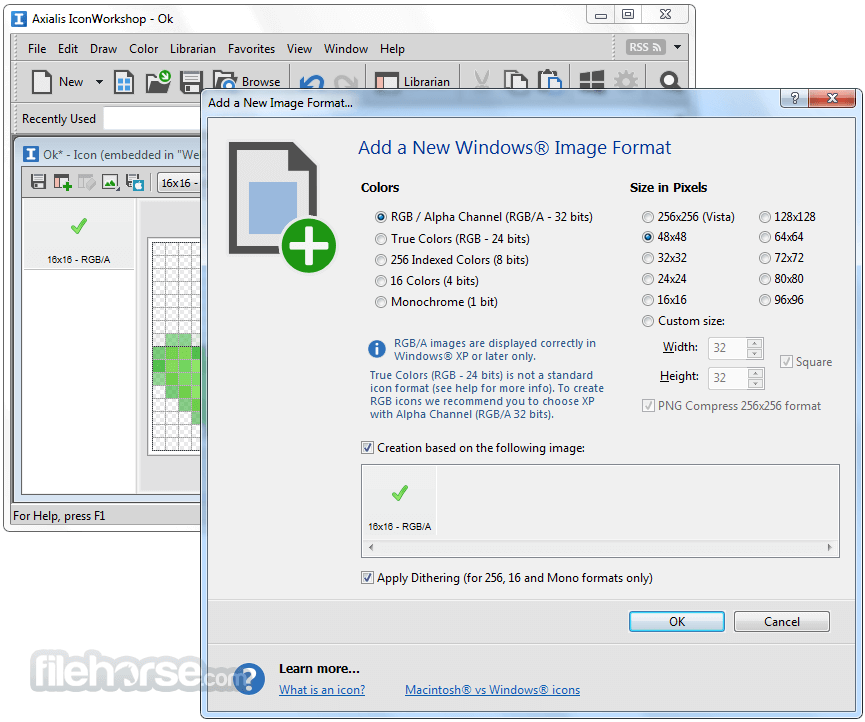
Multi-Platform Icon Creation: Design icons for Windows (ICO), macOS (ICNS), Linux, iOS, Android, and web (PNG, SVG).
Full Alpha Channel Support: Create smooth and anti-aliased icons with transparency for modern UIs.
Image Object Packs: Drag-and-drop thousands of pre-designed objects to rapidly compose icons.
Batch Processing: Convert, resize, or export multiple icons simultaneously.
Photoshop and Illustrator Plugin: Directly transfer artwork from Adobe tools to IconWorkshop.
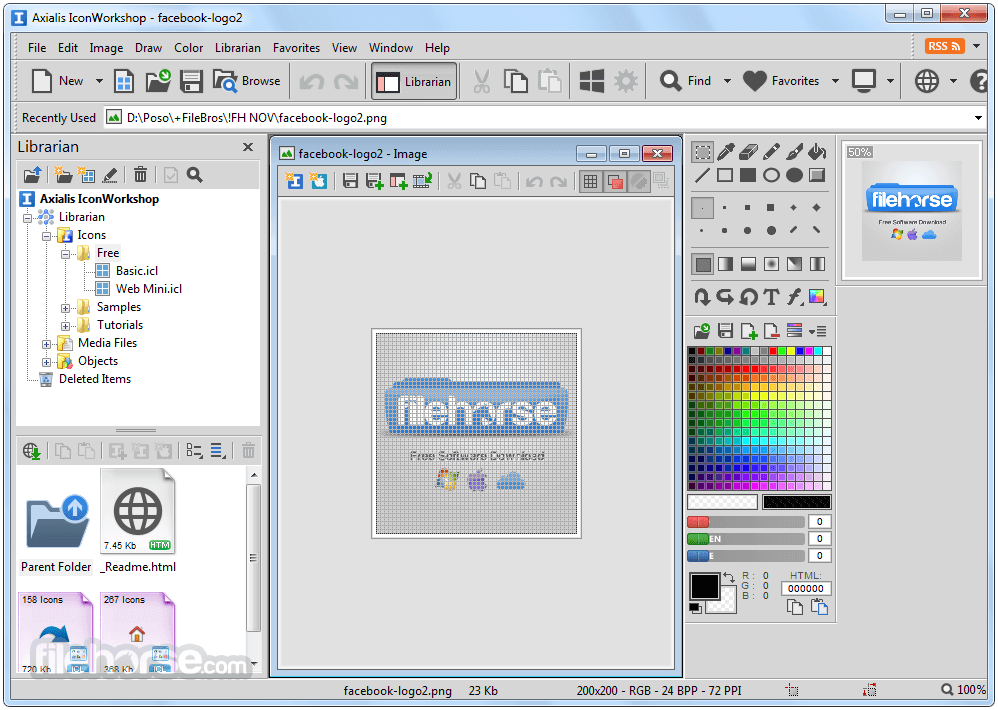
Icon Librarian: Organize, search, and preview thousands of icons easily.
User Interface
Axialis IconWorkshop sports a professional, ribbon-based UI that's intuitive yet powerful. A central canvas, image strip, and tool panels offer an experience familiar to those accustomed to graphic design software.
Beginners may face a learning curve, but the structured layout helps reduce friction.
Installation and Setup
Installing IconWorkshop is a breeze. The installer package is lightweight (under 100 MB), and the setup process is straightforward, requiring only basic system permissions.
A trial version is available, and licensing can be activated post-installation.
How to Use
Can IconWorkshop create icons for mobile apps?
Yes, it supports Android and iOS icon formats.
Is there a macOS version?
No, it is currently only available for Windows.
Does it support SVG files?
Yes, SVG export is supported, and it can import SVGs as well.
Can I batch convert icons?
Yes, the batch processing tool can handle bulk conversions and resizing.
Are there tutorials for beginners?
Yes, the software comes with tutorials and the Axialis website offers guides and resources.
Alternatives
IcoFX – A strong competitor with similar icon editing and conversion features.
GIMP with Plugins – Open-source solution, but lacks dedicated icon tools.
Adobe Illustrator – Excellent for vector graphics, though not optimized for icons.
Pricing
Axialis IconWorkshop is priced at $69.95 for a single-user license, with lifetime updates and support. A free 30-day trial is available for evaluation.
System Requirements
Axialis IconWorkshop is a powerful, purpose-built tool that remains one of the top choices for professional icon design on Windows. With a rich feature set, high compatibility, and solid support, it justifies its price tag for serious designers and developers.
Note: Free 30-Day Fully Functional Trial Version.
Download Axialis IconWorkshop Latest Version Why is this app published on FileHorse? (More info)
It enables users to design icons compatible with Windows (up to 768x768), macOS (ICNS), and web formats (PNG, SVG).
It supports vector and raster formats, providing precision editing tools akin to those found in professional graphic suites.
Key Features
Multi-Platform Icon Creation: Design icons for Windows (ICO), macOS (ICNS), Linux, iOS, Android, and web (PNG, SVG).
Full Alpha Channel Support: Create smooth and anti-aliased icons with transparency for modern UIs.
Image Object Packs: Drag-and-drop thousands of pre-designed objects to rapidly compose icons.
Batch Processing: Convert, resize, or export multiple icons simultaneously.
Photoshop and Illustrator Plugin: Directly transfer artwork from Adobe tools to IconWorkshop.
Icon Librarian: Organize, search, and preview thousands of icons easily.
User Interface
Axialis IconWorkshop sports a professional, ribbon-based UI that's intuitive yet powerful. A central canvas, image strip, and tool panels offer an experience familiar to those accustomed to graphic design software.
Beginners may face a learning curve, but the structured layout helps reduce friction.
Installation and Setup
Installing IconWorkshop is a breeze. The installer package is lightweight (under 100 MB), and the setup process is straightforward, requiring only basic system permissions.
A trial version is available, and licensing can be activated post-installation.
How to Use
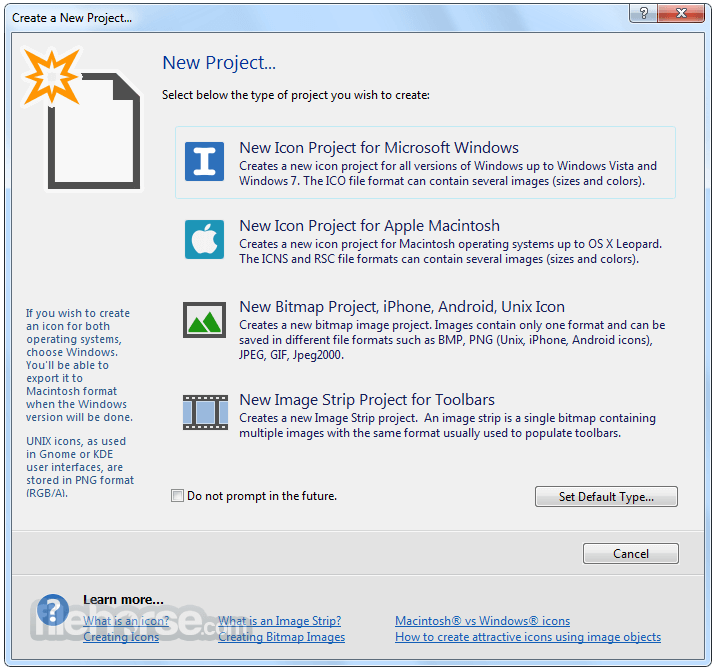
- Start a new project by selecting the target platform (Windows, macOS, etc.).
- Import images or use object packs to construct the icon.
- Use drawing tools to refine shapes, colors, and transparency.
- Preview icons in multiple sizes.
- Export in your desired format, including ICO, ICNS, PNG, or SVG.
Can IconWorkshop create icons for mobile apps?
Yes, it supports Android and iOS icon formats.
Is there a macOS version?
No, it is currently only available for Windows.
Does it support SVG files?
Yes, SVG export is supported, and it can import SVGs as well.
Can I batch convert icons?
Yes, the batch processing tool can handle bulk conversions and resizing.
Are there tutorials for beginners?
Yes, the software comes with tutorials and the Axialis website offers guides and resources.
Alternatives
IcoFX – A strong competitor with similar icon editing and conversion features.
GIMP with Plugins – Open-source solution, but lacks dedicated icon tools.
Adobe Illustrator – Excellent for vector graphics, though not optimized for icons.
Pricing
Axialis IconWorkshop is priced at $69.95 for a single-user license, with lifetime updates and support. A free 30-day trial is available for evaluation.
System Requirements
- Windows 10/11 (32 or 64-bit)
- 1 GHz processor or higher
- 1 GB RAM
- 100 MB free disk space
- Professional-grade features tailored for icon design
- Multi-platform format support
- Seamless Adobe integration
- Extensive library of prebuilt objects
- Batch processing capabilities
- Windows-only
- Lacks cloud or team collaboration features
- Not ideal for casual users
Axialis IconWorkshop is a powerful, purpose-built tool that remains one of the top choices for professional icon design on Windows. With a rich feature set, high compatibility, and solid support, it justifies its price tag for serious designers and developers.
Note: Free 30-Day Fully Functional Trial Version.
Download Axialis IconWorkshop Latest Version Why is this app published on FileHorse? (More info)
##
畫面截圖
- 2025-11-30 Axialis IconWorkshop 6.97 37.46 MB
- 2025-11-10 Axialis IconWorkshop 6.96 37.57 MB
- 2024-11-28 Axialis IconWorkshop 6.95 37.22 MB
- 2024-01-10 Axialis IconWorkshop 6.94 35.75 MB
- 2023-06-30 Axialis IconWorkshop 6.92 34.68 MB
- 2016-08-10 Axialis IconWorkshop 6.91 37.99 MB
- 2016-06-10 Axialis IconWorkshop 6.90 37.68 MB
- 2012-09-22 Axialis IconWorkshop 6.80 36.49 MB