⚠ 這是歷史版本頁面 — 查看 BullZip PDF Printer 最新版本 →

BullZip PDF Printer 2025.1.0.2985
v 2025.1.0.2985
Windows
免費軟體
8/10 (44)
- 目前版本2025.1.0.2985
- 更新日期2025-08-26
- 檔案大小27.6 MB
- 檔案名稱Setup_BullzipPDFPrinter_2025_1_0_2985.exe
- 作業系統Windows 7 / Windows 8 / Windows 10 / Windows 11
- 支援語系English
- 授權型式免費軟體
- 開發商 BullZip Team
- 軟體分類Windows 軟體 / 辦公商務
##
編輯短評
BullZip PDF Printer 是一款以虛擬印表機形式運作的免費工具,讓使用者能從幾乎任何 Windows 應用程式中直接產生 PDF 檔案。它解決了文件格式轉換的麻煩,只要在列印選單中選擇這台虛擬印表機,就能把 Word、Excel 或網頁內容轉成高品質的 PDF,並提供多種自訂選項。這套軟體由 BullZip 團隊開發,長期以來持續維護,更新頻率穩定,在同類工具中屬於評價普遍不錯的熱門選擇,雖然評分人數不多,但口碑相當紮實。
這款軟體特別適合需要頻繁將文件轉成 PDF 的個人或辦公室使用者,尤其是那些不想開啟專門的 PDF 編輯軟體、只想快速完成轉檔的情境。與其他 PDF 轉換工具相比,它的優勢在於與 Windows 系統的整合度高,操作直覺;不過功能相對單純,若需要進階的 PDF 編輯或合併功能,就得搭配其他軟體。需要注意的是,它僅提供英文介面,且為免費軟體,使用前建議確認系統相容性,以免在特定 Windows 版本上遇到問題。
##
翻譯排程處理中,以下暫以英文原文呈現
軟體介紹
BullZip PDF Printer is a versatile and free-to-use desktop virtual printer that allows users to create PDF documents from virtually any Windows application.
Acting as a virtual printer, it converts documents into high-quality PDFs while offering a range of customization options.
Developed by BullZip, this software is widely used for document management and PDF conversion in both personal and professional settings.
Unlike standard PDF converters, BullZip PDF Printer integrates seamlessly with Windows, making it easy to generate PDFs directly from applications such as Microsoft Word, Excel, and web browsers.
It provides additional features like encryption, watermarking, and merging PDFs, making it a competitive alternative to commercial PDF software.
Key Features
Virtual Printing – Converts any printable document to PDF using the print function.
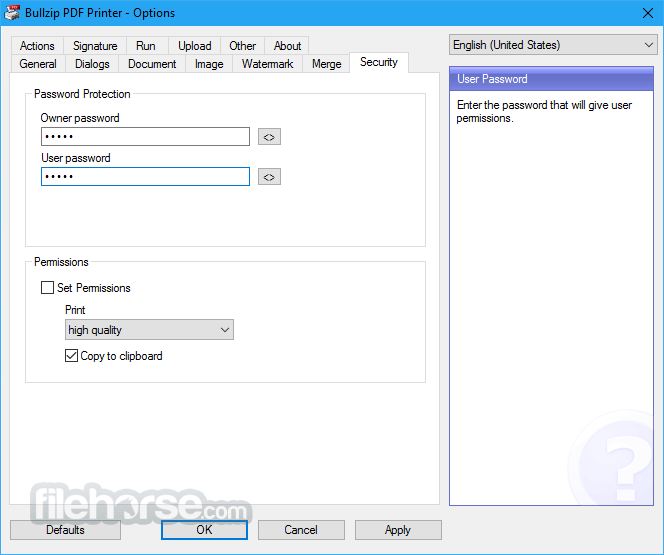
Encryption and Security – Protects PDFs with passwords and supports 128/256-bit AES encryption.
Watermarking – Allows users to add text and image watermarks to PDFs.
Merge and Append – Combines multiple PDF files into a single document.
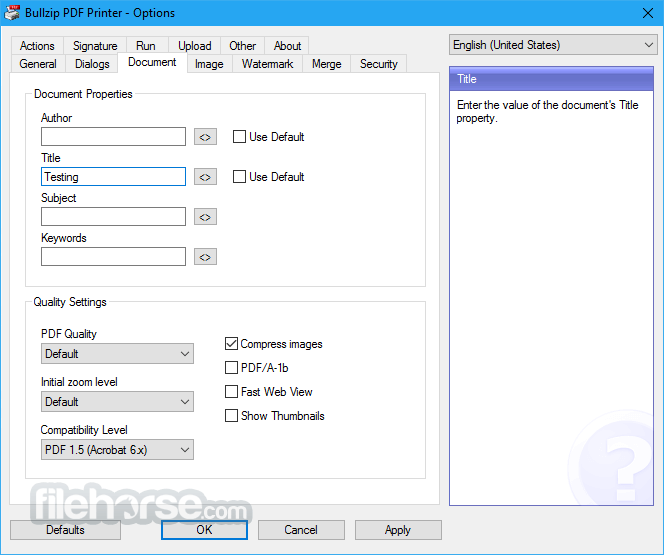
Metadata Support – Adds document properties like title, author, and subject.
Support for Image Formats – Converts documents to formats like JPEG, BMP, PNG, and TIFF.
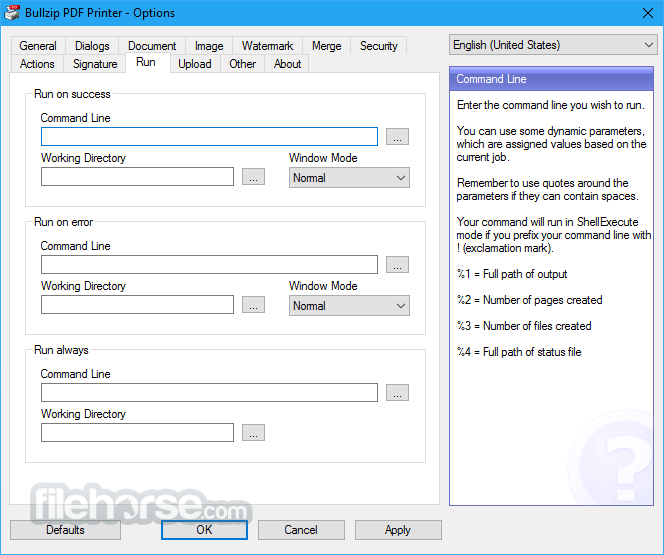
Command-Line Interface (CLI) Support – Enables automation and integration into workflows.
PDF/A Support – Ensures long-term preservation of electronic documents.
Multi-language Support – Available in multiple languages for a global audience.
What`s New
The user interface of BullZip PDF Printer is minimalistic and easy to navigate. Since it operates as a virtual printer, users do not need to interact with a separate application window frequently.
Instead, they simply choose BullZip as their printer from any Windows application, configure PDF settings, and generate a PDF file.
When accessed directly, the settings panel provides a range of customization options, including encryption, watermarking, and file compression.
The UI is designed for users of all experience levels, making it accessible to beginners while still offering advanced features for power users.
Installation and Setup
Installation Steps:
Once installed, this tool appears as a printer in the system.
Users can configure settings through the Printing Preferences menu or access advanced options from the app Options utility.
How to Use
Creating a PDF:
Is BullZip PDF Printer free?
Yes, it offers a free version for personal and small business use, with limitations on concurrent users. A paid version is available for commercial use with advanced features.
Does it support batch processing?
Yes, it can handle batch printing and conversion through its command-line interface.
Can it convert non-PDF documents to images?
Yes, it can save documents as images in formats such as PNG, JPEG, BMP, and TIFF.
Is BullZip PDF Printer compatible with Windows 11?
Yes, it is compatible with Windows 11 as well as older versions like Windows 10, 8, and 7.
Does it require an internet connection to function?
No, it operates entirely offline once installed.
Alternatives
doPDF - Lightweight and simple PDF printer.
CutePDF Writer - Similar virtual printer for PDF creation.
PDFCreator - Offers advanced automation and scripting features.
Adobe Acrobat Pro - Full-featured premium PDF editor with cloud integration.
Pricing
This program is FREE for personal and small business use, supporting up to 10 users.
Commercial licenses are available with pricing based on the number of users, starting at approximately $29.95 per user. Enterprise solutions with additional support are also offered.
System Requirements
Download BullZip PDF Printer Latest Version Why is this app published on FileHorse? (More info)
Acting as a virtual printer, it converts documents into high-quality PDFs while offering a range of customization options.
Developed by BullZip, this software is widely used for document management and PDF conversion in both personal and professional settings.
Unlike standard PDF converters, BullZip PDF Printer integrates seamlessly with Windows, making it easy to generate PDFs directly from applications such as Microsoft Word, Excel, and web browsers.
It provides additional features like encryption, watermarking, and merging PDFs, making it a competitive alternative to commercial PDF software.
Key Features
Virtual Printing – Converts any printable document to PDF using the print function.
Encryption and Security – Protects PDFs with passwords and supports 128/256-bit AES encryption.
Watermarking – Allows users to add text and image watermarks to PDFs.
Merge and Append – Combines multiple PDF files into a single document.
Metadata Support – Adds document properties like title, author, and subject.
Support for Image Formats – Converts documents to formats like JPEG, BMP, PNG, and TIFF.
Command-Line Interface (CLI) Support – Enables automation and integration into workflows.
PDF/A Support – Ensures long-term preservation of electronic documents.
Multi-language Support – Available in multiple languages for a global audience.
What`s New
- SFTP proxy support.
- Signed uninstaller.
- PDF/A unicode fix.
- Fix for multiple superimpose files.
- Support for Ghostscript 10.03.1.
The user interface of BullZip PDF Printer is minimalistic and easy to navigate. Since it operates as a virtual printer, users do not need to interact with a separate application window frequently.
Instead, they simply choose BullZip as their printer from any Windows application, configure PDF settings, and generate a PDF file.
When accessed directly, the settings panel provides a range of customization options, including encryption, watermarking, and file compression.
The UI is designed for users of all experience levels, making it accessible to beginners while still offering advanced features for power users.
Installation and Setup
Installation Steps:
- Download the latest version of this tool from the official website or FileHorse.
- Run the installer and follow the on-screen instructions.
- Accept the license agreement and choose installation options.
- The setup process installs Ghostscript Lite, a necessary dependency for PDF conversion.
- Complete the installation and restart the computer if required.
Once installed, this tool appears as a printer in the system.
Users can configure settings through the Printing Preferences menu or access advanced options from the app Options utility.
How to Use
Creating a PDF:
- Open the document you want to convert.
- Select Print from the application’s File menu.
- Choose BullZip PDF Printer as the printer.
- Click Print, and a BullZip settings window will appear.
- Select the output folder, file name, and configure settings like encryption or watermarking.
- Click Save to generate the PDF.
- Open any document and print to BullZip PDF Printer.
- In the settings window, enable the Append option.
- Select an existing PDF file to merge the new document.
- Click Save to combine the files.
- Access Printer Preferences and navigate to the Security tab.
- Set a password and choose encryption settings.
- Save the settings before printing a document.
Is BullZip PDF Printer free?
Yes, it offers a free version for personal and small business use, with limitations on concurrent users. A paid version is available for commercial use with advanced features.
Does it support batch processing?
Yes, it can handle batch printing and conversion through its command-line interface.
Can it convert non-PDF documents to images?
Yes, it can save documents as images in formats such as PNG, JPEG, BMP, and TIFF.
Is BullZip PDF Printer compatible with Windows 11?
Yes, it is compatible with Windows 11 as well as older versions like Windows 10, 8, and 7.
Does it require an internet connection to function?
No, it operates entirely offline once installed.
Alternatives
doPDF - Lightweight and simple PDF printer.
CutePDF Writer - Similar virtual printer for PDF creation.
PDFCreator - Offers advanced automation and scripting features.
Adobe Acrobat Pro - Full-featured premium PDF editor with cloud integration.
Pricing
This program is FREE for personal and small business use, supporting up to 10 users.
Commercial licenses are available with pricing based on the number of users, starting at approximately $29.95 per user. Enterprise solutions with additional support are also offered.
System Requirements
- Operating System: Windows 11, 10, 8, 7 (32-bit and 64-bit)
- Processor: 1 GHz or faster
- RAM: Minimum 512 MB (1 GB recommended)
- Disk Space: 100 MB free storage
- Additional Software: Ghostscript Lite (included in the installation)
- Free for personal use
- Easy to install and use
- Supports encryption and watermarking
- Lightweight with minimal system impact
- Works with all Windows applications
- Supports multiple output formats (PDF, JPEG, PNG, etc.)
- Allows merging and appending of PDFs
- Free version limited to 10 users
- Requires Ghostscript Lite for full functionality
- Lacks advanced editing features found in premium PDF tools
- Some settings require manual configuration
Download BullZip PDF Printer Latest Version Why is this app published on FileHorse? (More info)
##
畫面截圖
- 2026-03-02 BullZip PDF Printer 2026.0.0.2993 28 MB
- 2025-11-11 BullZip PDF Printer 2025.2.0.2990 27.6 MB
- 2025-08-26 BullZip PDF Printer 2025.1.0.2985 27.6 MB
- 2024-07-16 BullZip PDF Printer 14.5.0.2974 25.2 MB
- 2023-08-09 BullZip PDF Printer 14.4.0.2963 25.2 MB
- 2023-07-28 BullZip PDF Printer 14.3.0.2961 25.1 MB
- 2023-02-02 BullZip PDF Printer 14.2.0.2955 24.8 MB
- 2022-11-01 BullZip PDF Printer 14.1.0.2951 17.2 MB