⚠ 這是歷史版本頁面 — 查看 Caesium Image Compressor 最新版本 →

Caesium Image Compressor 2.4.0
v 2.4.0
Windows
開源軟體
7/10 (30)
- 目前版本2.4.0
- 更新日期2023-05-01
- 檔案大小21.5 MB
- 檔案名稱caesium-image-compressor-2.4.0-win-setup.exe
- 作業系統Windows 7 / Windows 8 / Windows 10 / Windows 11
- 支援語系English
- 授權型式開源軟體
- 開發商 SaeraSoft & Matteo Paonessa
- 軟體分類Windows 軟體 / 影像設計
##
編輯短評
Caesium Image Compressor 是一套免費、開源的圖片壓縮工具,主要解決照片與圖片佔用過多儲存空間、上傳速度過慢的問題。它支援 JPG、PNG、GIF 等常見格式,並提供批次處理與即時預覽功能,讓使用者在壓縮前就能確認輸出品質。這套軟體在全球累積了破百萬的下載量,是同類工具中的熱門選擇,開發團隊持續維護,更新頻率雖不算密集,但仍保持基本運作穩定。
這套工具特別適合攝影師、部落客、網站管理員,以及需要大量處理數位圖片的一般使用者。相較於 Photoshop 這類功能龐大的影像軟體,Caesium 專注在「壓縮」這件單一任務上,操作門檻低、執行速度快,但相對地也不提供進階的影像編輯能力。需要注意的是,軟體介面目前僅有英文,且僅提供 Windows 平台版本,使用前需確認是否符合自身環境需求。
##
翻譯排程處理中,以下暫以英文原文呈現
軟體介紹
Caesium Image Compressor is a free, open-source, advanced compression tool for photos and images (JPG, PNG, GIF), supporting batch, preview, and many more.
Caesium saves space and makes uploads faster. Caesium Image Compressor is a multiple award-winning software developed for simplicity and effectiveness.
With more than one million worldwide downloads, Caesium Image Compressor is one of the most popular image optimization software available, helping photographers, bloggers, webmasters, businesses, and casual users in storing, sending, and sharing digital pictures.
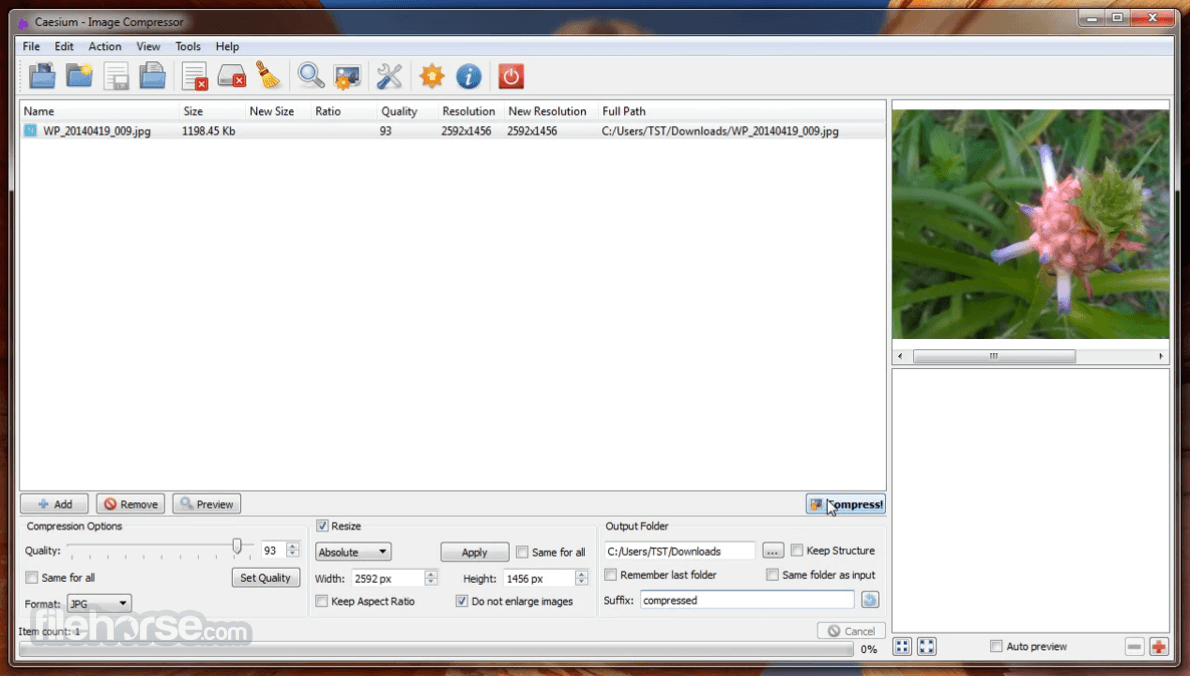
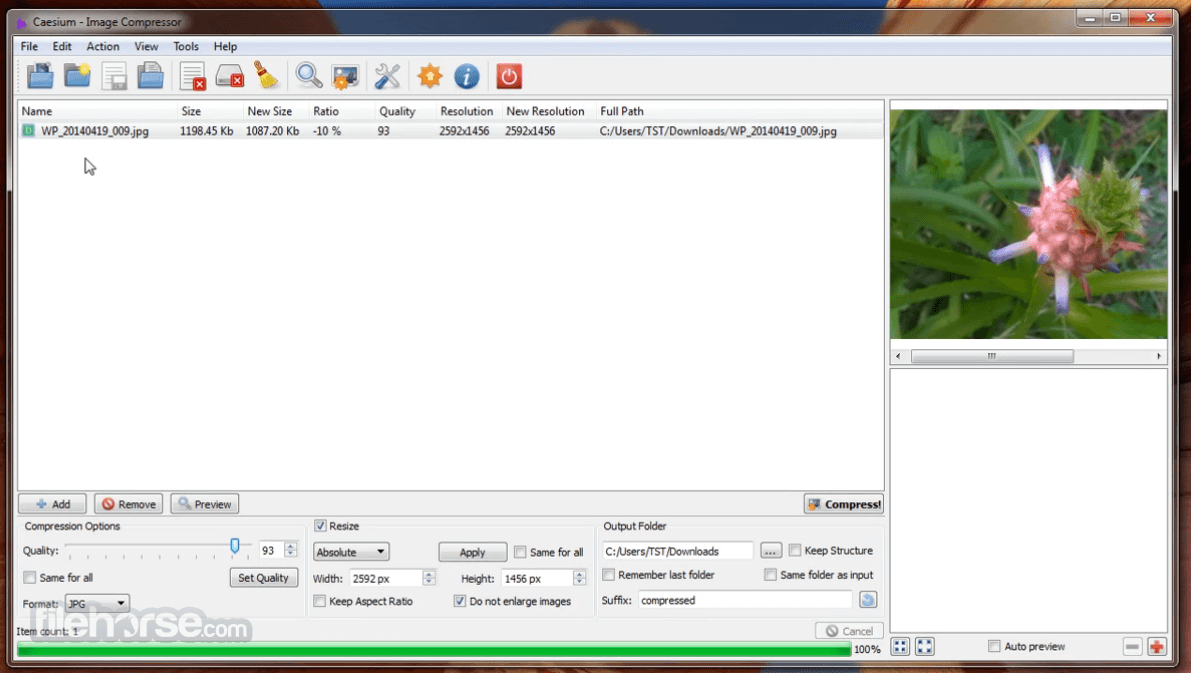
Providing a simple yet effective interface with a real-time preview and multiple image processing at the same time, everyone will be able to reach the best result. Advanced users will find extra features, like metadata storing options or folder structure support.
Features and Highlights
What is Caesium Image Compressor, and what does it do?
Caesium Image Compressor is a free image optimization tool designed to reduce image file sizes while preserving visual quality. It supports formats like JPG, PNG, and WebP, and allows users to compress multiple images in batches, making it useful for websites, storage saving, and faster image uploads.
Is Caesium Image Compressor still actively developed in 2026?
Yes, Caesium is still actively maintained in 2026. The GitHub releases page shows ongoing updates, bug fixes, and development activity, including newer versions that improve compatibility and stability. The project has transitioned into a more modern open-source workflow compared to its earlier standalone-only development.
Why do many users prefer Caesium over online image compressors?
Many users prefer Caesium because it works locally on the PC instead of uploading images to cloud services, which improves privacy and speeds up bulk compression workflows. It’s also lightweight, easy to use, and offers users more control over compression levels and output quality than many web-based compressors.
System Requirements
Download Caesium Image Compressor Latest Version Why is this app published on FileHorse? (More info)
Caesium saves space and makes uploads faster. Caesium Image Compressor is a multiple award-winning software developed for simplicity and effectiveness.
With more than one million worldwide downloads, Caesium Image Compressor is one of the most popular image optimization software available, helping photographers, bloggers, webmasters, businesses, and casual users in storing, sending, and sharing digital pictures.
Providing a simple yet effective interface with a real-time preview and multiple image processing at the same time, everyone will be able to reach the best result. Advanced users will find extra features, like metadata storing options or folder structure support.
Features and Highlights
- Reserve the original file format without losing any visual quality
- No additional software required to open compressed files
- Process files in batch mode
- Choose the compression level with a simple slider
- Choose the different compression levels of each image
- Support for custom suffix
- Side-by-side (comparison) preview, with original and compressed pictures
- View details using the zoom function
- You can customize visualization options
- Support for common file formats
- Support for date/time and metatag
- Improved font rendering to fix display issues in the interface and image previews.
- Updated installer scripts and refreshed multiple language files for better setup reliability and localization support.
- Enhanced compression workflow by automatically refreshing the entire image tree table after processing is completed.
- Added German language translation support.
- Prepared groundwork for the upcoming v3.0 release focused on major feature improvements and community-requested enhancements.
- Install the software by following the setup instructions
- Launch the Caesium Image Compressor on your PC
- Click "Add" to import images for compression
- Set compression level using the quality slider
- Choose the output folder for compressed images
- Click "Compress" to start the process
- Review compressed files in the output folder
What is Caesium Image Compressor, and what does it do?
Caesium Image Compressor is a free image optimization tool designed to reduce image file sizes while preserving visual quality. It supports formats like JPG, PNG, and WebP, and allows users to compress multiple images in batches, making it useful for websites, storage saving, and faster image uploads.
Is Caesium Image Compressor still actively developed in 2026?
Yes, Caesium is still actively maintained in 2026. The GitHub releases page shows ongoing updates, bug fixes, and development activity, including newer versions that improve compatibility and stability. The project has transitioned into a more modern open-source workflow compared to its earlier standalone-only development.
Why do many users prefer Caesium over online image compressors?
Many users prefer Caesium because it works locally on the PC instead of uploading images to cloud services, which improves privacy and speeds up bulk compression workflows. It’s also lightweight, easy to use, and offers users more control over compression levels and output quality than many web-based compressors.
System Requirements
- Operating System: Windows 11, 10, 8, or 7
- Processor: Intel/AMD 1 GHz or faster
- RAM: 2 GB minimum
- Storage: 100 MB of free disk space
- Display: 1024x768 resolution or higher
- Simple and user-friendly interface
- Supports batch image compression
- Preserves original image format
- Fast processing speed
- Reduces file size without much quality loss
- Limited editing features
- No support for RAW formats
- No cloud storage integration
- Interface lacks modern design
- Occasional bugs or crashes
Download Caesium Image Compressor Latest Version Why is this app published on FileHorse? (More info)
##
畫面截圖
- 2026-05-18 Caesium Image Compressor 2.8.5 21.2 MB
- 2025-03-18 Caesium Image Compressor 2.8.4 21.1 MB
- 2025-03-09 Caesium Image Compressor 2.8.3 21.9 MB
- 2024-10-28 Caesium Image Compressor 2.8.2 21.8 MB
- 2024-10-27 Caesium Image Compressor 2.8.0 21.8 MB
- 2024-06-03 Caesium Image Compressor 2.7.1 21.6 MB
- 2024-05-19 Caesium Image Compressor 2.7.0 21.6 MB
- 2024-01-28 Caesium Image Compressor 2.6.0 21.5 MB