⚠ 這是歷史版本頁面 — 查看 Capture One 最新版本 →

- 目前版本16.6.3
- 更新日期2025-06-24
- 檔案大小1.13 GB
- 檔案名稱CaptureOne.Win.16.6.3.2987.exe
- 作業系統Windows 8 / Windows 8 64 / Windows 10 / Windows 10 64 / Windows 11
- 支援語系English
- 授權型式商業試用
- 開發商 Phase One
- 軟體分類Windows 軟體 / 影像設計
##
編輯短評
Capture One 是 Phase One 推出的專業 RAW 轉檔軟體,核心價值在於從超過三百款高階相機的原始檔中,還原精準色彩與驚人細節,開箱即可獲得優異畫質。它具備業界領先的聯機拍攝(tethered capture)功能、強大的數位資產管理,以及完整的調整工具與靈活工作流程,是商業攝影與棚拍領域的常見選擇。此軟體長期維持活躍更新,近一年來釋出多次版本,在同類影像工具中屬於評價普遍不錯的專業級選項,不過在台灣的能見度與討論度仍不及 Photoshop 等主流軟體。
這套軟體特別適合需要大量處理 RAW 檔、講究色彩準確度的職業攝影師,尤其是時尚、商品與人像拍攝等需要即時檢視與調整的場景。與 Adobe Photoshop 相比,Capture One 更專注於 RAW 檔的處理與管理流程,而非全面性的影像合成與特效編輯,若你需要後製合成功能,仍得搭配其他軟體。值得注意的是,此處提供的是試用版,且僅有英文介面,無繁體中文,對於不熟悉英文操作介面的使用者來說,需要一些適應時間;若你習慣免安裝的綠色軟體,這套工具則需完整安裝才能發揮其效能。
##
翻譯排程處理中,以下暫以英文原文呈現
軟體介紹
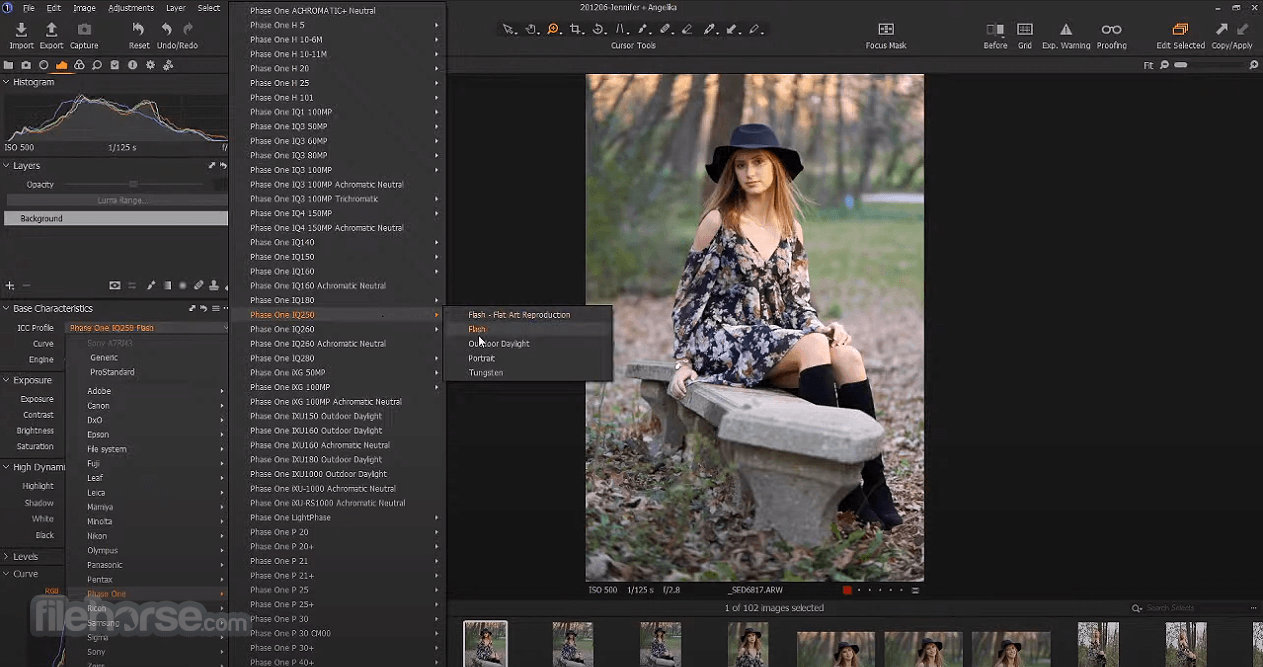
Capture One for Windows is a professional RAW converter offering you ultimate image quality with accurate colors and incredible detail from more than 300 high-end cameras -- straight out of the box.
It offers state-of-the-art tethered capture, powerful digital asset management, extensive adjustment tools, and a flexible workflow.
With an updated processing engine, market-leading performance, and powerful new features, Capture One Pro 2026 is the professional choice in imaging software.
You get the highly responsive precision tools you need to create stunning images from your camera's RAW files in a time-saving workflow that can be customized to fit your needs.
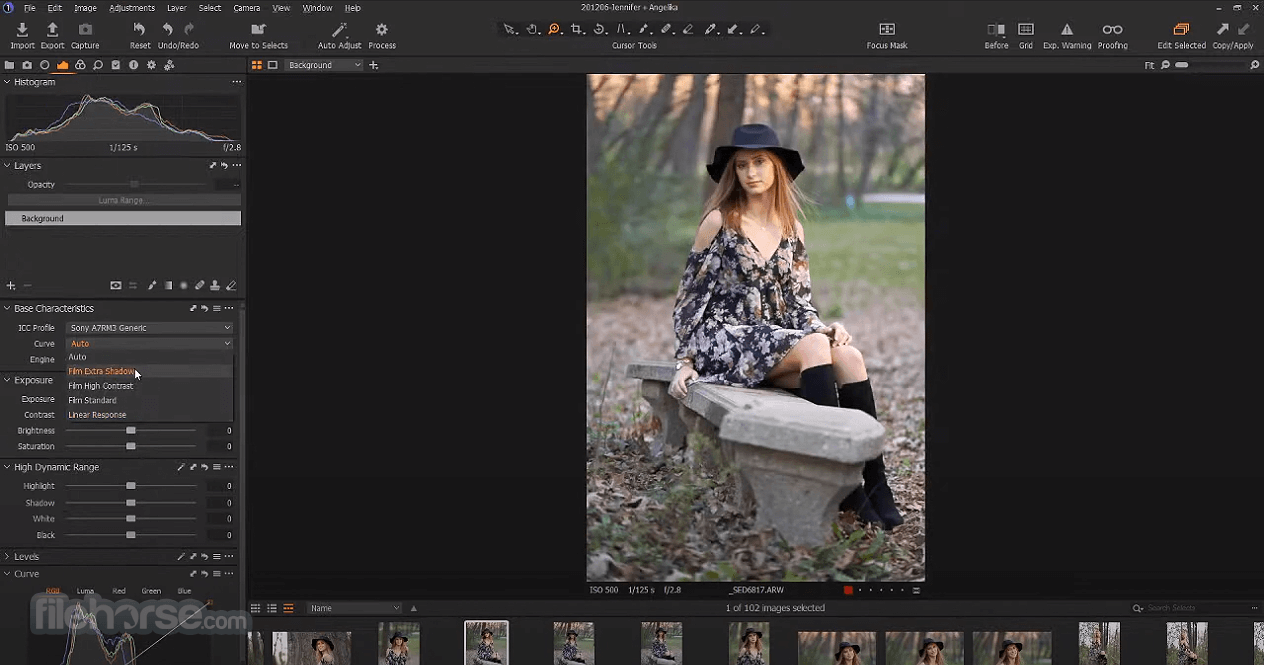
Capture One for PC has been developed with image quality and ease of use in mind. Every tool is designed to give you full control of all aspects of the editing process - preserving, recovering, and optimizing all information from your RAW files.
The full range of tools offers extensive possibilities to always achieve perfect results. From customizable tools, keyboard shortcuts to graphics acceleration and instant tethered capture - The program is built to minimize your workload and maximize your efficiency.
Design your own workspace and decide your own way of working in Capture One Pro.
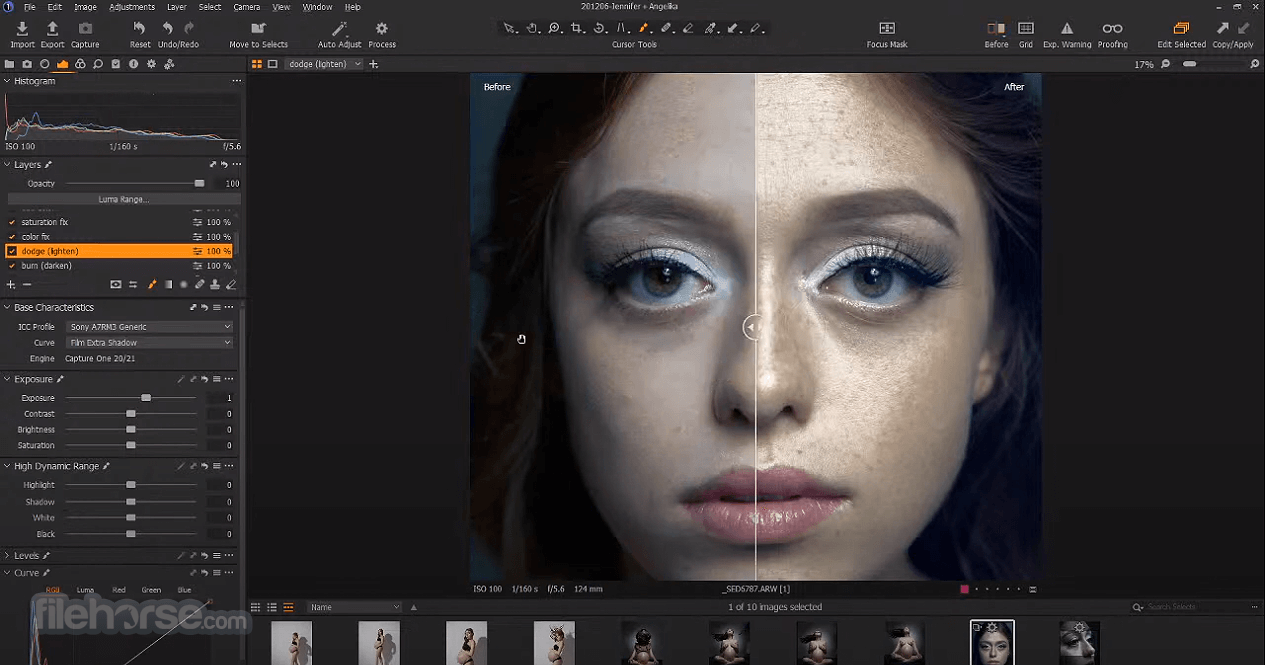
Control every color – and create any color – with precision editing tools. And with true-to-life color processing, start your editing with RAW images that look better and more authentic than ever.
The unique Speed Edit tool lets you edit without the interface – and adjust multiple photos at once. Plus, professional workflow tools make import, export, and file organization seamless.
Key Features
AI People Masking – Instantly mask skin, eyes, lips, hair, and more using AI.
Match Look – Copy the style of any reference image to your RAW photo with AI.
Background Replacement – Replace image backgrounds using an integrated Photoroom API.
Cloud Sync – Sync your settings, styles, and workspaces across devices.
Content Credentials – Embed edit history into exported files for transparency.
Client Viewer Upgrades – Use overlays, grid, and multiple views during live reviews.
Improved Tethering – Enhanced tools, notifications, and stability for tethered shooting.
ProRAW to ProStandard – Easily switch profiles for more accurate iPhone image colors.
Layered People Masks – Option to separate AI mask features into different layers.
Grayscale Editing – Edit black-and-white images with full adjustment support.
AI Crop – Automatically crop images intelligently with consistent framing.
Auto Dust Removal – Detect and remove dust spots in images automatically.
Next Capture Backup – Auto-backup each shot during tethered capture for safety.
Snap to Eye – Instantly find and zoom in on eyes for faster culling and edits.
Live for Studio – Collaborate offline with secure client viewing in studios.
Export Speed Boost – Up to 4× faster JPEG exports on Apple Silicon chips.
Wireless Tethering – Shoot tethered without cables using supported Canon cameras.
HDR Merge – Combine bracketed shots into high dynamic range DNGs.
Panorama Stitching – Merge RAWs into wide, high-res panoramic images.
Magic Brush – Auto-create detailed masks with just a few strokes.
How to Use
PRO License – €369 (one-time)
Adobe Photoshop: Adobe's industry-standard image editing software offers a comprehensive set of tools and features, making it suitable for professionals.
Affinity Photo: Affinity Photo is a feature-rich and affordable alternative to Luminar Neo. It provides a comprehensive set of editing tools and supports both Windows and macOS.
DxO PhotoLab: DxO PhotoLab is known for its excellent automatic image corrections and powerful RAW processing.
ON1 Photo RAW: ON1 Photo RAW combines photo organization, editing, and effects into one application. It offers advanced features and a user-friendly interface, making it suitable for both beginners and enthusiasts.
System Requirements
Also Available: Download Capture One for Mac
Download Capture One Latest Version Why is this app published on FileHorse? (More info)
It offers state-of-the-art tethered capture, powerful digital asset management, extensive adjustment tools, and a flexible workflow.
With an updated processing engine, market-leading performance, and powerful new features, Capture One Pro 2026 is the professional choice in imaging software.
You get the highly responsive precision tools you need to create stunning images from your camera's RAW files in a time-saving workflow that can be customized to fit your needs.
Capture One for PC has been developed with image quality and ease of use in mind. Every tool is designed to give you full control of all aspects of the editing process - preserving, recovering, and optimizing all information from your RAW files.
The full range of tools offers extensive possibilities to always achieve perfect results. From customizable tools, keyboard shortcuts to graphics acceleration and instant tethered capture - The program is built to minimize your workload and maximize your efficiency.
Design your own workspace and decide your own way of working in Capture One Pro.
Control every color – and create any color – with precision editing tools. And with true-to-life color processing, start your editing with RAW images that look better and more authentic than ever.
The unique Speed Edit tool lets you edit without the interface – and adjust multiple photos at once. Plus, professional workflow tools make import, export, and file organization seamless.
Key Features
AI People Masking – Instantly mask skin, eyes, lips, hair, and more using AI.
Match Look – Copy the style of any reference image to your RAW photo with AI.
Background Replacement – Replace image backgrounds using an integrated Photoroom API.
Cloud Sync – Sync your settings, styles, and workspaces across devices.
Content Credentials – Embed edit history into exported files for transparency.
Client Viewer Upgrades – Use overlays, grid, and multiple views during live reviews.
Improved Tethering – Enhanced tools, notifications, and stability for tethered shooting.
ProRAW to ProStandard – Easily switch profiles for more accurate iPhone image colors.
Layered People Masks – Option to separate AI mask features into different layers.
Grayscale Editing – Edit black-and-white images with full adjustment support.
AI Crop – Automatically crop images intelligently with consistent framing.
Auto Dust Removal – Detect and remove dust spots in images automatically.
Next Capture Backup – Auto-backup each shot during tethered capture for safety.
Snap to Eye – Instantly find and zoom in on eyes for faster culling and edits.
Live for Studio – Collaborate offline with secure client viewing in studios.
Export Speed Boost – Up to 4× faster JPEG exports on Apple Silicon chips.
Wireless Tethering – Shoot tethered without cables using supported Canon cameras.
HDR Merge – Combine bracketed shots into high dynamic range DNGs.
Panorama Stitching – Merge RAWs into wide, high-res panoramic images.
Magic Brush – Auto-create detailed masks with just a few strokes.
How to Use
- Launch the application and activate your license
- Import photos from your computer or memory card
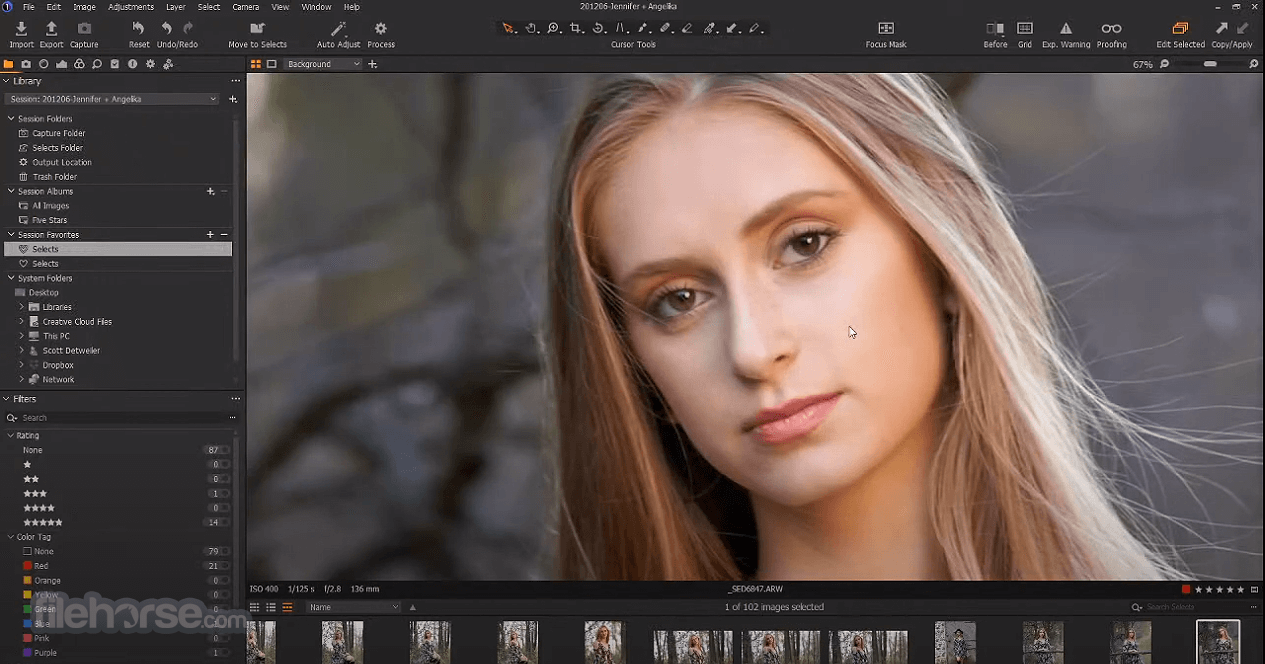
- Organize images using catalogs and sessions
- Use color grading tools for advanced adjustments
- Apply layers and masks for selective editing
- Use tethered capture for live camera preview
- Export images in your desired format and size
- Customize workspace and shortcuts for efficiency
- Save and back up your catalog regularly
PRO License – €369 (one-time)
- Lifetime desktop version
- Includes AI Tethering, Advanced Editing, Essential Collaboration, AI tools
- Desktop use only
- All PRO License features + future updates
- Save €128/year
- Access on all devices
- Includes AI Tethering, Advanced & Extended Collaboration, AI tools, updates, priority support
- Save €175/year
- All devices + Premium Studio Features
- Premium AI Tethering, AI tools, Editing & Collaboration, updates, priority support
- Save €169/year
Adobe Photoshop: Adobe's industry-standard image editing software offers a comprehensive set of tools and features, making it suitable for professionals.
Affinity Photo: Affinity Photo is a feature-rich and affordable alternative to Luminar Neo. It provides a comprehensive set of editing tools and supports both Windows and macOS.
DxO PhotoLab: DxO PhotoLab is known for its excellent automatic image corrections and powerful RAW processing.
ON1 Photo RAW: ON1 Photo RAW combines photo organization, editing, and effects into one application. It offers advanced features and a user-friendly interface, making it suitable for both beginners and enthusiasts.
System Requirements
- OS: Windows 11 or Windows 10
- CPU: Intel Core i5 or AMD equivalent
- RAM: 8 GB minimum (16 GB recommended)
- GPU: DirectX 12 compatible with 2 GB VRAM
- Storage: SSD recommended, 10 GB free space
- Monitor: 1280x800 resolution (1920x1080 recommended)
- Internet: Required for activation and updates
- Industry-leading color editing tools
- Excellent tethered shooting features
- Fast raw file processing speed
- Non-destructive layer-based editing
- Advanced file organization options
- Higher price than some competitors
- Limited support for third-party plugins
- Occasional performance lags with large files
- No built-in cloud storage integration
Also Available: Download Capture One for Mac
Download Capture One Latest Version Why is this app published on FileHorse? (More info)
##
影片介紹
##
畫面截圖
- 2026-07-16 Capture One 16.8.4 1.52 GB
- 2026-07-02 Capture One 16.8.2 1.52 GB
- 2026-06-04 Capture One 16.8.1 1.52 GB
- 2026-05-29 Capture One 16.8.0 1.52 GB
- 2026-05-13 Capture One 16.7.8 1.16 GB
- 2026-04-20 Capture One 16.7.7 1.16 GB
- 2026-03-13 Capture One 16.7.5 1.16 GB
- 2026-03-09 Capture One 16.7.4 1.16 GB