⚠ 這是歷史版本頁面 — 查看 CDBurnerXP 4.5.8.7128 (32-bit) 最新版本 →

CDBurnerXP 4.5.7.6499 (32-bit)
v 4.5.7.6499 (32-bit)
Windows
免費軟體
7/10 (78)
- 目前版本4.5.7.6499 (32-bit)
- 更新日期2017-01-07
- 檔案大小8.52 MB
- 檔案名稱cdbxp_setup_4.5.7.6499.msi
- 作業系統Windows XP / Vista / Windows 7 / Windows 8 / Windows 10
- 支援語系English
- 授權型式免費軟體
- 開發商 Canneverbe Limited
- 軟體分類Windows 軟體 / 光碟藍光
##
編輯短評
CDBurnerXP 是一款免費的光碟燒錄軟體,支援 CD、DVD 與藍光光碟的製作與燒錄。它的最大特色是免費且功能完整,能滿足一般使用者備份資料、製作音樂或影片光碟的需求。這套軟體長期持續維護,雖然更新頻率不算高,但仍有穩定的使用者基礎,在免費燒錄工具中算是評價中等的熱門選擇。
適合需要免費燒錄軟體、且不介意英文介面的 Windows 使用者。無論是燒錄資料光碟、音樂 CD 或藍光影片,它都能勝任。相較於 Nero 或 Ashampoo 等付費軟體,CDBurnerXP 功能較為精簡,但足以應付日常需求;而與同樣免費的 ImgBurn 相比,它提供了更直覺的操作介面。需要注意的是,目前僅提供英文語系,中文使用者可能需要適應。
##
翻譯排程處理中,以下暫以英文原文呈現
軟體介紹
CDBurnerXP 32bit is a popular and free optical disc authoring software for Windows operating systems.
It allows users to create and burn various types of optical media, including CDs, DVDs, and Blu-ray discs.
Alternatives
Nero Burning ROM: Nero is a premium disc burning suite with a wide range of multimedia capabilities. It offers a user-friendly interface and extensive multimedia tools.
Ashampoo Burning Studio: Ashampoo Burning Studio is a paid software known for its simplicity and comprehensive disc authoring features, including backup and multimedia burning.
ImgBurn: ImgBurn is another free optical disc burning software that specializes in creating and burning image files. It offers advanced features for disc manipulation.
DAEMON Tools Lite: The most personal application for disc imaging yet for Windows.
Here is an overview of CDBurnerXP's main features and functionality:
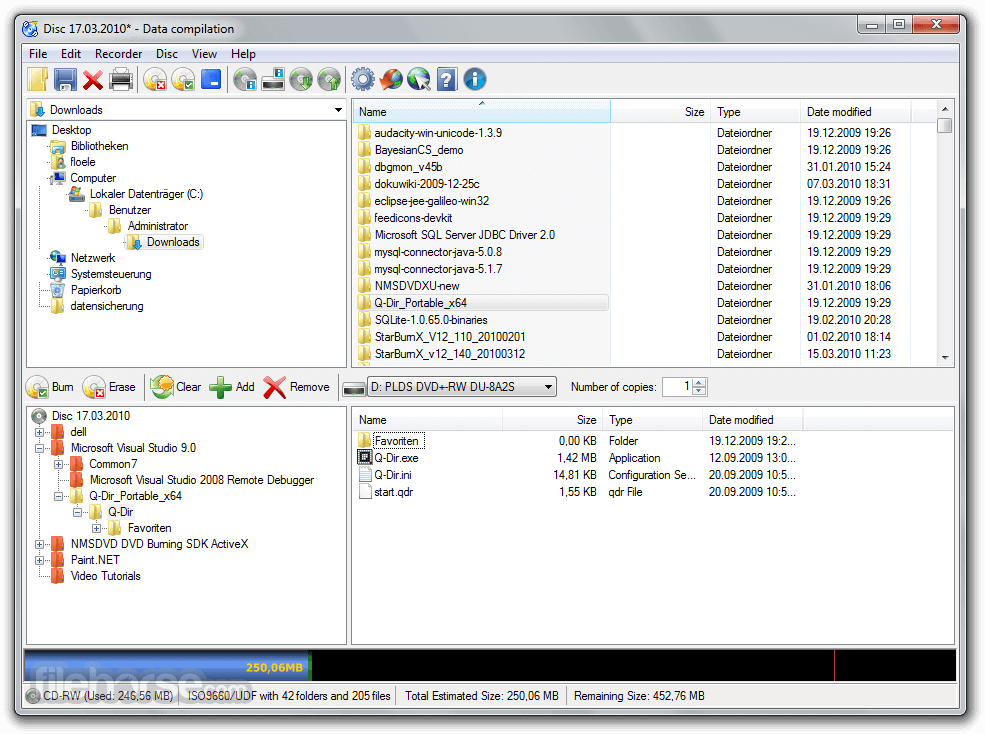
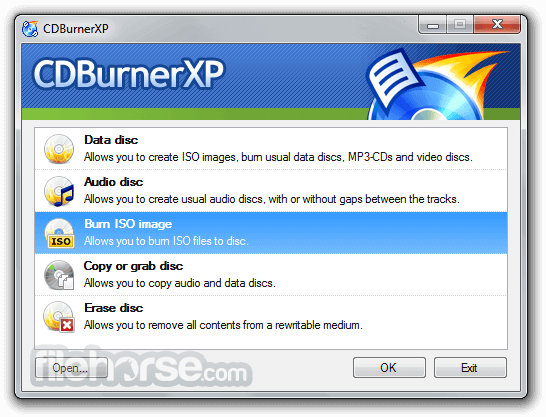
Disc Burning: CDBurnerXP 32bit supports the creation of data discs, audio CDs, video DVDs, and more. You can use it to burn files, folders, or ISO images to optical discs.
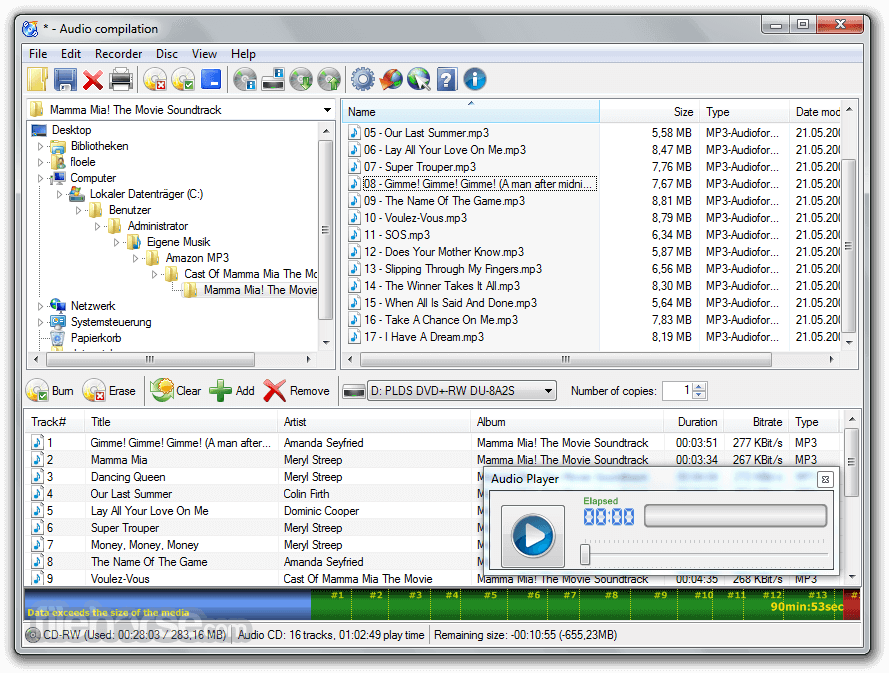
Audio CD Creation: You can create audio CDs from various audio file formats, such as MP3, WAV, OGG, FLAC, and more. It provides tools for creating audio compilations, adding track information, and adjusting audio settings.
Disc Copying: It allows you to make copies of existing discs, whether they are data discs, audio CDs, or video DVDs.
ISO Image Management: You can create ISO images from files and folders on your computer or directly from optical discs. It also supports burning ISO images to discs.
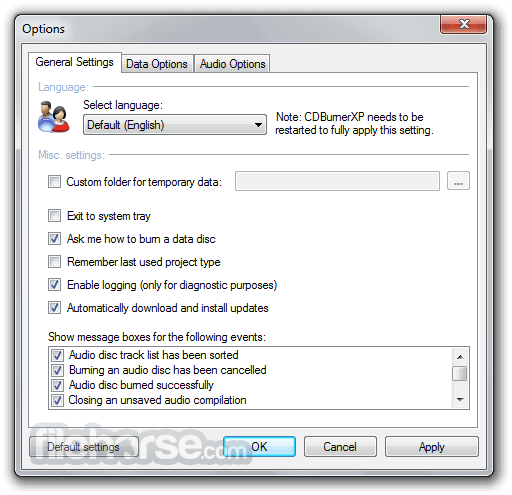
Multilingual Interface: It offers a user-friendly interface available in multiple languages, making it accessible to a wide range of users.
Disc Labeling: You can design and print disc labels and covers using the software's built-in label editor, which supports various templates and customization options.
Erasing Discs: It provides the ability to erase rewritable discs (CD-RW, DVD-RW, and BD-RE) to reuse them for new data.
Verification: After burning a disc, the software can perform a verification process to ensure the data was burned correctly and accurately.
LightScribe and LabelFlash Support: It supports LightScribe and LabelFlash technologies for labeling the surface of compatible discs with text and graphics.
Hardware and Burner Support: The software is compatible with a wide range of optical disc drives and burners, making it versatile for various hardware configurations.
Disc Spanning: You can use disc spanning to split large amounts of data across multiple discs.
Freeware: The tool is free to download and use, making it an attractive option for those looking for a no-cost disc burning solution.
Pricing
The program is completely FREE, making it an attractive option for users on a budget or those who simply need a reliable disc burning solution without additional costs.
System Requirements
It has been a popular choice for many users due to its ease of use and comprehensive set of features for creating and managing optical discs on Windows computers.
The software was primarily compatible with Windows operating systems, so make sure to check for any updates or changes if you are using a more recent version of Windows or if there have been updates to CDBurnerXP since then.
Also Available: CDBurnerXP (64-bit)
Download CDBurnerXP (32-bit) Latest Version Why is this app published on FileHorse? (More info)
It allows users to create and burn various types of optical media, including CDs, DVDs, and Blu-ray discs.
Alternatives
Nero Burning ROM: Nero is a premium disc burning suite with a wide range of multimedia capabilities. It offers a user-friendly interface and extensive multimedia tools.
Ashampoo Burning Studio: Ashampoo Burning Studio is a paid software known for its simplicity and comprehensive disc authoring features, including backup and multimedia burning.
ImgBurn: ImgBurn is another free optical disc burning software that specializes in creating and burning image files. It offers advanced features for disc manipulation.
DAEMON Tools Lite: The most personal application for disc imaging yet for Windows.
Here is an overview of CDBurnerXP's main features and functionality:
Disc Burning: CDBurnerXP 32bit supports the creation of data discs, audio CDs, video DVDs, and more. You can use it to burn files, folders, or ISO images to optical discs.
Audio CD Creation: You can create audio CDs from various audio file formats, such as MP3, WAV, OGG, FLAC, and more. It provides tools for creating audio compilations, adding track information, and adjusting audio settings.
Disc Copying: It allows you to make copies of existing discs, whether they are data discs, audio CDs, or video DVDs.
ISO Image Management: You can create ISO images from files and folders on your computer or directly from optical discs. It also supports burning ISO images to discs.
Multilingual Interface: It offers a user-friendly interface available in multiple languages, making it accessible to a wide range of users.
Disc Labeling: You can design and print disc labels and covers using the software's built-in label editor, which supports various templates and customization options.
Erasing Discs: It provides the ability to erase rewritable discs (CD-RW, DVD-RW, and BD-RE) to reuse them for new data.
Verification: After burning a disc, the software can perform a verification process to ensure the data was burned correctly and accurately.
LightScribe and LabelFlash Support: It supports LightScribe and LabelFlash technologies for labeling the surface of compatible discs with text and graphics.
Hardware and Burner Support: The software is compatible with a wide range of optical disc drives and burners, making it versatile for various hardware configurations.
Disc Spanning: You can use disc spanning to split large amounts of data across multiple discs.
Freeware: The tool is free to download and use, making it an attractive option for those looking for a no-cost disc burning solution.
Pricing
The program is completely FREE, making it an attractive option for users on a budget or those who simply need a reliable disc burning solution without additional costs.
System Requirements
- Operating System: Windows 11, 10, 8.1, 8, 7, Vista, XP (32-bit and 64-bit)
- Processor: 800 MHz Intel or AMD CPU
- RAM: 256 MB or more
- Free Hard Disk Space: 10 MB for installation
- Completely free and open-source.
- User-friendly interface suitable for beginners.
- Support for a wide range of disc formats, including Blu-ray.
- Creation and burning of ISO images.
- Audio CD compilation with track customization.
- This product is not developed actively anymore.
- Limited to Windows OS.
- Lacks some advanced features found in premium alternatives.
- Relatively basic disc labeling options.
It has been a popular choice for many users due to its ease of use and comprehensive set of features for creating and managing optical discs on Windows computers.
The software was primarily compatible with Windows operating systems, so make sure to check for any updates or changes if you are using a more recent version of Windows or if there have been updates to CDBurnerXP since then.
Also Available: CDBurnerXP (64-bit)
Download CDBurnerXP (32-bit) Latest Version Why is this app published on FileHorse? (More info)
##
畫面截圖
- 2025-11-23 CDBurnerXP 4.5.8.7128 (32-bit) 8.53 MB
- 2019-03-25 CDBurnerXP 4.5.8.7042 (32-bit) 8.5 MB
- 2018-10-25 CDBurnerXP 4.5.8.7041 (32-bit) 8.54 MB
- 2018-09-23 CDBurnerXP 4.5.8.7035 (32-bit) 8.54 MB
- 2017-11-06 CDBurnerXP 4.5.8.6795 (32-bit) 8.54 MB
- 2017-05-08 CDBurnerXP 4.5.7.6623 (32-bit) 8.54 MB
- 2017-02-04 CDBurnerXP 4.5.7.6521 (32-bit) 8.52 MB
- 2017-01-07 CDBurnerXP 4.5.7.6499 (32-bit) 8.52 MB