Cent Browser 5.2.1168.83 (64-bit)
v 5.2.1168.83 (64-bit)
Windows
免費軟體
9.34/10 (546)
- 目前版本5.2.1168.83 (64-bit)
- 更新日期2025-08-28
- 檔案大小109 MB
- 檔案名稱centbrowser_5.2.1168.83_x64.exe
- 作業系統Windows 7 64 / Windows 8 64 / Windows 10 64 / Windows 11
- 支援語系English
- 授權型式免費軟體
- 開發商 Cent Studio
- 軟體分類Windows 軟體 / 瀏覽器與外掛
##
翻譯排程處理中,以下暫以英文原文呈現
軟體介紹
Cent Browser is a feature-rich web browser based on the Chromium engine, offering an enhanced browsing experience with added functionalities and improved performance.
Designed for Windows users, it provides greater customizability, increased privacy options, and improved resource management compared to standard Chromium-based browsers.
The best alternative to this browser is Opera - Faster, Safer, Smarter - Download NOW!
Cent Browser 64bit is an excellent alternative for those who seek extra tools without compromising speed or compatibility.
Key Features
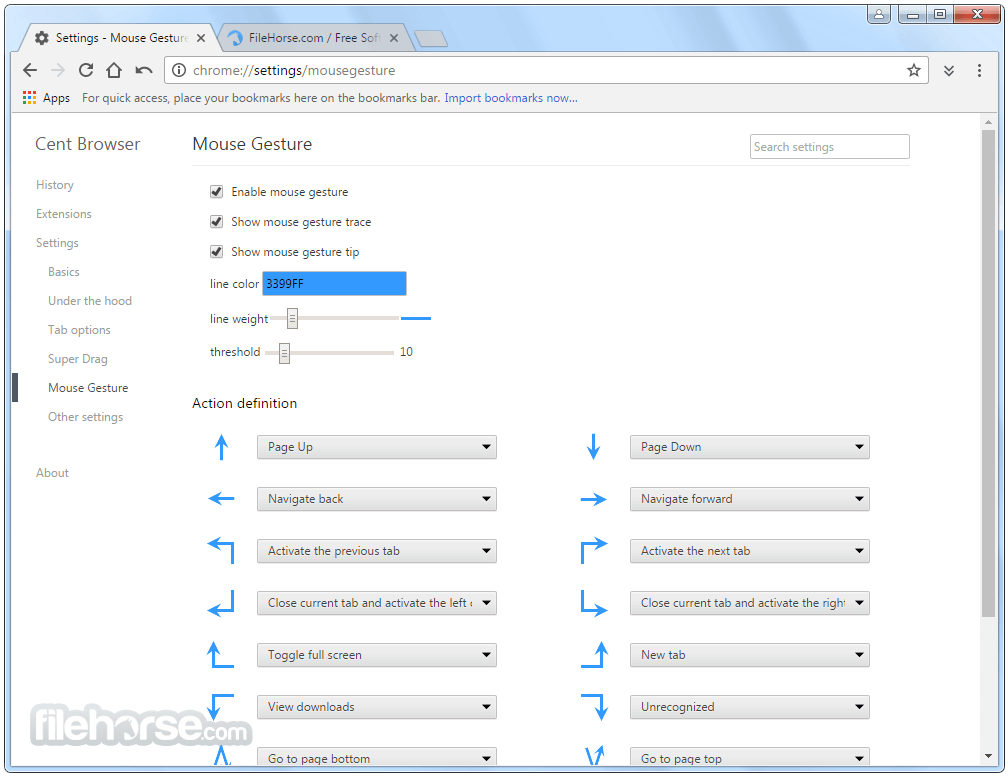
Mouse Gesture Support – Allows users to perform quick actions using custom mouse movements.
Super Drag – Dragging links or selected text for instant searches or opening in new tabs.
Incognito Tab – Open private browsing sessions in individual tabs instead of separate windows.
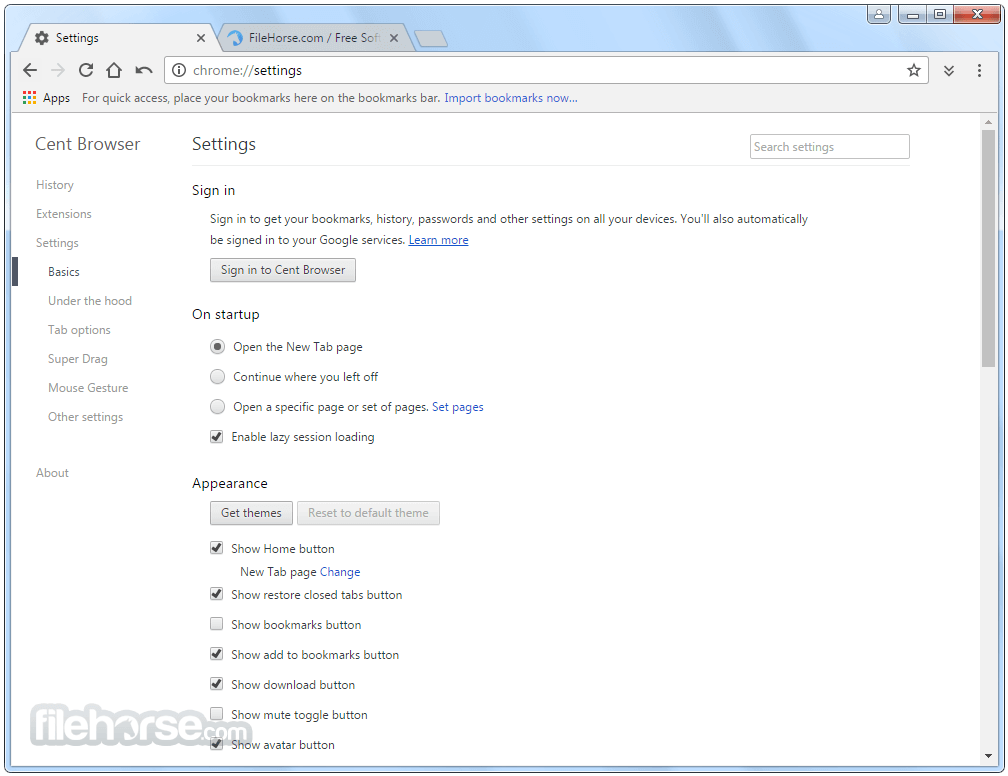
Lazy Session Loading – Faster startup by loading tabs only when they are activated.
Customizable UI & Shortcuts – Offers extensive customization options, including address bar settings, shortcut keys, and UI adjustments.
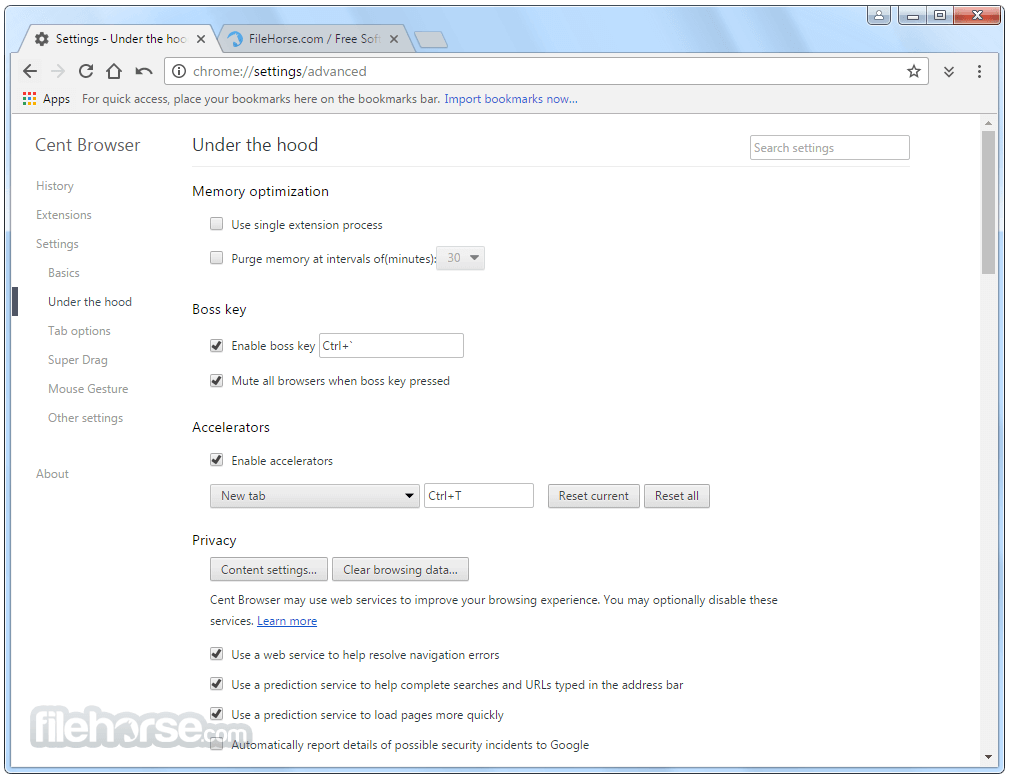
Memory Optimization – Provides better memory management than standard Chromium browsers.
Auto Hide Bookmarks Bar – Keep a cleaner interface while accessing bookmarks when needed.
Boss Key – Instantly hide all browser windows with a single keystroke.
Built-in QR Code Generator – Quickly generate QR codes for URLs and text for mobile sharing.
Enhanced Privacy Options – Improved incognito mode, form autofill management, and cookie control.
User Interface
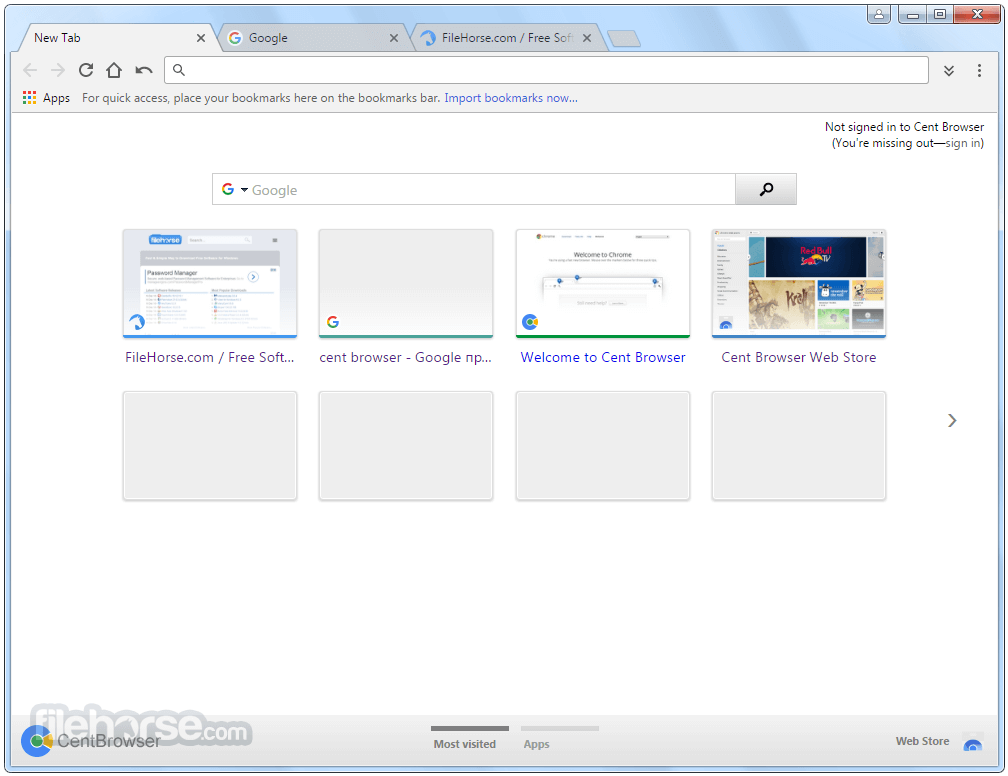
Cent Browser maintains a familiar Chromium-like interface but offers additional customization. Users can modify toolbar buttons, rearrange UI elements, and enable compact mode for a minimalistic browsing experience.
The interface remains user-friendly and responsive while incorporating extra features that enhance usability.
Installation and Setup
Open this program and customize settings via Settings > Advanced.
Enable mouse gestures and super drag for quick navigation.
Manage memory usage with Task Manager (Shift + Esc).
Use Incognito Tabs for private browsing without opening separate windows.
Configure auto-hide bookmarks and shortcuts for a cleaner layout.
FAQs
Is Cent Browser safe to use?
Yes, Cent Browser is based on Chromium and receives security updates, but it is advisable to download it from FileHorse.com or official sources to avoid security risks.
Can I install Chrome extensions on Cent Browser?
Yes, it supports all Chrome extensions from the Chrome Web Store.
Does Cent Browser consume less RAM than Google Chrome?
Yes, it includes memory-saving features such as lazy session loading and optimized resource management.
How do I enable mouse gestures?
Go to Settings > Advanced > Mouse Gestures and configure custom gestures for navigation.
Can I sync my Google account with Cent Browser?
No, this software does not support Google account syncing due to privacy considerations.
Alternatives
Google Chrome – The standard Chromium-based browser with Google services.
Microsoft Edge – Chromium-powered with enhanced security and performance.
Vivaldi – Highly customizable browser with a focus on privacy and productivity.
Brave – Privacy-focused browser with built-in ad-blocking and cryptocurrency integration.
Pricing
This program is completely FREE to use with no premium versions or paid features.
System Requirements
Cent Browser is a powerful alternative for Windows users looking for a more customizable and efficient Chromium-based browser. It offers unique features like mouse gestures, super drag, and better memory optimization, making it ideal for users who want more control over their browsing experience. However, the lack of Google account sync and slower update cycles may deter some users.
Also Available: Cent Browser (32-bit)
Download Cent Browser (64-bit) Latest Version Why is this app published on FileHorse? (More info)
Designed for Windows users, it provides greater customizability, increased privacy options, and improved resource management compared to standard Chromium-based browsers.
The best alternative to this browser is Opera - Faster, Safer, Smarter - Download NOW!
Cent Browser 64bit is an excellent alternative for those who seek extra tools without compromising speed or compatibility.
Key Features
Mouse Gesture Support – Allows users to perform quick actions using custom mouse movements.
Super Drag – Dragging links or selected text for instant searches or opening in new tabs.
Incognito Tab – Open private browsing sessions in individual tabs instead of separate windows.
Lazy Session Loading – Faster startup by loading tabs only when they are activated.
Customizable UI & Shortcuts – Offers extensive customization options, including address bar settings, shortcut keys, and UI adjustments.
Memory Optimization – Provides better memory management than standard Chromium browsers.
Auto Hide Bookmarks Bar – Keep a cleaner interface while accessing bookmarks when needed.
Boss Key – Instantly hide all browser windows with a single keystroke.
Built-in QR Code Generator – Quickly generate QR codes for URLs and text for mobile sharing.
Enhanced Privacy Options – Improved incognito mode, form autofill management, and cookie control.
User Interface
Cent Browser maintains a familiar Chromium-like interface but offers additional customization. Users can modify toolbar buttons, rearrange UI elements, and enable compact mode for a minimalistic browsing experience.
The interface remains user-friendly and responsive while incorporating extra features that enhance usability.
Installation and Setup
- Download the installer from the official website or FileHorse.
- Run the executable file and follow the on-screen prompts.
- Select the installation directory and additional settings.
- Launch the browser after installation.
- Import bookmarks, settings, and extensions from another browser if needed.
Open this program and customize settings via Settings > Advanced.
Enable mouse gestures and super drag for quick navigation.
Manage memory usage with Task Manager (Shift + Esc).
Use Incognito Tabs for private browsing without opening separate windows.
Configure auto-hide bookmarks and shortcuts for a cleaner layout.
FAQs
Is Cent Browser safe to use?
Yes, Cent Browser is based on Chromium and receives security updates, but it is advisable to download it from FileHorse.com or official sources to avoid security risks.
Can I install Chrome extensions on Cent Browser?
Yes, it supports all Chrome extensions from the Chrome Web Store.
Does Cent Browser consume less RAM than Google Chrome?
Yes, it includes memory-saving features such as lazy session loading and optimized resource management.
How do I enable mouse gestures?
Go to Settings > Advanced > Mouse Gestures and configure custom gestures for navigation.
Can I sync my Google account with Cent Browser?
No, this software does not support Google account syncing due to privacy considerations.
Alternatives
Google Chrome – The standard Chromium-based browser with Google services.
Microsoft Edge – Chromium-powered with enhanced security and performance.
Vivaldi – Highly customizable browser with a focus on privacy and productivity.
Brave – Privacy-focused browser with built-in ad-blocking and cryptocurrency integration.
Pricing
This program is completely FREE to use with no premium versions or paid features.
System Requirements
- OS: Windows 7, 8, 8.1, 10, 11
- Processor: Intel or AMD, 1 GHz or higher
- RAM: 2 GB minimum (4 GB recommended for optimal performance)
- Disk Space: 300 MB of free space
- Lightweight and fast browsing experience
- Supports Chrome extensions
- Additional features not found in standard Chromium browsers
- Improved memory management
- Free to use with no ads or tracking
- Updates may not be as frequent as Chrome
Cent Browser is a powerful alternative for Windows users looking for a more customizable and efficient Chromium-based browser. It offers unique features like mouse gestures, super drag, and better memory optimization, making it ideal for users who want more control over their browsing experience. However, the lack of Google account sync and slower update cycles may deter some users.
Also Available: Cent Browser (32-bit)
Download Cent Browser (64-bit) Latest Version Why is this app published on FileHorse? (More info)
##
畫面截圖