- 目前版本3.8.2153
- 更新日期2026-07-23
- 檔案大小53.8 MB
- 檔案名稱cloudmounter.exe
- 作業系統Windows 7 / Windows 8 / Windows 10 / Windows 11
- 支援語系English
- 授權型式商業試用
- 開發商 Eltima Software
- 軟體分類Windows 軟體 / 檔案傳輸與網路
##
翻譯排程處理中,以下暫以英文原文呈現
軟體介紹
CloudMounter for Windows is of great help to the owners of laptops with low-capacity SSDs. You can outsource your files and documents to the most popular cloud services and mount cloud drive accounts to your PC without having to save cloud files on your computer.
At the same time with the help of CloudMounter, you can easily work with all online files the very same way you would work with local ones. Manage one of your Dropbox, Google Drive, and Microsoft OneDrive accounts for free!
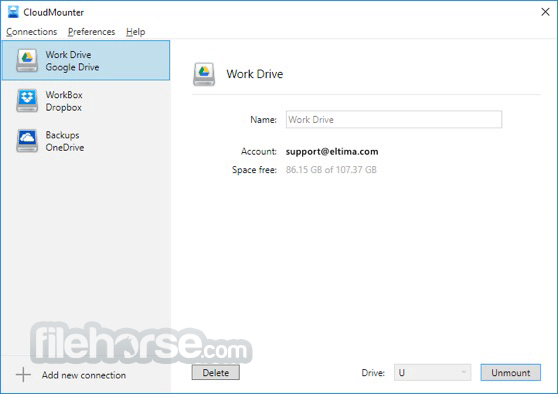
Mount cloud drive with CloudMounter for PC right on your computer and work with it just the way you would with a local drive. Easily connect to Dropbox, Microsoft OneDrive, Google Drive in Explorer.
Reach for the clouds easily with the app! You can mount several Dropbox, Google Drive, and Microsoft OneDrive accounts at a time and one of each of them for free! There is no need to save any of the online files to your computer, while still working with them as if they were saved locally.
Features and Highlights
Dropbox client
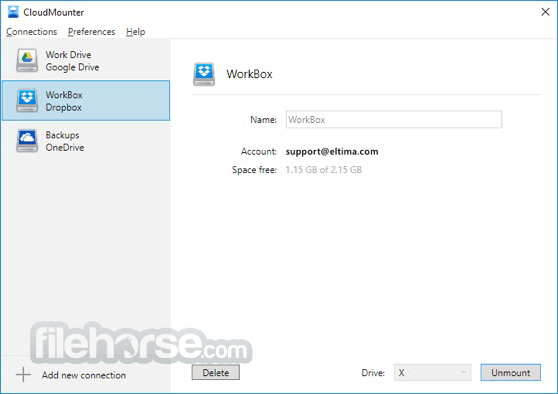
Dropbox connects - mount cloud storage as a drive without having to install it on the computer and saving files locally. With the tool, you can upload files to Dropbox in the same way you usually move around local files in Explorer.
Mount Google Drive
The software is an excellent Google Drive client as it allows you to map cloud drive as a network drive so you can work with sheets and docs as if they were stored on your computer. You can mount as many Google Drive accounts as needed and work with them is if they were stored locally, only you don't have to save them on your computer.
Microsoft OneDrive
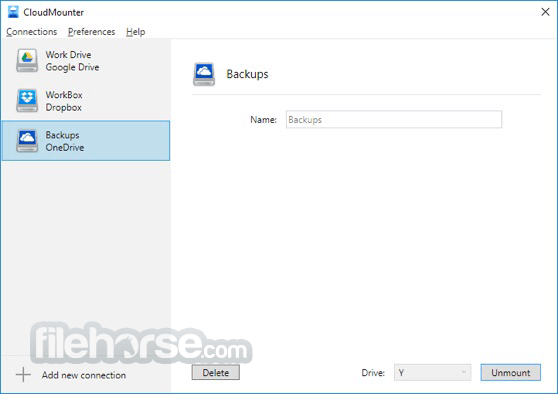
Connect to OneDrive and upload files to OneDrive as easily as you copy and move files around your hard drive. Mount this cloud storage as drive and work with it effortlessly and fast. No need to save online files to your computer in order to manage them.
Regular updates
The app team always works on new ideas and implements them in regular new versions. The tech team is always happy to answer your questions.
Integration with Explorer
The tool offers sleek integration with Explorer, which makes the app even easier to deploy and use.
Add more space to your Windows HDD
With Cloud Mounter you get instant access to the cloud files without the need to store them on the hard drive. By mounting Dropbox (2GB), Google Drive (15GB), and Microsoft OneDrive (30GB) you can save space on your HDD.
How to Use
CloudMounter for Windows is fully compatible with Windows 11, 10, 8 or 7. Requires 28.34 MB of free space.
PROS
Also Available: Download CloudMounter for Mac
Download CloudMounter Latest Version Why is this app published on FileHorse? (More info)
At the same time with the help of CloudMounter, you can easily work with all online files the very same way you would work with local ones. Manage one of your Dropbox, Google Drive, and Microsoft OneDrive accounts for free!
Mount cloud drive with CloudMounter for PC right on your computer and work with it just the way you would with a local drive. Easily connect to Dropbox, Microsoft OneDrive, Google Drive in Explorer.
Reach for the clouds easily with the app! You can mount several Dropbox, Google Drive, and Microsoft OneDrive accounts at a time and one of each of them for free! There is no need to save any of the online files to your computer, while still working with them as if they were saved locally.
Features and Highlights
Dropbox client
Dropbox connects - mount cloud storage as a drive without having to install it on the computer and saving files locally. With the tool, you can upload files to Dropbox in the same way you usually move around local files in Explorer.
Mount Google Drive
The software is an excellent Google Drive client as it allows you to map cloud drive as a network drive so you can work with sheets and docs as if they were stored on your computer. You can mount as many Google Drive accounts as needed and work with them is if they were stored locally, only you don't have to save them on your computer.
Microsoft OneDrive
Connect to OneDrive and upload files to OneDrive as easily as you copy and move files around your hard drive. Mount this cloud storage as drive and work with it effortlessly and fast. No need to save online files to your computer in order to manage them.
Regular updates
The app team always works on new ideas and implements them in regular new versions. The tech team is always happy to answer your questions.
Integration with Explorer
The tool offers sleek integration with Explorer, which makes the app even easier to deploy and use.
Add more space to your Windows HDD
With Cloud Mounter you get instant access to the cloud files without the need to store them on the hard drive. By mounting Dropbox (2GB), Google Drive (15GB), and Microsoft OneDrive (30GB) you can save space on your HDD.
How to Use
- Launch the Application – Open CloudMounter from your desktop or Start menu.
- Add a Cloud Storage Account – Click “+” and choose a cloud service (Google Drive, OneDrive, Dropbox, etc.).
- Authorize Access – Log in to your cloud account and grant CloudMounter the necessary permissions.
- Mount Cloud Storage – Assign a local drive letter to your cloud storage for easy access.
- Access via File Explorer – Open File Explorer to manage cloud files as if they were on your local disk.
- Upload & Download Files – Drag and drop files between your PC and the mounted cloud drive.
- Encrypt Cloud Data (Optional) – Use CloudMounter’s encryption feature to secure your files.
- Manage Multiple Accounts – Connect and switch between multiple cloud services easily.
- Unmount When Not in Use – Disconnect cloud storage safely when finished to save system resources.
CloudMounter for Windows is fully compatible with Windows 11, 10, 8 or 7. Requires 28.34 MB of free space.
PROS
- Centralized Cloud Storage Access
- Enhanced Security with Encryption
- User-Friendly Interface
- Wide Cloud Platform Support
- Seamless Integration with macOS
- Limited Features in Free Version
- No Automatic Sync Functionality
- Performance May Lag with Large Files
- Windows Version Lacks Some Features
Also Available: Download CloudMounter for Mac
Download CloudMounter Latest Version Why is this app published on FileHorse? (More info)
##
畫面截圖