Serial to Ethernet Connector 9.0.1288
v 9.0.1288
Windows
商業試用
6.6/10 (15)
- 目前版本9.0.1288
- 更新日期2026-05-14
- 檔案大小5.3 MB
- 檔案名稱serial_ethernet_connector.exe
- 作業系統Windows XP / Vista / Windows 7 / Windows 8 / Windows 10 / Windows 11
- 支援語系English
- 授權型式商業試用
- 開發商 Eltima Software
- 軟體分類Windows 軟體 / 檔案傳輸與網路
##
翻譯排程處理中,以下暫以英文原文呈現
軟體介紹
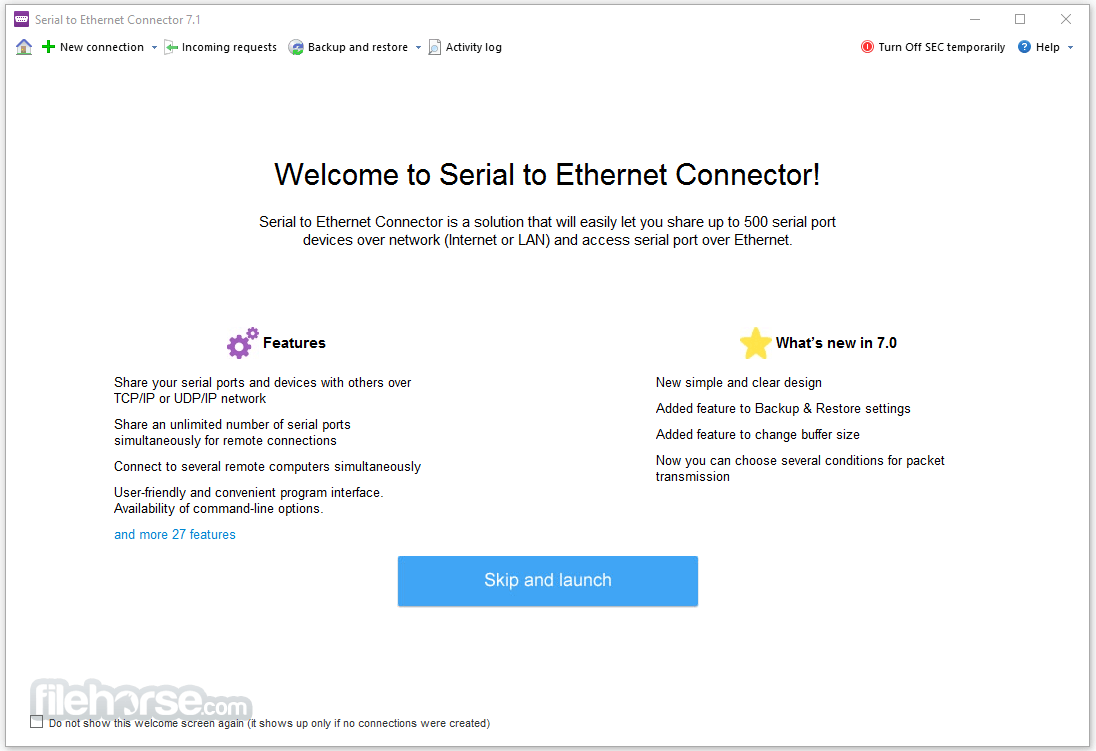
With Serial to Ethernet Connector, your computer can have dozens of serial ports with serial devices connected to it. Even if the shared COM port device is physically in the other part of the world, you will be able to access it as if it were connected to your computer.
When the attached serial port device sends communication data, it is actually transmitted over a TCP/IP network and back from the network to your serial device.
Serial to Ethernet Connector is a solution that will easily let you share up to 500 serial port devices over a network (Internet or LAN) and access serial ports over Ethernet.
Whether you're looking at redistributing the Serial port redirection engine as a part of your product or considering Serial to Ethernet Connector software for an enterprise-wide deployment, it offers flexible and affordable corporate solutions designed to meet your needs.
Features and Highlights
How to Use
What is the Serial to Ethernet Connector used for?
Serial to Ethernet Connector is a specialized tool that allows users to access and share serial (COM) port devices over a network. It effectively converts physical serial ports into network-accessible resources, enabling remote communication with devices such as industrial equipment, scanners, POS systems, or embedded hardware.
How does Serial to Ethernet Connector work?
The software creates virtual COM ports on remote machines and redirects data through TCP/IP. This means a device physically connected to one computer can be accessed as if it were locally connected to another, making it highly useful for distributed systems, remote maintenance, and industrial environments.
Is the Serial to Ethernet Connector suitable for professional use?
Yes. It is designed with professional and industrial use cases in mind, offering stable connections, secure data transmission, and compatibility with legacy hardware. It is commonly used in automation, manufacturing, and enterprise environments where reliable remote access to serial devices is essential.
System Requirements
Download Serial to Ethernet Connector Latest Version Why is this app published on FileHorse? (More info)
When the attached serial port device sends communication data, it is actually transmitted over a TCP/IP network and back from the network to your serial device.
Serial to Ethernet Connector is a solution that will easily let you share up to 500 serial port devices over a network (Internet or LAN) and access serial ports over Ethernet.
Whether you're looking at redistributing the Serial port redirection engine as a part of your product or considering Serial to Ethernet Connector software for an enterprise-wide deployment, it offers flexible and affordable corporate solutions designed to meet your needs.
Features and Highlights
- Share your serial ports and devices with others over a TCP/IP network
- Both TCP/IP and UDP/IP protocols are supported
- Easily connect to a remote computer using TCP/IP Telnet protocol, with the RFC 2217 Telnet extensions for COM Port Control
- Share an unlimited number of serial ports simultaneously for remote connections
- No limitation on the quantity of virtual serial ports or connections created (except your system resources)
- Manage the port signal lines' states in connections
- Verify the connection's integrity by using the "send command to keep connection alive" feature
- Ability to send data on a certain event (when a block of data reaches a certain size, on receiving special characters, and on certain timeouts)
- Serial port names are not restricted to COMxx only and may have virtually any name
- High-speed data exchange from/to virtual serial port (up to 256 Kbits)
- Virtual serial ports work like real physical ports
- Automatically restore the connection within a customizable timeout on connection breaks
- The small packet transmission speed can be increased by disabling the Nagle algorithm
- Dynamically change COM port parameters without the necessity to reopen or re-create it
- Ports could be automatically configured every time you boot your PC
- Map your real serial port to any other virtual or real port
- Customize advanced connection settings when you switch to Advanced mode
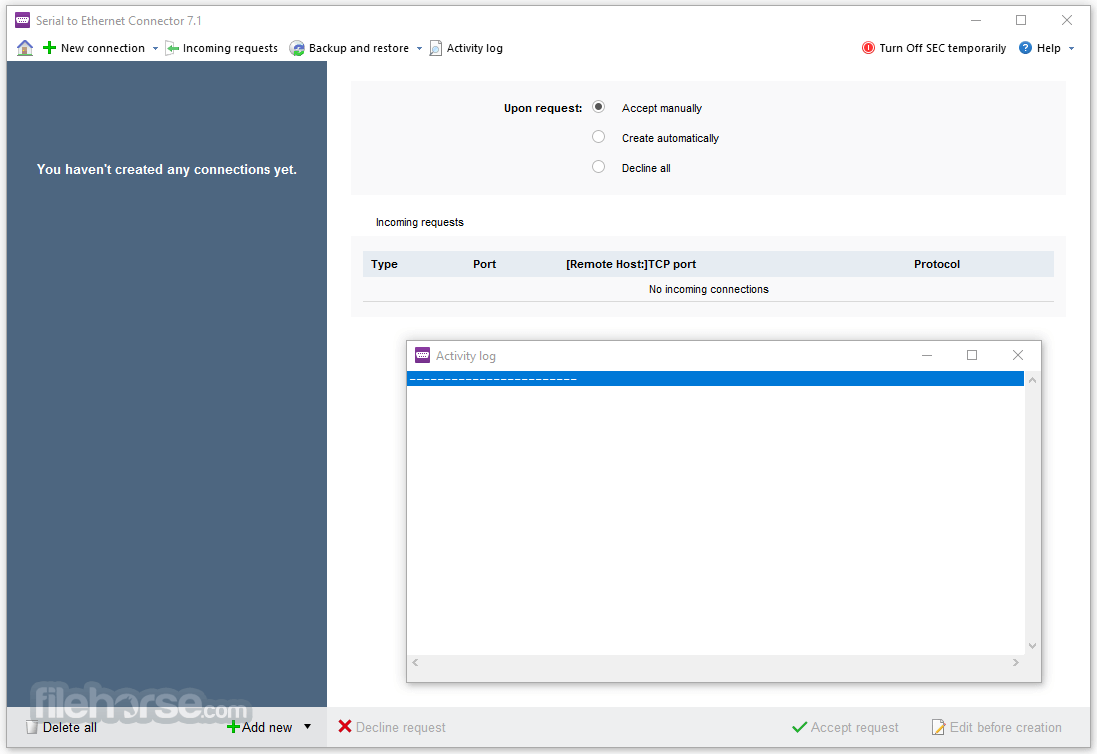
- Easily track all programs' activity in "Activity log."
- Secure your data transmission over a network with an authorization system and traffic encryption
- Connection speed in serial port pairs is much more reliable and faster than in physical links
- Ability to create your own libraries for authorization and encryption (OEM only)
- User-friendly and convenient program interface. Availability of command-line options.
- A TCP client can connect to various servers with different encryption and/or authorization parameters
- Fully compatible with HyperThreaded and multi-processor systems
- Works in a virtual machine
- License Pack allows you to install this application on two computers to provide a client-server architecture
- Connect to several remote computers simultaneously
- Renaming full port names in Device Manager
- Separated traffic statistics
- Strict baudrate emulation option for virtual ports
- Possibility to abort the specified TCP connection
- Improved Stability: The latest release focuses on overall stability with numerous minor fixes and general improvements.
- Activation Fixes: Resolved activation issues on systems with 13th Gen Intel Core processors and newer.
- Hardware Compatibility: Fixed compatibility problems with 12th Gen Intel Core processors.
- Driver Updates: Introduced new Microsoft-signed drivers for improved security and reliability.
- Connection Feedback: Added visual indication when the maximum number of remote client connections is reached.
- Localization Improvements: Enhanced translations for Spanish, French, and German.
How to Use
- Download and install the software on your PC
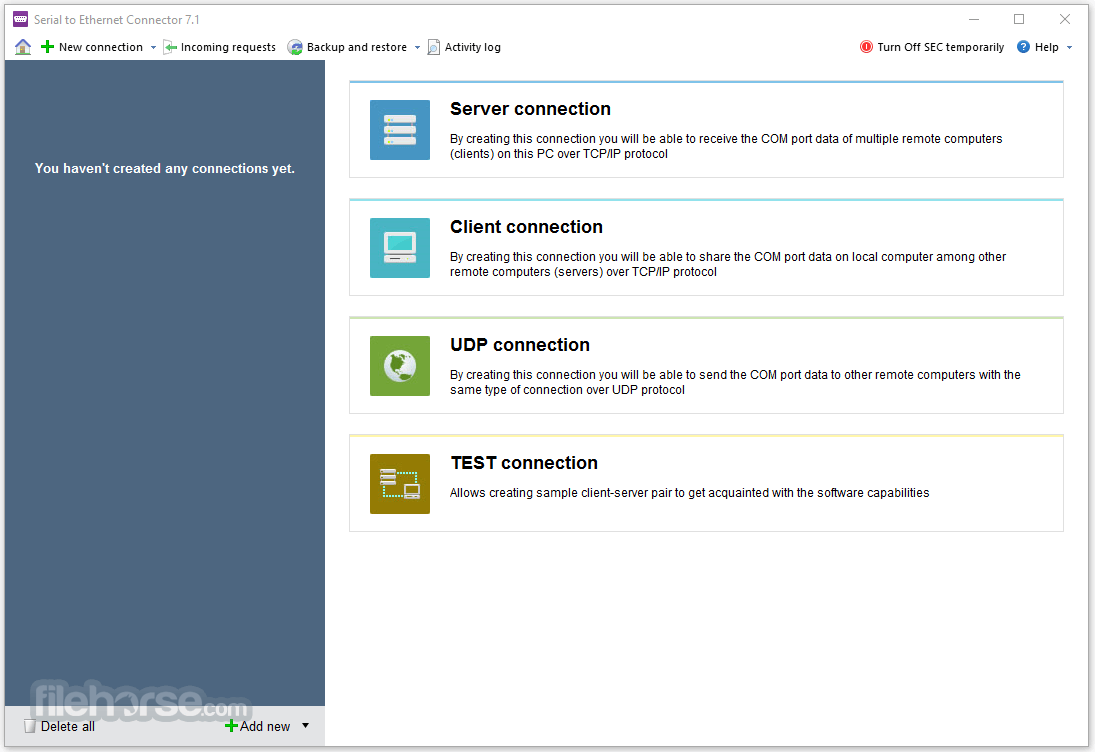
- Launch the application and create a new connection
- Choose to share a local COM port or connect remotely
- Configure connection settings as needed
- Click "Create" or "Connect" to establish communication
- Access remote serial devices over the network
- Manage and monitor connections from the software interface
- Disconnect or modify connections when necessary
What is the Serial to Ethernet Connector used for?
Serial to Ethernet Connector is a specialized tool that allows users to access and share serial (COM) port devices over a network. It effectively converts physical serial ports into network-accessible resources, enabling remote communication with devices such as industrial equipment, scanners, POS systems, or embedded hardware.
How does Serial to Ethernet Connector work?
The software creates virtual COM ports on remote machines and redirects data through TCP/IP. This means a device physically connected to one computer can be accessed as if it were locally connected to another, making it highly useful for distributed systems, remote maintenance, and industrial environments.
Is the Serial to Ethernet Connector suitable for professional use?
Yes. It is designed with professional and industrial use cases in mind, offering stable connections, secure data transmission, and compatibility with legacy hardware. It is commonly used in automation, manufacturing, and enterprise environments where reliable remote access to serial devices is essential.
System Requirements
- Windows 11, 10, 8.1, 8, 7 (32-bit or 64-bit)
- Intel or AMD processor, 1 GHz or higher
- At least 512 MB RAM (1 GB recommended)
- 50 MB of free disk space for installation
- Active network connection for remote access
- Easy remote access to serial devices
- Secure, encrypted data transmission
- Supports multiple connections
- User-friendly interface
- Works with virtual COM ports
- Requires a stable network connection
- Limited free trial period
- May need firewall configuration
- No macOS or Linux support
- Higher cost for advanced features
Download Serial to Ethernet Connector Latest Version Why is this app published on FileHorse? (More info)
##
畫面截圖