⚠ 這是歷史版本頁面 — 查看 Cmder 最新版本 →

- 目前版本1.3.24
- 更新日期2023-07-25
- 檔案大小150 MB
- 檔案名稱cmder.zip
- 作業系統Windows XP / Vista / Windows 7 / Windows 8 / Windows 10
- 支援語系English
- 授權型式開源軟體
- 開發商 Samuel Vasko
- 軟體分類Windows 軟體 / 開發者工具
##
編輯短評
Cmder 是一款專為 Windows 設計的開源命令列模擬器,主要解決系統內建命令提示字元介面過於陽春、操作不便的問題。它提供更接近圖形化介面的操作體驗,讓習慣鍵盤操作的使用者能享有更舒適的終端環境。其最具辨識度的特色是整合了多種實用功能,並能直接呼叫常見的 Unix 工具,整體介面也較原廠工具更友善。此軟體自推出以來持續獲得維護,更新頻率雖不算密集,但在同類工具中仍屬穩定且受開發者社群肯定的熱門選擇。
Cmder 適合需要頻繁使用命令列進行開發、系統管理或檔案操作的 Windows 使用者,尤其是從 Linux 或 macOS 轉換過來、希望保留類似終端體驗的人。與 BlueStacks、Turbo C++ 等替代軟體相比,Cmder 專注於終端模擬而非模擬器或編譯器,取捨在於它不提供虛擬機或特定語言環境,而是強化命令列本身。軟體為開源授權,僅提供英文介面,但免安裝版本可直接下載使用,對中文使用者而言,雖無中文化,但操作邏輯與一般終端相近,學習門檻不高。
##
翻譯排程處理中,以下暫以英文原文呈現
軟體介紹
The average Windows user is not comfortable with its default command prompt utility feature. They would rather have an alternative to this tool, which has more of a graphical user interface. In this case, the best choice is the console emulator known as Cmder.
Command Line Console Emulator
Console emulators are basically software programs that are designed to provide video game console emulation on computers. They can also provide terminal emulation for computer users who like working with keyboards.
Console emulators go by various names, such as command-line shells, terminal windows, or text terminals. These emulators generally have little to no graphical interface. You can use a terminal emulator on remote computers or local computers through special kinds of services like dial-up, Telnet, or SSH.
Even though new software and hardware technology are always being developed, you’ll still be able to access older machines through these software programs. This makes terminal emulators quite important.
Portable App Benefits
It utilizes ConEmu technology. ConEmu is basically a console emulator that has tabs. Originally, it was developed as a Far Manager companion. Cmder is different, though, because its frame features an animated graphical user interface with a vibrant color scheme and lots of enhancements, including keyboard shortcuts.
Due to the portable design of Cmder, you can use it anywhere. In addition, you can use your app development projects’ Git repositories with Cmder too.
How to Use
What is Cmder used for?
Cmder is a portable console emulator for Windows that enhances the standard Command Prompt with a more powerful terminal interface. It bundles tools like Git, Unix-style commands, and improved tab support to provide a more developer-friendly command-line experience.
Is Cmder still relevant in 2026?
Cmder remains usable in 2026, but many users have shifted to Windows Terminal, which offers deeper integration with modern Windows versions. Cmder is still appreciated by users who prefer a portable, all-in-one console setup.
Is Cmder portable?
Yes. One of Cmder’s key advantages is its portability. It can run without installation, making it convenient for developers who need a consistent command-line environment across different machines.
System Requirements
The software is more than an alternative to your Windows default command prompt utility. It provides more tools, features, and a graphical interface, which makes it easier to work with. Any user who wants a comprehensive software package and a terminal emulator will definitely want to check out Cmder.
Download Cmder Latest Version Why is this app published on FileHorse? (More info)
Command Line Console Emulator
Console emulators are basically software programs that are designed to provide video game console emulation on computers. They can also provide terminal emulation for computer users who like working with keyboards.
Console emulators go by various names, such as command-line shells, terminal windows, or text terminals. These emulators generally have little to no graphical interface. You can use a terminal emulator on remote computers or local computers through special kinds of services like dial-up, Telnet, or SSH.
Even though new software and hardware technology are always being developed, you’ll still be able to access older machines through these software programs. This makes terminal emulators quite important.
Portable App Benefits
It utilizes ConEmu technology. ConEmu is basically a console emulator that has tabs. Originally, it was developed as a Far Manager companion. Cmder is different, though, because its frame features an animated graphical user interface with a vibrant color scheme and lots of enhancements, including keyboard shortcuts.
Due to the portable design of Cmder, you can use it anywhere. In addition, you can use your app development projects’ Git repositories with Cmder too.
How to Use
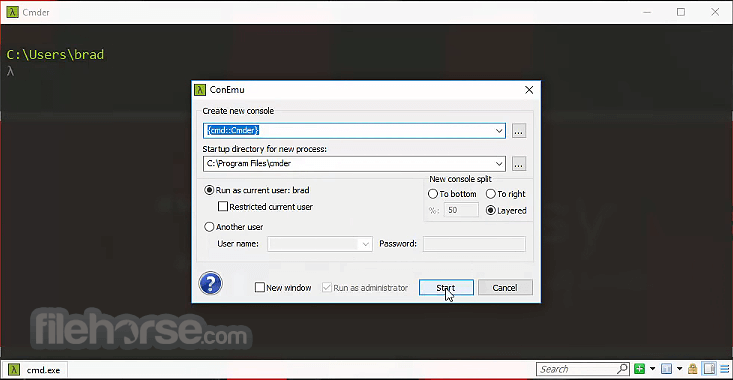
- Launch Cmder and customize settings in the startup menu
- Use common CMD, PowerShell, and Git Bash commands
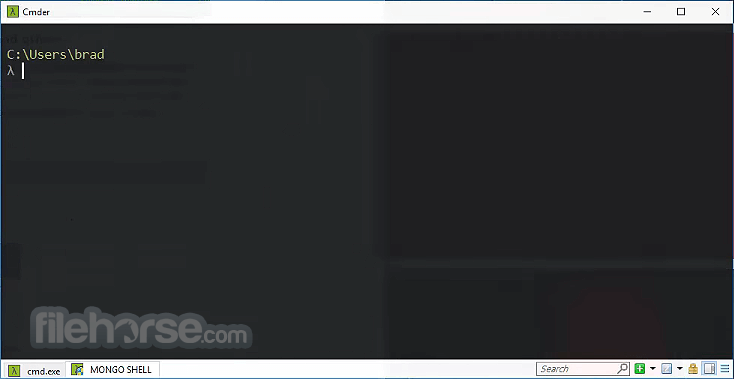
- Create and switch between multiple tabs for multitasking
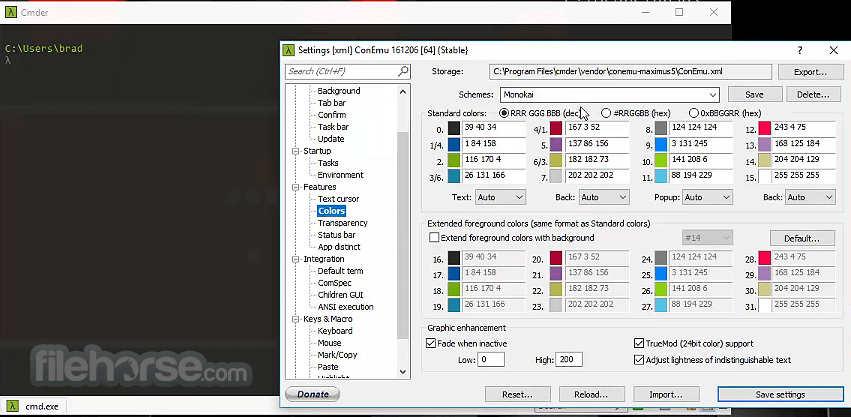
- Customize themes, colors, and fonts in settings
- Use aliases to simplify complex commands
- Drag and drop files into the terminal for quick paths
- Copy and paste text using shortcuts (Ctrl + Shift + C/V)
- Integrate with Windows Terminal for an enhanced experience
- Run SSH connections directly within Cmder
What is Cmder used for?
Cmder is a portable console emulator for Windows that enhances the standard Command Prompt with a more powerful terminal interface. It bundles tools like Git, Unix-style commands, and improved tab support to provide a more developer-friendly command-line experience.
Is Cmder still relevant in 2026?
Cmder remains usable in 2026, but many users have shifted to Windows Terminal, which offers deeper integration with modern Windows versions. Cmder is still appreciated by users who prefer a portable, all-in-one console setup.
Is Cmder portable?
Yes. One of Cmder’s key advantages is its portability. It can run without installation, making it convenient for developers who need a consistent command-line environment across different machines.
System Requirements
- OS: Windows 7, 8, 10, or 11 (32-bit or 64-bit)
- Processor: Intel/AMD 1 GHz or faster
- RAM: 2GB minimum (4GB recommended)
- Storage: 500MB free disk space
- Additional: Git for full functionality (optional)
- Portable and lightweight terminal emulator
- Supports multiple shells like CMD, PowerShell, Git Bash
- Highly customizable with themes and aliases
- Tabbed interface for easy multitasking
- Includes Unix commands for Windows users
- Can be slow on large repositories or tasks
- Occasional compatibility issues with some tools
- No built-in package manager support
- Learning curve for advanced customization
- Not officially maintained or frequently updated
The software is more than an alternative to your Windows default command prompt utility. It provides more tools, features, and a graphical interface, which makes it easier to work with. Any user who wants a comprehensive software package and a terminal emulator will definitely want to check out Cmder.
Download Cmder Latest Version Why is this app published on FileHorse? (More info)
##
畫面截圖
- 2026-03-03 Cmder 1.3.25 158 MB
- 2023-07-25 Cmder 1.3.24 150 MB
- 2022-12-19 Cmder 1.3.21 130 MB
- 2022-10-18 Cmder 1.3.20 133 MB
- 2022-01-17 Cmder 1.3.19 120 MB
- 2021-03-26 Cmder 1.3.18 117 MB
- 2020-12-24 Cmder 1.3.17 116 MB
- 2020-07-30 Cmder 1.3.16 123 MB