⚠ 這是歷史版本頁面 — 查看 Command Prompt Portable 最新版本 →

Command Prompt Portable 2.5
v 2.5
Windows
開源軟體
7.6/10 (83)
- 目前版本2.5
- 更新日期2021-06-04
- 檔案大小351 KB
- 檔案名稱CommandPromptPortable_2.5.paf.exe
- 作業系統Windows XP / XP64 / Vista / Vista64 / Windows 7 / Windows 7 64 / Windows 8 / Windows 8 64 / Windows 10 / Windows 10 64
- 支援語系English
- 授權型式開源軟體
- 開發商 John T. Haller
- 軟體分類Windows 軟體 / 檔案傳輸與網路
##
編輯短評
Command Prompt Portable 是一款輕量級的系統工具,主要讓使用者能直接從隨身碟或外接儲存裝置啟動命令列環境,不必依賴 Windows 內建的 CMD 或圖形介面。它的最大特色是免安裝、隨插即用,只要電腦能讀取你的隨身碟,就能在任何機器上執行命令列操作,對於需要臨時處理系統指令或維護工作的人來說相當方便。不過這款軟體已經停止積極開發,專案許久沒有更新,屬於老牌但逐漸被淡忘的工具;在同分類中,它的評價算是中等,不算特別熱門,但仍有穩定的使用者群體。
這款工具適合經常需要在不同電腦上執行命令列指令的技術人員、IT 管理員,或是想在不安裝任何軟體的情況下快速進入命令環境的進階使用者。與 Internet Download Manager、uTorrent 等熱門替代軟體相比,它並非功能全面的網路工具,而是專注於提供可攜式命令列環境,取捨在於簡單直接但缺乏圖形介面與進階功能。授權為開源軟體,但僅提供英文介面,且因已停止更新,在較新的 Windows 系統上可能遇到相容性問題,使用前建議先確認你的環境是否支援。
##
翻譯排程處理中,以下暫以英文原文呈現
軟體介紹
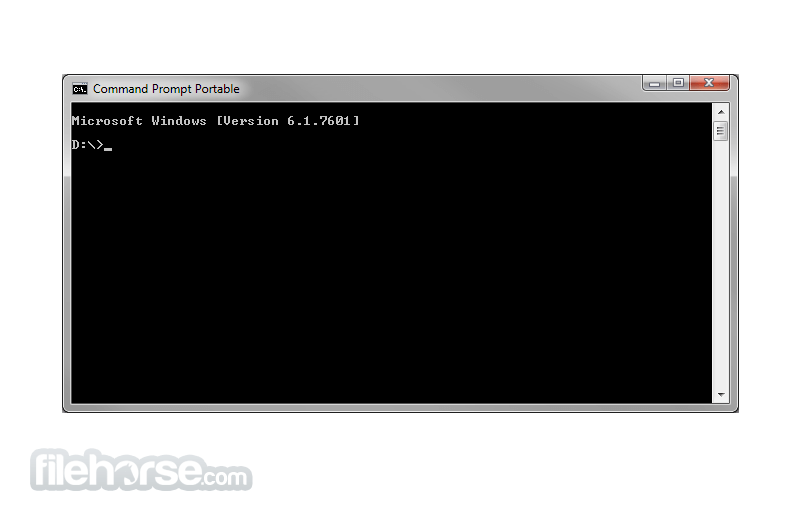
Command Prompt Portable is a lightweight system enhancement utility that allows users of all knowledge levels to gain the ability to run a command-line environment that is activated directly from a removable storage drive.
Note: Command Prompt Portable is no longer actively developed, and the project has not received updates or new releases for some time.
By not relying on the graphical interface of the Windows OS or even the “CMD” tool that is embedded into it, users of this app can be sure that they can do their work on every PC that can access their portable USB stick.
For most people, Command Prompt Portable will represent a reliable application that is used either for a simple task that can be activated with traditional DOS text commands, or even larger batch operations that are managed by BAT archives.
Such a versatile approach enables users to skip managing several (or dozens) file transfer windows or activating numerous other Windows apps needed to administrate the current Windows session or troubleshoot various Windows issues.
Even though the entirety of this application is focused only on delivering a standard text-based interface from the days of good old DOS, users can still manage to find a few customization tools that will transform some aspects of the app – namely, the color of the cursor, the title of the main app window, and change the columns and cursor.
All settings changes are managed by the contents of the BAT file that utilizes standard DOS commands.
For advanced users, it also supports the ability to speed up writing folder names (when pressing TAB during mid-typing) by simply adding a CommandPromptPortable.ini file to the application's folder.
How to Use
What is Command Prompt Portable used for?
Command Prompt Portable is a lightweight utility that allows users to run the Windows command line from a portable environment, often from a USB drive. It is typically used for system administration tasks, scripting, and troubleshooting without installing additional software.
Is Command Prompt Portable still being developed?
No. Command Prompt Portable is no longer actively developed or maintained. The project has not received updates for several years.
Is Command Prompt Portable useful in 2026?
In 2026, its usefulness is limited because modern versions of Windows already include built-in command-line tools such as Command Prompt and Windows Terminal, which provide more features and better integration.
PROS
Download Command Prompt Portable Latest Version Why is this app published on FileHorse? (More info)
Note: Command Prompt Portable is no longer actively developed, and the project has not received updates or new releases for some time.
By not relying on the graphical interface of the Windows OS or even the “CMD” tool that is embedded into it, users of this app can be sure that they can do their work on every PC that can access their portable USB stick.
For most people, Command Prompt Portable will represent a reliable application that is used either for a simple task that can be activated with traditional DOS text commands, or even larger batch operations that are managed by BAT archives.
Such a versatile approach enables users to skip managing several (or dozens) file transfer windows or activating numerous other Windows apps needed to administrate the current Windows session or troubleshoot various Windows issues.
Even though the entirety of this application is focused only on delivering a standard text-based interface from the days of good old DOS, users can still manage to find a few customization tools that will transform some aspects of the app – namely, the color of the cursor, the title of the main app window, and change the columns and cursor.
All settings changes are managed by the contents of the BAT file that utilizes standard DOS commands.
For advanced users, it also supports the ability to speed up writing folder names (when pressing TAB during mid-typing) by simply adding a CommandPromptPortable.ini file to the application's folder.
How to Use
- Launch the Program – Open the folder where it’s installed and double-click CommandPromptPortable.exe.
- Run Commands – Use it just like the standard Windows Command Prompt to execute commands.
- Customize Settings – Edit the CommandPromptPortable.ini file to modify settings like the starting directory.
- Access System Utilities – Use built-in commands like ipconfig, ping, and chkdsk for troubleshooting.
- Run Scripts – Execute batch files (.bat) or PowerShell scripts for automation.
- Use with Admin Rights – Right-click the .exe file and select Run as administrator for full control.
- Portable Environment – Carry it on a USB drive to use on different PCs without installation.
- Close Safely – Type exit or click X to close the Command Prompt properly.
What is Command Prompt Portable used for?
Command Prompt Portable is a lightweight utility that allows users to run the Windows command line from a portable environment, often from a USB drive. It is typically used for system administration tasks, scripting, and troubleshooting without installing additional software.
Is Command Prompt Portable still being developed?
No. Command Prompt Portable is no longer actively developed or maintained. The project has not received updates for several years.
Is Command Prompt Portable useful in 2026?
In 2026, its usefulness is limited because modern versions of Windows already include built-in command-line tools such as Command Prompt and Windows Terminal, which provide more features and better integration.
PROS
- Portable and Lightweight: Easily runs from USB, no installation needed.
- Compatibility: Works on all Windows versions, even Windows 98.
- Customizable: Offers basic customization, like cursor color and title.
- Free to Use: 100% free with no hidden costs.
- Efficient for Advanced Users: Supports TAB folder name completion.
- Limited Interface: Only offers a standard text-based DOS interface.
- Basic Customization: Limited to simple changes like cursor color.
- No Graphical Interface: Lacks a GUI, might be challenging for beginners.
- No Installation App: May confuse users expecting a traditional installer.
- Manual Configuration Required: Requires manual editing for advanced settings.
- No Longer Updated: This product is not being developed actively anymore.
Download Command Prompt Portable Latest Version Why is this app published on FileHorse? (More info)
##
畫面截圖
- 2026-03-12 Command Prompt Portable 2.6 353.98 KB
- 2021-06-04 Command Prompt Portable 2.5 351 KB
- 2014-10-28 Command Prompt Portable 2.4 348.34 KB
- 2009-07-02 Command Prompt Portable 2.1 361.22 KB
- 2009-02-22 Command Prompt Portable 2.0 231.1 KB
- 2008-02-25 Command Prompt Portable 1.1 152.36 KB
- 2007-07-04 Command Prompt Portable 1.0 125.11 KB