ConvertXtoHD 3.0.0.78
v 3.0.0.78
Windows
試用版
6.82/10 (22)
- 目前版本3.0.0.78
- 更新日期2025-07-31
- 檔案大小43 MB
- 檔案名稱vsoConvertXtoHD3_setup.exe
- 作業系統Windows 7 / Windows 8 / Windows 10 / Windows 11
- 支援語系English
- 授權型式試用版
- 開發商 VSO Software
- 軟體分類Windows 軟體 / 影片軟體
##
翻譯排程處理中,以下暫以英文原文呈現
軟體介紹
ConvertXtoHD is a one-click solution to convert and burn your movie files to a BD disk playable on any Blu-ray player. You can also create AVCHD disks.
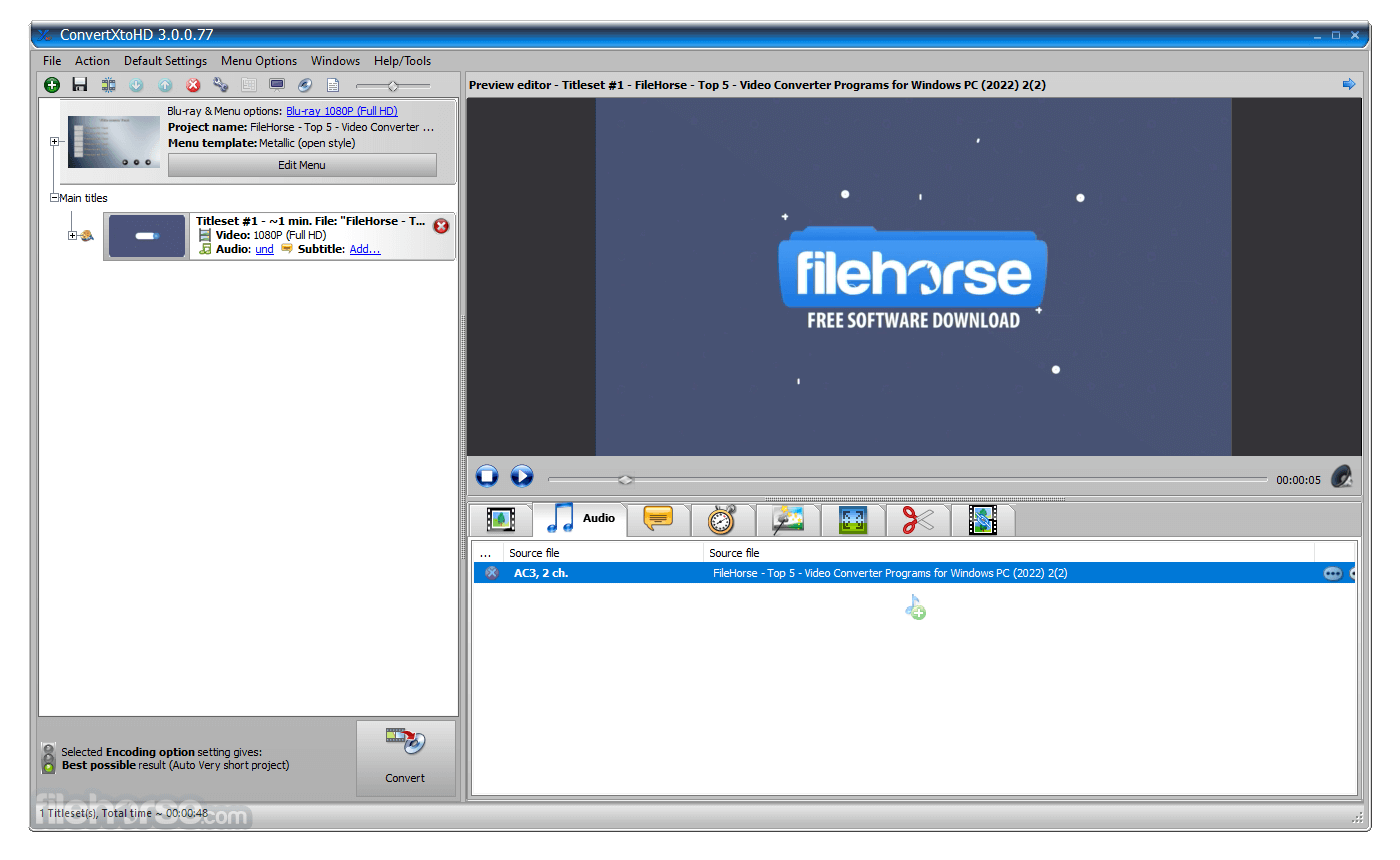
ConvertXtoHD supports all video formats, including Blu-ray, to make copies and supports subtitles. Equipped with a fast and quality encoder, you get excellent results quickly. If you do decide to edit your videos or change any settings, a live preview will help validate any editing you do to your video before the conversion.
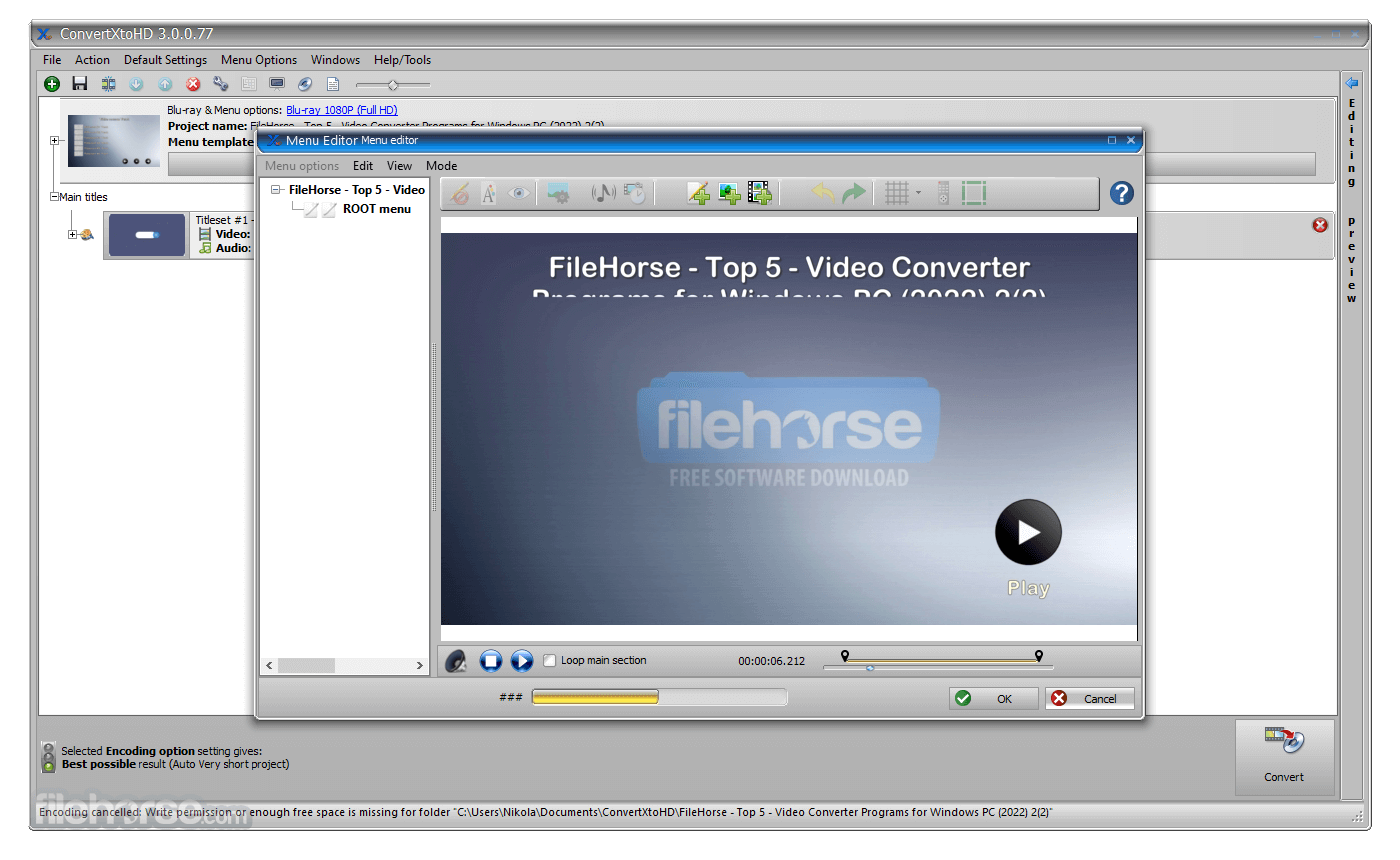
Various settings to change brightness/contrast/sharpness and image enhancer too. You can create your menu, merge files, add custom chapters, remove unwanted parts of the video, such as commercials, rotate videos, and include an audio normalizer.
Multiple audio and subtitle tracks are supported. Subtitles can be converted as external subtitles or embedded into the video and can be tweaked to your desire: color, font, code page, positioning, and so on. Audio, video, and subtitle synchronization can be corrected with an easy-to-use 'offset' feature. Professional type settings are available, like adding an intro video to play before loading the main menu or adding a watermark/copyright to videos.
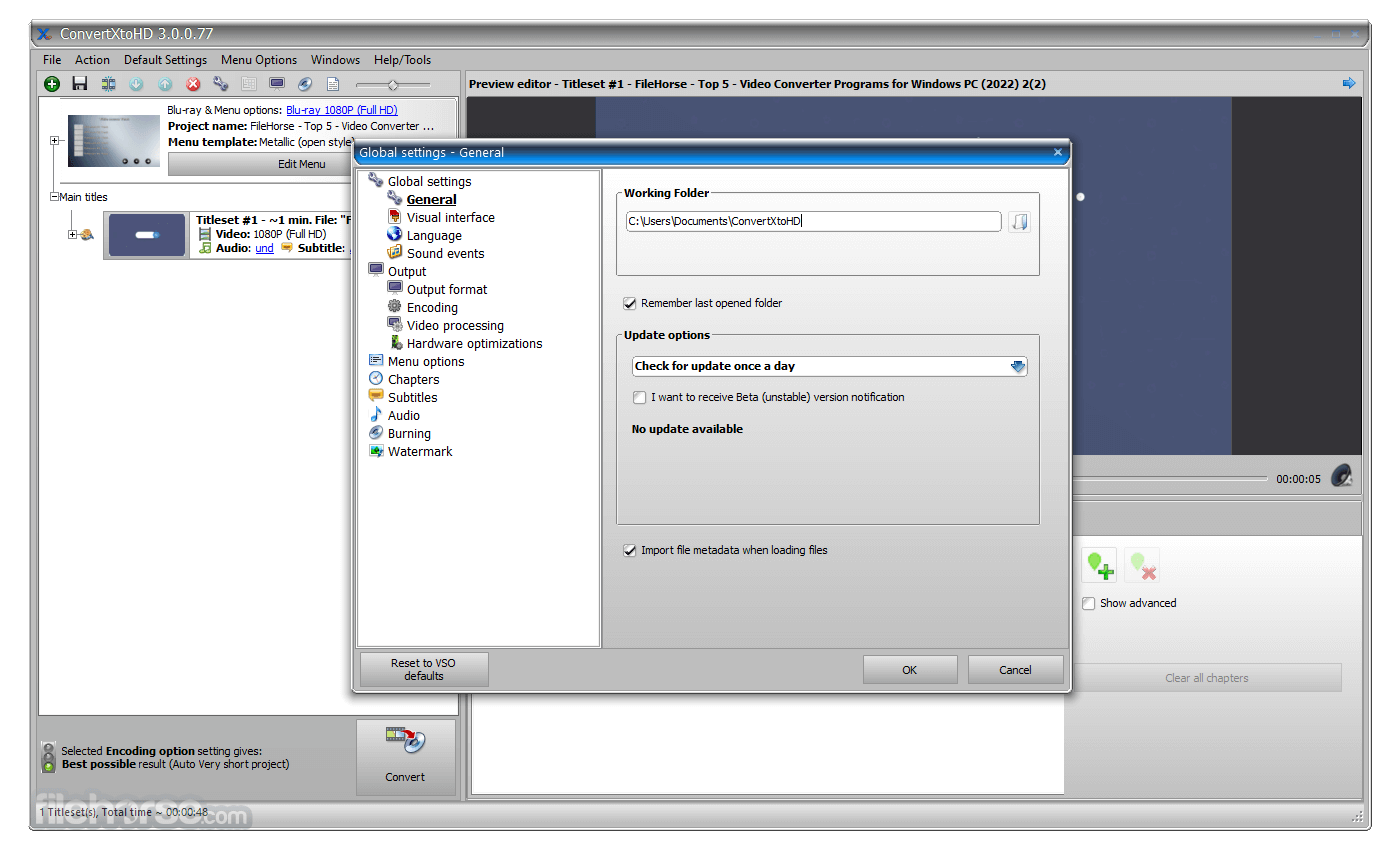
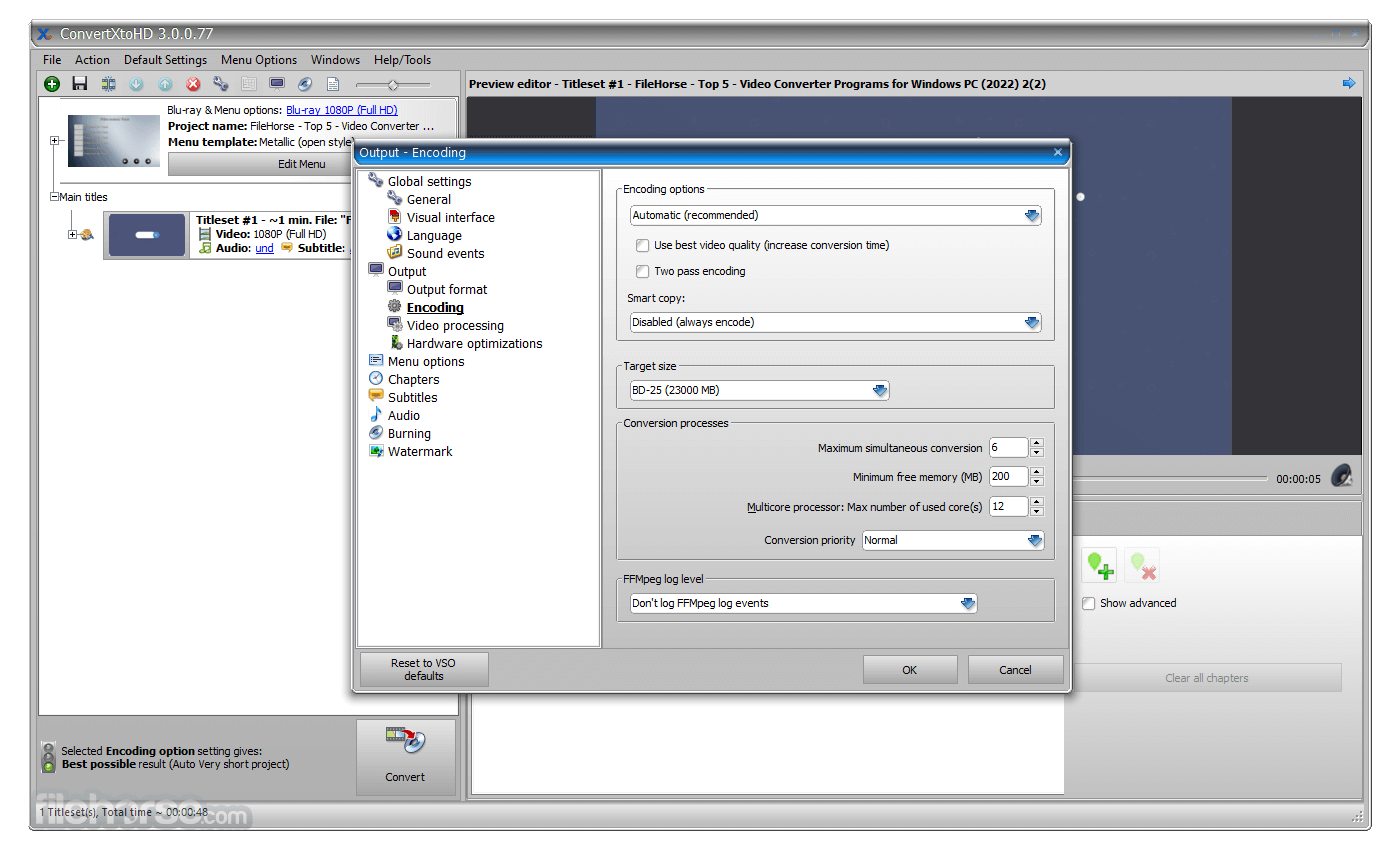
You can change your output size and encoding quality, and select the resize filters you want to use. Hardware encoding and decoding technology are included to lighten the CPU's load and get faster conversions.
For the final step, save the conversion to your hard drive, burn to ISO or Blu-ray, single or double-layer disk, any brand of disks with any brand of burners. Set up your favorite burning settings. ConvertXtoHD is available in multiple languages. User guide included and VSO support guaranteed for slightest problems.
Features and Highlights
What is VSO ConvertXtoHD and what does it do?
VSO ConvertXtoHD is a Windows-based video converter and burner developed by VSO Software that enables users to convert virtually any video format (AVI, MKV, MP4, MOV, DVD, Blu-Ray, etc.) into high-definition formats (Blu-ray or AVCHD), complete with custom menus, chapters, subtitles, and output to disks, ISO files, or USB storage.
What features and customization options does ConvertXtoHD offer?
ConvertXtoHD comes packed with editing features such as brightness/contrast adjustment, cropping, rotation, watermarking, advanced subtitle support with style editing and synchronization offset, as well as audio normalization, chapter management, merging or cutting sections, custom menu creation, live preview, and multi-pass up/downscaling filters.
Is ConvertXtoHD fast and efficient on modern hardware?
Yes. It supports multi-core CPU processing and leverages hardware acceleration via Nvidia CUDA/NVENC and Intel QuickSync to significantly speed up encoding and decoding tasks, especially when converting multiple videos in batch mode while maintaining quality and minimizing CPU load.
Is ConvertXtoHD user-friendly for beginners?
The software features a clean, intuitive interface with one-click conversion, live preview, tutorials/video guides, HD menu templates, and language support, making it accessible even to users with limited technical knowledge, yet powerful enough for advanced users.
What are the main limitations or drawbacks of ConvertXtoHD?
Some users report occasional stability issues or crashes during conversion, and while it handles Blu-ray and AVCHD well, it lacks more advanced editing capacities compared to dedicated editing tools, and is shareware, so free trial limitations apply before purchase.
Pricing
7 days full trial
UniConverter: A comprehensive multimedia suite offering video conversion, editing, downloading, and DVD burning functionalities.
Ashampoo Video Converter: An easy-to-use video conversion tool with support for a wide range of formats and integrated editing features.
Movavi Video Converter: A user-friendly video conversion software with support for various devices and formats.
HandBrake: A free and open-source video converter with broad format support and advanced customization options.
Minimum Requirements
Download ConvertXtoHD Latest Version Why is this app published on FileHorse? (More info)
ConvertXtoHD supports all video formats, including Blu-ray, to make copies and supports subtitles. Equipped with a fast and quality encoder, you get excellent results quickly. If you do decide to edit your videos or change any settings, a live preview will help validate any editing you do to your video before the conversion.
Various settings to change brightness/contrast/sharpness and image enhancer too. You can create your menu, merge files, add custom chapters, remove unwanted parts of the video, such as commercials, rotate videos, and include an audio normalizer.
Multiple audio and subtitle tracks are supported. Subtitles can be converted as external subtitles or embedded into the video and can be tweaked to your desire: color, font, code page, positioning, and so on. Audio, video, and subtitle synchronization can be corrected with an easy-to-use 'offset' feature. Professional type settings are available, like adding an intro video to play before loading the main menu or adding a watermark/copyright to videos.
You can change your output size and encoding quality, and select the resize filters you want to use. Hardware encoding and decoding technology are included to lighten the CPU's load and get faster conversions.
For the final step, save the conversion to your hard drive, burn to ISO or Blu-ray, single or double-layer disk, any brand of disks with any brand of burners. Set up your favorite burning settings. ConvertXtoHD is available in multiple languages. User guide included and VSO support guaranteed for slightest problems.
Features and Highlights
- Create AVCHD and Blu-ray folders, disks, and ISO images.
- Supports all input files: .avi, .mkv, Blu-rays, DVDs, .mts, .mpg, FLV, see more
- Burn to any DVD or Blu-ray disks - all formats and sizes supported: DVD +/- R, DVD +/- RW, DVD +/- RW, DVD-5, DVD-9, BD-R, BD-RE, BD-25, BD-50.
- Add subtitles & audio
- Advanced subtitle editing
- Adjust synchronization
- Brightness/Contrast
- Rotate videos
- Add watermark copyright NEW
- Chapter management
- Cut out sections of the video
- 480, 576, 720, 1080 resolution
- 16:9 widescreen or 4:3 fullscreen
- Increase audio volume
- Image Perfection Wizard
- Join files into one
- HD Menu editor: full customization
- Padding/Cropping
- Audio normalizer
- Add video intro
- Live preview!
- Videos are converted simultaneously and optimized for multi-core processing
- New in version 2: advanced hardware encoder and decoder settings
- Nvidia Cuda/NVENC and INTEL QuickSync hardware optimizations will be used for encoding and decoding when possible
- Burn to disk
- Burn multiple copies
- Make copies of Blu-ray disks
- Create BDMV and AVCHD ISO
- Compatible with all disk formats and burners
- Store conversions on a USB key or PC.
- Shutdown PC option when finished
- Various skins to change the look and feel of the interface
- Available in multiple languages
- Includes several HD menu templates
- Includes "how-to" tutorials and video guides
What is VSO ConvertXtoHD and what does it do?
VSO ConvertXtoHD is a Windows-based video converter and burner developed by VSO Software that enables users to convert virtually any video format (AVI, MKV, MP4, MOV, DVD, Blu-Ray, etc.) into high-definition formats (Blu-ray or AVCHD), complete with custom menus, chapters, subtitles, and output to disks, ISO files, or USB storage.
What features and customization options does ConvertXtoHD offer?
ConvertXtoHD comes packed with editing features such as brightness/contrast adjustment, cropping, rotation, watermarking, advanced subtitle support with style editing and synchronization offset, as well as audio normalization, chapter management, merging or cutting sections, custom menu creation, live preview, and multi-pass up/downscaling filters.
Is ConvertXtoHD fast and efficient on modern hardware?
Yes. It supports multi-core CPU processing and leverages hardware acceleration via Nvidia CUDA/NVENC and Intel QuickSync to significantly speed up encoding and decoding tasks, especially when converting multiple videos in batch mode while maintaining quality and minimizing CPU load.
Is ConvertXtoHD user-friendly for beginners?
The software features a clean, intuitive interface with one-click conversion, live preview, tutorials/video guides, HD menu templates, and language support, making it accessible even to users with limited technical knowledge, yet powerful enough for advanced users.
What are the main limitations or drawbacks of ConvertXtoHD?
Some users report occasional stability issues or crashes during conversion, and while it handles Blu-ray and AVCHD well, it lacks more advanced editing capacities compared to dedicated editing tools, and is shareware, so free trial limitations apply before purchase.
Pricing
7 days full trial
- Insert Menu
- Text editor
- All video modification
- Save anywhere
- No Technical support
- No Free updates
- Insert Menu
- Text editor
- All video modification
- Save anywhere
- Technical support
- Free updates for 1 year
UniConverter: A comprehensive multimedia suite offering video conversion, editing, downloading, and DVD burning functionalities.
Ashampoo Video Converter: An easy-to-use video conversion tool with support for a wide range of formats and integrated editing features.
Movavi Video Converter: A user-friendly video conversion software with support for various devices and formats.
HandBrake: A free and open-source video converter with broad format support and advanced customization options.
Minimum Requirements
- OS: Windows 7/8/10/11
- CPU: Intel Pentium IV / AMD Athlon
- Ram: 2 GB RAM
- Hard disk: 5 GB
- High-Quality Output: Converts videos to high-definition with excellent quality.
- User-Friendly Interface: Simple and intuitive UI, suitable for all skill levels.
- Fast Conversion Speed: Efficient processing without compromising output quality.
- Versatile Format Support: Handles a wide range of video formats.
- Customization Options: Offers various customization features for video editing and menu creation.
- Cost: Paid software, which might be a drawback for users seeking free alternatives.
- Limited Advanced Features: May lack some advanced features found in more professional tools.
- Resource Intensive: Can be demanding on system resources during conversion.
Download ConvertXtoHD Latest Version Why is this app published on FileHorse? (More info)
##
畫面截圖