⚠ 這是歷史版本頁面 — 查看 DAEMON Tools Ultra 最新版本 →

DAEMON Tools Ultra 5.9.0
v 5.9.0
Windows
商業試用
8.42/10 (17)
- 目前版本5.9.0
- 更新日期2021-01-05
- 檔案大小26.71 MB
- 檔案名稱daemontoolsultra590-1531.exe
- 作業系統Windows 7 / Windows 8 / Windows 10 / Windows 11
- 支援語系English
- 授權型式商業試用
- 開發商 Disc Soft Ltd
- 軟體分類Windows 軟體 / 光碟藍光
##
編輯短評
DAEMON Tools Ultra 是 Disc Soft Ltd 推出的虛擬光碟與磁碟映像管理工具,主要解決掛載、製作與管理映像檔的需求。它最特別的地方在於整合了虛擬光碟機、可開機 USB 製作、RAM 磁碟加速以及 iSCSI Initiator 等進階功能,比一般掛載工具更全面。就維護與受歡迎程度而言,它屬於同類中的進階選擇,評價普遍不錯,但評分人數不多,更新頻率也不算高,仍維持基本維護。
這套軟體適合需要處理多種映像格式、製作可開機隨身碟,或想利用 RAM 磁碟提升效能的進階使用者,IT 人員也可能用到 iSCSI 功能。與 DAEMON Tools Lite 相比,Ultra 功能更完整,但授權是試用版,且僅支援英文介面,對中文使用者稍不友善。替代軟體如 DVD Shrink 或 Nero 則偏向燒錄或壓縮,若只是單純掛載映像,Lite 版可能更輕量。
##
翻譯排程處理中,以下暫以英文原文呈現
軟體介紹
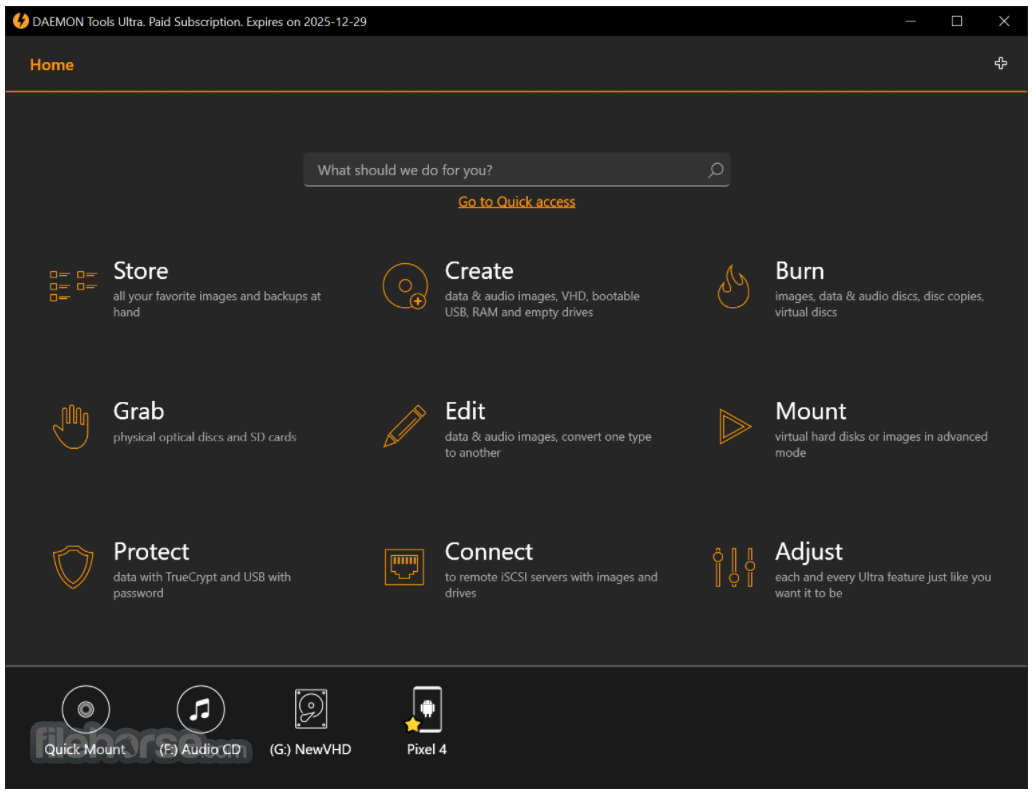
DAEMON Tools Ultra is the most powerful, ultimate, and advanced imaging software for Windows PC.
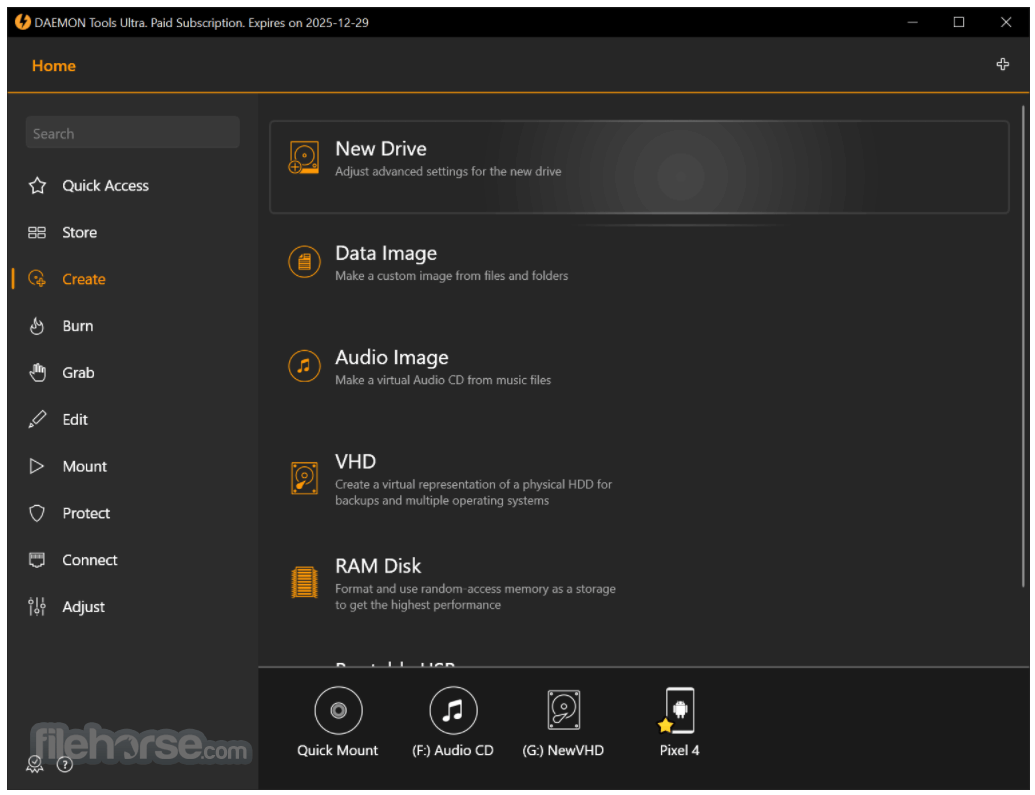
Get the immense list of possibilities to work with virtual drives, create bootable USB sticks for operating system recovery, use RAM disks to speed up your PC, and evaluate the unique iSCSI Initiator that allows connecting to USB devices.
DAEMON Tools Ultra for PC is a powerful and versatile virtual drive and disk image management tool developed by Disc Soft Ltd.
It is designed to cater to the needs of both casual users and IT professionals by providing a wide range of tools for mounting, creating, and managing virtual drives and disk images.
It supports a variety of image formats, including ISO, MDX, MDS, and VHD, making it a comprehensive solution for all your virtual drive needs.
Key Features
Get the immense list of possibilities to work with virtual drives, create bootable USB sticks for operating system recovery, use RAM disks to speed up your PC, and evaluate the unique iSCSI Initiator that allows connecting to USB devices.
DAEMON Tools Ultra for PC is a powerful and versatile virtual drive and disk image management tool developed by Disc Soft Ltd.
It is designed to cater to the needs of both casual users and IT professionals by providing a wide range of tools for mounting, creating, and managing virtual drives and disk images.
It supports a variety of image formats, including ISO, MDX, MDS, and VHD, making it a comprehensive solution for all your virtual drive needs.
Key Features
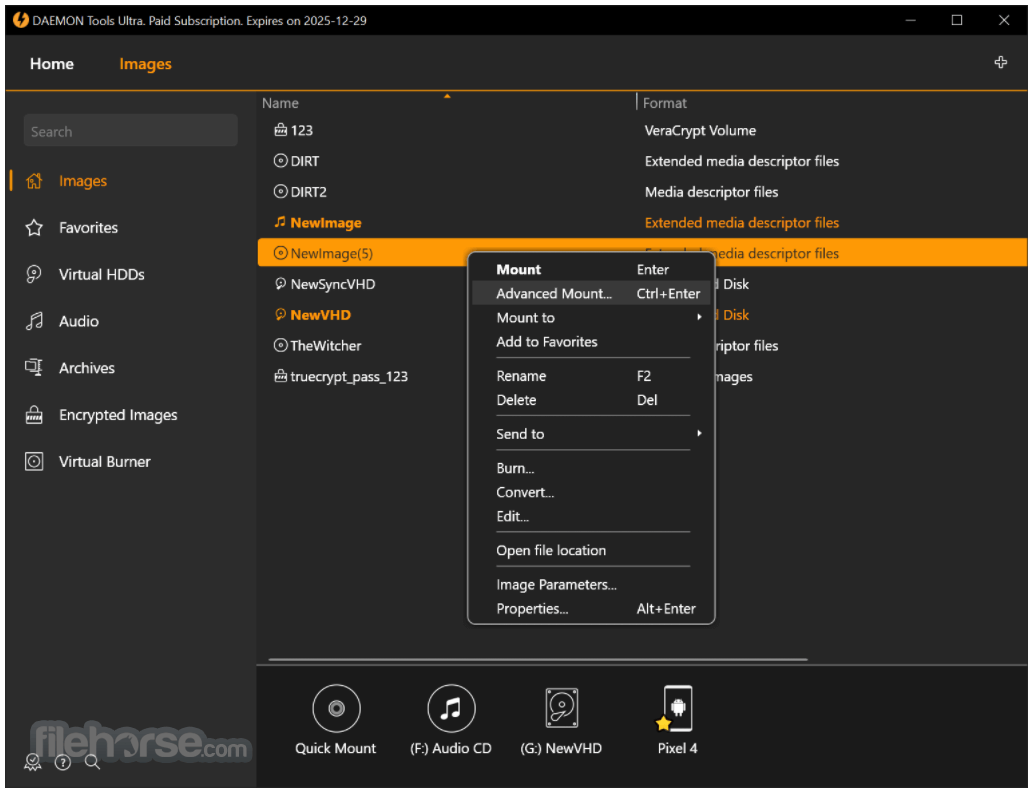
- Virtual Drive Management: Easily create and manage up to 32 virtual drives simultaneously, allowing you to mount and unmount disk images with a single click.
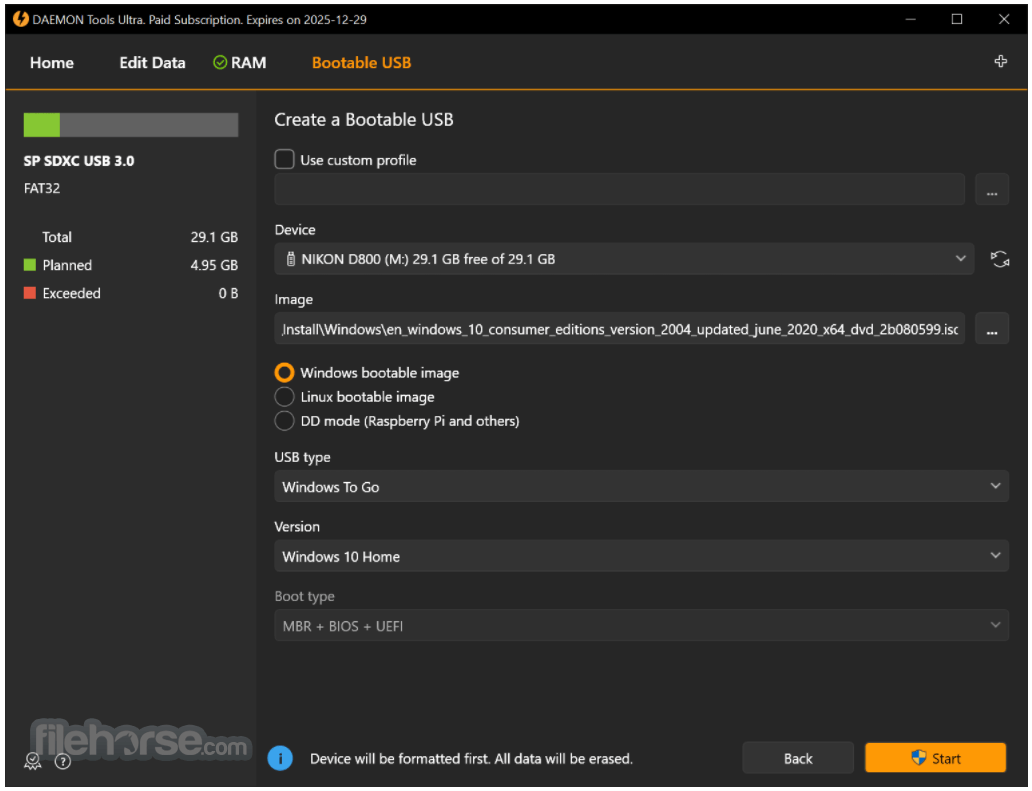
- Bootable USB Devices: Create bootable USB drives for various operating systems, making it simple to install or repair your OS.
- Advanced Emulation: Emulate up to four SCSI and IDE devices, providing full support for advanced emulation features such as RMPS, SafeDisc, SecuROM, and LaserLock.
- RAM Disks: Create and use RAM disks to speed up your system by using a part of your RAM as a virtual disk.
- iSCSI Initiator: Connect to remote virtual drives over the network, enabling you to work with virtual devices located on other computers.
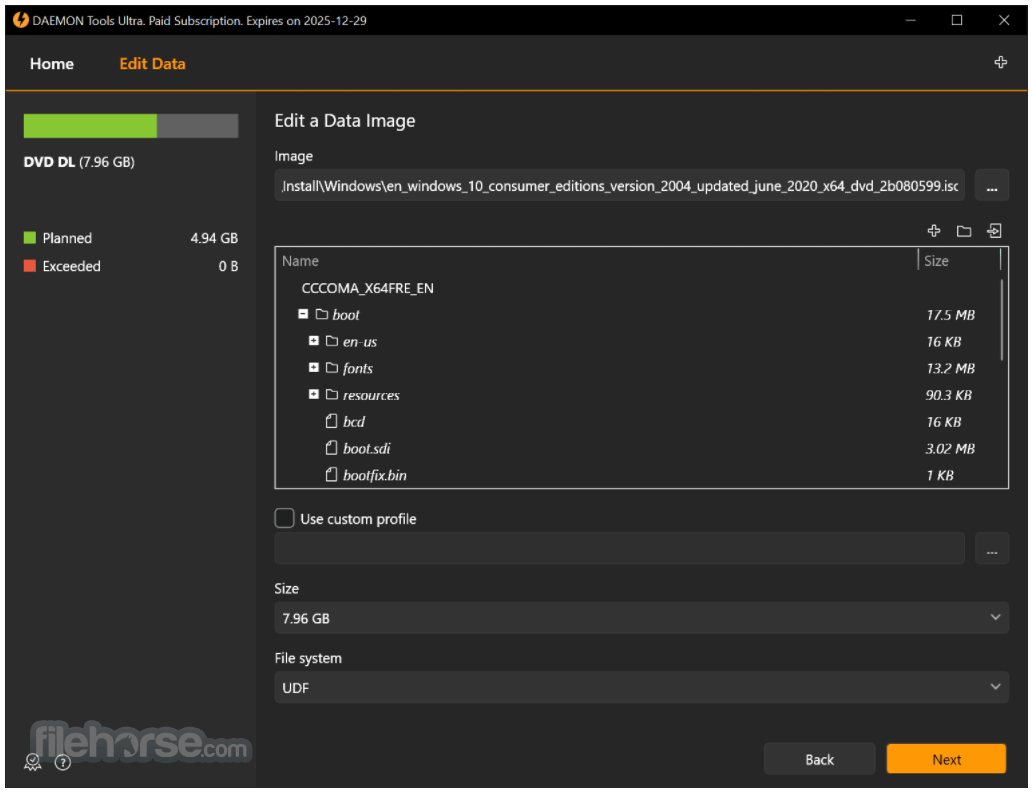
- Disc Burning: Burn data, audio, and video files to physical discs, or create disc copies with the integrated burning tool.
- Virtual Burner: Use the virtual burner feature to emulate a physical CD/DVD/Blu-ray drive and burn images directly to virtual discs.
- Media Conversion: Convert disk images between various formats, ensuring compatibility with different software and devices.
- Password Protection: Secure your sensitive data by adding password protection to your disk images.
- Advanced Backup: Schedule and automate backups of your important files and folders, ensuring data safety and recovery.
##
畫面截圖
- 2026-02-24 DAEMON Tools Ultra 7.1.0 24.31 MB
- 2025-01-29 DAEMON Tools Ultra 7.0.0 39.29 MB
- 2023-03-17 DAEMON Tools Ultra 6.2.0 28.34 MB
- 2021-10-18 DAEMON Tools Ultra 6.1.0 26.83 MB
- 2021-04-15 DAEMON Tools Ultra 6.0.0 27.22 MB
- 2021-01-05 DAEMON Tools Ultra 5.9.0 26.71 MB