⚠ 這是歷史版本頁面 — 查看 dBpowerAMP Music Converter 最新版本 →

dBpowerAMP Music Converter 17
v 17
Windows
商業試用
7.44/10 (57)
- 目前版本17
- 更新日期2020-04-13
- 檔案大小59.32 MB
- 檔案名稱dMC-R17-Ref-Trial.exe
- 作業系統Windows 7 / Windows 8 / Windows 10 / Windows 11
- 支援語系English
- 授權型式商業試用
- 開發商 Illustrate
- 軟體分類Windows 軟體 / 音訊軟體
##
編輯短評
dBpowerAMP Music Converter 是一款專注於音訊轉檔的 Windows 工具,主要解決不同音樂格式之間互轉的需求,支援 MP3、WAV、FLAC、AAC、OGG、AIFF 等常見格式。它最具辨識度的特色是批次處理與多核心加速,能一次轉換大量檔案並保留專輯封面等中繼資料,對整理音樂庫的人來說相當實用。這套軟體自多年前收錄以來持續有更新,近一年仍維持維護節奏,不過在音訊軟體分類中屬於評價中等的選擇,並非特別熱門。
它適合需要頻繁轉檔、或想將 CD 轉成數位檔案的使用者,尤其是重視轉檔速度與格式完整度的人。與 Virtual DJ 或 iTunes 這類偏播放或 DJ 應用的替代軟體相比,dBpowerAMP 更專注在純轉檔功能,沒有多餘的播放介面,但相對也少了音樂管理與同步能力。要注意的是它為試用版,僅提供英文介面,且只支援 Windows 平台,使用前需確認是否符合自己的語系與系統環境需求。
##
翻譯排程處理中,以下暫以英文原文呈現
軟體介紹
dBpowerAMP Music Converter is a robust audio conversion software designed for Windows 11/10 users.
It supports a wide range of audio formats, provides batch processing capabilities, and includes advanced options such as metadata editing, high-speed multi-core conversion, and integration with CD ripping tools.
Key Features
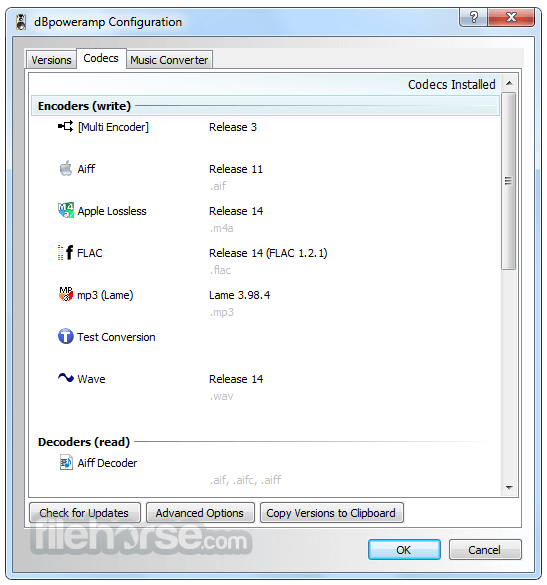
Multi-Format Support – Converts between MP3, WAV, FLAC, AAC, OGG, AIFF, and more.
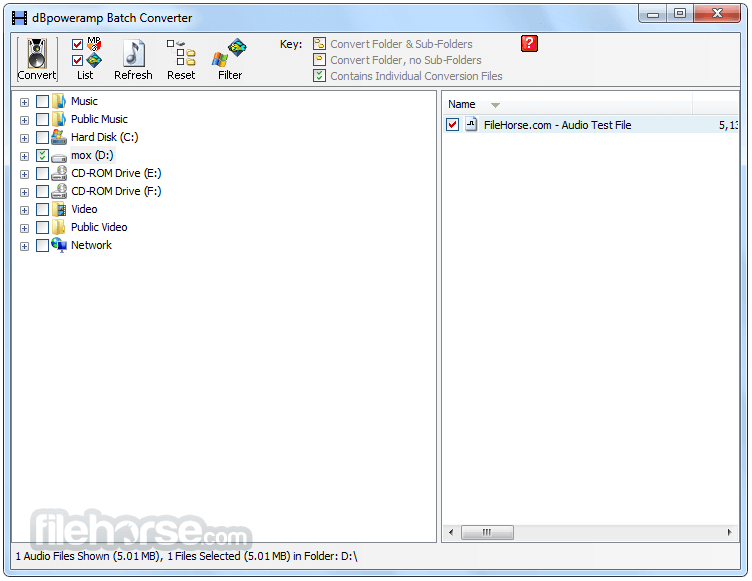
Batch Processing – Convert multiple files at once with optimized efficiency.
High-Speed Conversions – Utilizes multi-core processors for fast performance.
Metadata Preservation – Retains album artwork, tags, and other metadata.
CD Ripper Integration – Includes dBpowerAMP CD Ripper for high-quality CD extraction.
DSP Effects – Apply effects like volume normalization, fade, or equalization.
User Interface
dBpowerAMP features a clean, intuitive, and straightforward interface. The drag-and-drop functionality makes it user-friendly, and the settings are easily adjustable for both beginners and advanced users.
Installation and Setup
Download the software from the official website or FileHorse.
Run the installer and follow the on-screen instructions.
Choose your preferred audio codecs and configure settings.
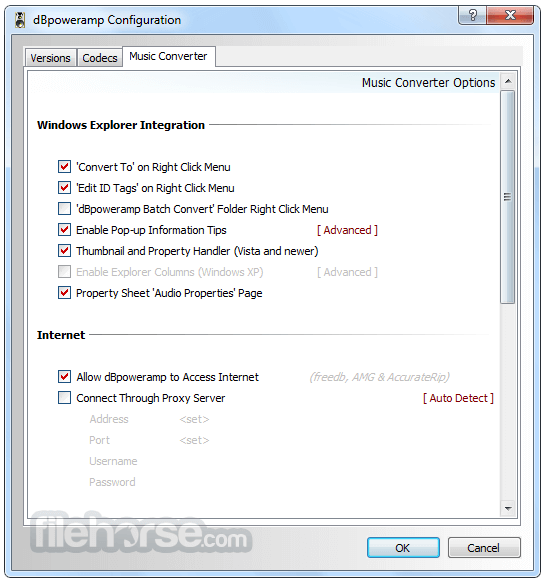
Once installed, right-click an audio file in Windows Explorer to access conversion options.
How to Use
What audio formats does dBpowerAMP support?
It supports MP3, WAV, FLAC, AAC, OGG, AIFF, WMA, and many more.
Does dBpowerAMP preserve metadata during conversion?
Yes, it retains album art, track information, and other metadata.
Can I convert multiple files at once?
Yes, batch processing allows conversion of multiple files simultaneously.
Does it support CD ripping?
Yes, the software includes a powerful CD Ripper with accurate metadata retrieval.
Alternatives
XRECODE – Supports multiple formats and metadata handling.
Format Factory – A general media converter that includes audio conversion.
MediaHuman Audio Converter – Simple and free alternative with batch processing.
Pricing
It offers a 21-day free trial, after which users must purchase a license.
Pricing starts at $39 for the standard version and $68 for the reference version, which includes advanced features like PerfectMeta and additional DSP effects.
System Requirements
OS: Windows 10/11
Processor: Dual-core or higher recommended
RAM: 2GB minimum
Storage: 100MB for installation, plus additional space for converted files
PROS
dBpowerAMP Music Converter is an excellent choice for Windows users who need a powerful, efficient, and high-quality audio conversion tool. With its wide format support, fast processing, and accurate metadata handling, it stands out from other options.
Note: 21 days trial version.
Download dBpowerAMP Music Converter Latest Version Why is this app published on FileHorse? (More info)
It supports a wide range of audio formats, provides batch processing capabilities, and includes advanced options such as metadata editing, high-speed multi-core conversion, and integration with CD ripping tools.
Key Features
Multi-Format Support – Converts between MP3, WAV, FLAC, AAC, OGG, AIFF, and more.
Batch Processing – Convert multiple files at once with optimized efficiency.
High-Speed Conversions – Utilizes multi-core processors for fast performance.
Metadata Preservation – Retains album artwork, tags, and other metadata.
CD Ripper Integration – Includes dBpowerAMP CD Ripper for high-quality CD extraction.
DSP Effects – Apply effects like volume normalization, fade, or equalization.
User Interface
dBpowerAMP features a clean, intuitive, and straightforward interface. The drag-and-drop functionality makes it user-friendly, and the settings are easily adjustable for both beginners and advanced users.
Installation and Setup
Download the software from the official website or FileHorse.
Run the installer and follow the on-screen instructions.
Choose your preferred audio codecs and configure settings.
Once installed, right-click an audio file in Windows Explorer to access conversion options.
How to Use
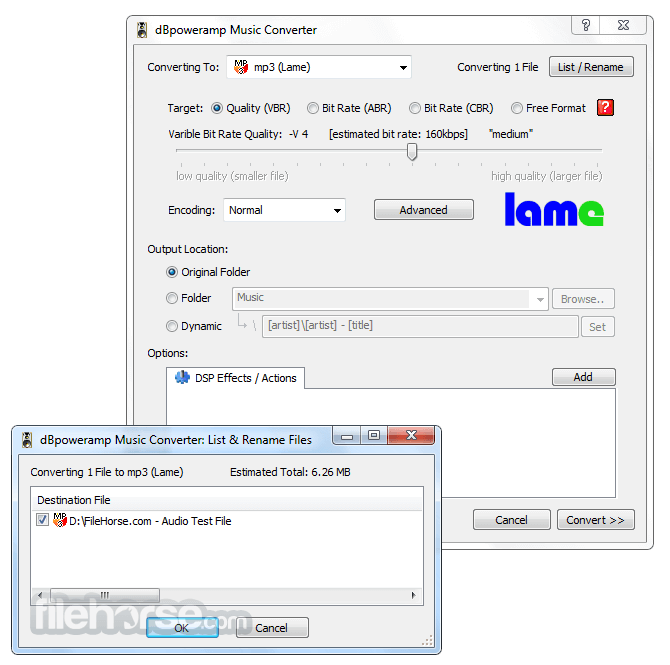
- Launch the software or right-click on an audio file and select "Convert To".
- Choose the desired output format and adjust quality settings.
- Apply DSP effects if needed (optional).
- Click “Convert” and wait for the process to finish.
- Locate your converted files in the designated folder.
What audio formats does dBpowerAMP support?
It supports MP3, WAV, FLAC, AAC, OGG, AIFF, WMA, and many more.
Does dBpowerAMP preserve metadata during conversion?
Yes, it retains album art, track information, and other metadata.
Can I convert multiple files at once?
Yes, batch processing allows conversion of multiple files simultaneously.
Does it support CD ripping?
Yes, the software includes a powerful CD Ripper with accurate metadata retrieval.
Alternatives
XRECODE – Supports multiple formats and metadata handling.
Format Factory – A general media converter that includes audio conversion.
MediaHuman Audio Converter – Simple and free alternative with batch processing.
Pricing
It offers a 21-day free trial, after which users must purchase a license.
Pricing starts at $39 for the standard version and $68 for the reference version, which includes advanced features like PerfectMeta and additional DSP effects.
System Requirements
OS: Windows 10/11
Processor: Dual-core or higher recommended
RAM: 2GB minimum
Storage: 100MB for installation, plus additional space for converted files
PROS
- High-speed conversion with multi-core support
- Wide range of supported formats
- Retains metadata and album art
- Batch processing for efficiency
- Includes an excellent CD Ripper
- Paid software after trial period
- Some advanced features require the more expensive "Reference" version
- No Mac version available
dBpowerAMP Music Converter is an excellent choice for Windows users who need a powerful, efficient, and high-quality audio conversion tool. With its wide format support, fast processing, and accurate metadata handling, it stands out from other options.
Note: 21 days trial version.
Download dBpowerAMP Music Converter Latest Version Why is this app published on FileHorse? (More info)
##
畫面截圖
- 2026-05-26 dBpowerAMP Music Converter 2026.05.25 46.4 MB
- 2022-03-18 dBpowerAMP Music Converter 17.7 60.48 MB
- 2022-02-24 dBpowerAMP Music Converter 17.6 60.47 MB
- 2021-08-14 dBpowerAMP Music Converter 17.4 60.32 MB
- 2021-01-30 dBpowerAMP Music Converter 17.3 60.42 MB
- 2020-09-28 dBpowerAMP Music Converter 17.2 60.26 MB
- 2020-07-02 dBpowerAMP Music Converter 17.1 60.14 MB
- 2020-04-13 dBpowerAMP Music Converter 17 59.32 MB