
DVDFab Virtual Drive 3.0.19
v 3.0.19
Windows
免費軟體
9.16/10 (104)
- 目前版本3.0.19
- 更新日期2026-03-12
- 檔案大小7.6 MB
- 檔案名稱explorerfab_online_3019.exe
- 作業系統Windows 7 / Windows 8 / Windows 10 / Windows 11
- 支援語系English
- 授權型式免費軟體
- 開發商 Fengtao Software Inc.
- 軟體分類Windows 軟體 / 光碟藍光
##
編輯短評
DVDFab Virtual Drive 是一款专为 Windows 设计的虚拟光驱工具,主要用来模拟 DVD 与蓝光光碟,让使用者无需实体光驱就能挂载 ISO 镜像文件。它最突出的特色是能同时模拟多个虚拟驱动器,并支援挂载由 DVDFab 或其他程式产生的 ISO 档,以及 DVDFab Blu-ray Copy 建立的 .miniso 文件。这款软体自推出以来持续获得更新,维护相当活跃,在同类工具中属于热门选择,使用者评价普遍不错。
这套软体适合需要频繁处理光碟镜像的使用者,例如游戏玩家、影音收藏者,或经常备份光碟内容的人。当你想运行 ISO 文件或测试蓝光备份时,它会派上用场。与 DAEMON Tools Lite 等替代软体相比,DVDFab Virtual Drive 更偏向与 DVDFab 生态整合,但功能相对单纯。它采用免费授权,仅支援 Windows 平台,且介面为英文,中文使用者可能需要适应一下。
##
軟體介紹
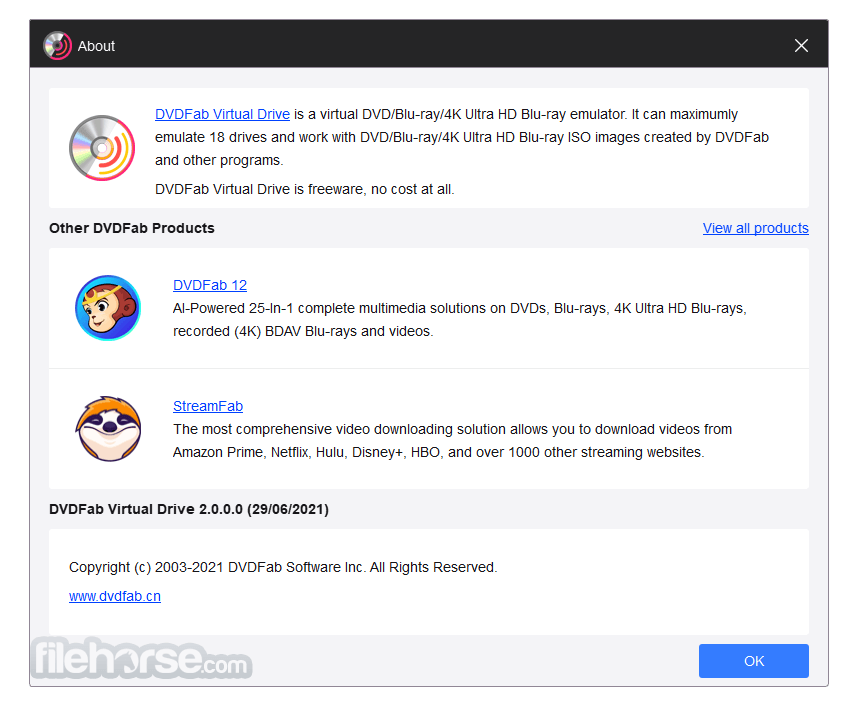
DVDFab Virtual Drive 是一個同時支援 DVD 和藍光的虛擬模擬器。它可以模擬最多 18 個光碟機,並掛載 DVD/藍光的 ISO 映像檔,這些映像檔由應用程式和其他程式所建立,以及由 DVDFab Blu-ray Copy 所建立的 .miniso 檔案。
DVDFab Virtual Drive 現在是 DVDFab。
DVDFab Virtual Drive 現在是 DVDFab。
##
畫面截圖
##
更新日誌
3.0.19- Support the latest Windows 11
- Added support for Ultra HD Blu-ray ISO images.
- New interface for easier operation.
It has some settings for your usage habits and convenience, and enables you to go to its forum for more information with just one click. DVDFab Virtual Drive Free Download Latest Version for Windows PC. It is a full offline setup installer of DVDFab Virtual Drive.
Features and Highlights
- DVD Virtual Drive is a virtual emulator that can emulate a maximum of 18 drives.
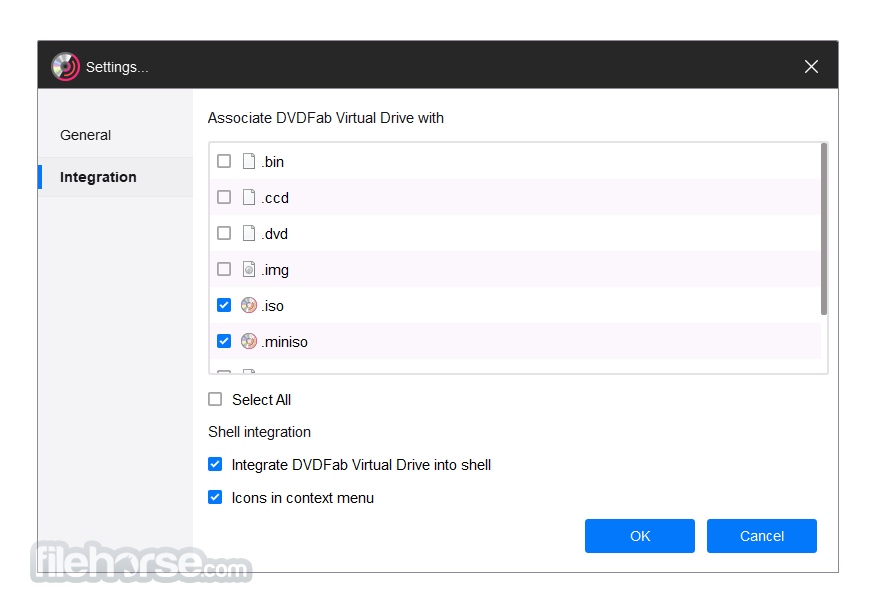
- It can mount both DVD image files and Blu-ray image files saved on your computer. Those image files could be created by DVD Fab, and also OK by other programs.
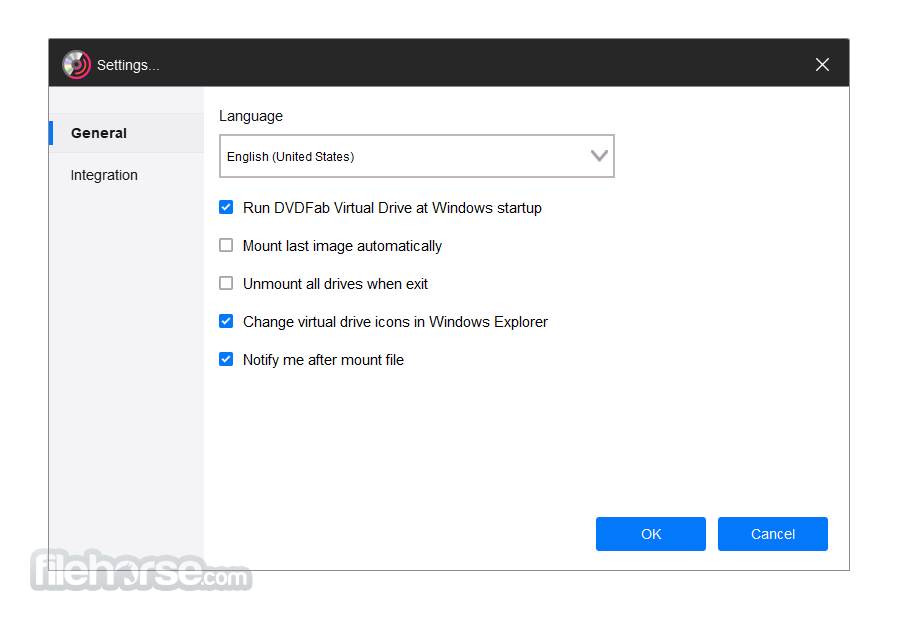
- You can select one language for this application from nearly 20 available languages.
- You can choose whether or not to run Virtual Drive automatically when windows startup.
- You can also let it mount the last image automatically, and unmount all drives when existing.
- What's more, you can freely set the number of drives from 0 to 18.
- Supported formats: DVD ISO image file, Blu-ray ISO image file
- Launch the Program – Open the software after installation to access the virtual drive interface.
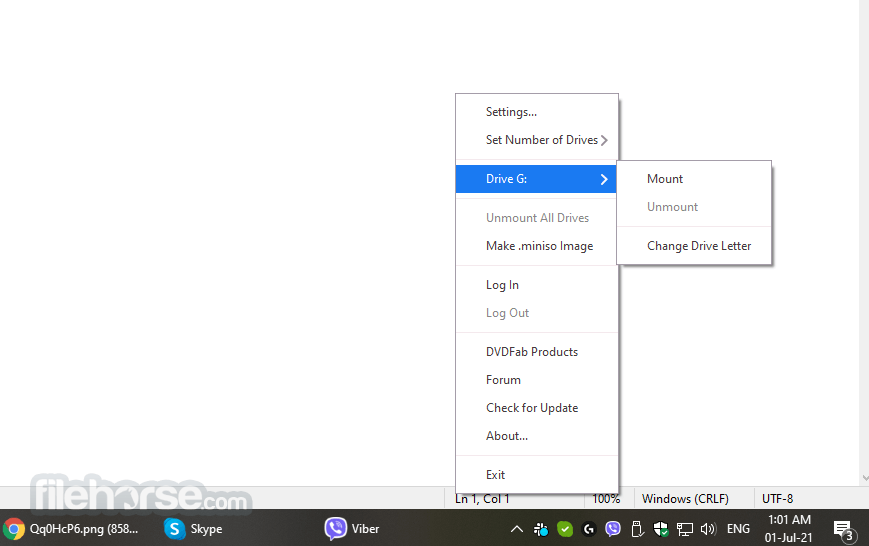
- Create a Virtual Drive – Right-click on the DVDFab Virtual Drive icon in the system tray and select the number of virtual drives you need.
- Mount an ISO File – Right-click on an ISO file, select "Mount," and choose a virtual drive to load it.
- Access the Mounted Disc – Open "This PC" or "My Computer" to find and use the mounted ISO as a real disc.
- Unmount the ISO – Right-click the virtual drive and select "Unmount" to remove the loaded ISO.
- Set Auto-Mount Options – Configure the software to auto-mount ISO files upon startup if needed.
- Change Drive Letter – Modify the assigned drive letter through the settings for better organization.
- Eject Virtual Drive – Right-click on the drive and choose "Eject" to disable it when not in use.
- Exit or Disable the Software – Close the software or disable it from running in the background if not needed.
What was DVDFab Virtual Drive used for?
DVDFab Virtual Drive was a utility that allowed users to mount disc image files, such as ISO or BNI, as virtual drives on a computer. This made it possible to access the contents of optical disc images without using a physical DVD or Blu-ray drive.
Is DVDFab Virtual Drive still available?
The standalone tool is no longer distributed separately. DVDFab Virtual Drive functionality has been integrated into DVDFab, which now includes virtual drive features as part of its broader disc and media management tools.
Is DVDFab Virtual Drive useful in 2026?
Yes, the functionality remains useful for mounting disc image files, but it is now typically accessed through the DVDFab software suite rather than as a separate application.
PROS
- Easy-to-Use Interface
- Supports Multiple Formats
- Free and Lightweight
- High Compatibility
- Fast Mounting Speed
- Now is DVDFab
- Limited Advanced Features
- Occasional Bugs
- No Direct ISO Creation
- Windows Only Compatibility
Download DVDFab Virtual Drive Latest Version Why is this app published on FileHorse? (More info)
- 2026-03-12 DVDFab Virtual Drive 3.0.19 7.6 MB
- 2021-08-17 DVDFab Virtual Drive 2.0.0.5 55.37 MB
- 2014-09-02 DVDFab Virtual Drive 1.5.1.1 807.73 KB