⚠ 這是歷史版本頁面 — 查看 EasyUEFI 最新版本 →

- 目前版本4.6
- 更新日期2021-04-23
- 檔案大小10.7 MB
- 檔案名稱EasyUEFI_Trial.exe
- 作業系統Windows 7 / Windows 8 / Windows 10 / Windows 11
- 支援語系English
- 授權型式試用版
- 開發商 Hasleo Software
- 軟體分類Windows 軟體 / 系統優化
##
編輯短評
EasyUEFI 是一套專門在 Windows 環境下管理 EFI/UEFI 開機選項的實用工具,主要解決傳統上必須進入 BIOS 設定才能調整開機順序、新增或刪除開機項目的麻煩。它提供建立、刪除、編輯、清理、備份與還原 EFI/UEFI 開機選項的功能,也能指定下一次重開機的臨時開機項目,或直接調整開機順序,全程在 Windows 內完成,不需重開機進 BIOS。這套軟體由 Hasleo Software 開發,收錄版本紀錄顯示其更新不算頻繁但持續維護,在同類工具中屬於特定需求的小眾選擇,使用者評價普遍不錯,但評分人數不多,代表性有限。
這套軟體適合需要頻繁切換多重作業系統、或處理 ESP(EFI 系統分割區)開機問題的使用者,例如安裝多系統後開機選單錯亂、想備份開機項目以防萬一,或想快速指定下次從隨身碟開機的場合。與 Rufus 這類製作開機碟的工具相比,EasyUEFI 專注於開機選單管理,而非建立媒體;與 Glary Utilities 等系統優化工具相比,它功能更單一但更深入。要注意的是它僅提供試用版授權,且介面只有英文,沒有中文版,對不熟悉英文操作介面的使用者可能稍有門檻;下載前建議先確認自己的主機板確實使用 UEFI 開機,傳統 BIOS 環境下這套工具無法發揮作用。
##
翻譯排程處理中,以下暫以英文原文呈現
軟體介紹
EasyUEFI owns comprehensive EFI/UEFI boot option management functions, such as create, delete, edit, clean up, backup and restore EFI/UEFI boot options, specifies a one-time boot entry for the next restart, or change EFI/UEFI boot order, all these operations done under Windows without entering BIOS setup.
EasyUEFI for PC is a comprehensive utility software designed to manage EFI/UEFI boot options and manage EFI System Partitions (ESP) on Windows operating systems.
It allows users to easily manipulate the boot options, such as adding, deleting, editing, backing up, and restoring boot entries.
With a user-friendly interface, it simplifies the process of managing UEFI boot options for both novice and advanced users.
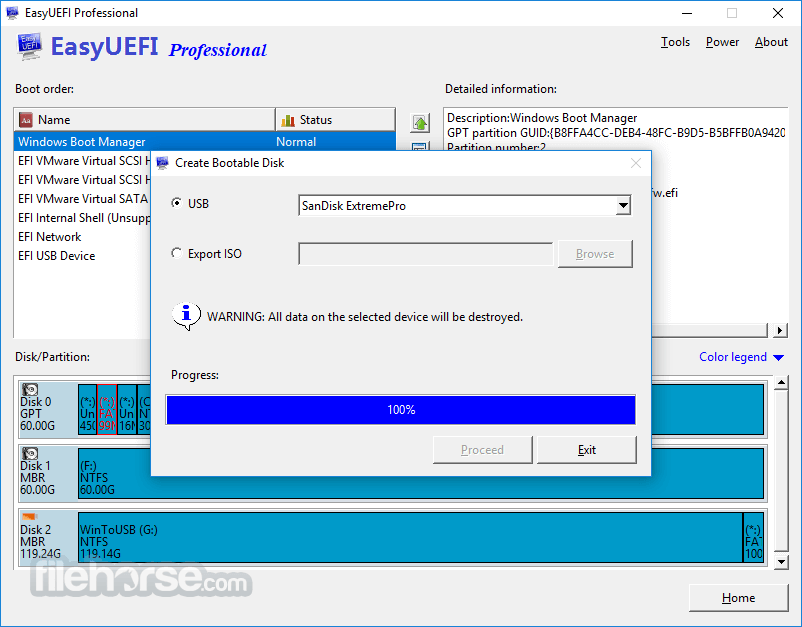
With this Windows PE emergency disk, you can easily fix EFI boot issues or repair efi system partition, such as missing or corrupt EFI boot option, missing or corrupt EFI System Partition.
Features
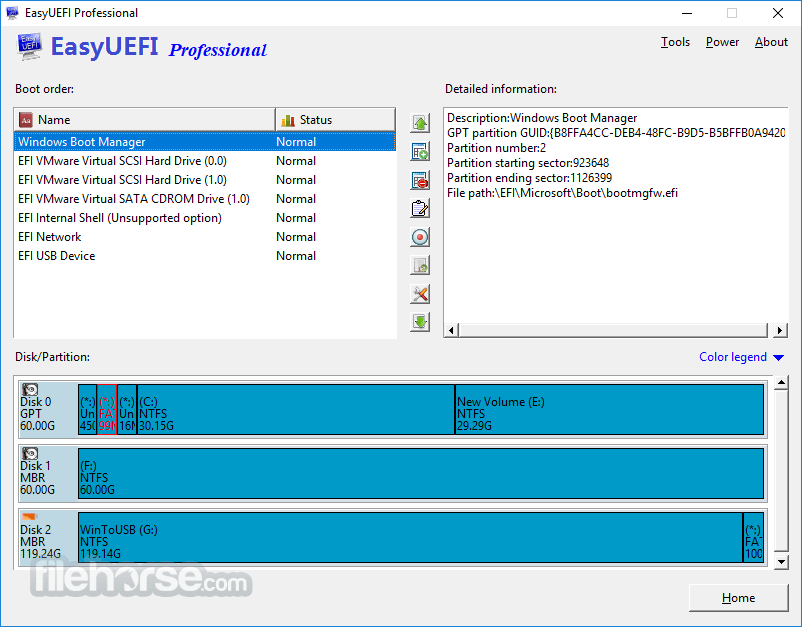
It boasts an intuitive and user-friendly interface, with straightforward navigation and clearly labeled options. The interface is well-organized, making it easy for users to locate and execute desired actions without confusion.
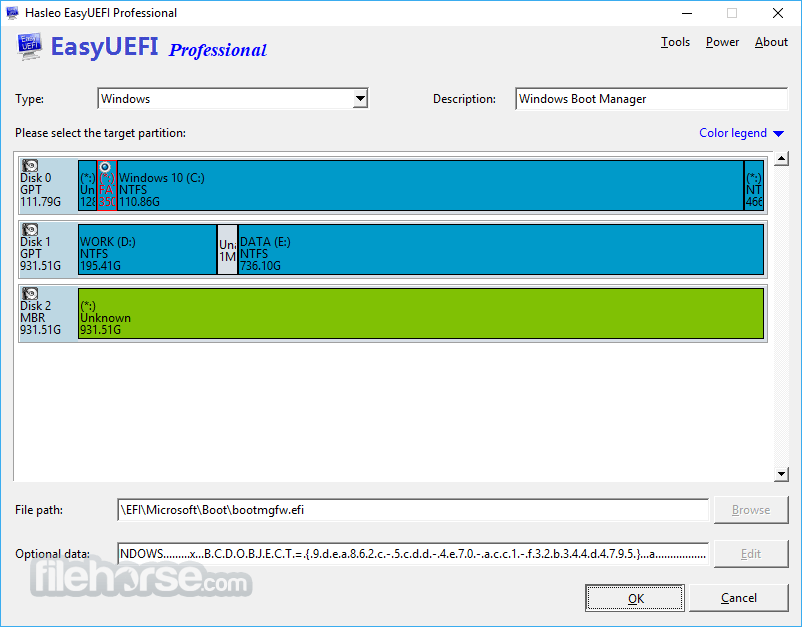
The graphical representation of boot entries and partitions enhances the user experience, providing a visual overview of the system configuration.
Installation and Setup
The installation process of this tool is straightforward, requiring users to follow a few simple steps. Upon launching the installer, users are guided through the installation wizard, where they can customize installation preferences as per their requirements.
Once installed, the software seamlessly integrates into the Windows environment, ready to assist users in managing EFI/UEFI boot options.
How to Use
FAQ
Is EasyUEFI compatible with Windows 11/10?
Yes, the tool is fully compatible with Windows 11 and 10, along with previous versions of Windows.
Can EasyUEFI create backups of EFI boot configurations?
Absolutely, it allows users to create backups of the entire UEFI boot configuration for safekeeping.
Does EasyUEFI for PC support multiple languages?
Yes, it offers multi-language support, catering to users worldwide.
Can I resize EFI System Partitions (ESP) using EasyUEFI?
Certainly, it enables users to resize EFI System Partitions effortlessly.
Is there a risk of data loss when using EasyUEFI?
EasyUEFI is designed with safety in mind, minimizing the risk of data loss during boot option management and partition manipulation.
Alternatives
If you are looking for an excellent alternative to this product, we recommend BootIt Collection.
Pricing
It offers a free version with limited features, along with a paid version that unlocks the full range of functionalities.
Single Professional License for 2 PCs is $29.95.
System Requirements
Download EasyUEFI Latest Version Why is this app published on FileHorse? (More info)
EasyUEFI for PC is a comprehensive utility software designed to manage EFI/UEFI boot options and manage EFI System Partitions (ESP) on Windows operating systems.
It allows users to easily manipulate the boot options, such as adding, deleting, editing, backing up, and restoring boot entries.
With a user-friendly interface, it simplifies the process of managing UEFI boot options for both novice and advanced users.
- Create, Delete and Modify EFI/UEFI Boot Option
- Backup & Restore EFI/UEFI Boot Option
- Disable & Enable EFI/UEFI Boot Option
- Boot Into UEFI firmware settings (UEFI BIOS) From Inside Windows
- Specifies a One-time Boot Option
- Change EFI/UEFI Boot Sequence
- Command-line support
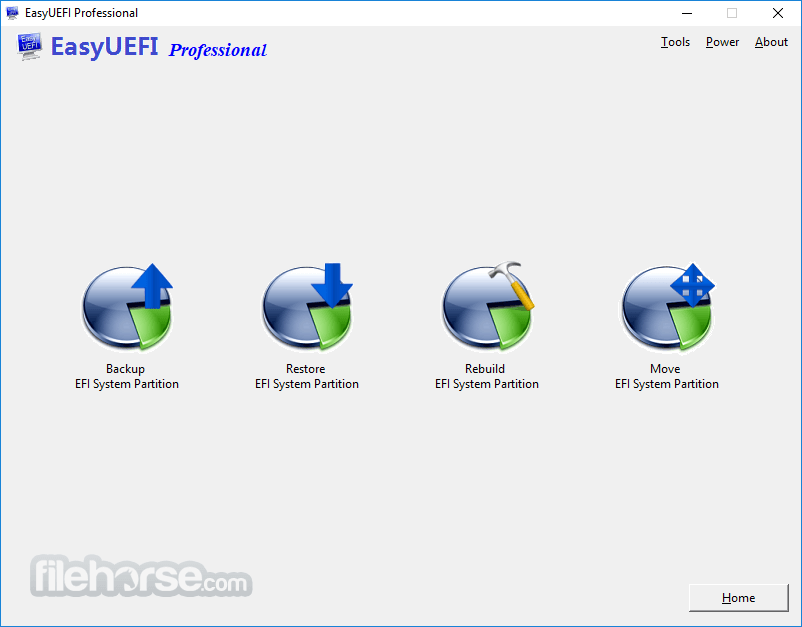
- Backup EFI System Partition
- Restore EFI System Partition
- Recreate EFI System Partition
- Move EFI System Partition to Another Drive
With this Windows PE emergency disk, you can easily fix EFI boot issues or repair efi system partition, such as missing or corrupt EFI boot option, missing or corrupt EFI System Partition.
Features
- Manage EFI/UEFI boot options effortlessly.
- Add, delete, edit, backup, and restore boot entries.
- Create, delete, format, and resize EFI System Partitions (ESP).
- Support for both 32-bit and 64-bit Windows systems.
- Multi-language support for global accessibility.
- Backup and restore the entire UEFI boot configuration.
- Support for managing multiple EFI System Partitions.
It boasts an intuitive and user-friendly interface, with straightforward navigation and clearly labeled options. The interface is well-organized, making it easy for users to locate and execute desired actions without confusion.
The graphical representation of boot entries and partitions enhances the user experience, providing a visual overview of the system configuration.
Installation and Setup
The installation process of this tool is straightforward, requiring users to follow a few simple steps. Upon launching the installer, users are guided through the installation wizard, where they can customize installation preferences as per their requirements.
Once installed, the software seamlessly integrates into the Windows environment, ready to assist users in managing EFI/UEFI boot options.
How to Use
- Launch the app after installation.
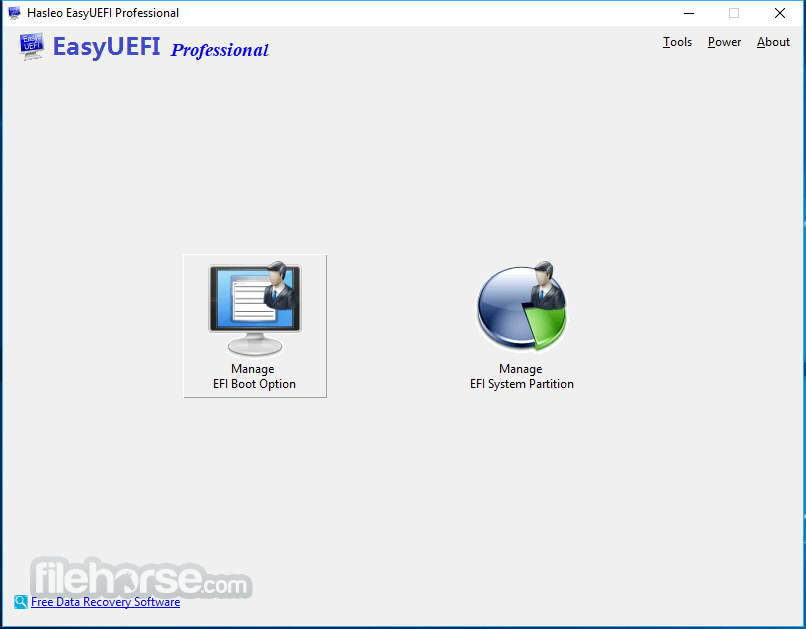
- Select the desired operation from the main menu, such as managing boot options or EFI partitions.
- Follow the on-screen prompts to perform the chosen operation.
- Confirm changes and reboot the system to apply modifications.
FAQ
Is EasyUEFI compatible with Windows 11/10?
Yes, the tool is fully compatible with Windows 11 and 10, along with previous versions of Windows.
Can EasyUEFI create backups of EFI boot configurations?
Absolutely, it allows users to create backups of the entire UEFI boot configuration for safekeeping.
Does EasyUEFI for PC support multiple languages?
Yes, it offers multi-language support, catering to users worldwide.
Can I resize EFI System Partitions (ESP) using EasyUEFI?
Certainly, it enables users to resize EFI System Partitions effortlessly.
Is there a risk of data loss when using EasyUEFI?
EasyUEFI is designed with safety in mind, minimizing the risk of data loss during boot option management and partition manipulation.
Alternatives
If you are looking for an excellent alternative to this product, we recommend BootIt Collection.
Pricing
It offers a free version with limited features, along with a paid version that unlocks the full range of functionalities.
Single Professional License for 2 PCs is $29.95.
System Requirements
- Operating System: Windows 7/8/8.1/10/11 (32-bit or 64-bit)
- Processor: 1 GHz or faster processor
- RAM: 512 MB or more
- Disk Space: 50 MB of free space
- Intuitive user interface.
- Comprehensive features for managing UEFI boot options.
- Multi-language support.
- Backup and restore functionality for boot configurations.
- Limited free version.
- Windows-exclusive software.
Download EasyUEFI Latest Version Why is this app published on FileHorse? (More info)
##
畫面截圖
- 2026-05-29 EasyUEFI 6.4 23.15 MB
- 2026-01-06 EasyUEFI 6.2 14.72 MB
- 2025-06-05 EasyUEFI 6.0 13.76 MB
- 2025-05-06 EasyUEFI 5.9 12.37 MB
- 2024-10-23 EasyUEFI 5.8 12.36 MB
- 2024-04-09 EasyUEFI 5.5 12.25 MB
- 2024-03-15 EasyUEFI 5.3 12.36 MB
- 2022-07-26 EasyUEFI 4.9 11.17 MB