⚠ 這是歷史版本頁面 — 查看 Equalizer APO 1.4.2 (64-bit) 最新版本 →

Equalizer APO 1.4.1 (64-bit)
v 1.4.1 (64-bit)
Windows
開源軟體
7.7/10 (108)
- 目前版本1.4.1 (64-bit)
- 更新日期2024-12-19
- 檔案大小11.25 MB
- 檔案名稱EqualizerAPO-x64-1.4.1.exe
- 作業系統Windows 7 64 / Windows 8 64 / Windows 10 64 / Windows 11
- 支援語系English
- 授權型式開源軟體
- 開發商 Equalizer APO Team
- 軟體分類Windows 軟體 / 音訊軟體
##
編輯短評
Equalizer APO 是 Windows 平台上的一套圖形化或參數式等化器,以 Audio Processing Object(APO)架構實作,直接掛在系統音效管線上,讓所有從電腦輸出的聲音都能套用等化設定,而不只是單一播放軟體。它最鮮明的特色是系統層級的處理能力,搭配開源免費的授權,長期以來在同類工具中屬於主流首選,評價普遍不錯,雖然更新頻率不算密集,但仍有持續維護。
這套軟體適合對音質有要求、想統一調整所有應用程式聲音輸出的使用者,例如聽音樂、看影片或玩遊戲時想強化低頻或修正耳機頻響。與 Virtual DJ 或 iTunes 這類播放軟體不同,它不負責播放,而是專注於系統層級的等化處理,因此沒有直接替代品;使用上需留意僅支援 Windows,且介面為英文,但操作邏輯直覺,免安裝版本也能輕鬆上手。
##
翻譯排程處理中,以下暫以英文原文呈現
軟體介紹
Equalizer APO for Microsoft Windows is a graphic or parametric equalizer. An Audio Processing Object, also known as APO, is implemented for the Windows Vista-based system effect infrastructure.
The purpose of the Equalizer APO - Sound Booster and Enhancer is to enhance your sound quality and strength.
Equalizer APO for Windows 11/10 is a powerful and versatile audio processing software that allows users to apply system-wide equalization to their Windows-based computer's audio output.
It stands for "Audio Processing Object" and is an open-source, parametric equalizer for Windows. The app is designed for users who want to take control of their audio experience by customizing the sound output to suit their preferences.
It's an ideal choice for audiophiles, gamers, content creators, and anyone who values high-quality audio.
The tool is designed to cater to those seeking a fixed-frequency equalizer, offering a simple and hassle-free way to filter audio. It grants you control over various audio channels, including stereo, mono, swap, invert, balance, and more.
The Pan\Expand processing feature enables adjustments to stereo effects, while the Multi-Delays feature empowers users to craft a diverse range of audio effects, such as echoes, delays, reverb, and more.
Highlights
The app stays under the radar by not exhausting your system’s resources or leaving any traces of itself behind. Meanwhile, results are delivered fast and efficiently.
When you begin the app installation process, you can select which device the APO will be installed on. In other words, you must choose the audio device that you want to improve.
A list of all the connected devices will be presented to you by the app. It’ll list the names of the devices and which ones are APO compatible.
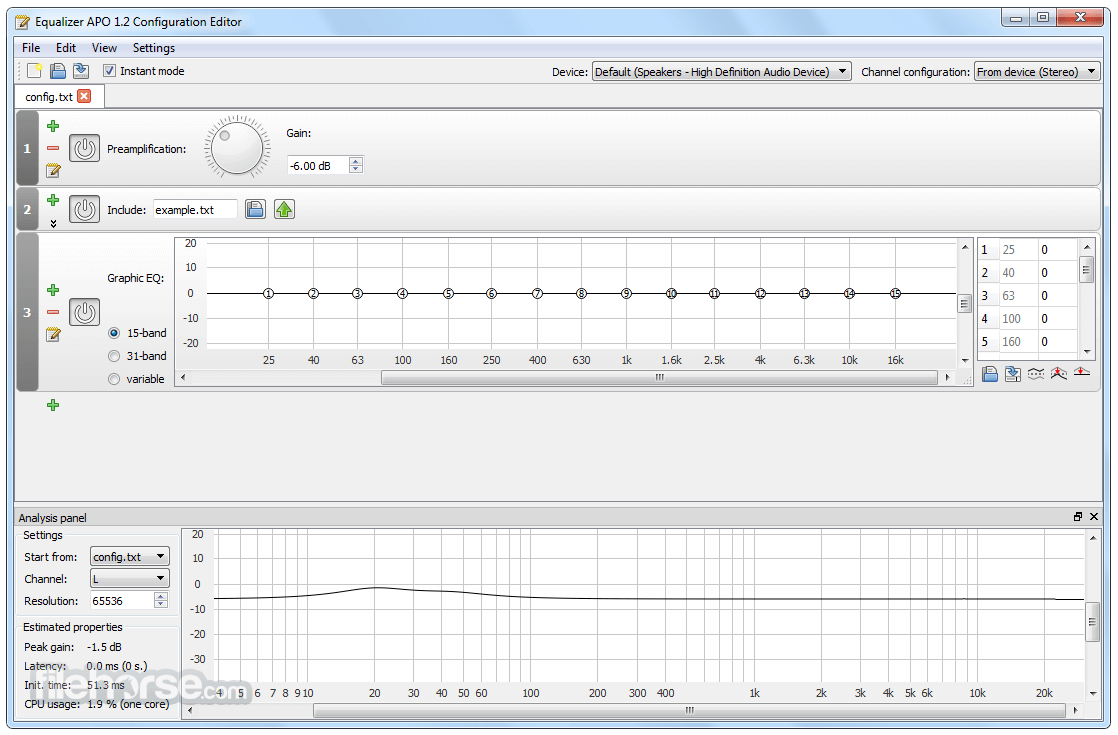
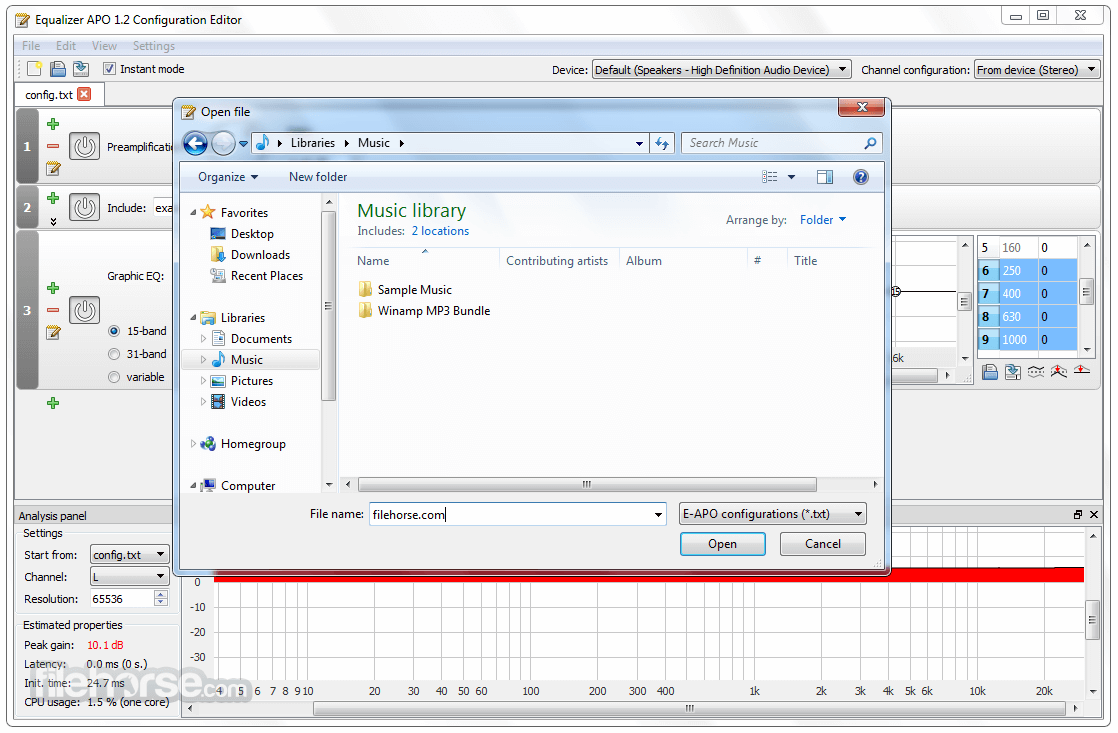
To modify the parameters of the latest equalizer, just find the installation location of the EqualizerAPO and open a TXT file which allows you to configure them.
Key Features
It may have a learning curve due to its text-based configuration, but it's relatively simple to use once you're familiar with it:
Is Equalizer APO compatible with all Windows versions?
Yes, Equalizer APO is compatible with most Windows versions, including Windows 7, 8, 8.1, 10, and 11.
Does Equalizer APO work with all audio output devices?
It works with most audio output devices, including headphones, speakers, and USB audio interfaces.
Can I undo the equalization settings if I'm not satisfied with the results?
Yes, you can simply remove or modify the filters in the configuration file to revert or adjust the equalization settings.
Are there any alternatives to the text-based configuration for Equalizer APO?
Yes, there are third-party GUI frontends like Peace Equalizer and Equalizer APO Configurator that provide a graphical interface for configuration.
Is Equalizer APO safe to use, and does it impact system performance?
The software is safe to use and designed for low-latency audio processing, minimizing any impact on system performance.
Alternatives
Voicemeeter - Voicemeeter is a virtual audio mixer that provides a GUI for audio routing, mixing, and equalization.
FxSound - Boost the sound quality of your music with FxSound Enhancer powered by DFX.
Boom 3D - The Best System-Wide Volume Booster & Equalizer Software For PC.
SteelSeries GG - GameSense & Customization Software for the Best Gaming Experience.
Nahimic - The best audio experience, it contains audio effects and microphone effects!
Pricing
The audio app is completely FREE and open-source, making it an excellent choice for those on a budget or who prefer community-driven software.
System Requirements
Equalizer APO is relatively lightweight and should run on most Windows systems without issues.
The basic requirements include a Windows operating system (Windows 7 or later) and compatible audio output devices.
PROS
Equalizer APO is a fantastic audio processing tool for users who want complete control over their audio output on Windows. While it may require some initial effort to set up and configure, the results are worth it for those who prioritize customized sound profiles. Its open-source nature and support for VST plugins make it a flexible choice, and the ability to apply system-wide equalization can greatly enhance your audio experience.
If you're willing to invest the time to learn its configuration or prefer third-party GUI frontends, Equalizer APO is a powerful and free solution for achieving the perfect audio balance on your Windows PC.
Also Available: Equalizer APO (32-bit)
Download Equalizer APO (64-bit) Latest Version Why is this app published on FileHorse? (More info)
The purpose of the Equalizer APO - Sound Booster and Enhancer is to enhance your sound quality and strength.
Equalizer APO for Windows 11/10 is a powerful and versatile audio processing software that allows users to apply system-wide equalization to their Windows-based computer's audio output.
It stands for "Audio Processing Object" and is an open-source, parametric equalizer for Windows. The app is designed for users who want to take control of their audio experience by customizing the sound output to suit their preferences.
It's an ideal choice for audiophiles, gamers, content creators, and anyone who values high-quality audio.
The tool is designed to cater to those seeking a fixed-frequency equalizer, offering a simple and hassle-free way to filter audio. It grants you control over various audio channels, including stereo, mono, swap, invert, balance, and more.
The Pan\Expand processing feature enables adjustments to stereo effects, while the Multi-Delays feature empowers users to craft a diverse range of audio effects, such as echoes, delays, reverb, and more.
Highlights
- The CPU usage is low
- Modular GUI
- Extremely little latency; great for interactive apps.
- Compatible with several channels
- Contains almost unlimited filter options
- Improved Bluetooth Compatibility: Fixed issues with GraphicEQ and Convolution commands not working properly on Windows 11 Bluetooth devices
- Better Stability on Older CPUs: Resolved crashes caused by missing AVX support when loading FFTW, especially in the Configuration Editor
- Enhanced Device Detection: Fixed Voicemeeter Banana detection so all outputs now appear correctly in the device selector
- New Language Support: Added French and Simplified Chinese translations contributed by the community
- General Fixes: Additional improvements for overall reliability and smoother performance
The app stays under the radar by not exhausting your system’s resources or leaving any traces of itself behind. Meanwhile, results are delivered fast and efficiently.
When you begin the app installation process, you can select which device the APO will be installed on. In other words, you must choose the audio device that you want to improve.
A list of all the connected devices will be presented to you by the app. It’ll list the names of the devices and which ones are APO compatible.
To modify the parameters of the latest equalizer, just find the installation location of the EqualizerAPO and open a TXT file which allows you to configure them.
Key Features
- System-wide Equalization: It applies equalization to all audio output on your Windows PC, allowing you to fine-tune the sound for all applications and system sounds.
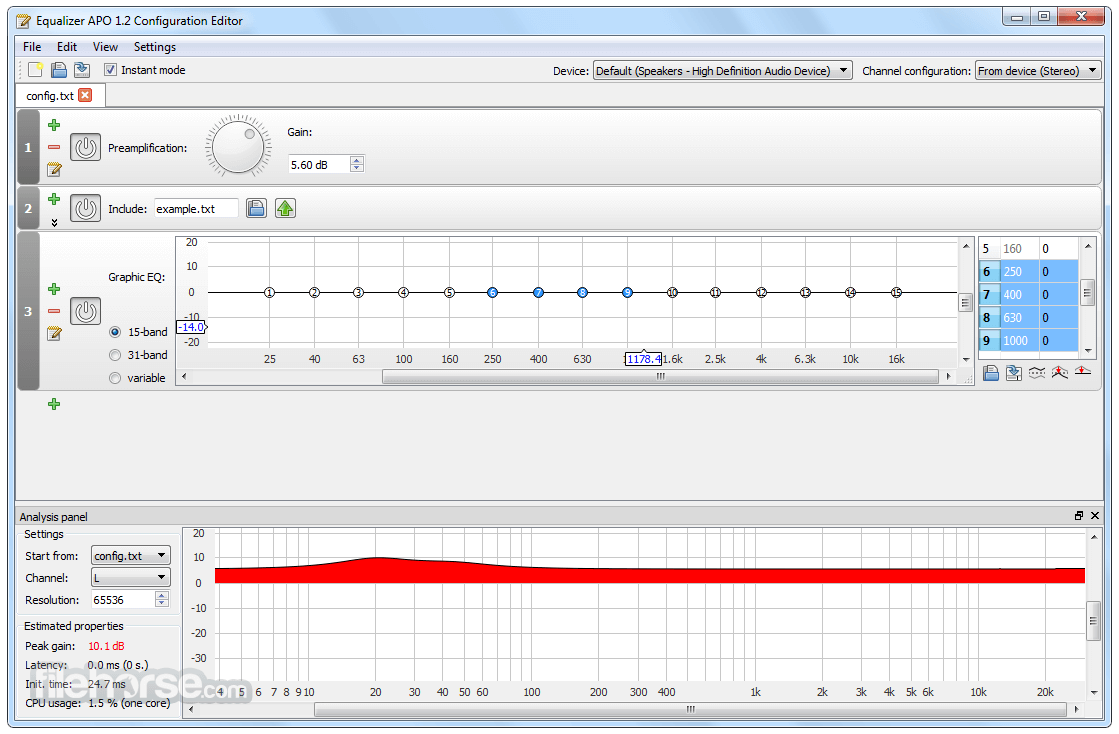
- Parametric Equalization: It provides a parametric equalizer interface with multiple filters, enabling precise adjustments to various audio frequencies.
- Unlimited Filters: You can add an unlimited number of filters, each with customizable settings, to achieve the perfect sound profile.
- Presets: It allows you to save and load presets, making it easy to switch between different audio profiles for various scenarios.
- VST Plugin Support: It supports VST plugins, allowing you to expand its capabilities with third-party audio processing plugins.
- Real-time Preview: The software offers a real-time audio preview, so you can hear the changes as you make adjustments.
- Low Latency: The app is designed for low-latency audio processing, ensuring minimal delay in audio playback.
- Open Source: Being open-source, the audio tool is continuously improved and updated by the community, and it's completely free to use.
- Download: Visit the official website or FileHorse and download the installer package.
- Run Installer: Run the installer and follow the on-screen instructions. During installation, you'll need to select the audio output devices where you want to apply equalization.
- Configuration: After installation, you can configure the program by editing the configuration text file. Alternatively, you can use one of the third-party GUI frontends for easier configuration.
- Reboot: To apply the equalization settings, you'll need to reboot your computer.
It may have a learning curve due to its text-based configuration, but it's relatively simple to use once you're familiar with it:
- Open the configuration text file using a text editor.
- Add or modify filters to adjust the audio frequencies as desired. Filters include parameters such as frequency, gain, and bandwidth.
- Save the configuration file.
- Reboot your computer for the changes to take effect.
- You can use presets or VST plugins to further enhance your audio experience.
Is Equalizer APO compatible with all Windows versions?
Yes, Equalizer APO is compatible with most Windows versions, including Windows 7, 8, 8.1, 10, and 11.
Does Equalizer APO work with all audio output devices?
It works with most audio output devices, including headphones, speakers, and USB audio interfaces.
Can I undo the equalization settings if I'm not satisfied with the results?
Yes, you can simply remove or modify the filters in the configuration file to revert or adjust the equalization settings.
Are there any alternatives to the text-based configuration for Equalizer APO?
Yes, there are third-party GUI frontends like Peace Equalizer and Equalizer APO Configurator that provide a graphical interface for configuration.
Is Equalizer APO safe to use, and does it impact system performance?
The software is safe to use and designed for low-latency audio processing, minimizing any impact on system performance.
Alternatives
Voicemeeter - Voicemeeter is a virtual audio mixer that provides a GUI for audio routing, mixing, and equalization.
FxSound - Boost the sound quality of your music with FxSound Enhancer powered by DFX.
Boom 3D - The Best System-Wide Volume Booster & Equalizer Software For PC.
SteelSeries GG - GameSense & Customization Software for the Best Gaming Experience.
Nahimic - The best audio experience, it contains audio effects and microphone effects!
Pricing
The audio app is completely FREE and open-source, making it an excellent choice for those on a budget or who prefer community-driven software.
System Requirements
Equalizer APO is relatively lightweight and should run on most Windows systems without issues.
The basic requirements include a Windows operating system (Windows 7 or later) and compatible audio output devices.
PROS
- Powerful system-wide audio equalization.
- Parametric equalizer with unlimited filters.
- Real-time preview and low latency.
- Supports VST plugins.
- Open-source and free to use.
- This application has been discontinued. An unofficial website, equalizerapo.com, has appeared, but its safety and security are questionable.
- Lacks a graphical user interface (GUI) by default.
- Configuration can be challenging for beginners.
- Third-party GUI frontends are needed for a more user-friendly experience.
Equalizer APO is a fantastic audio processing tool for users who want complete control over their audio output on Windows. While it may require some initial effort to set up and configure, the results are worth it for those who prioritize customized sound profiles. Its open-source nature and support for VST plugins make it a flexible choice, and the ability to apply system-wide equalization can greatly enhance your audio experience.
If you're willing to invest the time to learn its configuration or prefer third-party GUI frontends, Equalizer APO is a powerful and free solution for achieving the perfect audio balance on your Windows PC.
Also Available: Equalizer APO (32-bit)
Download Equalizer APO (64-bit) Latest Version Why is this app published on FileHorse? (More info)
##
畫面截圖
- 2026-04-06 Equalizer APO 1.4.2 (64-bit) 11.43 MB
- 2024-12-19 Equalizer APO 1.4.1 (64-bit) 11.25 MB
- 2024-09-02 Equalizer APO 1.4 (64-bit) 9.5 MB
- 2024-02-03 Equalizer APO 1.3.2 (64-bit) 8.34 MB
- 2024-01-27 Equalizer APO 1.3.1 (64-bit) 8.34 MB
- 2022-05-23 Equalizer APO 1.3 (64-bit) 8.33 MB
- 2019-06-10 Equalizer APO 1.2.1 (64-bit) 7.96 MB
- 2017-07-19 Equalizer APO 1.2 (64-bit) 7.96 MB