
- 目前版本6.2.0.2978
- 更新日期2016-08-18
- 檔案大小50.82MB
- 檔案名稱Eraser6.2.0.2978.exe
- 作業系統Windows 7 / Windows 8 / Windows 10
- 支援語系English
- 授權型式開源軟體
- 開發商 Eraser Team
- 軟體分類Windows 軟體 / 系統優化
編輯短評
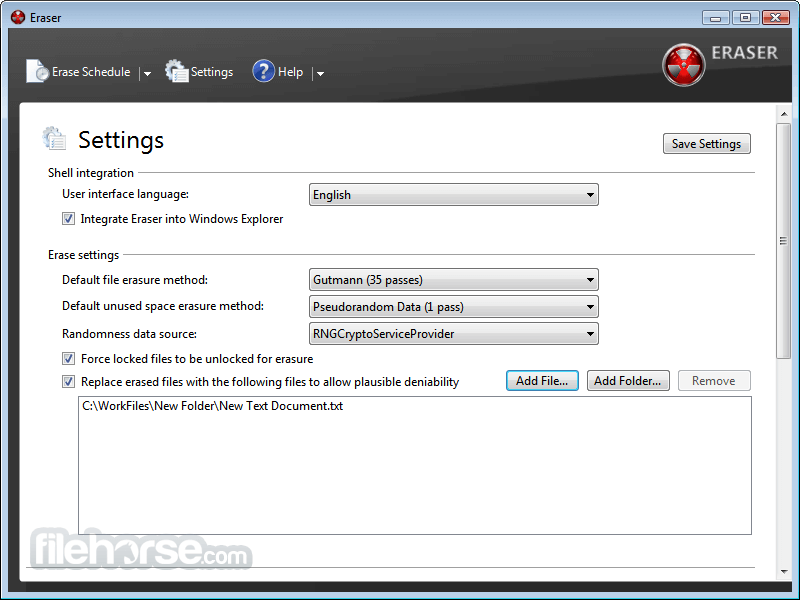
Eraser 是 Windows 平台上的開源安全刪除工具,核心功能是以特定模式多次覆寫硬碟資料,徹底清除敏感檔案。它解決的是作業系統刪除檔案後,資料仍殘留在磁碟上、可能被還原的問題。最有辨識度的特色是提供多種覆寫模式,讓使用者依需求選擇安全等級。維護方面,更新頻率不高但仍在持續維護;在同類工具中屬於中段班,評價普遍不錯,評分人數不算多。
適合要轉賣電腦、處理機密文件,或對資料隱私較敏感的使用者。與其他系統優化工具相比,Eraser 專注在安全刪除,功能單一但深入,沒有多餘的附加功能。授權為開源軟體,免費使用;僅支援 Windows 平台,介面只有英文,對不熟悉英文的使用者稍有門檻。使用前建議先了解覆寫次數與時間的取捨,次數越多越安全但耗時越長。
軟體介紹
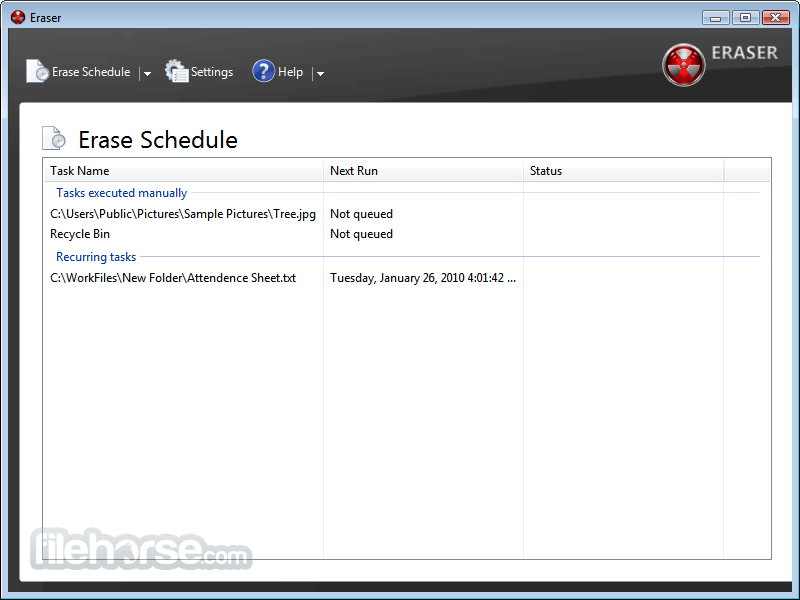
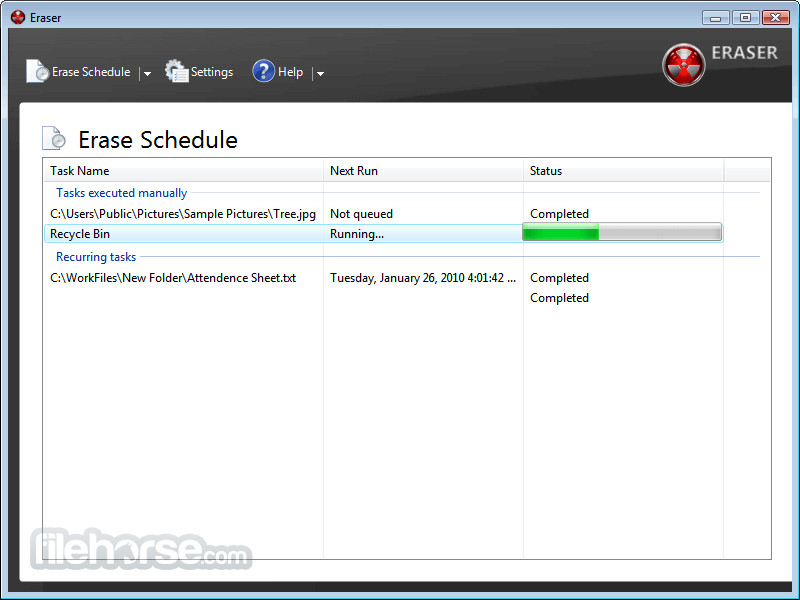
Eraser is an advanced security tool for Windows which allows you to completely remove sensitive data from your hard drive by overwriting it several times with carefully selected patterns.
When you delete a file, the operating system does not really remove the file from the disk; it only removes the reference of the file from the file system table. The file remains on the disk until another file is created over it, and even after that, it might be possible to recover data by studying the magnetic fields on the disk platter surface.
There are several problems in secure file removal, mostly caused by the use of write cache, construction of the hard disk and the use of data encoding. These problems have been taken into consideration when Eraser was designed, and because of this intuitive design and a simple user interface, you can safely and easily erase private data from your hard drive.
畫面截圖
- 2026-04-07 Eraser 6.2.0.2996 8.45 MB
- 2024-07-15 Eraser 6.2.0.2994 8.43 MB
- 2021-10-05 Eraser 6.2.0.2993 8.35 MB
- 2021-02-26 Eraser 6.2.0.2992 8.36 MB
- 2020-10-12 Eraser 6.2.0.2991 8.35 MB
- 2020-07-14 Eraser 6.2.0.2990 8.06 MB
- 2020-06-07 Eraser 6.2.0.2989 8.06 MB
- 2020-06-06 Eraser 6.2.0.2988 5.52 MB