⚠ 這是歷史版本頁面 — 查看 Event Log Explorer 最新版本 →

- 目前版本4.9.0
- 更新日期2019-11-13
- 檔案大小4.85 MB
- 檔案名稱elex_setup.exe
- 作業系統Windows 7 / Windows 8 / Windows 10 / Windows 11
- 支援語系English
- 授權型式商業試用
- 開發商 FSPro Labs
- 軟體分類Windows 軟體 / 安全工具
##
編輯短評
Event Log Explorer 是一套專門用來檢視、監控與分析 Windows 事件記錄的軟體,涵蓋安全性、系統、應用程式等各類日誌。它大幅擴充了 Windows 內建事件檢視器的功能,讓管理員能更有效率地追蹤登入嘗試、資源存取等安全相關事件。這套工具由 FSPro Labs 開發,長期持續更新,在同類工具中屬於有一定知名度的選擇,不過使用者評價普遍中等,並非壓倒性的主流首選。
它最適合需要深入檢視事件日誌的系統管理員、資安人員或鑑識調查者,尤其當內建工具難以快速過濾大量記錄時,能提供更進階的檢視與分析方式。與 Folder Lock 等偏重防護或加密的替代軟體不同,它專注於日誌分析,功能取向明確。需注意的是,軟體為試用版,僅支援英文介面,且僅限 Windows 平台,使用前最好先確認是否符合你的環境與預算需求。
##
翻譯排程處理中,以下暫以英文原文呈現
軟體介紹
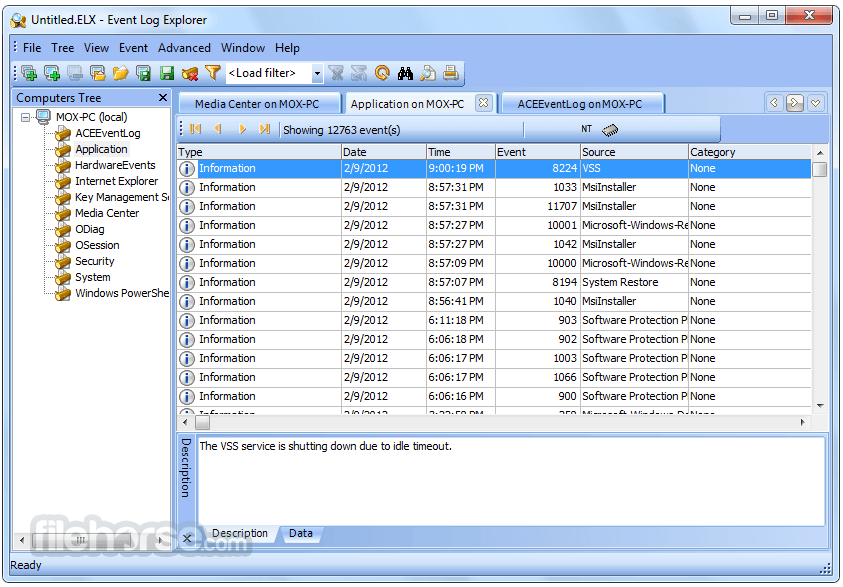
Event Log Explorer is an effective software solution for viewing, monitoring and analyzing events recorded in Security, System, Application and other logs of Microsoft Windows operating systems.
Event Log Explorer greatly extends standard Windows Event Viewer monitoring functionality and brings many new features.
It is impossible to find a system administrator, security specialist, or forensic examiner for whom the problem of Windows event log analysis has never been acute. To keep your network safe and sound you have to constantly trace valid and invalid logon attempts, events related to resource use, such as creating, opening, or deleting of files, etc. This process of monitoring Windows event logs has always devoured a lot of time.
Event Log Explorer helps you to quickly browse, find and report on problems, security warnings and all other events that are generated within Windows.
Thanks to the Explorer, monitoring and analysis of events recorded in Security, System, Application, Directory Service, DNS, and other logs of Microsoft Windows operating systems gets much faster and really effective.
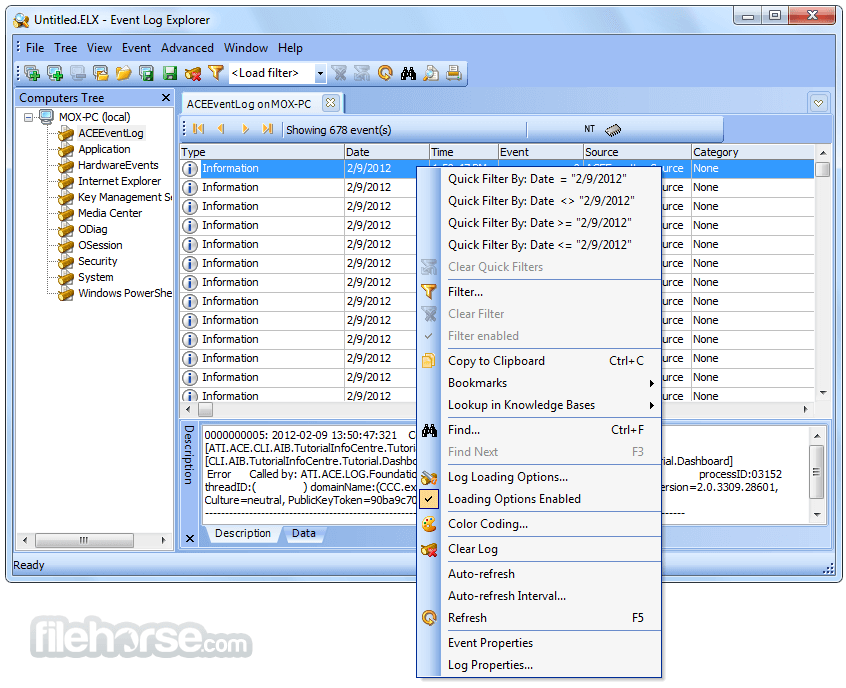
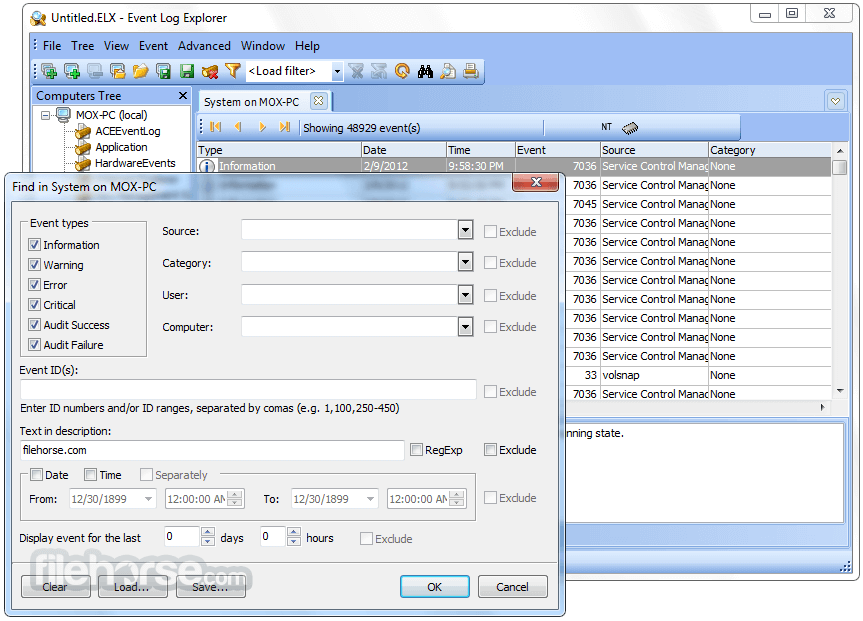
The app provides powerful event search and filtering engine. You can easily filter events in the list by any criteria. Every filter can be saved into file - this saves your time when you want to re-apply the filter in future.
Features and Highlights
Download Event Log Explorer Latest Version Why is this app published on FileHorse? (More info)
Event Log Explorer greatly extends standard Windows Event Viewer monitoring functionality and brings many new features.
It is impossible to find a system administrator, security specialist, or forensic examiner for whom the problem of Windows event log analysis has never been acute. To keep your network safe and sound you have to constantly trace valid and invalid logon attempts, events related to resource use, such as creating, opening, or deleting of files, etc. This process of monitoring Windows event logs has always devoured a lot of time.
Event Log Explorer helps you to quickly browse, find and report on problems, security warnings and all other events that are generated within Windows.
Thanks to the Explorer, monitoring and analysis of events recorded in Security, System, Application, Directory Service, DNS, and other logs of Microsoft Windows operating systems gets much faster and really effective.
The app provides powerful event search and filtering engine. You can easily filter events in the list by any criteria. Every filter can be saved into file - this saves your time when you want to re-apply the filter in future.
Features and Highlights
- Access Windows event logs and event log files on local and remote servers and workstations
- Support of both classic Windows NT event log format (EVT files) and new (Crimson) event log format (EVTX files)
- High performance — all events are loaded either into memory or into an optimized internal local database
- Active monitoring and alerting — get informed about problems immediately
- Event log consolidation — you can consolidate different events in one place
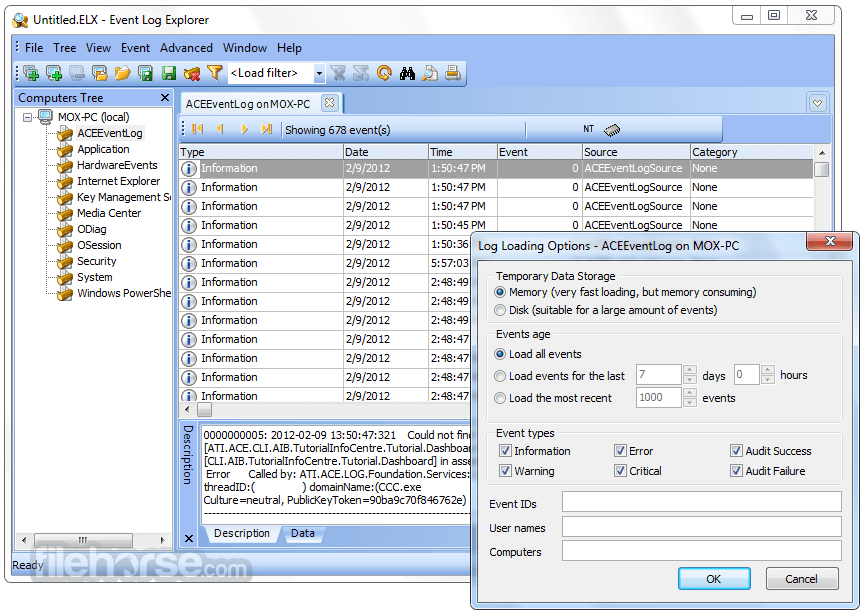
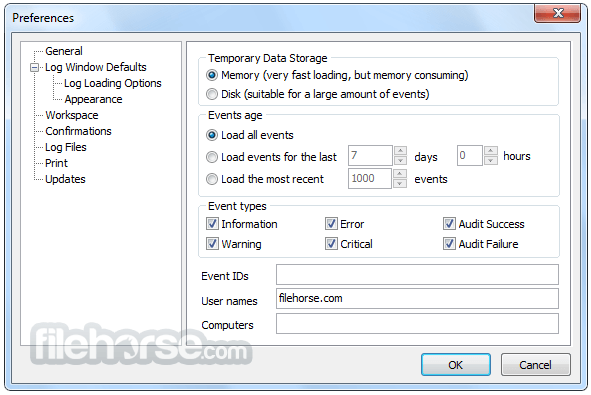
- Log loading options to pre-filter event logs
- Advanced filtering by any criteria including event description text
- Manual and automatic backup of event logs
- Print and export to different formats
- Analytical reports - summary tables and pivot charts
- Credential manager
- Install the software on your Windows PC
- Launch the application after installation
- Connect to local or remote event logs
- Browse and filter event logs using built-in tools
- Export logs to various formats if needed
- Use search to find specific events quickly
- Set up custom views and alerts for monitoring
- Analyze logs using sorting and grouping features
- Save sessions for future use
- Operating System: Windows 7/8/10/11 or Windows Server
- Processor: 1 GHz or faster
- RAM: 2 GB minimum (4 GB recommended)
- Disk Space: 50 MB of free space
- Display: 1024x768 resolution or higher
- Network: For remote log access, LAN/WAN required
- Privileges: Admin rights required for full access
- Easy navigation through event logs
- Advanced filtering and search tools
- Supports remote log access
- Export to multiple file formats
- Custom views and alert settings
- Outdated user interface design
- Limited online documentation
- No real-time event alerts
- Free version has feature limits
Download Event Log Explorer Latest Version Why is this app published on FileHorse? (More info)
##
畫面截圖
- 2026-06-28 Event Log Explorer 5.8.2 10.08 MB
- 2026-02-07 Event Log Explorer 5.8.0 10.05 MB
- 2025-08-19 Event Log Explorer 5.7.0 10.08 MB
- 2024-10-30 Event Log Explorer 5.6.0 9.05 MB
- 2024-07-06 Event Log Explorer 5.5.2 9.02 MB
- 2024-02-16 Event Log Explorer 5.5.0 9.02 MB
- 2023-10-17 Event Log Explorer 5.4.1 8.99 MB
- 2023-09-27 Event Log Explorer 5.4.0 8.99 MB