⚠ 這是歷史版本頁面 — 查看 Everything 1.4.1.1032 (64-bit) 最新版本 →

Everything 1.4.1.1027 (64-bit)
v 1.4.1.1027 (64-bit)
Windows
免費軟體
7.96/10 (229)
- 目前版本1.4.1.1027 (64-bit)
- 更新日期2025-05-23
- 檔案大小1.82 MB
- 檔案名稱Everything-1.4.1.1027.x64-Setup.exe
- 作業系統Windows 7 64 / Windows 8 64 / Windows 10 64 / Windows 11
- 支援語系English
- 授權型式免費軟體
- 開發商 David Carpenter
- 軟體分類Windows 軟體 / 桌面強化
##
編輯短評
Everything 是一套專注於檔案名稱搜尋的 Windows 桌面工具,核心功能是快速建立本機磁碟的檔案與資料夾索引,讓使用者輸入關鍵字後幾乎瞬間就能看到結果。它最大的辨識度在於輕量與極簡——安裝檔小、介面乾淨,搜尋速度在同類工具中屬於主流首選,開發者長期維護,更新相當活躍,使用者評價普遍不錯。
如果你經常需要從大量檔案中快速找出特定名稱的檔案,或對 Windows 內建搜尋速度感到不耐,這套工具會很實用。它只比對檔名而非檔案內容,因此與其他能搜尋全文的工具相比,取捨在於速度與深度。軟體為免費授權,僅提供英文介面,但操作直覺,不熟悉英文也能上手;目前僅支援 Windows 平台,免安裝即可使用。
##
翻譯排程處理中,以下暫以英文原文呈現
軟體介紹
Everything Search Engine 64bit is a powerful desktop search utility designed to quickly locate files and folders on your computer.
Developed by VoidTools, this lightweight application indexes all the files and folders on your local drives, allowing for near-instantaneous search results.
With its simple and intuitive interface, Everything Desktop Search Engine for Windows aims to streamline the process of finding files on your PC, making it an essential tool for productivity and organization.
Highlights
Installing this tool is a breeze. Simply download the installer from the official website, run it, and follow the on-screen instructions.
Once installed, the application automatically begins indexing your files in the background, ensuring that search results are available almost instantly.
How to Use
FAQ
Does Everything 64bit support searching network drives?
No, this program is designed to search only local drives.
Can I customize the appearance of the search results?
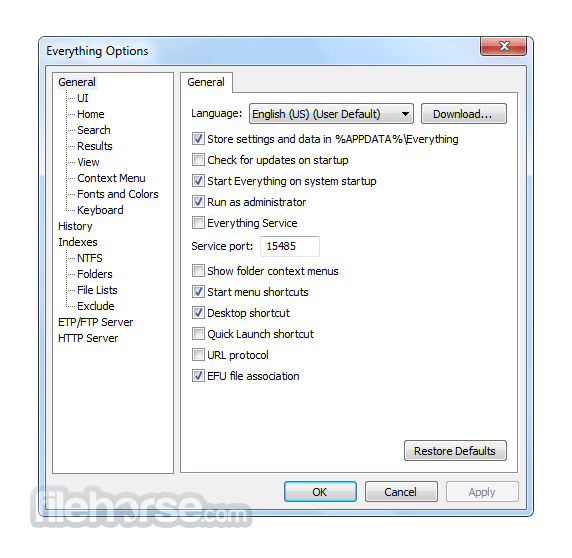
Yes, you can adjust the font size, color scheme, and other visual aspects of the application in the settings menu.
Is Everything Search Engine available for macOS or Linux?
Unfortunately, the desktop software is exclusive to the Windows platform.
Does Everything Search Engine consume a lot of system resources?
No, the application is lightweight and consumes minimal system resources, even during indexing.
Can I exclude certain folders from being indexed?
Yes, you can configure the application to ignore specific folders or file types in the settings menu.
Alternatives
UltraSearch: UltraSearch finds files and folders on local NTFS drives in a second.
Wise JetSearch: Quick search your local file, images, videos, music, removal and others.
TextSeek: Full-text search desktop software for all kinds of documents.
Windows Search: The built-in Windows search functionality, which has improved significantly in recent versions of Windows.
Pricing
The Everything program is available for free with no limitations or ads.
However, donations to support further development are appreciated by the developers.
The official website has a download option:
Everything Search Engine is a must-have tool for Windows users seeking a fast and efficient way to search for files and folders on their computers. Its lightning-fast search capabilities, customizable interface, and minimal resource usage make it an invaluable asset for improving productivity and organization.
While it may lack some advanced features found in other search utilities, its simplicity and ease of use more than make up for it. Whether you're a casual user or a power user, this tool is sure to become an indispensable part of your workflow.
Also Available: Everything Search Engine (32-bit)
Download Everything Search Engine (64-bit) Latest Version Why is this app published on FileHorse? (More info)
Developed by VoidTools, this lightweight application indexes all the files and folders on your local drives, allowing for near-instantaneous search results.
With its simple and intuitive interface, Everything Desktop Search Engine for Windows aims to streamline the process of finding files on your PC, making it an essential tool for productivity and organization.
Highlights
- Small installation file
- Clean and simple user interface
- Quick filename indexing
- Quick searching
- Minimal resource usage
- Real-time updating
- Lightning-fast search: Instantly locate files and folders on your computer using keyword searches.
- Real-time indexing: Continuously updates its index to ensure search results are always up-to-date.
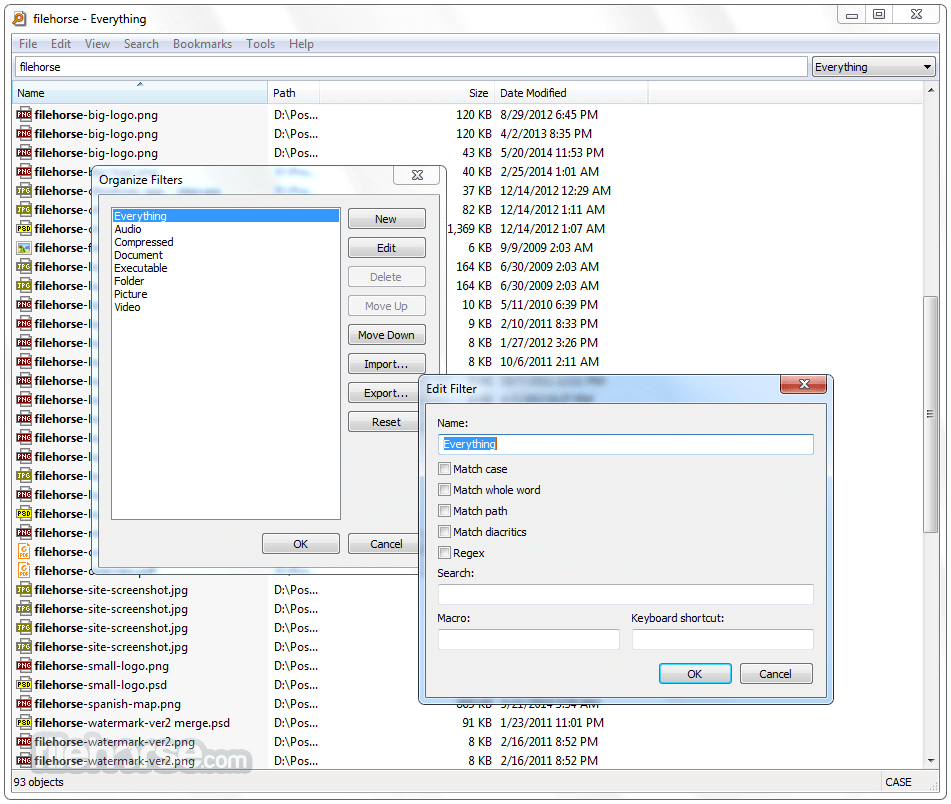
- Boolean operators: Refine your search queries using AND, OR, and NOT operators for more precise results.
- Regular expressions support: Utilize advanced search patterns to find files based on specific criteria.
- File management: Perform basic file operations such as copying, moving, and deleting directly from the search results window.
- Customizable UI: Tailor the appearance and behavior of the application to suit your preferences.
- Portable version: Take the Everything app with you on a USB drive and use it on any Windows PC without installation.
Installing this tool is a breeze. Simply download the installer from the official website, run it, and follow the on-screen instructions.
Once installed, the application automatically begins indexing your files in the background, ensuring that search results are available almost instantly.
How to Use
- Launch the application.
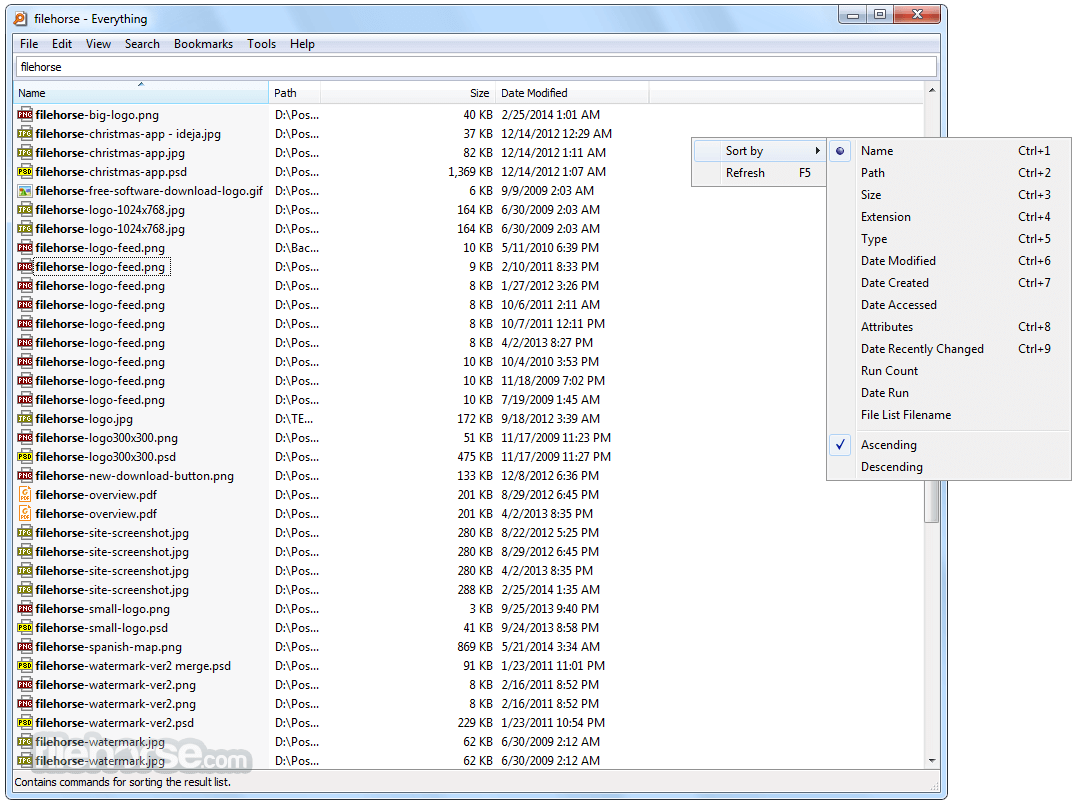
- Enter your search query in the search bar.
- Browse through the search results to find the file or folder you're looking for.
- Double-click on a result to open it, or right-click for additional options such as copying or deleting.
FAQ
Does Everything 64bit support searching network drives?
No, this program is designed to search only local drives.
Can I customize the appearance of the search results?
Yes, you can adjust the font size, color scheme, and other visual aspects of the application in the settings menu.
Is Everything Search Engine available for macOS or Linux?
Unfortunately, the desktop software is exclusive to the Windows platform.
Does Everything Search Engine consume a lot of system resources?
No, the application is lightweight and consumes minimal system resources, even during indexing.
Can I exclude certain folders from being indexed?
Yes, you can configure the application to ignore specific folders or file types in the settings menu.
Alternatives
UltraSearch: UltraSearch finds files and folders on local NTFS drives in a second.
Wise JetSearch: Quick search your local file, images, videos, music, removal and others.
TextSeek: Full-text search desktop software for all kinds of documents.
Windows Search: The built-in Windows search functionality, which has improved significantly in recent versions of Windows.
Pricing
The Everything program is available for free with no limitations or ads.
However, donations to support further development are appreciated by the developers.
The official website has a download option:
- Installer
- Portable Zip
- Lite Installer
- Operating System: Windows 11, 10, 8.1, 8, 7 (32-bit or 64-bit)
- CPU: Intel Pentium 1.0 GHz or equivalent
- RAM: 512 MB
- Disk Space: 1 MB for installation, additional space for index storage
- Lightning-fast search capabilities
- Minimal system resource usage
- Customizable interface
- Regular updates and active development
- Free to use with no ads
- Limited to searching local drives only
- Windows-exclusive, not available for macOS or Linux
- Lack of advanced file management features
Everything Search Engine is a must-have tool for Windows users seeking a fast and efficient way to search for files and folders on their computers. Its lightning-fast search capabilities, customizable interface, and minimal resource usage make it an invaluable asset for improving productivity and organization.
While it may lack some advanced features found in other search utilities, its simplicity and ease of use more than make up for it. Whether you're a casual user or a power user, this tool is sure to become an indispensable part of your workflow.
Also Available: Everything Search Engine (32-bit)
Download Everything Search Engine (64-bit) Latest Version Why is this app published on FileHorse? (More info)
##
畫面截圖
- 2026-01-23 Everything 1.4.1.1032 (64-bit) 1.91 MB
- 2026-01-22 Everything 1.4.1.1031 (64-bit) 1.9 MB
- 2025-11-04 Everything 1.4.1.1030 (64-bit) 1.9 MB
- 2025-10-13 Everything 1.4.1.1029 (64-bit) 1.89 MB
- 2025-05-23 Everything 1.4.1.1027 (64-bit) 1.82 MB
- 2024-08-02 Everything 1.4.1.1026 (64-bit) 1.82 MB
- 2023-05-26 Everything 1.4.1.1024 (64-bit) 1.8 MB
- 2023-05-10 Everything 1.4.1.1023 (64-bit) 1.8 MB