⚠ 這是歷史版本頁面 — 查看 ExpanDrive 最新版本 →

- 目前版本2023.3.2
- 更新日期2023-03-10
- 檔案大小222 MB
- 檔案名稱ExpanDrive_Setup_2023.3.2.exe
- 作業系統Windows 7 / Windows 8 / Windows 10
- 支援語系English
- 授權型式商業試用
- 開發商 ExpanDrive, Inc.
- 軟體分類Windows 軟體 / 檔案傳輸與網路
##
編輯短評
ExpanDrive 是一款把遠端檔案掛載成電腦本機磁碟的工具,讓你在檔案總管、Photoshop、Terminal 等常用程式中,直接開啟、編輯、儲存 SSH/SFTP 或雲端空間裡的檔案,不必先下載再上傳,也不必另外開傳輸軟體。它最大的辨識度在於「透明存取」——遠端檔案用起來就像插在電腦上的隨身碟,背景存檔與傳輸速度也有強化,並提供離線同步模式。這套軟體自 2020 年起持續收錄版本,近一年仍有更新,屬穩定維護中;不過使用者評價普通,評分人數不多,算是特定需求導向的工具,而非大眾主流。
ExpanDrive 適合經常需要遠端編輯檔案的人,例如開發者連伺服器改程式、設計師直接存取 NAS 或雲端素材,或是在多台電腦間同步工作檔案的使用者。與 Internet Download Manager、uTorrent 這類下載工具相比,它解決的是「遠端檔案即時操作」而非「抓檔」的需求,定位完全不同;若你習慣用 FTP 客戶端手動上傳下載,ExpanDrive 能省去這些步驟,但代價是需付費購買授權,且目前僅提供試用版、介面為英文,Windows 與 macOS 皆有版本,選購前可先確認工作流程是否真的需要這種掛載式存取。
##
翻譯排程處理中,以下暫以英文原文呈現
軟體介紹
ExpanDrive for Windows lets you transparently access, open, edit, and save files from within all your favorite programs - TextMate, Photoshop, Acorn, Terminal, and even Finder.
No need to load a separate client to transfer files. Access remote files over SSH/SFTP from directly within Finder - as easily as if they are on a USB drive you plugged directly into your own computer.
ExpanDrive for PC delivers super-fast background saves and transfers, and offers more cloud storage provider options than ever before.
The app is up to 500% faster and has a robust offline-sync mode.
It adds BackBlaze B2, Google Team Drives, SMB/CIFS, and an entirely new User interface with context menus, transfer badges, search, file versioning, link-sharing and so much more.
Highlights
Map a drive to any cloud
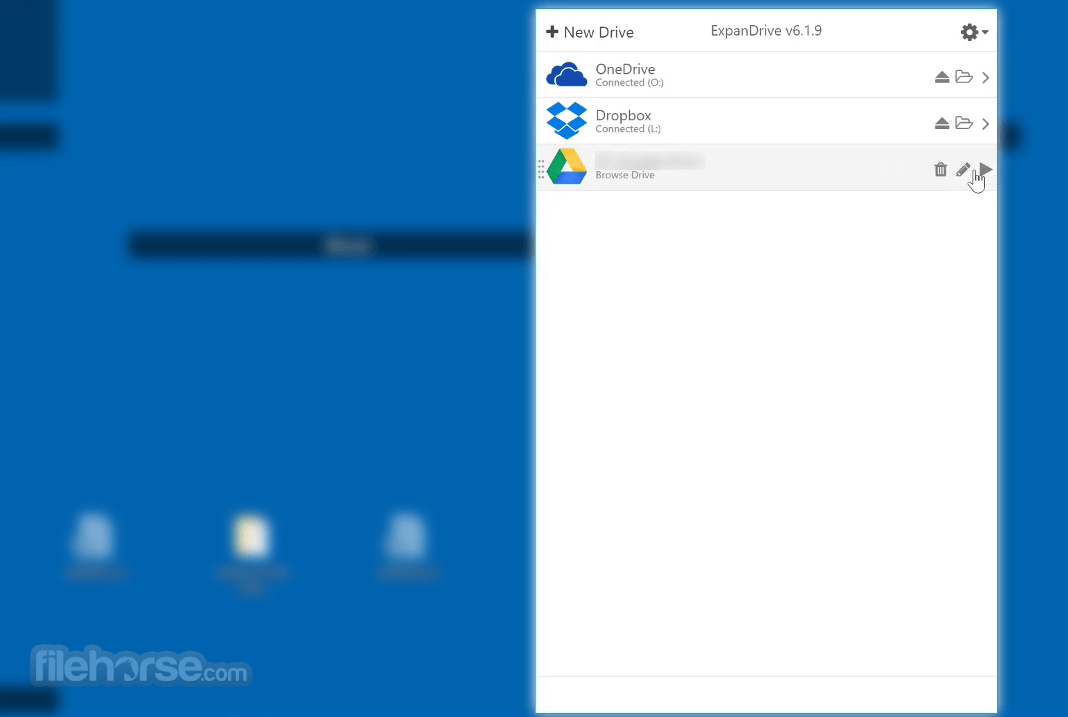
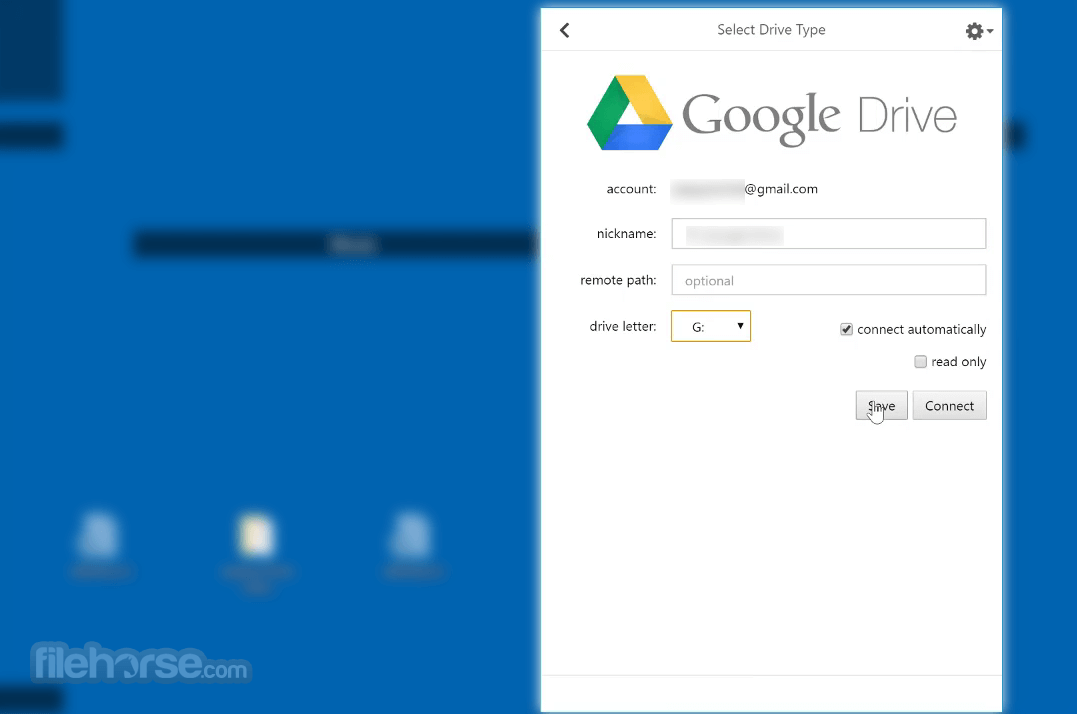
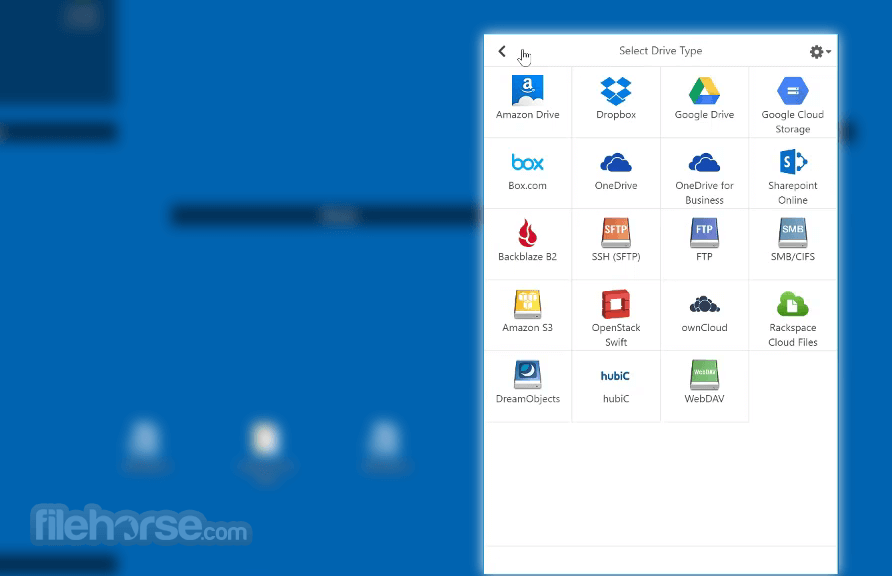
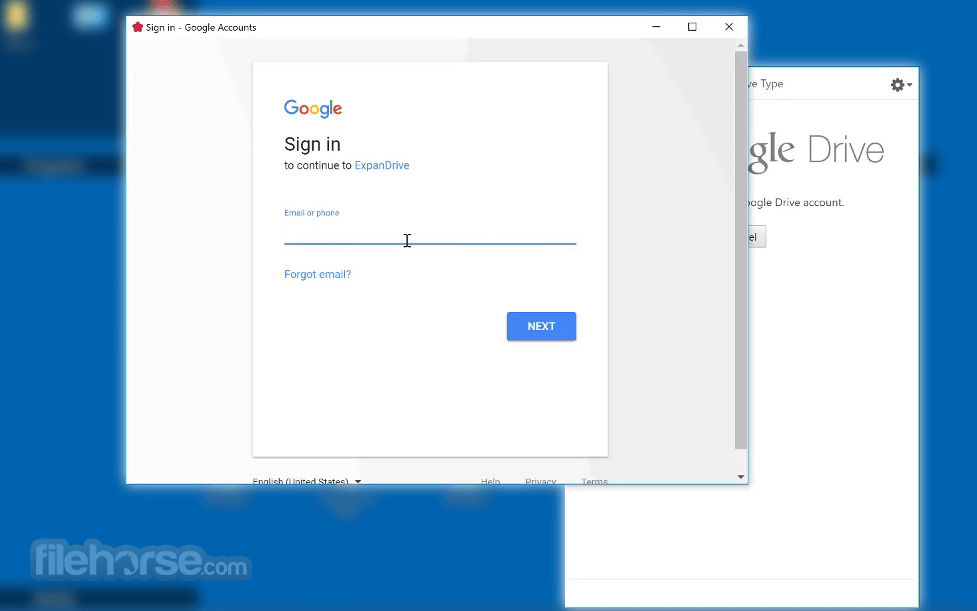
The tool maps a network drive for macOS and Microsoft Windows that connects to all major cloud storage providers such as Dropbox, Google Drive, Google Team Drives, Amazon Drive, Box, OneDrive, OneDrive for Business, Sharepoint, Openstack Swift, BackBlaze B2, Amazon S3 or your own SFTP, FTP or WebDAV server and SMB/Windows File Sharing.
Super-fast background uploads
The program comes with a new multi-threaded connection engine that is up to 500% faster than previous version. The app performs parallel transfers in the background so that you have a reliable transfer even in the face of unreliable internet. Keep working and stop waiting for transfers to complete.
Cloud storage in every application
This software is a fast shared drive connected to the cloud. Open, edit, and save files to remote computers from within your favorite programs—even when they are on a server half a world away. Enhance every single application on your computer by transparently connecting it to remote data.
Access the cloud through Finder and Explorer
Securely access any remote file server directly from Finder and Explorer, or even the terminal. There’s no need to open a separate transfer client just for file transfer. ExpanDrive for Desktop extends the way all applications can access data.
Features
Supports every Cloud
The tool creates a virtual USB drive that connects to all major cloud storage providers such as Dropbox, Google Drive, Amazon Cloud Drive, Box, OneDrive, Openstack Swift, Amazon S3, or your own SFTP, FTP or WebDAV server.
Super-fast instant uploads
The app changes the game again by moving transfers into the background – just like popular sync apps do [think: Dropbox/Google Drive]. This lets you keep working and stop waiting for transfers to complete. The program quickly uploads your files in the background. "We’ve built a multi-threaded connection engine that makes the latest version faster and much more responsive".
Cloud storage in every application
The tool acts just like a USB drive plugged into your computer. Open, edit, and save files to remote computers from within your favorite programs—even when they are on a server half a world away. Enhance every single application on your computer by transparently connecting it to remote data.
Finder & Explorer is your user interface
Securely access any remote file server directly from Finder and Explorer, or even the terminal. There’s no need to open a separate transfer client just for file transfer. Expan Drive extends the way all applications can access data.
Connect to all major cloud storage providers, or your own server. With a single app you can connect to:
It runs on 32 and 64-bit Windows 7 and newer, including Windows 8, Windows 10, Windows 11, and Windows Server Edition (including Terminal Server). You must have Administrator permissions, or somebody who can provide it to you, in order to complete installation.
However, once installation is complete you can use ExpanDrive without Administrator permissions and you can also use the built-in auto-updater.
On Windows you have two different options to pick from for installer packages. Most people should pick the "User Installer" package, which is the default package. This installer loads the application inside the user profile and allows for seamless auto-updates.
Pricing
Yearly subscription - $49.95
Also Available: Download ExpanDrive for Mac
Download ExpanDrive Latest Version Why is this app published on FileHorse? (More info)
No need to load a separate client to transfer files. Access remote files over SSH/SFTP from directly within Finder - as easily as if they are on a USB drive you plugged directly into your own computer.
ExpanDrive for PC delivers super-fast background saves and transfers, and offers more cloud storage provider options than ever before.
The app is up to 500% faster and has a robust offline-sync mode.
It adds BackBlaze B2, Google Team Drives, SMB/CIFS, and an entirely new User interface with context menus, transfer badges, search, file versioning, link-sharing and so much more.
Highlights
Map a drive to any cloud
The tool maps a network drive for macOS and Microsoft Windows that connects to all major cloud storage providers such as Dropbox, Google Drive, Google Team Drives, Amazon Drive, Box, OneDrive, OneDrive for Business, Sharepoint, Openstack Swift, BackBlaze B2, Amazon S3 or your own SFTP, FTP or WebDAV server and SMB/Windows File Sharing.
Super-fast background uploads
The program comes with a new multi-threaded connection engine that is up to 500% faster than previous version. The app performs parallel transfers in the background so that you have a reliable transfer even in the face of unreliable internet. Keep working and stop waiting for transfers to complete.
Cloud storage in every application
This software is a fast shared drive connected to the cloud. Open, edit, and save files to remote computers from within your favorite programs—even when they are on a server half a world away. Enhance every single application on your computer by transparently connecting it to remote data.
Access the cloud through Finder and Explorer
Securely access any remote file server directly from Finder and Explorer, or even the terminal. There’s no need to open a separate transfer client just for file transfer. ExpanDrive for Desktop extends the way all applications can access data.
Features
Supports every Cloud
The tool creates a virtual USB drive that connects to all major cloud storage providers such as Dropbox, Google Drive, Amazon Cloud Drive, Box, OneDrive, Openstack Swift, Amazon S3, or your own SFTP, FTP or WebDAV server.
Super-fast instant uploads
The app changes the game again by moving transfers into the background – just like popular sync apps do [think: Dropbox/Google Drive]. This lets you keep working and stop waiting for transfers to complete. The program quickly uploads your files in the background. "We’ve built a multi-threaded connection engine that makes the latest version faster and much more responsive".
Cloud storage in every application
The tool acts just like a USB drive plugged into your computer. Open, edit, and save files to remote computers from within your favorite programs—even when they are on a server half a world away. Enhance every single application on your computer by transparently connecting it to remote data.
Finder & Explorer is your user interface
Securely access any remote file server directly from Finder and Explorer, or even the terminal. There’s no need to open a separate transfer client just for file transfer. Expan Drive extends the way all applications can access data.
Connect to all major cloud storage providers, or your own server. With a single app you can connect to:
- Dropbox
- Google Drive and Google Team Drives
- Box
- OneDrive and OneDrive for Business
- Sharepoint
- Nextcloud
- Wasabi
- IDrive e2
- Backblaze B2
- SFTP (SSH)/FTP, WebDAV
- SMB/Windows File Sharing
It runs on 32 and 64-bit Windows 7 and newer, including Windows 8, Windows 10, Windows 11, and Windows Server Edition (including Terminal Server). You must have Administrator permissions, or somebody who can provide it to you, in order to complete installation.
However, once installation is complete you can use ExpanDrive without Administrator permissions and you can also use the built-in auto-updater.
On Windows you have two different options to pick from for installer packages. Most people should pick the "User Installer" package, which is the default package. This installer loads the application inside the user profile and allows for seamless auto-updates.
Pricing
Yearly subscription - $49.95
- You'll be charged $24.95/year starting in 1 year from purchase
- Get every update, support ExpanDrive development
- Cancel any time and keep what you have, forever. Easily resume later.
- Easy access to cloud storage as local drive
- Supports multiple cloud services
- Seamless file sync and backup
- Cross-platform compatibility
- Lightweight and low-resource usage
- Limited offline functionality
- Occasional connectivity issues
- No advanced file management features
- Limited customer support options
- Subscription-based pricing
Also Available: Download ExpanDrive for Mac
Download ExpanDrive Latest Version Why is this app published on FileHorse? (More info)
##
影片介紹
##
畫面截圖
- 2026-08-11 ExpanDrive 2026.8.6 267 MB
- 2025-04-27 ExpanDrive 2025.02.28 218 MB
- 2023-04-11 ExpanDrive 2023.4.1 222 MB
- 2023-03-10 ExpanDrive 2023.3.2 222 MB
- 2023-03-07 ExpanDrive 2023.3.1 222 MB
- 2022-07-07 ExpanDrive 2022.7.1 158 MB
- 2021-08-18 ExpanDrive 2021.8.3 158 MB
- 2021-08-12 ExpanDrive 2021.8.2 158 MB