⚠ 這是歷史版本頁面 — 查看 FileZilla 3.70.6 (64-bit) 最新版本 →

FileZilla 3.70.4 (64-bit)
v 3.70.4 (64-bit)
Windows
開源軟體
8.16/10 (108)
- 目前版本3.70.4 (64-bit)
- 更新日期2026-04-20
- 檔案大小12.1 MB
- 檔案名稱FileZilla_3.70.4_win64-setup.exe
- 作業系統Windows 8 (64-bit) / Windows 10 (64-bit) / Windows 11
- 支援語系English
- 授權型式開源軟體
- 開發商 FileZilla
- 軟體分類Windows 軟體 / 檔案傳輸與網路
##
編輯短評
FileZilla 是長年維持活躍更新的開源 FTP 用戶端,主要解決本機與遠端伺服器之間的檔案上傳、下載與管理需求。它支援 FTP、FTPS 與 SFTP 三種常見傳輸協定,涵蓋多數網站管理與伺服器維護場景,是網頁開發者與 IT 人員的熱門選擇。在 Windows 平台的同類工具中,它憑藉免費、跨平台(Windows/macOS/Linux)與持續維護的特性,累積了相當不錯的使用者評價。
這套軟體適合需要穩定傳輸檔案、但不想為授權付費的個人或小型團隊,尤其常用於更新網站內容、備份伺服器資料或批次搬移檔案。與 Internet Download Manager 或 uTorrent 等側重下載加速或 P2P 的工具不同,FileZilla 專注於標準 FTP 協定,功能單純且介面直覺。需要注意的是,目前僅提供英文介面,且官方安裝檔為 64 位元版本,使用前請確認系統相容性;開源授權意味著可自由使用,但若需要進階自動化或更細緻的佇列控制,可能得搭配其他腳本工具補足。
##
翻譯排程處理中,以下暫以英文原文呈現
軟體介紹
FileZilla is a widely used, open-source file transfer protocol (FTP) client for Windows 11/10 that enables users to efficiently upload, download, and manage files between local and remote systems.
Originally launched in 2001, FileZilla Client 64bit for PC has become a go-to solution for web developers, IT professionals, and anyone needing reliable file transfer capabilities.
It supports multiple transfer protocols, including FTP, FTPS (FTP over SSL/TLS), and SFTP (SSH File Transfer Protocol). This program is available for Windows, macOS, and Linux, ensuring accessibility for a wide range of users.
Also available for download is FileZilla Server.
Key Features
Cross-Platform Compatibility: It works seamlessly on Windows, macOS, and Linux.
Support for Multiple Protocols: Includes FTP, FTPS, and SFTP for secure and flexible file transfers.
Tabbed User Interface: Allows simultaneous connections to multiple servers.
Drag-and-Drop Functionality: Simplifies file uploads and downloads.
Directory Comparison: Highlights differences between local and remote directories.
Network Configuration Wizard: Assists users in configuring their network for optimal performance.
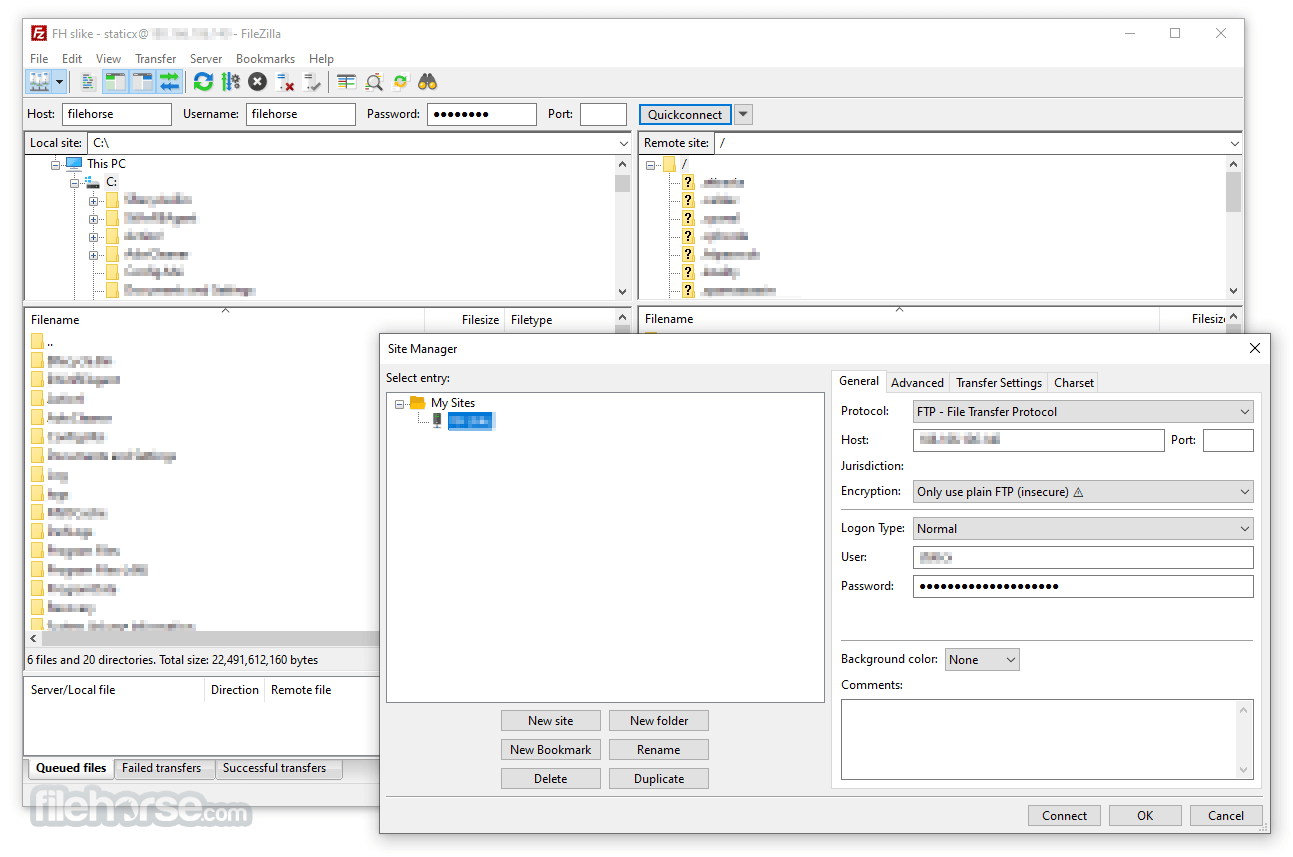
Bookmarks and Saved Sessions: Enables quick access to frequently used servers and directories.
Logging and Error Reporting: Provides detailed logs to troubleshoot transfer issues.
Filename Filters: Helps users include or exclude files based on custom rules.
Large File Support: Handles files larger than 4GB with ease.
User Interface
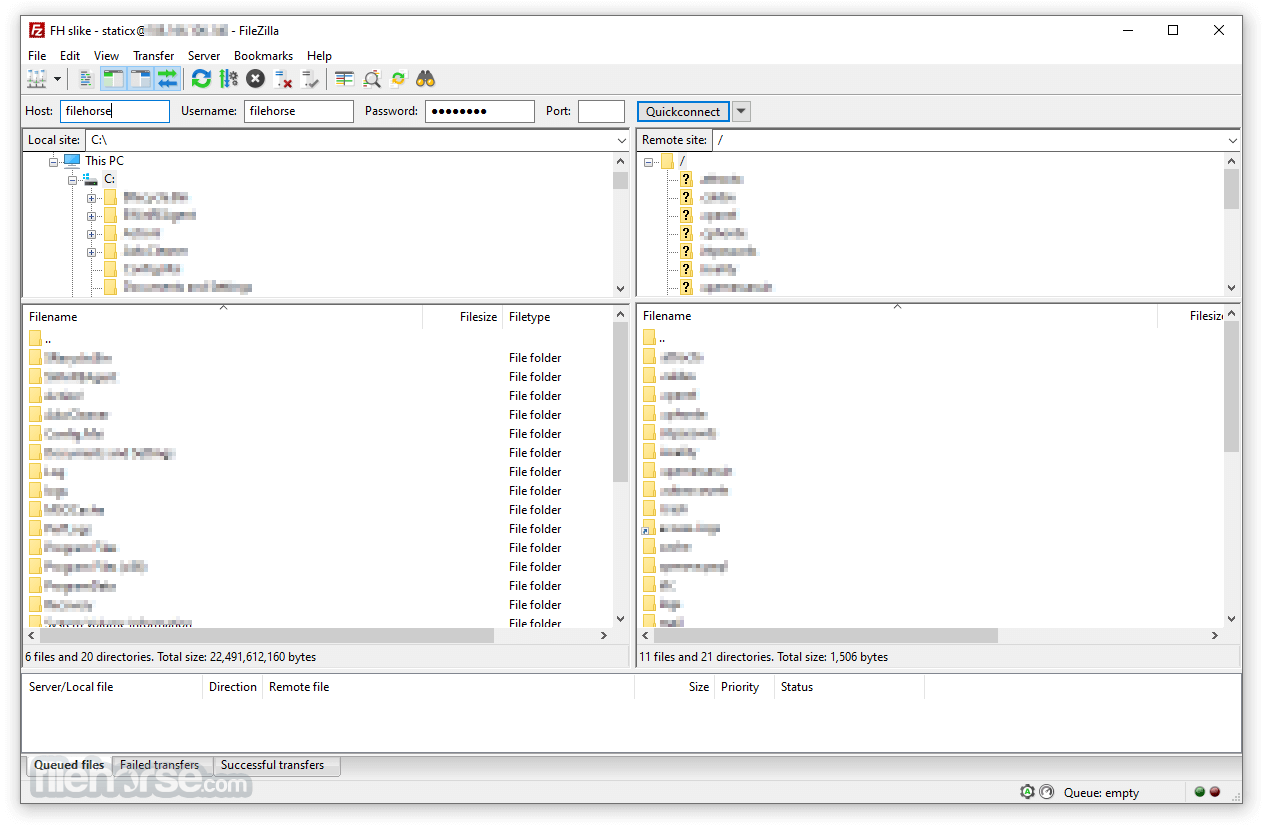
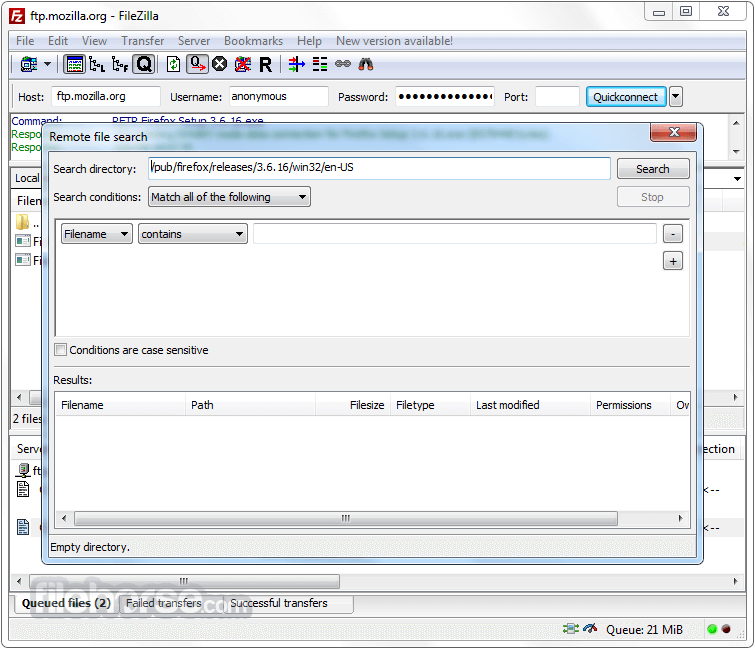
It features a clean and intuitive interface, divided into panes to display local and remote file structures.
The top section shows the connection status and transfer logs, while the bottom pane displays the current transfer queue.
Its tabbed layout allows users to switch between multiple connections easily. The drag-and-drop functionality makes it user-friendly, even for beginners.
What`s New in latest version 2026
Connect to a Server:
Launch this software and enter the server’s host address, username, password, and port in the Quickconnect bar.
Click "Quickconnect" to establish a connection.
Transfer Files:
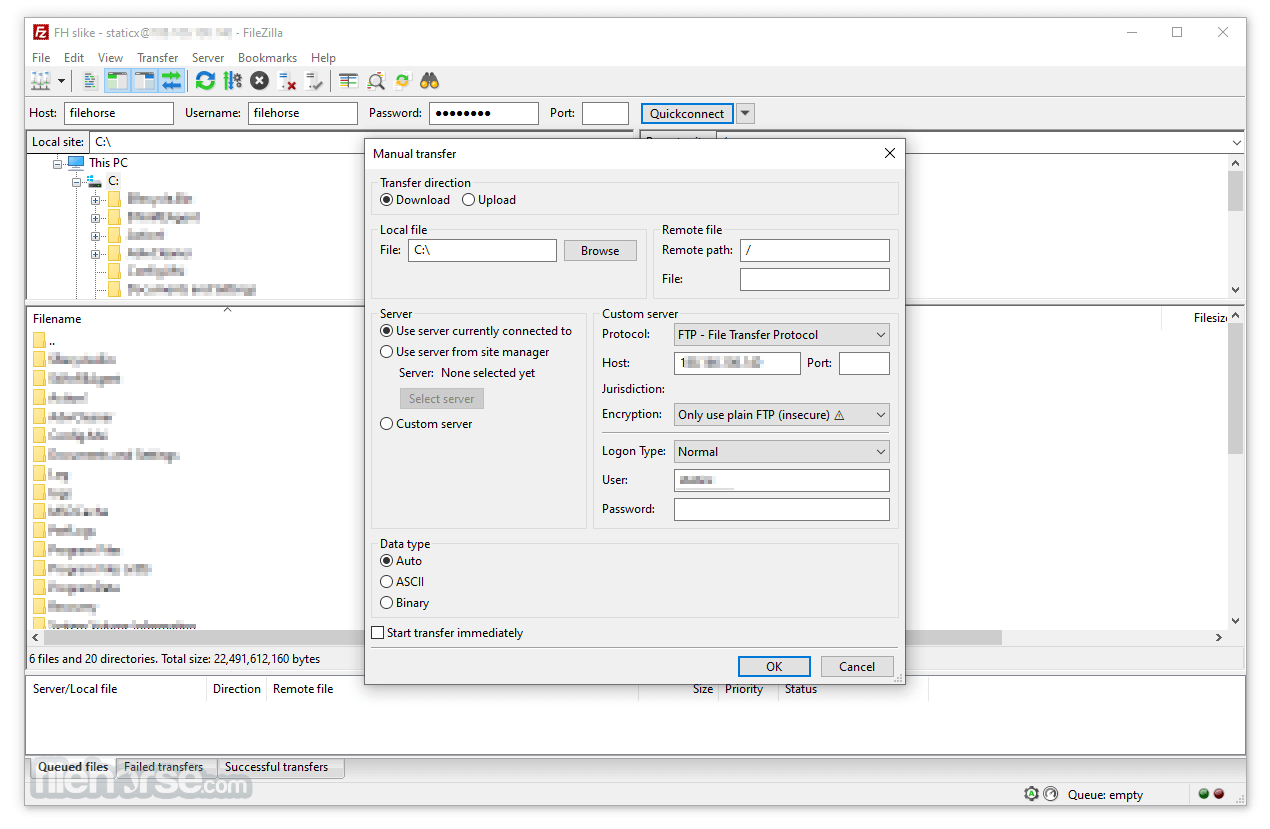
Navigate to the desired directories in the local and remote panes.
Use drag-and-drop or right-click context menus to upload or download files.
Manage Transfers:
Monitor active transfers in the queue pane.
Pause, resume, or cancel transfers as needed.
Set Up Bookmarks:
Save server settings for easy access.
Use the “Bookmarks” menu to quickly switch between servers.
Advanced Features:
Use directory comparison to sync files between local and remote locations.
Apply filename filters to streamline file management.
FAQ
Is FileZilla secure?
Yes, it supports secure protocols like FTPS and SFTP, ensuring encrypted data transfers.
Can I use FileZilla 64bit for free?
FileZilla’s standard version is completely free, but there is also a paid Pro version with additional features like cloud storage support.
How do I troubleshoot connection issues?
Use the Network Configuration Wizard to diagnose and resolve connectivity problems. Ensure your firewall or antivirus is not blocking the application.
Does FileZilla support large files?
Yes, it can handle files larger than 4GB without issues.
Can I automate file transfers with FileZilla?
The program does not have built-in automation tools, but you can use third-party scripts or tools in conjunction with it.
What is FTP?
FTP (File Transfer Protocol) is a standard network protocol for transferring files between a client and a server over the internet or other TCP/IP networks. It facilitates reliable and efficient bulk file sharing across different types of computers. FTP is commonly used by website owners and designers to upload files to web hosting servers and by organizations for transferring large volumes of data between companies.
What is an FTP Client?
An FTP Client is software that enables file transfers between two computers. While web browsers support FTP downloads, a dedicated FTP Client is needed for tasks like uploading, deleting, renaming, or moving files on a remote server. Graphical interface-based FTP Clients, such as the popular FileZilla, are preferred for ease of use.
Alternatives
WinSCP: Focused on SFTP and SCP with a clean interface.
Cyberduck: Offers cloud storage integration and a simple UI.
Core FTP: A lightweight FTP client with encryption support.
SmartFTP: Transfer files between your local computer and a server on the Internet.
Total Commander: Built-in FTP client with FTPS (encrypted FTP) and HTTP proxy support.
Pricing
Free Version: Includes all essential FTP features.
FileZilla Pro: Priced at $19.99, with additional protocol support for WebDAV, Amazon S3, Backblaze B2, Dropbox, Microsoft OneDrive, Google Drive, Microsoft Azure Blob and File Storage, and Google Cloud Storage.
It remains one of the most reliable and versatile FTP clients available. Its open-source nature, broad protocol support, and user-friendly interface make it an excellent choice for beginners and professionals alike.
While its design could benefit from a modern refresh, its functionality and reliability far outweigh this minor drawback.
Whether you’re managing a website, transferring large files, or working with remote servers, FileZilla is a dependable tool that gets the job done.
Note: All features are free except those of FileZilla Pro. It includes support for transfers between your PC and popular cloud services.
Also Available: FileZilla (32-bit) and FileZilla for Mac
Download FileZilla (64-bit) Latest Version Why is this app published on FileHorse? (More info)
Originally launched in 2001, FileZilla Client 64bit for PC has become a go-to solution for web developers, IT professionals, and anyone needing reliable file transfer capabilities.
It supports multiple transfer protocols, including FTP, FTPS (FTP over SSL/TLS), and SFTP (SSH File Transfer Protocol). This program is available for Windows, macOS, and Linux, ensuring accessibility for a wide range of users.
Also available for download is FileZilla Server.
Key Features
Cross-Platform Compatibility: It works seamlessly on Windows, macOS, and Linux.
Support for Multiple Protocols: Includes FTP, FTPS, and SFTP for secure and flexible file transfers.
Tabbed User Interface: Allows simultaneous connections to multiple servers.
Drag-and-Drop Functionality: Simplifies file uploads and downloads.
Directory Comparison: Highlights differences between local and remote directories.
Network Configuration Wizard: Assists users in configuring their network for optimal performance.
Bookmarks and Saved Sessions: Enables quick access to frequently used servers and directories.
Logging and Error Reporting: Provides detailed logs to troubleshoot transfer issues.
Filename Filters: Helps users include or exclude files based on custom rules.
Large File Support: Handles files larger than 4GB with ease.
User Interface
It features a clean and intuitive interface, divided into panes to display local and remote file structures.
The top section shows the connection status and transfer logs, while the bottom pane displays the current transfer queue.
Its tabbed layout allows users to switch between multiple connections easily. The drag-and-drop functionality makes it user-friendly, even for beginners.
What`s New in latest version 2026
- Improved FTP, FTPS, and SFTP connection stability.
- Enhanced transfer speed optimization for large files.
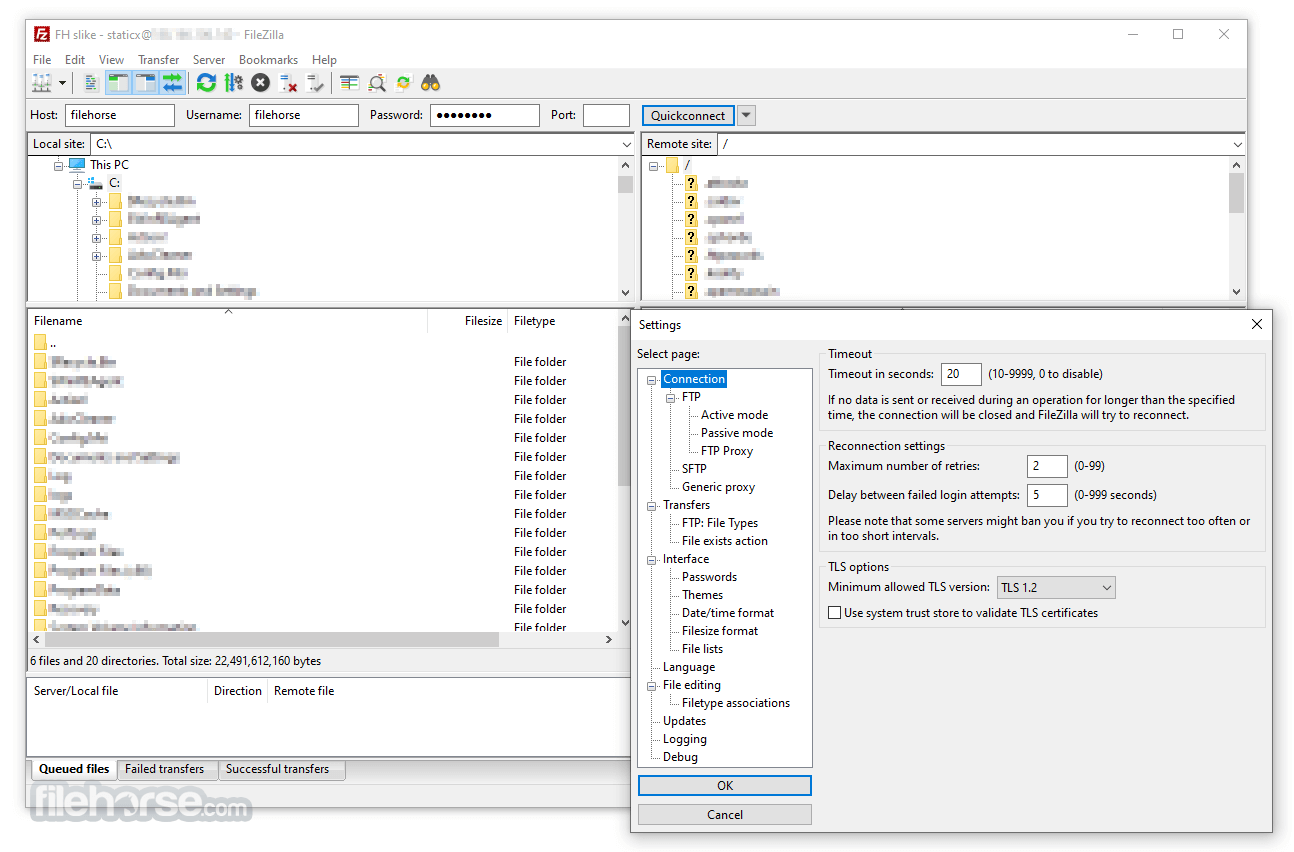
- Updated TLS encryption handling for stronger security.
- Improved site manager with clearer connection profiles.
- Better handling of long file paths and large directories.
- Enhanced resume support for interrupted transfers.
- Improved compatibility with modern server configurations.
- Refined user interface responsiveness on Windows and macOS.
- Updated language files and localization support.
- Bug fixes and overall stability improvements.
- Easy to use
- Supports FTP, FTP over SSL/TLS (FTPS) and SSH File Transfer Protocol (SFTP)
- Cross-platform. Runs on Windows, Linux, BSD, macOS and more
- IPv6 support
- Available in many languages
- Supports resume and transfer of large files >4GB
- Tabbed user interface
- Powerful Site Manager and transfer queue
- Bookmarks
- Drag & drop support
- Configurable transfer speed limits
- Filename filters
- Directory comparison
- Network configuration wizard
- Remote file editing
- Keep-alive
- HTTP/1.1, SOCKS5 and FTP-Proxy support
- Logging to file
- Synchronized directory browsing
- Remote file search
- Download the installer from the official website or FileHorse.
- Run the installer and follow the on-screen instructions.
- Configure the software by entering the host, username, password, and port details for your remote server.
- Optionally, use the Network Configuration Wizard to troubleshoot connectivity issues.
- FileZilla is lightweight and quick to install, making it accessible to users with varying technical skills.
Connect to a Server:
Launch this software and enter the server’s host address, username, password, and port in the Quickconnect bar.
Click "Quickconnect" to establish a connection.
Transfer Files:
Navigate to the desired directories in the local and remote panes.
Use drag-and-drop or right-click context menus to upload or download files.
Manage Transfers:
Monitor active transfers in the queue pane.
Pause, resume, or cancel transfers as needed.
Set Up Bookmarks:
Save server settings for easy access.
Use the “Bookmarks” menu to quickly switch between servers.
Advanced Features:
Use directory comparison to sync files between local and remote locations.
Apply filename filters to streamline file management.
FAQ
Is FileZilla secure?
Yes, it supports secure protocols like FTPS and SFTP, ensuring encrypted data transfers.
Can I use FileZilla 64bit for free?
FileZilla’s standard version is completely free, but there is also a paid Pro version with additional features like cloud storage support.
How do I troubleshoot connection issues?
Use the Network Configuration Wizard to diagnose and resolve connectivity problems. Ensure your firewall or antivirus is not blocking the application.
Does FileZilla support large files?
Yes, it can handle files larger than 4GB without issues.
Can I automate file transfers with FileZilla?
The program does not have built-in automation tools, but you can use third-party scripts or tools in conjunction with it.
What is FTP?
FTP (File Transfer Protocol) is a standard network protocol for transferring files between a client and a server over the internet or other TCP/IP networks. It facilitates reliable and efficient bulk file sharing across different types of computers. FTP is commonly used by website owners and designers to upload files to web hosting servers and by organizations for transferring large volumes of data between companies.
What is an FTP Client?
An FTP Client is software that enables file transfers between two computers. While web browsers support FTP downloads, a dedicated FTP Client is needed for tasks like uploading, deleting, renaming, or moving files on a remote server. Graphical interface-based FTP Clients, such as the popular FileZilla, are preferred for ease of use.
Alternatives
WinSCP: Focused on SFTP and SCP with a clean interface.
Cyberduck: Offers cloud storage integration and a simple UI.
Core FTP: A lightweight FTP client with encryption support.
SmartFTP: Transfer files between your local computer and a server on the Internet.
Total Commander: Built-in FTP client with FTPS (encrypted FTP) and HTTP proxy support.
Pricing
Free Version: Includes all essential FTP features.
FileZilla Pro: Priced at $19.99, with additional protocol support for WebDAV, Amazon S3, Backblaze B2, Dropbox, Microsoft OneDrive, Google Drive, Microsoft Azure Blob and File Storage, and Google Cloud Storage.
- Support for FTP, FTPS and SFTP
- Support for all major clouds
- Dedicated support channel
- Windows only, Single device
- Operating System: Windows 11, 10, 8 or 7
- Processor: 1 GHz or faster.
- Memory: 512 MB RAM minimum (1 GB recommended).
- Storage: At least 50 MB of free disk space.
- Free and open-source.
- Supports secure transfer protocols.
- Cross-platform compatibility.
- Easy to use with drag-and-drop functionality.
- Regular updates and strong community support.
- Includes bundled offers in the installer.
- Lacks advanced automation features.
- The interface, while functional, may feel dated to some users.
It remains one of the most reliable and versatile FTP clients available. Its open-source nature, broad protocol support, and user-friendly interface make it an excellent choice for beginners and professionals alike.
While its design could benefit from a modern refresh, its functionality and reliability far outweigh this minor drawback.
Whether you’re managing a website, transferring large files, or working with remote servers, FileZilla is a dependable tool that gets the job done.
Note: All features are free except those of FileZilla Pro. It includes support for transfers between your PC and popular cloud services.
Also Available: FileZilla (32-bit) and FileZilla for Mac
Download FileZilla (64-bit) Latest Version Why is this app published on FileHorse? (More info)
##
畫面截圖
- 2026-06-06 FileZilla 3.70.6 (64-bit) 12.14 MB
- 2026-05-08 FileZilla 3.70.5 (64-bit) 12.12 MB
- 2026-04-20 FileZilla 3.70.4 (64-bit) 12.1 MB
- 2026-02-14 FileZilla 3.69.6 (64-bit) 12.15 MB
- 2025-11-12 FileZilla 3.69.5 (64-bit) 12.14 MB
- 2025-08-01 FileZilla 3.69.3 (64-bit) 11.88 MB
- 2025-07-18 FileZilla 3.69.2 (64-bit) 11.87 MB
- 2025-04-23 FileZilla 3.69.1 (64-bit) 11.86 MB