⚠ 這是歷史版本頁面 — 查看 iMyFone Filme 最新版本 →

- 目前版本2.5.0
- 更新日期2020-11-28
- 檔案大小129.8 MB
- 檔案名稱filme_setup.exe
- 作業系統Windows 7 / Windows 8 / Windows 10 / Windows 11
- 支援語系English
- 授權型式試用版
- 開發商 iMyfone Technology
- 軟體分類Windows 軟體 / 影片軟體
##
編輯短評
Filme 是 iMyfone 推出的影片剪輯工具,主打用簡單直覺的方式,把日常拍下的片段快速變成有模有樣的影片或幻燈片。它最鮮明的特色是「一鍵」快速模式,套用內建範本就能自動配上音樂與轉場,特別適合處理生日、婚禮、旅行這類生活紀錄。這套軟體在站上同類工具中屬於中段班,評價普遍不錯,但近一年只更新一次,維護步調不算快,功能面也偏向實用而非激進。
如果你不想碰複雜的時間軸與關鍵影格,只想快速產出有質感的紀念影片,Filme 會比 KMPlayer 或 K-Lite 這類播放解碼工具更對味——後者本質上不是剪輯軟體。它提供試用版,但介面僅有英文,對不習慣英文操作的人來說是道門檻;Windows 與 macOS 都有版本,跨平台使用算方便。若你需要的是專業級多軌剪輯或繁中介面,可能得考慮其他替代方案。
##
翻譯排程處理中,以下暫以英文原文呈現
軟體介紹
Filme helps you edit the precious memories you’ve captured in life in your own creative way. One click is enough to create a magnetic slideshow with music, or any video, as you wish.
Do the basic editing, add stunning effects, or use the advanced features to make videos by yourself. Use iMyFone Filme to digitize your creativity - edit superior videos now!
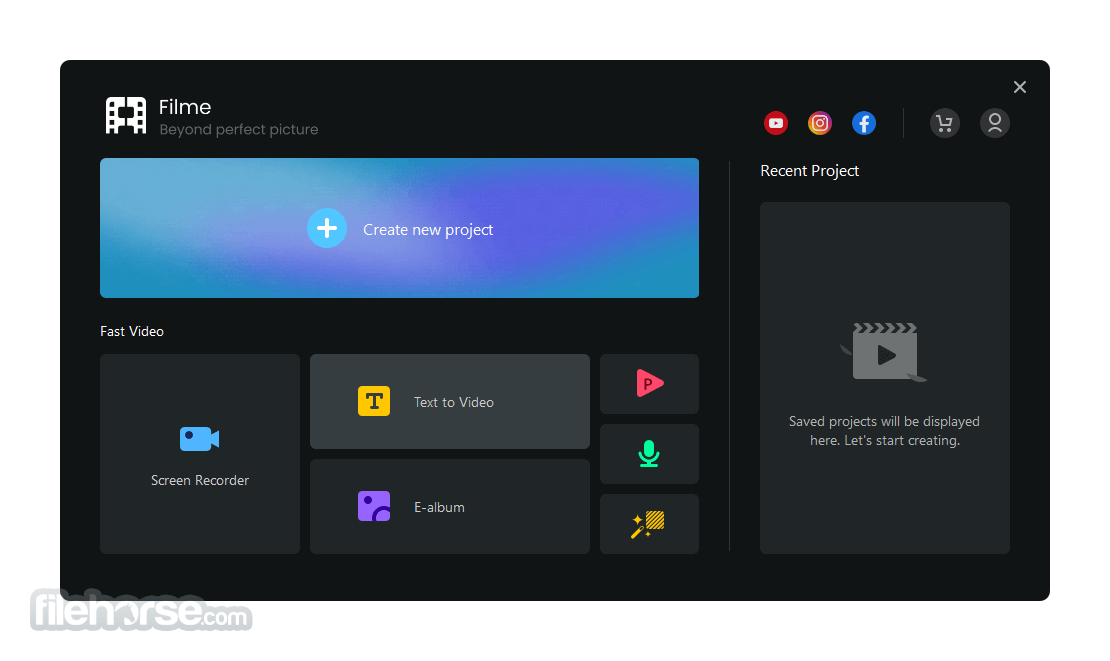
Fast Video mode allows you to edit in one click, to create graceful videos for birthdays, weddings, travel, fitness videos, festivals, social media ads, and more.
Effects
Plentiful effects resources for you to add filters and animations to create vivid and refined digital stories.
Transitions
You can add various transitions in your video and stun your social media audience.
Text Options
Quickly create cinematic titles and text with all types of fonts and colors to choose from.
Audio
You can easily add and refine music and voice to record and share your precious moments within your videos.
Supported devices: PC, iPhone, iPad, Apple TV, iPod, Samsung Galaxy, Smart Phone, Android Generic, Google Pixel, Xbox One, PlayStation 4, PSP, Smart TV.
What`s New
Best Free Video Editor for Beginners?
Filme by iMyFone is a top choice for beginners on PC due to its user-friendly interface and advanced features. It's popular among YouTubers and content creators for its simplicity and efficiency.
Preferred Video Editor for YouTubers/TikTokers?
Over half of YouTubers and TikTokers use Filme for its ease of use, AI-driven tools like voice changing, and features like green screen effects. It also includes free resources (music, animations) and allows direct sharing to social media.
Watermarks in Free Versions?
Filme’s free trial includes all features but adds a watermark to exports. To remove it, users must buy a license, with options starting at $29.95 for a month.
Free vs. Paid Version?
The free version supports all editing features but adds a watermark. The paid version removes this and unlocks additional tools like voice changing.
4K HD Export Capability?
Filme supports 4K resolution, offering crisp quality suitable for the growing 4K market. Users can edit and export 4K videos for high-quality content.
Pricing
Adobe Premiere Pro - A professional-grade video editing software with a wide range of features and advanced capabilities.
Camtasia - Create more professional videos without having to be a video pro!
InVideo - Make Professional Videos in 5 Minutes with 5,000+ Templates!
DaVinci Resolve - A feature-rich video editing software that offers professional-grade editing, color correction, visual effects, and audio post-production capabilities.
VEGAS Pro - A popular video editing program that offers a comprehensive set of features for professional editing.
PROS
Also Available: Download Filme for Mac
Download iMyFone Filme Latest Version Why is this app published on FileHorse? (More info)
Do the basic editing, add stunning effects, or use the advanced features to make videos by yourself. Use iMyFone Filme to digitize your creativity - edit superior videos now!
Fast Video mode allows you to edit in one click, to create graceful videos for birthdays, weddings, travel, fitness videos, festivals, social media ads, and more.
- Make stunning slideshows with graceful templates.
- Abundant effects and resources: filters, titles, animations, transitions, music, and more.
- Share your unique moments: birthdays, weddings, travel, festivals, etc.
Effects
Plentiful effects resources for you to add filters and animations to create vivid and refined digital stories.
Transitions
You can add various transitions in your video and stun your social media audience.
Text Options
Quickly create cinematic titles and text with all types of fonts and colors to choose from.
Audio
You can easily add and refine music and voice to record and share your precious moments within your videos.
Supported devices: PC, iPhone, iPad, Apple TV, iPod, Samsung Galaxy, Smart Phone, Android Generic, Google Pixel, Xbox One, PlayStation 4, PSP, Smart TV.
What`s New
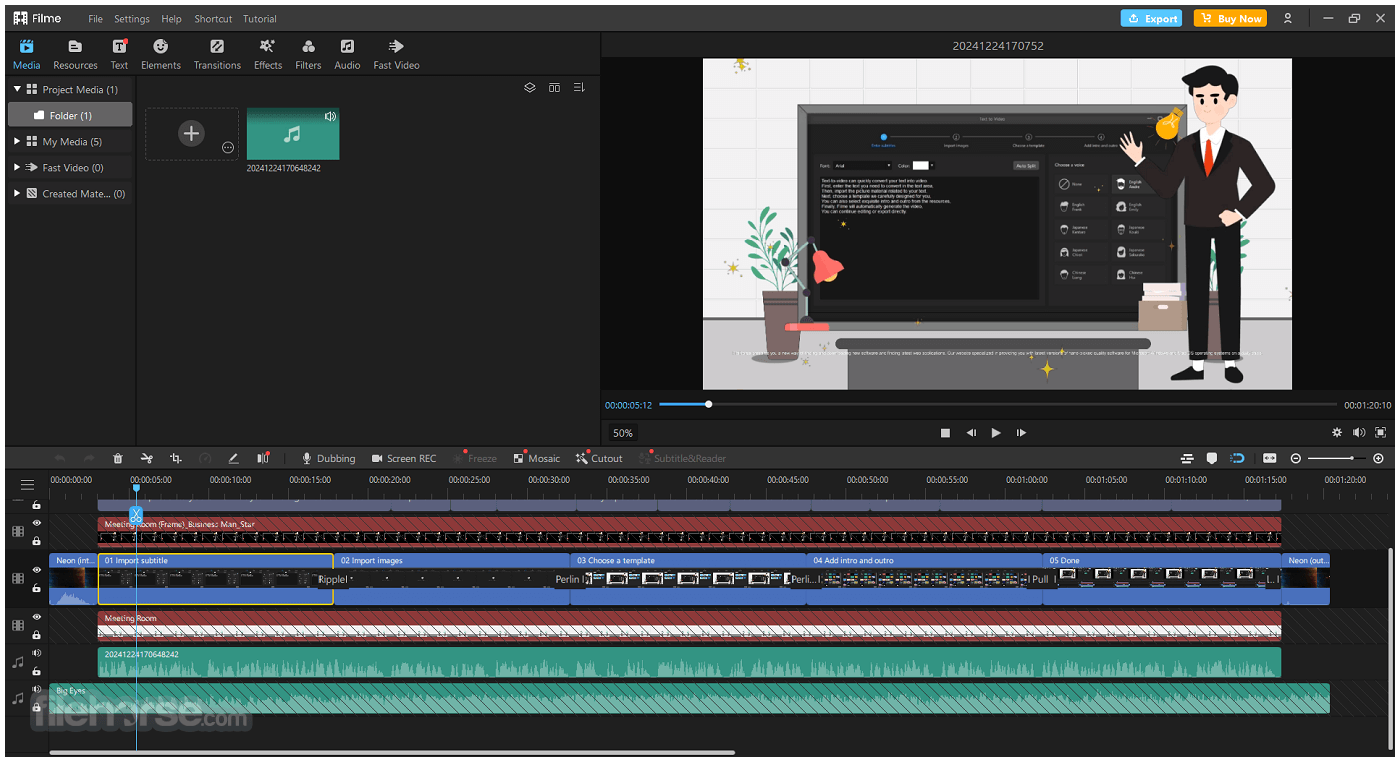
- Fast Video mode with themed templates for quick slideshows/montages (faster “one-click” style edits).
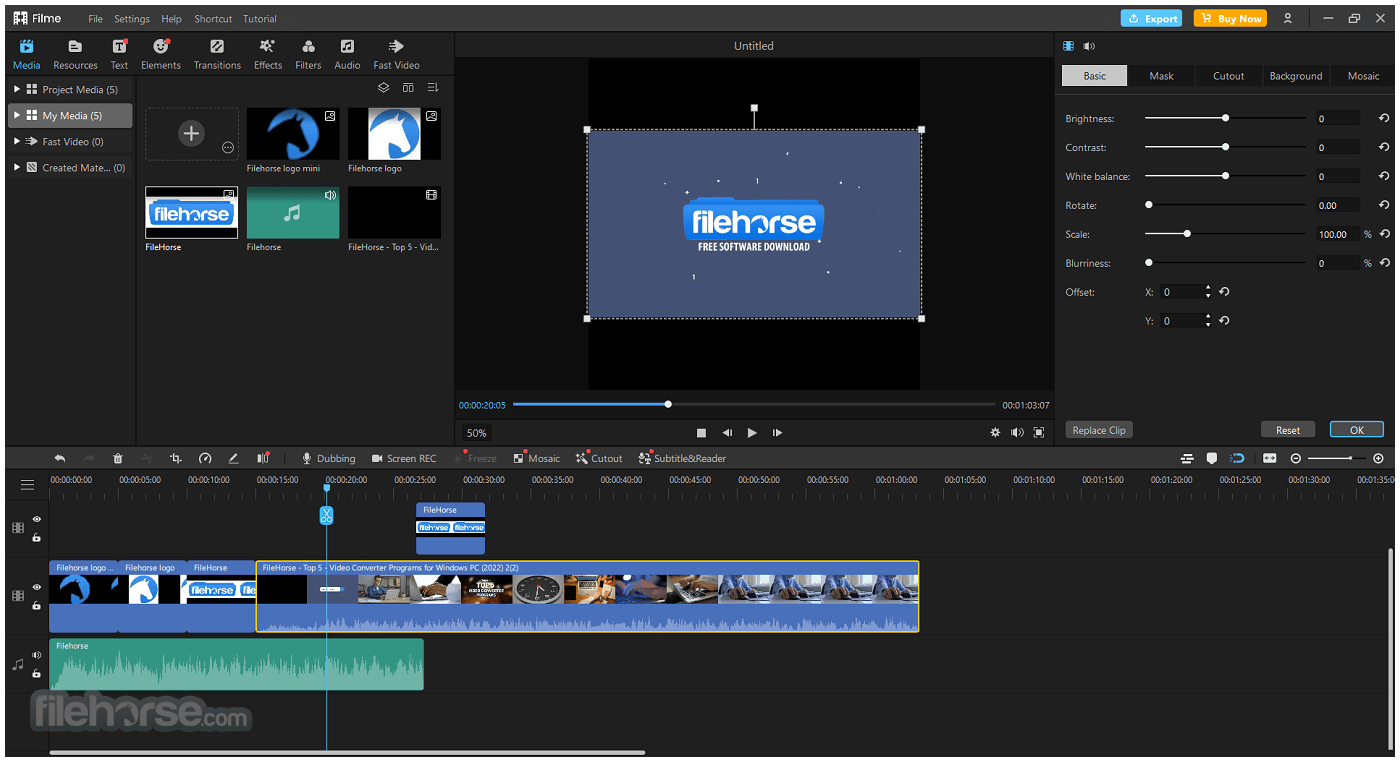
- Timeline editing upgrades (trim, split, merge, crop, rotate, speed control) for more complete manual editing.
- Multi-layer / multi-track workflow (picture-in-picture, freeze frame, and layered edits).
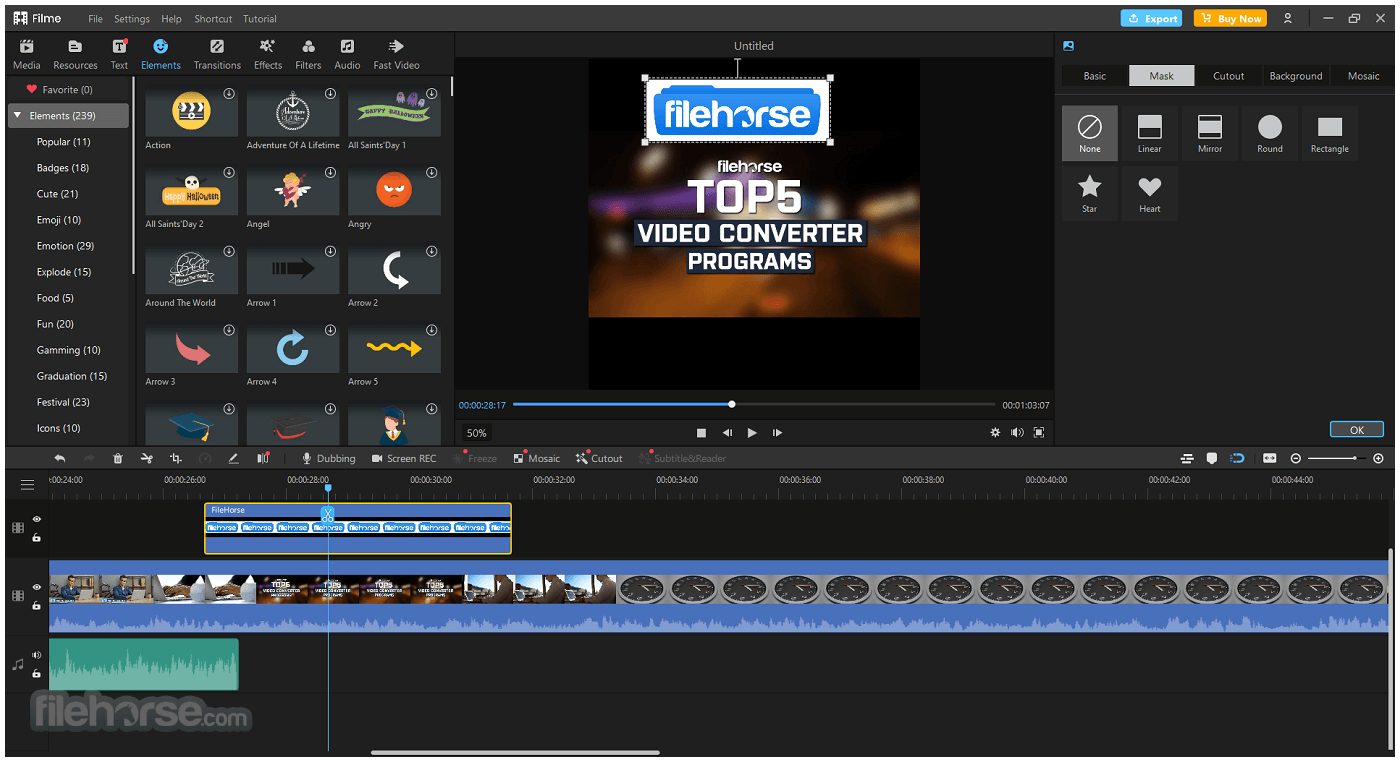
- More built-in creative assets (transitions, filters, overlays, stickers/effects; stronger “ready-made” look options).
- Expanded text tools (titles/subtitles/captions + animated text) for social/YouTube style edits.
- Audio toolkit improvements (voiceover, fade in/out, volume control, built-in music/sound library).
- Update path: you can manually check updates via Help → Check for Updates inside Filme.
Best Free Video Editor for Beginners?
Filme by iMyFone is a top choice for beginners on PC due to its user-friendly interface and advanced features. It's popular among YouTubers and content creators for its simplicity and efficiency.
Preferred Video Editor for YouTubers/TikTokers?
Over half of YouTubers and TikTokers use Filme for its ease of use, AI-driven tools like voice changing, and features like green screen effects. It also includes free resources (music, animations) and allows direct sharing to social media.
Watermarks in Free Versions?
Filme’s free trial includes all features but adds a watermark to exports. To remove it, users must buy a license, with options starting at $29.95 for a month.
Free vs. Paid Version?
The free version supports all editing features but adds a watermark. The paid version removes this and unlocks additional tools like voice changing.
4K HD Export Capability?
Filme supports 4K resolution, offering crisp quality suitable for the growing 4K market. Users can edit and export 4K videos for high-quality content.
Pricing
- Monthly - $29.95
- Yearly - $39.95
- Lifetime - $79.95
- Export Video without Watermark
- Best 4K HD Export Video
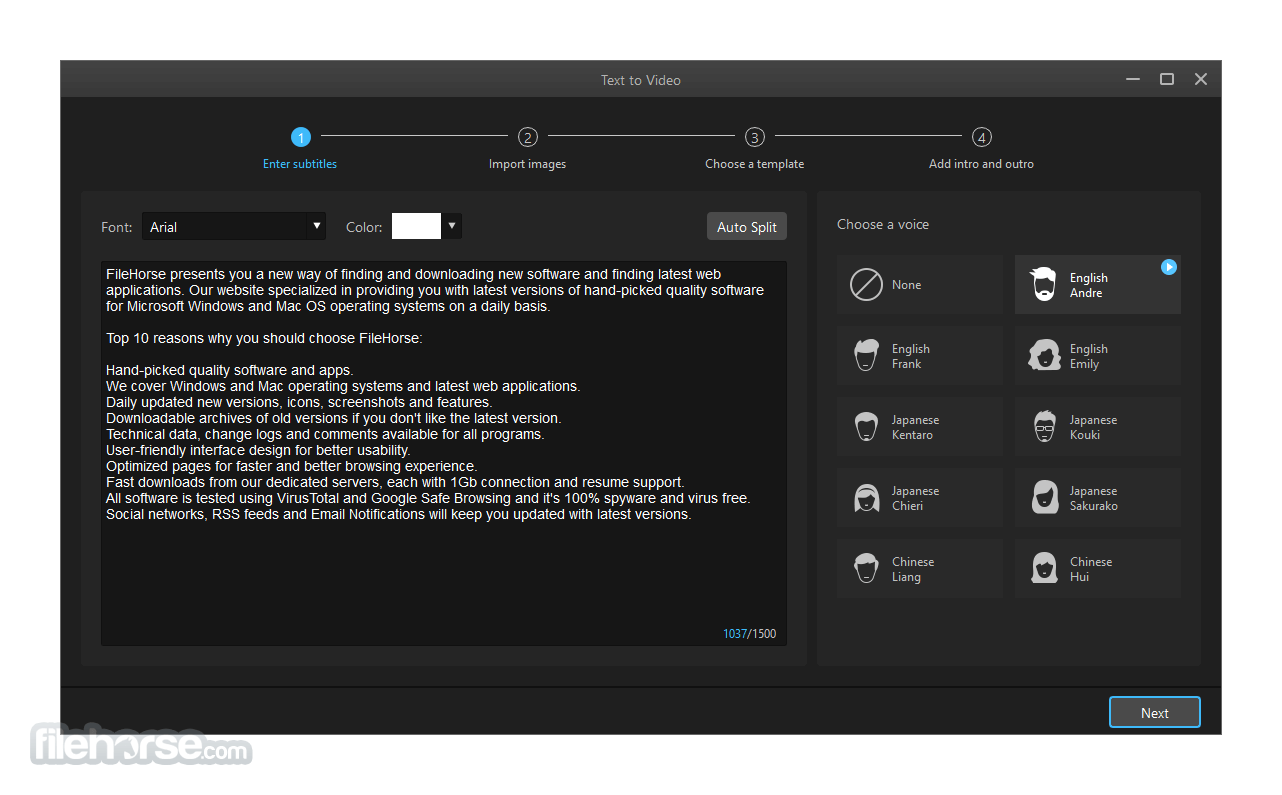
- Speech to Text & Text to Speech
- Lifetime Free Upgrades
- 7/24 Technical Support
Adobe Premiere Pro - A professional-grade video editing software with a wide range of features and advanced capabilities.
Camtasia - Create more professional videos without having to be a video pro!
InVideo - Make Professional Videos in 5 Minutes with 5,000+ Templates!
DaVinci Resolve - A feature-rich video editing software that offers professional-grade editing, color correction, visual effects, and audio post-production capabilities.
VEGAS Pro - A popular video editing program that offers a comprehensive set of features for professional editing.
PROS
- Easy-to-Use Interface
- Fast Video Editing Features
- Multiple Editing Modes
- Rich Effects Library
- Supports Various Media Formats
- Limited Advanced Features
- Occasional Performance Lag
- Watermark on Free Version
- Basic Audio Editing Options
- No Collaboration Tools
Also Available: Download Filme for Mac
Download iMyFone Filme Latest Version Why is this app published on FileHorse? (More info)
##
影片介紹
##
畫面截圖
- 2026-02-18 iMyFone Filme 4.2.0 258.79 MB
- 2021-07-27 iMyFone Filme 3.4.4 158.7 MB
- 2020-11-28 iMyFone Filme 2.5.0 129.8 MB