⚠ 這是歷史版本頁面 — 查看 Firewall App Blocker 最新版本 →

- 目前版本1.8
- 更新日期2022-09-27
- 檔案大小1.22 MB
- 檔案名稱fab.zip
- 作業系統Windows Vista / Windows 7 / Windows 8 / Windows 10 / Windows 11
- 支援語系English
- 授權型式免費軟體
- 開發商 Sordum Team
- 軟體分類Windows 軟體 / 安全工具
##
編輯短評
Firewall App Blocker 是一款專注於簡化 Windows 內建防火牆操作的小工具,核心用途是讓使用者快速將特定應用程式加入黑名單或白名單,省去手動開啟控制台、層層點選防火牆設定的繁瑣流程。它本身不新增任何防護功能,而是把既有防火牆的規則管理變得更直覺,這正是它最有辨識度的特色。軟體由 Sordum Team 開發,長期持續維護,近一年內仍有更新,在同類安全工具中屬於小眾但評價普遍不錯的選擇,只是評分人數不多,參考樣本有限。
這套工具適合不想深入理解 Windows 防火牆規則、卻又需要快速封鎖特定程式連網的一般使用者,例如阻擋某個軟體的自動更新或背景傳輸。與 Folder Lock、Comodo Internet Security 等功能更全面的安全軟體相比,它不做防毒或加密,取捨在於輕量、免安裝且專一,但功能相對陽春。軟體為免費授權,僅支援英文介面,使用前需留意語系是否習慣;平台僅限 Windows,操作上仰賴系統內建的防火牆服務,因此不適用於關閉該服務的環境。
##
翻譯排程處理中,以下暫以英文原文呈現
軟體介紹
Firewall App Blocker is an essential security software for users who want to simplify the procedure of blacklisting and whitelisting applications that want to communicate with outside internet networks past your built-in Windows Firewall service.
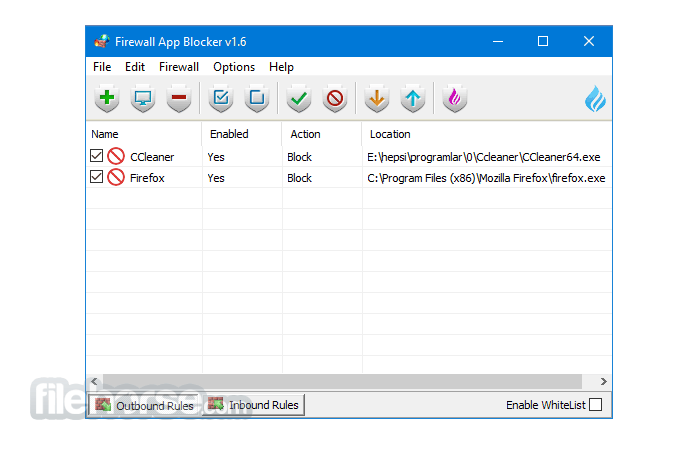
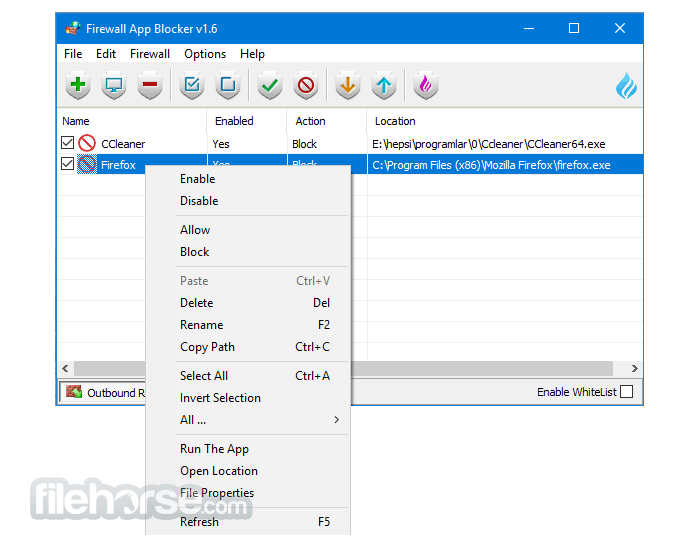
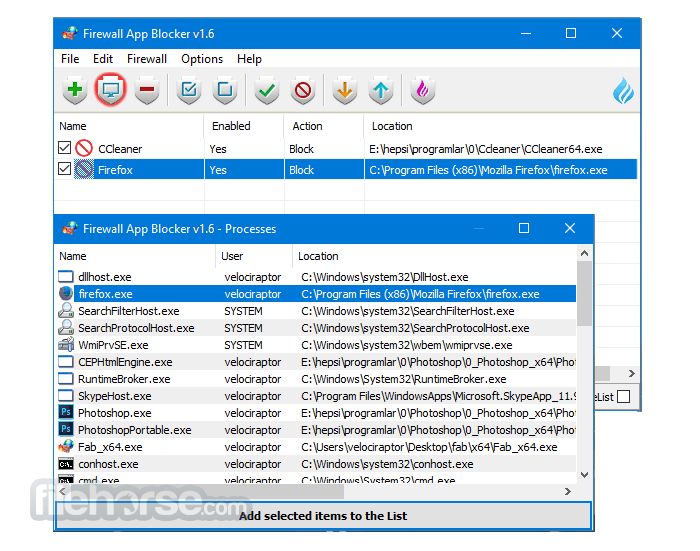
This app does not add any new security features, but instead is focused entirely on providing a new user interface and a simplified set of controls to users who do not want to fire up their Control Panel, access the Windows Firewall configuration page, and do the entire procedure for blocking a particular app. Instead, users of Firewall Blocker App can simply access a streamlined interface that promotes incredibly easy and fast handling of app Firewall permissions.
What’s New
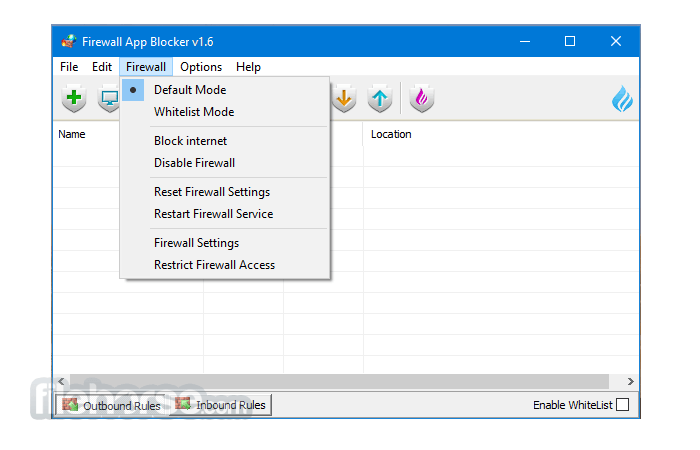
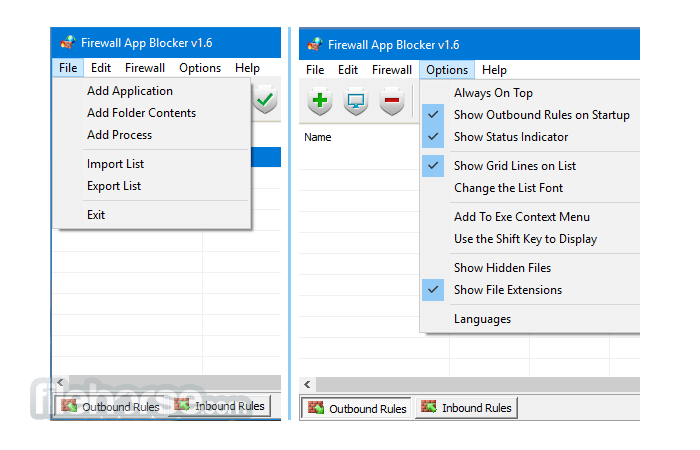
Because of its simple toolset that provides fast access to default Windows Firewall app management settings, this app does not feature in-depth preferences or any way to customize its workflow or UI style. It, however, does offer quick access to view or reset your Windows Firewall settings to their default state. The app runs fast even on modest or old PC configurations and can enable users to perform complicated Firewall configurations in just a few mouse clicks.
Firewall App Blocker weighs just over a single megabyte and can run on any modern version of Windows OS (XP, 7, Vista, 8, and 10) as a portable application, straight off the USB stick or any location on your local storage.
FAQs
What does Firewall App Blocker actually do differently from Windows Firewall?
Firewall App Blocker (FAB) is a lightweight front-end for Windows Firewall that simplifies blocking apps from accessing the internet. Instead of navigating complex firewall rules, you can block or allow programs with a simple drag-and-drop interface.
Is Firewall App Blocker portable and safe to use?
Yes. According to its official page, it’s a portable tool that doesn’t require installation. It works by modifying Windows Firewall rules, so it doesn’t introduce its own firewall engine, which makes it relatively safe when downloaded from the official site.
When is Firewall App Blocker actually useful?
It’s especially useful when you want to quickly block specific apps (e.g., games, updates, or telemetry) from going online without dealing with advanced firewall settings, making it practical for everyday control over network access.
Supported Operating Systems
Windows 11, Windows 10, Windows 8.1, Windows 8, Windows 7 – (both x86 and x64)
Supported Languages
English , Turkish , German , French , Brazilian Portuguese, Greek , Italian , Polish , Persian , Russian , Dutch , Spanish , Korean , Simplified and Traditional Chinese , Indonesian , Japanese , Finnish , Hungarian , Ukrainian , Slovenian , Arabic , Vietnamese , Bosnian , Czech , Hebrew , Thai , Portuguese , Romanian , Swedish.
PROS
Download Firewall App Blocker Latest Version Why is this app published on FileHorse? (More info)
This app does not add any new security features, but instead is focused entirely on providing a new user interface and a simplified set of controls to users who do not want to fire up their Control Panel, access the Windows Firewall configuration page, and do the entire procedure for blocking a particular app. Instead, users of Firewall Blocker App can simply access a streamlined interface that promotes incredibly easy and fast handling of app Firewall permissions.
What’s New
- UI Fix: Resolved the issue where the Enable WhiteList option disappeared after changing the interface language
- Command Prompt Fix: Addressed a minor bug affecting command prompt functionality
- Sorting Improvement: Fixed entry sorting so newly added items can appear at the top
- New Language Support: Added partial localization for “File → Netsh Commands” section
Because of its simple toolset that provides fast access to default Windows Firewall app management settings, this app does not feature in-depth preferences or any way to customize its workflow or UI style. It, however, does offer quick access to view or reset your Windows Firewall settings to their default state. The app runs fast even on modest or old PC configurations and can enable users to perform complicated Firewall configurations in just a few mouse clicks.
Firewall App Blocker weighs just over a single megabyte and can run on any modern version of Windows OS (XP, 7, Vista, 8, and 10) as a portable application, straight off the USB stick or any location on your local storage.
FAQs
What does Firewall App Blocker actually do differently from Windows Firewall?
Firewall App Blocker (FAB) is a lightweight front-end for Windows Firewall that simplifies blocking apps from accessing the internet. Instead of navigating complex firewall rules, you can block or allow programs with a simple drag-and-drop interface.
Is Firewall App Blocker portable and safe to use?
Yes. According to its official page, it’s a portable tool that doesn’t require installation. It works by modifying Windows Firewall rules, so it doesn’t introduce its own firewall engine, which makes it relatively safe when downloaded from the official site.
When is Firewall App Blocker actually useful?
It’s especially useful when you want to quickly block specific apps (e.g., games, updates, or telemetry) from going online without dealing with advanced firewall settings, making it practical for everyday control over network access.
Supported Operating Systems
Windows 11, Windows 10, Windows 8.1, Windows 8, Windows 7 – (both x86 and x64)
Supported Languages
English , Turkish , German , French , Brazilian Portuguese, Greek , Italian , Polish , Persian , Russian , Dutch , Spanish , Korean , Simplified and Traditional Chinese , Indonesian , Japanese , Finnish , Hungarian , Ukrainian , Slovenian , Arabic , Vietnamese , Bosnian , Czech , Hebrew , Thai , Portuguese , Romanian , Swedish.
PROS
- Simplifies app blocking.
- Streamlined interface.
- Fast access to controls.
- Lightweight & portable.
- No advanced customization.
- Limited to Windows OS.
- No additional security features.
Download Firewall App Blocker Latest Version Why is this app published on FileHorse? (More info)
##
畫面截圖
- 2026-04-09 Firewall App Blocker 1.9 1.22 MB
- 2022-09-27 Firewall App Blocker 1.8 1.22 MB
- 2020-04-17 Firewall App Blocker 1.7 1.11 MB
- 2017-04-21 Firewall App Blocker 1.6 1.14 MB