⚠ 這是歷史版本頁面 — 查看 FlashBoot 最新版本 →

- 目前版本3.3h
- 更新日期2021-05-27
- 檔案大小48.44 MB
- 檔案名稱flashboot-3.3h-setup.exe
- 作業系統Windows 7 / Windows 8 / Windows 10 / Windows 11
- 支援語系English
- 授權型式免費軟體
- 開發商 PrimeExpert Software
- 軟體分類Windows 軟體 / 系統優化
##
編輯短評
FlashBoot 是一款專注於製作可開機 USB 隨身碟的 Windows 工具,主要用來安裝或複製 Windows 系統。它能將 Windows 7 安裝到新電腦,並整合驅動程式以支援較新的硬體平台,同時也支援製作 Windows 8/10/11 的可啟動隨身碟,甚至可將舊版 Windows XP 轉為 USB 啟動。這套軟體持續更新,近期仍有維護,屬於活躍開發的小眾工具,在系統工具分類中評價中等。
適合需要大量部署系統的 IT 人員,或想自製可攜式 Windows 環境的進階使用者。當新電腦沒有光碟機、或想快速安裝系統時,FlashBoot 能派上用場。與 Rufus 等輕量工具相比,FlashBoot 提供更多進階功能,如整合驅動與製作可安裝的 Windows 7,但介面較複雜且僅支援英文。免費授權,但使用前建議確認功能限制,僅限 Windows 平台。
##
翻譯排程處理中,以下暫以英文原文呈現
軟體介紹
With FlashBoot, you can install Windows 7 to a new laptop or new PC with no hassles. It can prepare Windows setup USB thumb drive with integrated drivers, so you can install Windows 7 to any new computer, such as Kaby Lake and Ryzen.
Features
If you dislike Windows 10 or a new Windows 11 because of OS-builtin advertising, forced updates, untimely reboots, and pervasive telemetry - then a way to go is to return to Windows 7.
But hardware marches on, and older operating systems hardly can play catch-up. Installation of Windows 7 to new laptop fails right on the first screen: mouse, keyboard, and boot device are inaccessible to Windows 7 on new computers, due to lack of USB 3.0 support.
Using FlashBoot, you can install Windows 7 to a new laptop or new PC with no problems. It will prepare Windows installation USB thumbdrive with slipstreamed drivers, so you can quickly and easily install Windows 7 to any new computer, even Kaby Lake and Ryzen platforms.
Besides of builtin USB 3.0, NVMe, and RAID drivers, It can also slipstream user-supplied drivers.
Also, the app enables you to install an instance of the Windows OS onto a USB storage device, empowering you to boot any PC from that device. With the program, you'll be able to walk about with a fully-functional installation of Windows 11, 10, 8.1 or 8 in your pocket, ready to go under any circumstance.
Need your favorite app, document, game, or browser when you're sitting in front of a strange computer? Just break out your USB device prepared with the software!
And finally, Flash Boot facilitates the installation of older operating systems, such as Windows XP, from USB thumdrive, and running a minified version of it (known as BartPE) from USB thumbdrive.
You can even use the tool to build self-extracting standalone EXE files that contain exactly what you want, for rapid deployment whenever you need it. If the capacity of USB thumdrive was reduced by other tools, then the app will automatically recover it to full capacity.
Pricing
FlashBoot Pro is $29.95
Includes:
Download FlashBoot Latest Version Why is this app published on FileHorse? (More info)
Features
- Create installable clone of Windows on USB thumbdrive
- Create bootable clone of Windows 8.x/10/11 on USB thumbdrive
- Install Windows 7 to New Laptop or New PC
- Install full-featured Windows 8.x/10 to USB thumbdrive
- Save/restore USB thumbdrive to/from image file
- Convert WindowsXP or BartPE to bootable USB thumbdrive
If you dislike Windows 10 or a new Windows 11 because of OS-builtin advertising, forced updates, untimely reboots, and pervasive telemetry - then a way to go is to return to Windows 7.
But hardware marches on, and older operating systems hardly can play catch-up. Installation of Windows 7 to new laptop fails right on the first screen: mouse, keyboard, and boot device are inaccessible to Windows 7 on new computers, due to lack of USB 3.0 support.
Using FlashBoot, you can install Windows 7 to a new laptop or new PC with no problems. It will prepare Windows installation USB thumbdrive with slipstreamed drivers, so you can quickly and easily install Windows 7 to any new computer, even Kaby Lake and Ryzen platforms.
Besides of builtin USB 3.0, NVMe, and RAID drivers, It can also slipstream user-supplied drivers.
Also, the app enables you to install an instance of the Windows OS onto a USB storage device, empowering you to boot any PC from that device. With the program, you'll be able to walk about with a fully-functional installation of Windows 11, 10, 8.1 or 8 in your pocket, ready to go under any circumstance.
Need your favorite app, document, game, or browser when you're sitting in front of a strange computer? Just break out your USB device prepared with the software!
And finally, Flash Boot facilitates the installation of older operating systems, such as Windows XP, from USB thumdrive, and running a minified version of it (known as BartPE) from USB thumbdrive.
You can even use the tool to build self-extracting standalone EXE files that contain exactly what you want, for rapid deployment whenever you need it. If the capacity of USB thumdrive was reduced by other tools, then the app will automatically recover it to full capacity.
Pricing
FlashBoot Pro is $29.95
Includes:
- Prepare USB for installing Windows 10/11, 8.x, 7, Vista, or XP to internal HDD/SSD.
- Integrate drivers (USB 3.x, NVMe, AHCI/RAID, or user-supplied) into USB for OS installation.
- Install full-featured Windows 10/11 or 8.x on USB for independent boot.
- Create bootable Windows clones (Windows 10/11, 8.x, 7) on USB drives.
- Save USB contents as an image file.
- Restore USB from an image file.
- Copy USB contents to another USB while retaining bootability.
- Install DOS to USB.
- Install UEFI Shell to USB.
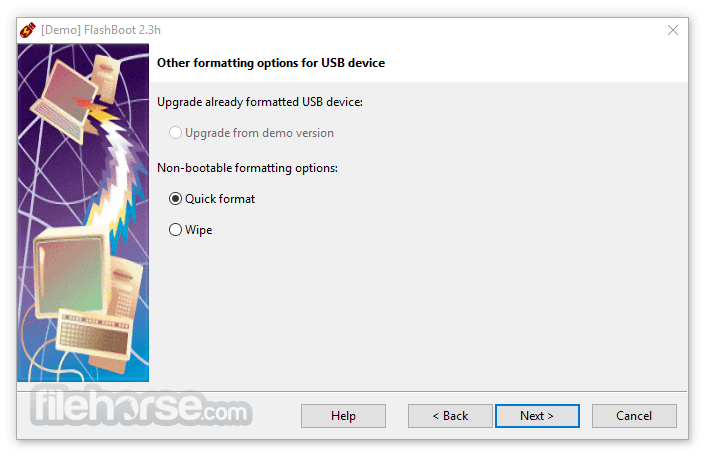
- Quickly format USB drives.
- Securely wipe USB drives (erase all data).
- Install a mini version of Windows XP (BartPE) on USB for independent boot.
- Create self-extracting USB formatters with predefined content.
- Easy-to-Use Interface
- Versatile Bootable USB Creation
- Supports Windows OS Backup
- Advanced Data Encryption Options
- Efficient Disk Cloning
- Limited MacOS Support
- Free Version Restrictions
- Occasional Compatibility Issues
- Requires Technical Knowledge for Advanced Features
- No Cloud Integration Options
Download FlashBoot Latest Version Why is this app published on FileHorse? (More info)
##
畫面截圖
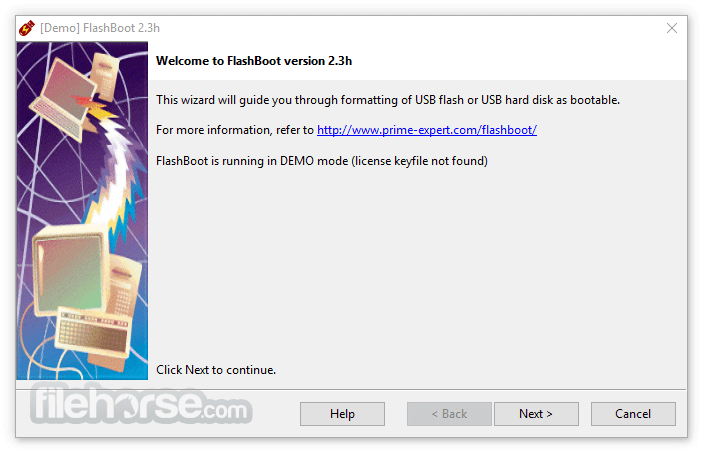
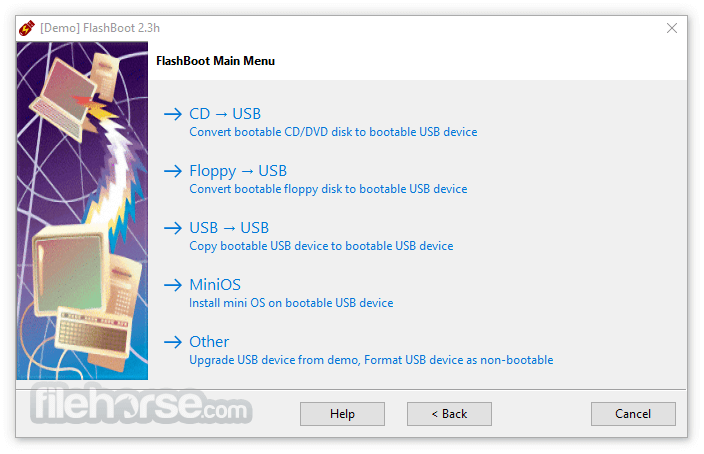
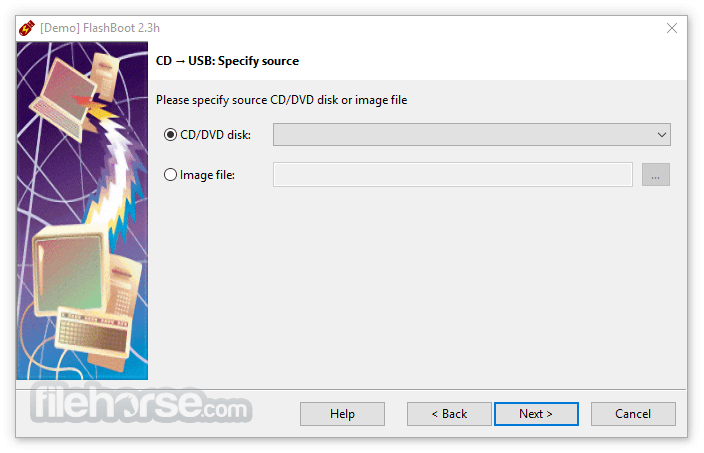
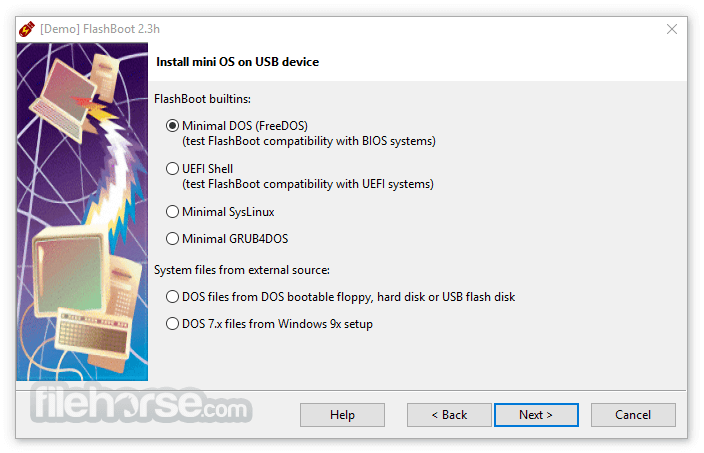
- 2026-03-09 FlashBoot 3.4b 79.14 MB
- 2025-12-15 FlashBoot 3.4a 79.08 MB
- 2025-10-19 FlashBoot 3.4 80.23 MB
- 2025-07-06 FlashBoot 3.3t 74.38 MB
- 2025-05-20 FlashBoot 3.3s 74.02 MB
- 2025-03-23 FlashBoot 3.3r 74.18 MB
- 2024-03-09 FlashBoot 3.3q 68.44 MB
- 2023-06-25 FlashBoot 3.3p 68.47 MB