- 目前版本7.0.15594
- 更新日期2026-05-20
- 檔案大小11.6 MB
- 檔案名稱flexihub.exe
- 作業系統Windows 7 / Windows 8 / Windows 10 / Windows 11
- 支援語系English
- 授權型式試用版
- 開發商 Electronic Team, Inc.
- 軟體分類Windows 軟體 / 檔案傳輸與網路
##
翻譯排程處理中,以下暫以英文原文呈現
軟體介紹
FlexiHub is an advanced software solution designed to enable remote access to USB and COM port devices over a network.
Developed by Electronic Team, Inc., this tool allows users to connect to their USB peripherals from anywhere in the world as if they were physically plugged into the local machine.
Whether you're dealing with USB flash drives, printers, scanners, or even industrial equipment, FlexiHub for Windows ensures seamless connectivity over the internet or a local network.
Main Features
Remote USB Access – Share and access USB devices remotely over a network.
Cross-Platform Compatibility – Works on Windows, macOS, Linux, and Android.
Secure Data Encryption – Provides AES-256 encryption for secure data transmission.
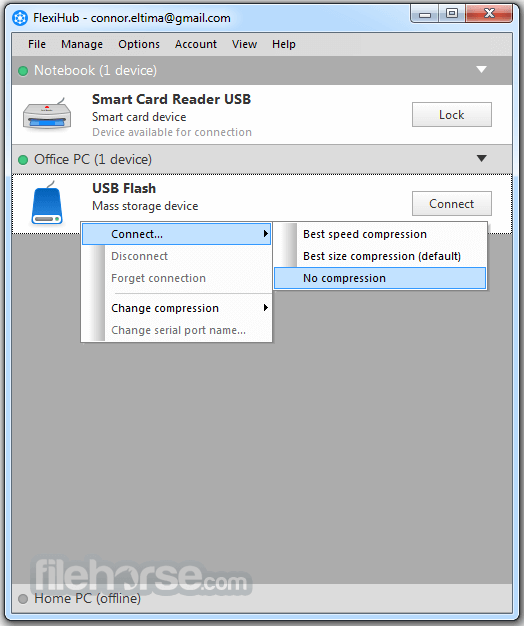
Compressed Data Traffic – Optimized data exchange to improve speed and reduce bandwidth usage.
Session Management – Allows users to monitor and control active connections.
Virtual Private Cloud (VPC) Technology – Ensures a secure connection without requiring external IPs.
Automatic Device Detection – Lists all available shared devices without manual configuration.
Multi-User Access – Enables multiple team members to connect to the same device.
User Interface
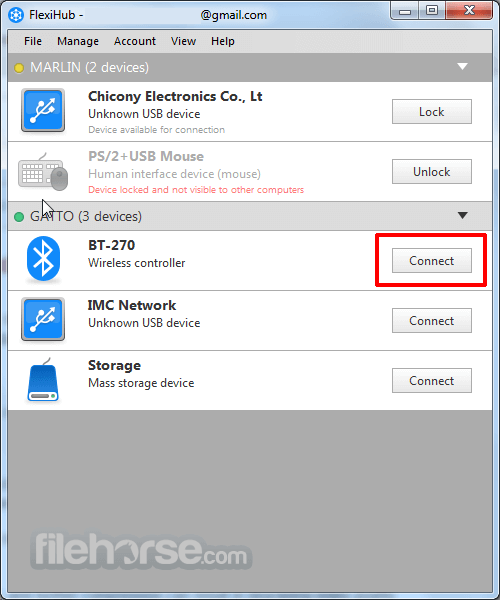
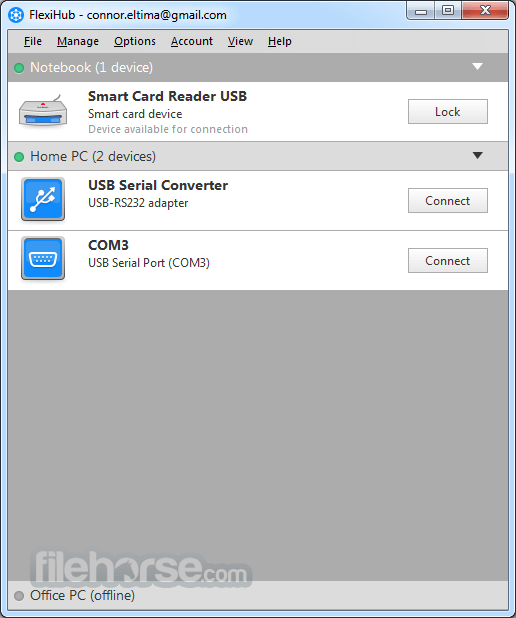
It offers a clean and user-friendly interface. Upon launching the software, users are greeted with a simple dashboard displaying all available devices connected to the network.
The interface is well-organized, featuring easy-to-navigate menus and straightforward connection options. Even users with minimal technical expertise can quickly share or access remote USB devices with just a few clicks.
Installation and Setup
Is FlexiHub secure?
Yes, it uses AES-256 encryption to protect data during transmission.
Can I use FlexiHub without the internet?
Yes, as long as both computers are connected to the same local network.
Does FlexiHub require port forwarding?
No, the software automatically manages connectivity without complex network configurations.
Is there a free version of FlexiHub?
No, but there is a free trial available with limited functionality.
Can I connect multiple devices at once?
Yes, but the number of concurrent connections depends on your subscription plan.
What is a Team demo account used for?
A Team demo account provides 30 days of free access to FlexiHub, allowing you to create a team, add members with unique login tokens, and send connection invites. Each member can use FlexiHub on up to 5 nodes, with a shared limit of 5 free sessions.
Can I try FlexiHub for free?
Yes, both Personal and Team plans offer a free demo account for evaluation. (Availability may vary by country.)
Alternatives
USB Network Gate – A similar solution by Electronic Team with single-device licensing.
AnyDesk – Primarily a remote desktop tool, but allows USB redirection.
TeamViewer – Offers remote control and USB device passthrough features.
Pricing
Personal Plan ($14/month annually, $35/monthly)
FlexiHub is a powerful and reliable tool for remote USB and COM port device access. Its user-friendly interface, security features, and broad device compatibility make it a great choice for professionals needing seamless remote peripheral access.
Note: Can connect only two nodes and one device. Devices are disconnected after 20 minutes. Requires a FlexiHub account.
Also Available: Download FlexiHub for Mac
Download FlexiHub Latest Version Why is this app published on FileHorse? (More info)
Developed by Electronic Team, Inc., this tool allows users to connect to their USB peripherals from anywhere in the world as if they were physically plugged into the local machine.
Whether you're dealing with USB flash drives, printers, scanners, or even industrial equipment, FlexiHub for Windows ensures seamless connectivity over the internet or a local network.
Main Features
Remote USB Access – Share and access USB devices remotely over a network.
Cross-Platform Compatibility – Works on Windows, macOS, Linux, and Android.
Secure Data Encryption – Provides AES-256 encryption for secure data transmission.
Compressed Data Traffic – Optimized data exchange to improve speed and reduce bandwidth usage.
Session Management – Allows users to monitor and control active connections.
Virtual Private Cloud (VPC) Technology – Ensures a secure connection without requiring external IPs.
Automatic Device Detection – Lists all available shared devices without manual configuration.
Multi-User Access – Enables multiple team members to connect to the same device.
User Interface
It offers a clean and user-friendly interface. Upon launching the software, users are greeted with a simple dashboard displaying all available devices connected to the network.
The interface is well-organized, featuring easy-to-navigate menus and straightforward connection options. Even users with minimal technical expertise can quickly share or access remote USB devices with just a few clicks.
Installation and Setup
- Download and Install – Visit the official website or FileHorse, download the Windows installer, and follow the setup wizard.
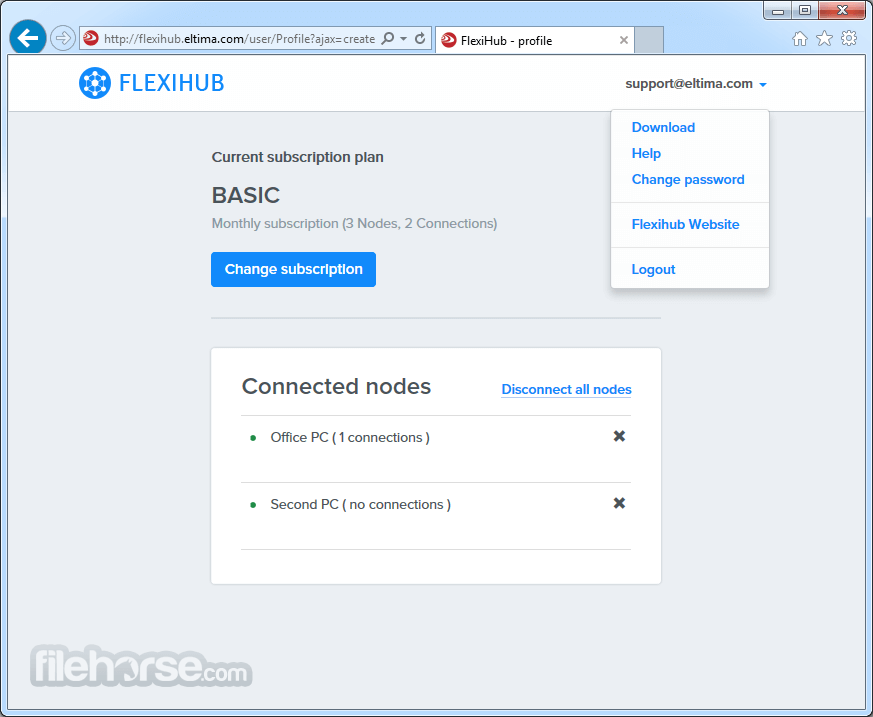
- Sign Up for an Account – A FlexiHub account is required to use the software.
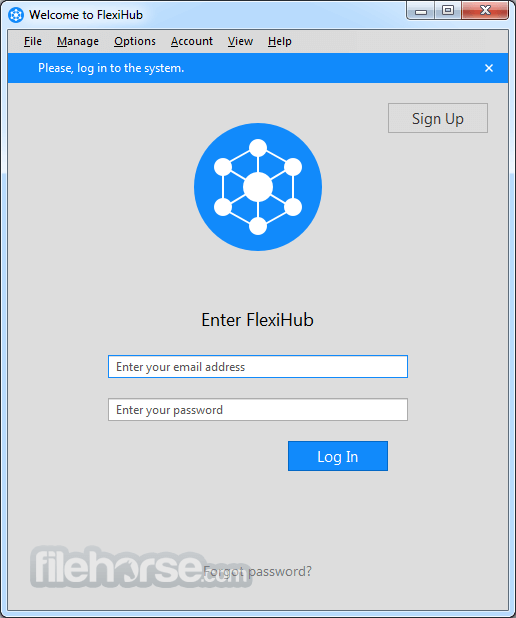
- Log In – Enter your credentials to access the dashboard.
- Connect Devices – Plug in a USB device, enable sharing, and establish a remote connection.
- Access Remotely – Other devices signed into the same account can access shared peripherals instantly.
- Open this tool and sign in.
- Select a USB device you want to share.
- Click on the "Connect" button to establish a remote connection.
- The remote computer will recognize the device as if it were locally connected.
- To disconnect, simply click "Disconnect" from the dashboard.
Is FlexiHub secure?
Yes, it uses AES-256 encryption to protect data during transmission.
Can I use FlexiHub without the internet?
Yes, as long as both computers are connected to the same local network.
Does FlexiHub require port forwarding?
No, the software automatically manages connectivity without complex network configurations.
Is there a free version of FlexiHub?
No, but there is a free trial available with limited functionality.
Can I connect multiple devices at once?
Yes, but the number of concurrent connections depends on your subscription plan.
What is a Team demo account used for?
A Team demo account provides 30 days of free access to FlexiHub, allowing you to create a team, add members with unique login tokens, and send connection invites. Each member can use FlexiHub on up to 5 nodes, with a shared limit of 5 free sessions.
Can I try FlexiHub for free?
Yes, both Personal and Team plans offer a free demo account for evaluation. (Availability may vary by country.)
Alternatives
USB Network Gate – A similar solution by Electronic Team with single-device licensing.
AnyDesk – Primarily a remote desktop tool, but allows USB redirection.
TeamViewer – Offers remote control and USB device passthrough features.
Pricing
Personal Plan ($14/month annually, $35/monthly)
- Unlimited remote device connections
- Up to 3 active connections
- Up to 5 unique logged-in nodes
- Centralized account management & isolated collaboration space
- 1 active connection per member
- Up to 3 simultaneously logged-in nodes per member
- Invite-based device access
- Pay only for extra connections
- Unlimited active connections & logged-in nodes
- Invite-based device access
- Flexible authentication with one-time login tokens
- Operating System: Windows 7, 8, 10, 11 (both 32-bit and 64-bit)
- Processor: Intel or AMD, 1GHz or higher
- RAM: Minimum 2GB
- Storage: At least 50MB of free space
- Internet Connection: Required for remote access
- Simple and intuitive interface
- High-level encryption for secure connections
- No port forwarding or firewall configuration needed
- Works across multiple platforms
- Allows USB sharing over the internet and LAN
- Limited concurrent connections depending on the plan
- Requires a stable internet connection for remote access
- Some latency issues when handling high-bandwidth devices
FlexiHub is a powerful and reliable tool for remote USB and COM port device access. Its user-friendly interface, security features, and broad device compatibility make it a great choice for professionals needing seamless remote peripheral access.
Note: Can connect only two nodes and one device. Devices are disconnected after 20 minutes. Requires a FlexiHub account.
Also Available: Download FlexiHub for Mac
Download FlexiHub Latest Version Why is this app published on FileHorse? (More info)
##
畫面截圖