⚠ 這是歷史版本頁面 — 查看 FortiClient 最新版本 →

- 目前版本6.0
- 更新日期2019-05-17
- 檔案大小830.39 KB
- 檔案名稱FortiClientOnlineInstaller_6.0.exe
- 作業系統Windows 7 64 / Windows 8 64 / Windows 10 64 / Windows 11
- 支援語系English
- 授權型式試用版
- 開發商 Fortinet
- 軟體分類Windows 軟體 / 安全工具
##
編輯短評
FortiClient 是 Fortinet 推出的免費端點防護套件,整合了惡意軟體與病毒偵測、rootkit 移除、家長網頁控制以及 VPN 功能。它最大的辨識度在於防毒引擎由 Fortinet 自家研發,並仰賴 FortiGuard Labs 持續更新的威脅情報與病毒定義,曾獲多項國際防毒評測肯定。這套工具在同類安全軟體中屬於中上位置,評價普遍不錯,更新頻率不算高但仍在持續維護,適合想一次搞定防毒與遠端連線需求的用戶。
這套軟體特別適合需要輕量整合防護的個人或小型企業,尤其是常需透過 IPSec 或 SSL 協定進行遠端存取的使用者,單一 VPN 設定就能快速建立安全連線。與 Folder Lock、360 Total Security 等替代方案相比,FortiClient 的 VPN 功能是明顯優勢,但介面僅提供英文,且為試用版授權,長期使用需留意授權限制。若你偏好免安裝或中文介面,可能需要額外評估其他選項。
##
翻譯排程處理中,以下暫以英文原文呈現
軟體介紹
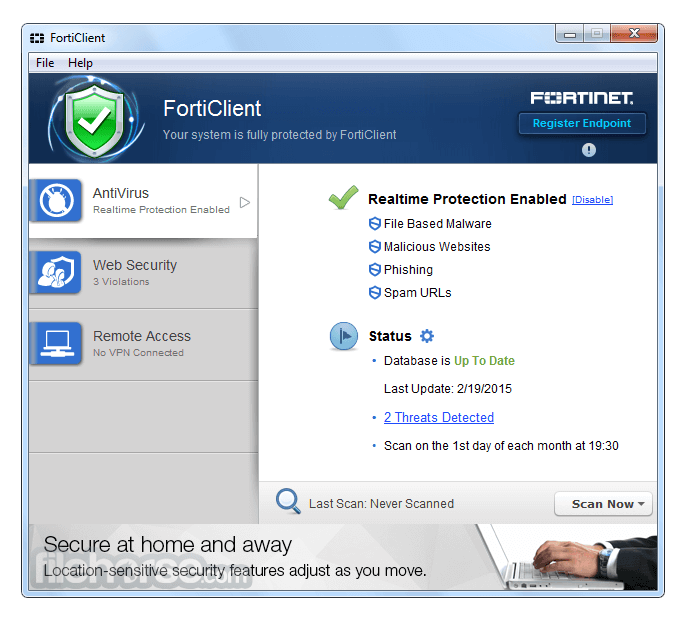
FortiClient is a free endpoint protection suite that includes malware/virus detection, rootkit removal, parental web control, and VPN.
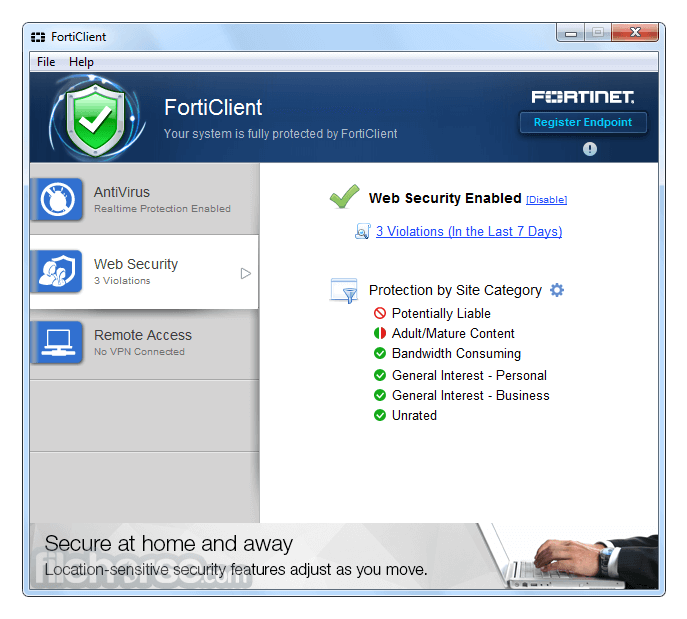
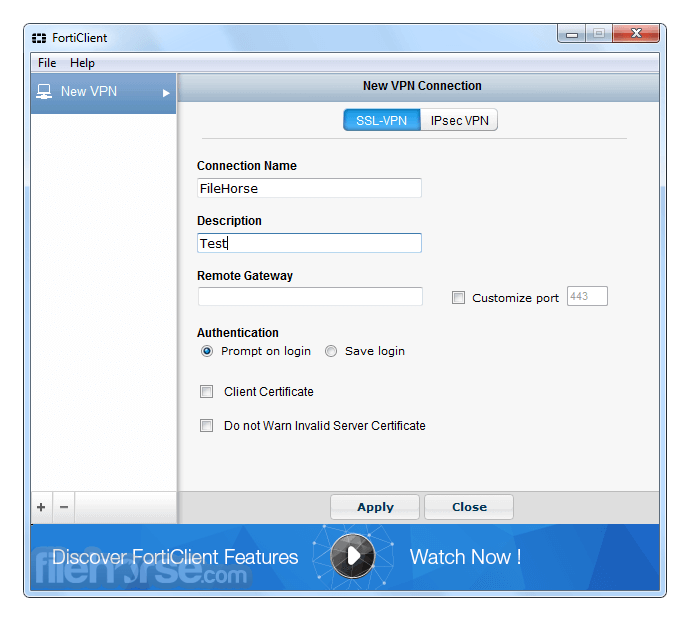
Malware is detected using updated threat intelligence and definitions from Fortinet's FortiGuard Labs. Parental control offers a simple and effective way to block malicious and explicit websites. Single VPN configuration allows quick and easy secure, remote access via IPSec or SSL protocols.
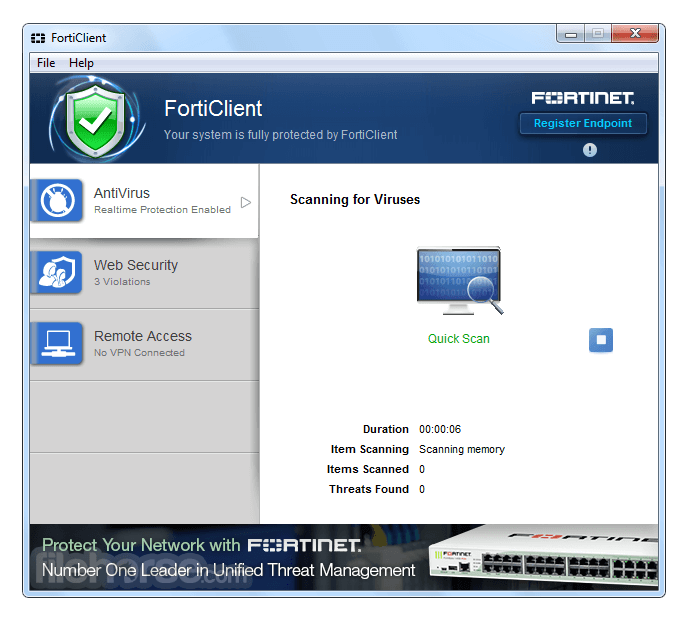
FortiClient leverages FortiClient's Antivirus technology, developed in-house by Fortinet. The Antivirus has achieved more than twenty VB100 awards and is capable of detecting threats on both a reactive and proactive basis.
Proactive detection is based on detecting zero-day malware that has never been seen before in the wild.
The tool is an enterprise-class suite designed for the world's largest enterprise environments, including Fortune 1000 companies, federal and state agencies, and customers that require the ultimate in a fully modular protection suite capable of power beyond Antivirus.
Forti Client is fully integrated with FortiGate, FortiManager, and FortiAnalyzer for management, deployment, and central logging/reporting.
Highlights
ZTNA
Delivers better remote access and consistent application access policies
Fabric Agent
Provides telemetry information and leverages integrations with the Fortinet Security Fabric
Web Filtering
Provides web security and content filtering
Software Inventory Management
Enables visibility and license management
CASB
Controls access to cloud-based applications, including visibility to shadow IT
Automated Response
Detects and isolates compromised endpoints
What`s New
FortiGuard Labs, Fortinet's cybersecurity research and threat intelligence team, leverages advanced expertise in threat hunting, analysis, and engineering to develop AI-powered Security Services. These services are designed to combat modern threats and provide expert-driven support for organizations.
Service Offerings:
FortiGuard Antivirus Service
Protects against evolving threats, including polymorphic attacks, viruses, malware (e.g., ransomware), and other malicious software.
FortiGuard AI-based Inline Malware Prevention Service
Utilizes AI for real-time file inspection to defend against unknown threats, zero-day vulnerabilities, and complex file-based attacks.
FortiGuard URL Filtering Service
Employs AI-driven behavior analysis to block malicious URLs swiftly with minimal false negatives.
Protection and Secure Access
FortiClient is a Fabric Agent that combines protection, compliance, and secure access into a lightweight, modular client. As a Fabric Agent, it operates on endpoints such as laptops and mobile devices, integrating seamlessly with the Fortinet Security Fabric to deliver device visibility, control, and security.
Secure Access
The Unified FortiClient agent enables remote workers to connect securely to networks using zero-trust principles. Key features include:
The Unified FortiClient agent enhances endpoint security through:
FortiClient converges secure connectivity, endpoint protection, and advanced security features into a single, unified agent. This includes:
Managed Endpoint Security Services
Fortinet provides managed services to streamline the deployment and ongoing operations of FortiClient. These services include:
How to Use
Using this app is straightforward. After installing and configuring the VPN connection, users can connect to their organization's network securely and take immediate advantage of the numerous built-in security features.
While the software does offer user-friendly access to all its tools, it does require a bit of getting used to.
To facilitate faster onboarding times, developers have provided extensive training and certification courses that can inform both novices and seasoned users of the wide array of technical solutions and relevant training.
The app promotes two main courses for all its users - FortiClient EMS training and the Advanced Threat Protection course.
Features
Explore the FortiClient EMS user interface in this self-guided demo of a virtualized deployment.
What to Expect:
Discover the easy-to-read dashboards that show the state of all endpoints at a glance
Drill down to get detailed information and telemetry on individual endpoints
Observe the ZTNA tags and polices available for zero trust configuration
Alternatives
Symantec End-user Endpoint Security - Comprehensive protection against advanced threats.
Avast Endpoint Protection - Multi-layered security for businesses of all sizes.
SentinelOne Singularity - AI-driven endpoint security with autonomous response.
ThreatDown - Active malware protection with advanced cleanup technologies.
ESET PROTECT - Proactive malware defense with low system impact.
Webroot Business Endpoint Protection - Cloud-based security with real-time threat intelligence.
PROS
Download FortiClient Latest Version Why is this app published on FileHorse? (More info)
Malware is detected using updated threat intelligence and definitions from Fortinet's FortiGuard Labs. Parental control offers a simple and effective way to block malicious and explicit websites. Single VPN configuration allows quick and easy secure, remote access via IPSec or SSL protocols.
FortiClient leverages FortiClient's Antivirus technology, developed in-house by Fortinet. The Antivirus has achieved more than twenty VB100 awards and is capable of detecting threats on both a reactive and proactive basis.
Proactive detection is based on detecting zero-day malware that has never been seen before in the wild.
The tool is an enterprise-class suite designed for the world's largest enterprise environments, including Fortune 1000 companies, federal and state agencies, and customers that require the ultimate in a fully modular protection suite capable of power beyond Antivirus.
Forti Client is fully integrated with FortiGate, FortiManager, and FortiAnalyzer for management, deployment, and central logging/reporting.
Highlights
ZTNA
Delivers better remote access and consistent application access policies
Fabric Agent
Provides telemetry information and leverages integrations with the Fortinet Security Fabric
Web Filtering
Provides web security and content filtering
Software Inventory Management
Enables visibility and license management
CASB
Controls access to cloud-based applications, including visibility to shadow IT
Automated Response
Detects and isolates compromised endpoints
What`s New
FortiGuard Labs, Fortinet's cybersecurity research and threat intelligence team, leverages advanced expertise in threat hunting, analysis, and engineering to develop AI-powered Security Services. These services are designed to combat modern threats and provide expert-driven support for organizations.
Service Offerings:
FortiGuard Antivirus Service
Protects against evolving threats, including polymorphic attacks, viruses, malware (e.g., ransomware), and other malicious software.
FortiGuard AI-based Inline Malware Prevention Service
Utilizes AI for real-time file inspection to defend against unknown threats, zero-day vulnerabilities, and complex file-based attacks.
FortiGuard URL Filtering Service
Employs AI-driven behavior analysis to block malicious URLs swiftly with minimal false negatives.
Protection and Secure Access
FortiClient is a Fabric Agent that combines protection, compliance, and secure access into a lightweight, modular client. As a Fabric Agent, it operates on endpoints such as laptops and mobile devices, integrating seamlessly with the Fortinet Security Fabric to deliver device visibility, control, and security.
Secure Access
The Unified FortiClient agent enables remote workers to connect securely to networks using zero-trust principles. Key features include:
- Universal ZTNA and VPN-encrypted tunnels for secure connections.
- URL filtering and cloud access security broker (CASB) functionality.
- Integration with FortiSASE, offering cloud-hosted Universal ZTNA, CASB, and Secure Web Gateway (SWG).
- Centralized management via FortiClient EMS.
The Unified FortiClient agent enhances endpoint security through:
- AI-powered next-generation antivirus (NGAV) for proactive threat prevention.
- Endpoint quarantine and application firewall capabilities.
- Additional protection features like cloud sandboxing, USB device control, and ransomware protection.
FortiClient converges secure connectivity, endpoint protection, and advanced security features into a single, unified agent. This includes:
- Endpoint Detection and Response (EDR).
- Extended Detection and Response (XDR).
Managed Endpoint Security Services
Fortinet provides managed services to streamline the deployment and ongoing operations of FortiClient. These services include:
- Setup, deployment, and configuration.
- Vulnerability monitoring and endpoint security management.
- Comprehensive monitoring to ensure robust endpoint protection.
How to Use
Using this app is straightforward. After installing and configuring the VPN connection, users can connect to their organization's network securely and take immediate advantage of the numerous built-in security features.
While the software does offer user-friendly access to all its tools, it does require a bit of getting used to.
To facilitate faster onboarding times, developers have provided extensive training and certification courses that can inform both novices and seasoned users of the wide array of technical solutions and relevant training.
The app promotes two main courses for all its users - FortiClient EMS training and the Advanced Threat Protection course.
Features
- AntiVirus
- SSL-VPN
- Security Fabric Telemetry
- Compliance Enforcement
- Web Filtering
- IPSec VPN
- Application Firewall
- 2-Factor Authentication
- Vulnerability Scan
- WAN Optimization
- On-net detection for auto-VPN
- Rebranding
- Anti-Exploit
Explore the FortiClient EMS user interface in this self-guided demo of a virtualized deployment.
What to Expect:
Discover the easy-to-read dashboards that show the state of all endpoints at a glance
Drill down to get detailed information and telemetry on individual endpoints
Observe the ZTNA tags and polices available for zero trust configuration
Alternatives
Symantec End-user Endpoint Security - Comprehensive protection against advanced threats.
Avast Endpoint Protection - Multi-layered security for businesses of all sizes.
SentinelOne Singularity - AI-driven endpoint security with autonomous response.
ThreatDown - Active malware protection with advanced cleanup technologies.
ESET PROTECT - Proactive malware defense with low system impact.
Webroot Business Endpoint Protection - Cloud-based security with real-time threat intelligence.
PROS
- Comprehensive Protection: Offers antivirus, web filtering, VPN, and more.
- AI-Driven Security: Uses AI for proactive zero-day threat detection.
- Seamless Integration: Works well with Fortinet's ecosystem, like FortiGate.
- Enterprise-Grade: Scales to large organizations with advanced security.
- Centralized Management: Simplifies monitoring with FortiClient EMS.
- Complex Setup: Enterprise features may be overwhelming for small users.
- Limited Free Version: Advanced capabilities often require licensing.
- Resource Intensive: Can impact system performance on lower-end devices.
- Fortinet Reliance: Full potential requires integration with other Fortinet tools.
Download FortiClient Latest Version Why is this app published on FileHorse? (More info)
##
影片介紹
##
畫面截圖
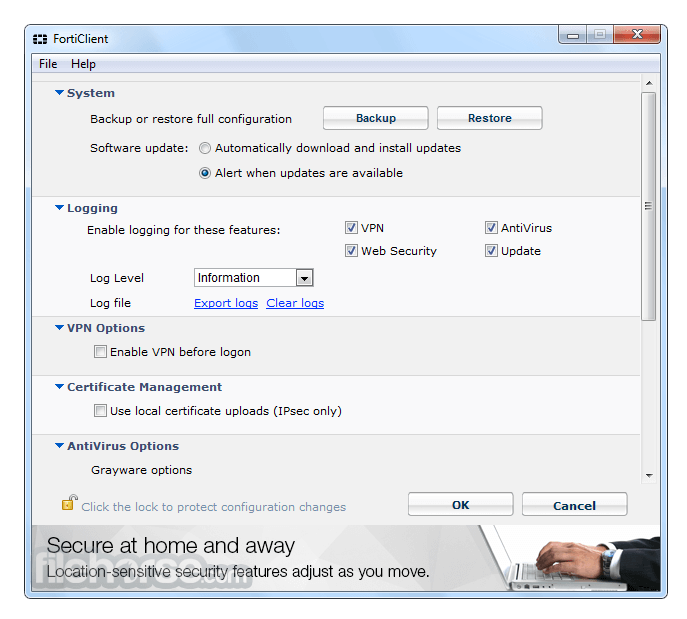
- 2026-04-06 FortiClient 7.4 4.4 MB
- 2021-05-04 FortiClient 7.0 2.86 MB
- 2019-05-17 FortiClient 6.0 830.39 KB