⚠ 這是歷史版本頁面 — 查看 Free MP3 Cutter and Editor 2.8.0 Build 最新版本 →

Free MP3 Cutter and Editor 2.8.0 Build 3192
v 3192
Windows
免費軟體
8.6/10 (41)
- 目前版本3192
- 更新日期2023-01-22
- 檔案大小968.97 KB
- 檔案名稱MP3CutterSetup.exe
- 作業系統Windows 7 / Windows 8 / Windows 10 / Windows 11
- 支援語系English
- 授權型式免費軟體
- 開發商 MuseTips
- 軟體分類Windows 軟體 / 音訊軟體
##
編輯短評
Free MP3 Cutter and Editor 是 MuseTips 推出的 Windows 免費音訊工具,專為處理 MP3 檔案的基本剪輯需求而設計。它能快速切割不需要的段落、調整音訊屬性,介面直覺且操作門檻低,讓沒有專業背景的使用者也能輕鬆上手。這款軟體在音訊分類中屬於小眾工具,開發商持續維護但更新頻率不高,使用者評價普遍不錯,不過評分樣本數不多,參考價值有限。
如果你只是偶爾想剪個鈴聲、去頭尾或簡單編輯 MP3,這套軟體很適合;它輕量、免安裝,不像 Virtual DJ 或 iTunes 那樣功能龐雜,但相對也犧牲了進階編輯能力。與同類替代軟體相比,它勝在簡單直接,但僅支援 Windows 平台,且介面只有英文,對不熟悉英文的使用者可能稍有門檻。免費授權讓它成為臨時應急的實用選擇,但若需要更完整的音訊處理,還是得考慮功能更全面的工具。
##
翻譯排程處理中,以下暫以英文原文呈現
軟體介紹
Free MP3 Cutter and Editor software by MuseTips is a straightforward Windows application designed to facilitate basic audio editing tasks.
Ideal for users seeking a hassle-free tool to modify MP3 files, Free MP3 Cutter and Editor app offers essential features without the complexity found in more advanced software.
This desktop utility enables users to perform simple edits on MP3 files, such as cutting unwanted sections and adjusting audio properties.
Its primary appeal lies in its user-friendly interface, making audio editing accessible to individuals without extensive technical expertise.
Main Features
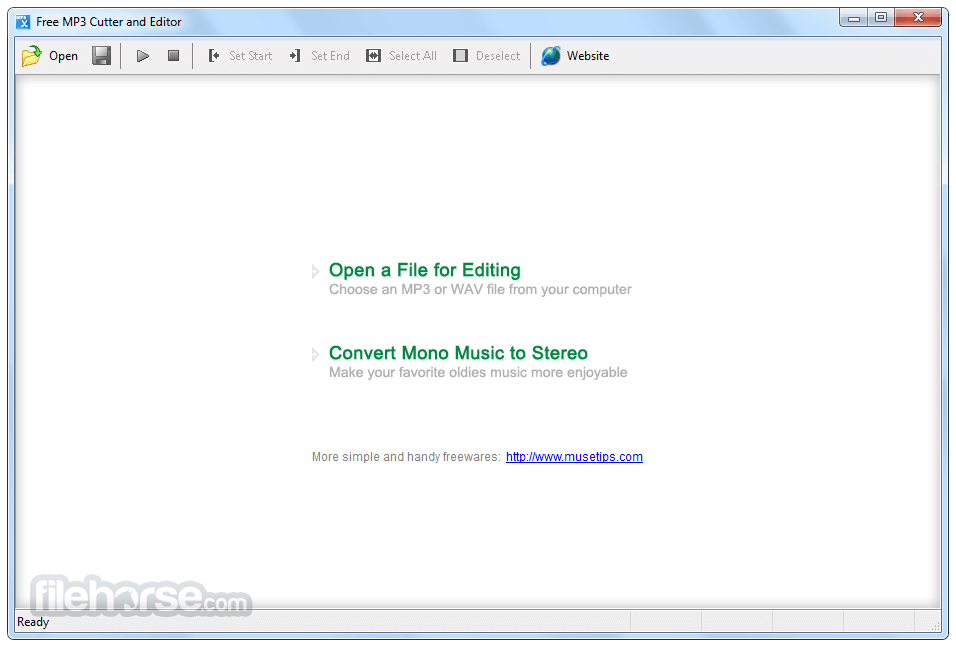
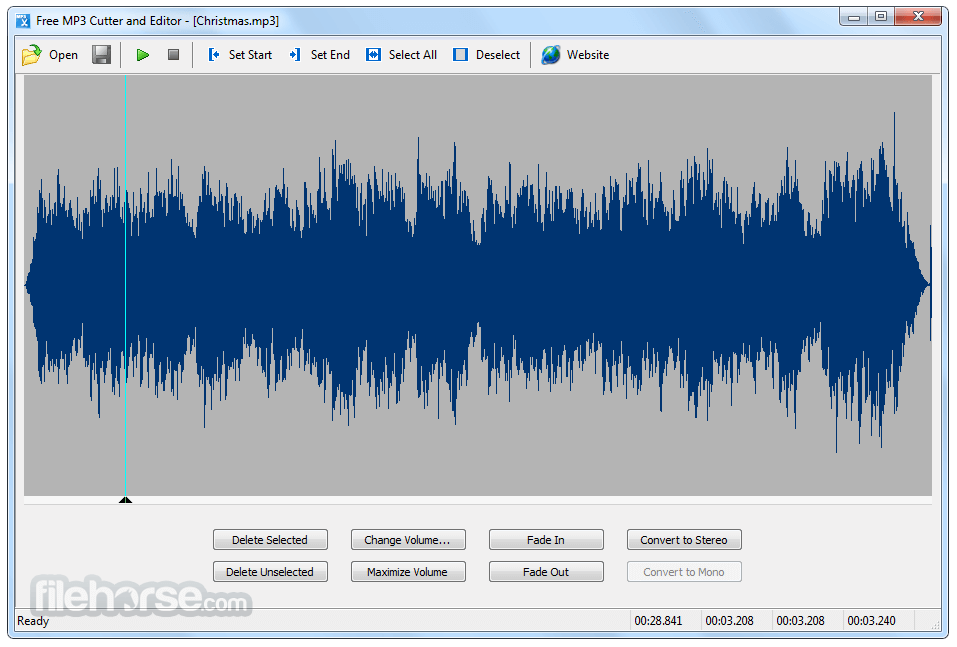
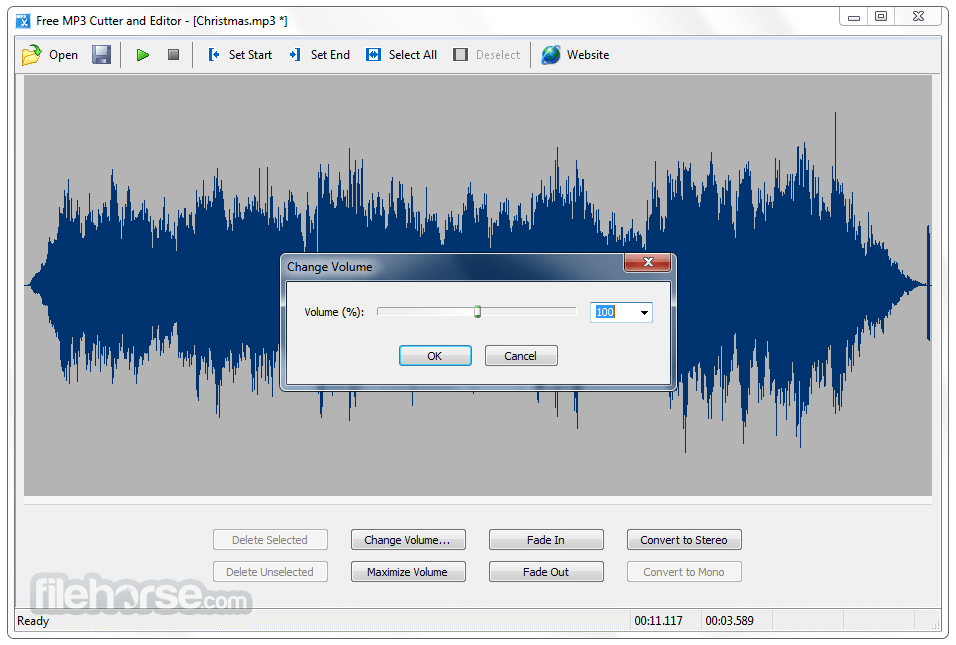
The application boasts a clean and intuitive interface. Users can visualize audio waveforms, making it easier to identify and select specific sections for editing.
All essential tools are readily accessible, ensuring a seamless editing experience.
Installation and Setup
Download: Visit the official website at MuseTips or FileHorse.com to download the installer.
Installation: Run the downloaded file and follow the on-screen instructions. The installation process is quick and does not include unwanted bundled software.
Launch: After installation, launch the application to begin editing.
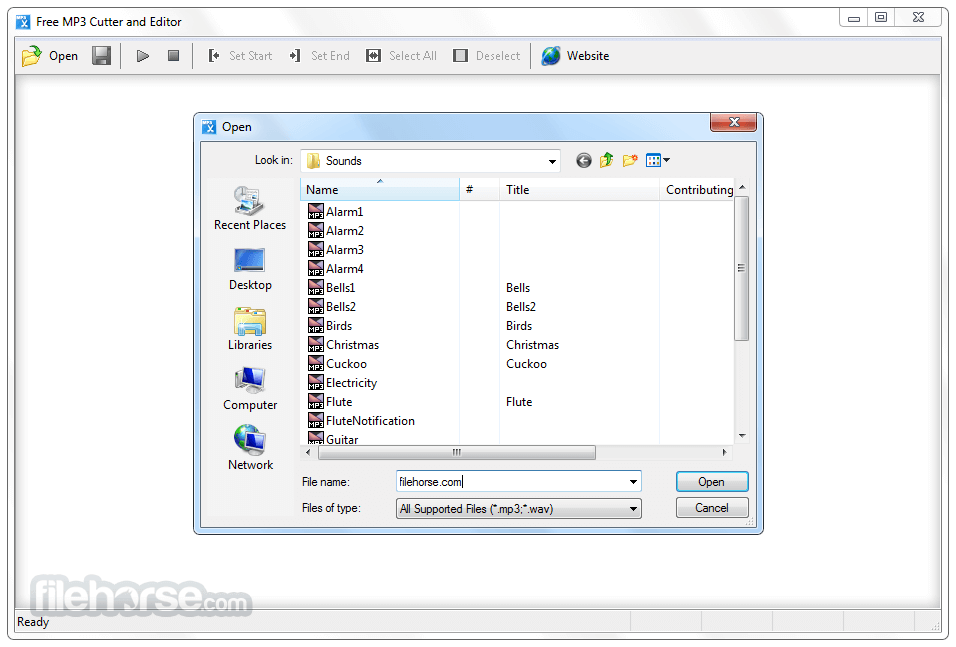
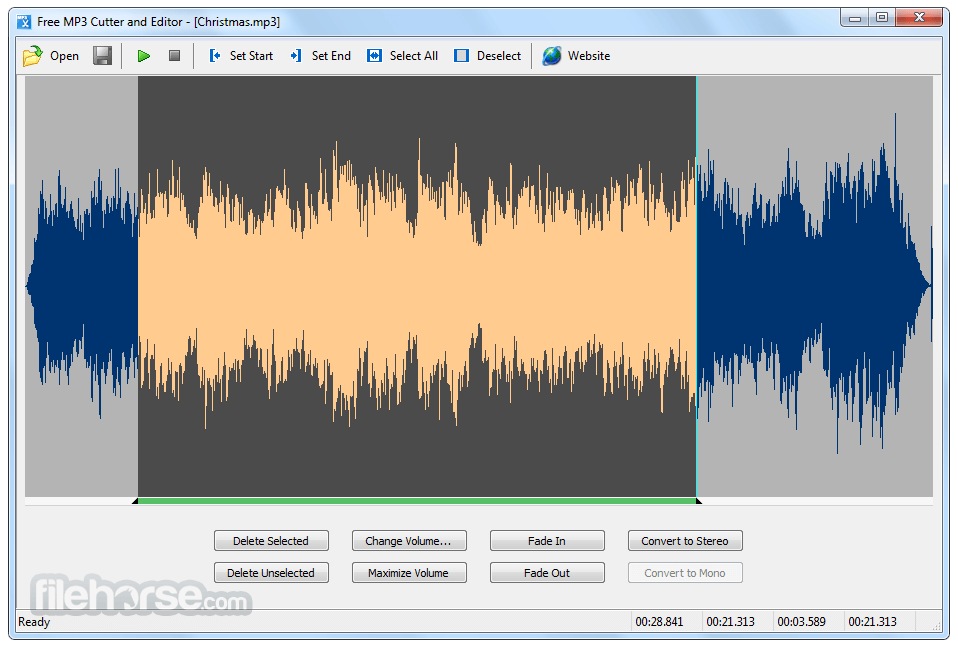
How to UseOpen a File: Click on "Open" to load the MP3 file you wish to edit. Select a Section: Use the waveform display to highlight the portion of the audio you want to modify. Apply Edits: Choose from available functions like cut, fade in, fade out, or volume adjustment. Save Changes: After editing, click "Save" to export the modified file.
Editing Commands
Can I edit file formats other than MP3?
This tool is primarily designed for MP3 files. For other formats, consider using alternative software.
Does the software support batch processing?
No, Free MP3 Cutter and Editor tool handles one file at a time.
Is there a Mac version available?
Currently, it's only available for Windows PCs.
Are there any hidden costs?
No, the software is free to use without any hidden charges.
Can I undo edits if I make a mistake?
Yes, the software includes an undo function to revert recent changes.
Alternatives
Audacity - A free, open-source audio editor offering advanced features for various formats.
mp3DirectCut - A lightweight tool focused on quick MP3 editing without re-encoding.
WavePad - Provides a comprehensive suite of audio editing tools suitable for both beginners and professionals.
Pricing
This tool is entirely FREE to download and use, with no premium versions or in-app purchases.
System Requirements
Free MP3 Cutter and Editor by MuseTips serves as a reliable tool for users seeking basic MP3 editing functionalities. Its simplicity and ease of use make it an excellent choice for quick edits without the need for complex software. However, users requiring advanced features or support for multiple formats might need to explore more comprehensive alternatives.
Download Free MP3 Cutter and Editor Latest Version Why is this app published on FileHorse? (More info)
Ideal for users seeking a hassle-free tool to modify MP3 files, Free MP3 Cutter and Editor app offers essential features without the complexity found in more advanced software.
This desktop utility enables users to perform simple edits on MP3 files, such as cutting unwanted sections and adjusting audio properties.
Its primary appeal lies in its user-friendly interface, making audio editing accessible to individuals without extensive technical expertise.
Main Features
- Cutting and Trimming: Remove unwanted parts of an audio file to focus on desired segments.
- Volume Adjustment: Modify the audio volume to achieve consistent levels across files.
- Fade In and Fade Out: Apply a gradual increase or decrease in volume at the beginning or end of a track for smooth transitions.
- Format Support: Primarily supports MP3 files, catering to common user needs.
The application boasts a clean and intuitive interface. Users can visualize audio waveforms, making it easier to identify and select specific sections for editing.
All essential tools are readily accessible, ensuring a seamless editing experience.
Installation and Setup
Download: Visit the official website at MuseTips or FileHorse.com to download the installer.
Installation: Run the downloaded file and follow the on-screen instructions. The installation process is quick and does not include unwanted bundled software.
Launch: After installation, launch the application to begin editing.
How to Use
Editing Commands
- Removes the selected portion from the MP3 file.
- Removes the unselected portion from the MP3 file.
- Adjusts the audio volume by a specified percentage.
- Maximizes volume without causing distortion.
- Gradually increases volume over the selected range.
- Gradually decreases volume over the selected range.
- Converts a mono track into a stereo track by duplicating it.
- Merges all channels into a single mono track.
Can I edit file formats other than MP3?
This tool is primarily designed for MP3 files. For other formats, consider using alternative software.
Does the software support batch processing?
No, Free MP3 Cutter and Editor tool handles one file at a time.
Is there a Mac version available?
Currently, it's only available for Windows PCs.
Are there any hidden costs?
No, the software is free to use without any hidden charges.
Can I undo edits if I make a mistake?
Yes, the software includes an undo function to revert recent changes.
Alternatives
Audacity - A free, open-source audio editor offering advanced features for various formats.
mp3DirectCut - A lightweight tool focused on quick MP3 editing without re-encoding.
WavePad - Provides a comprehensive suite of audio editing tools suitable for both beginners and professionals.
Pricing
This tool is entirely FREE to download and use, with no premium versions or in-app purchases.
System Requirements
- Operating System: Windows 7/8/10/11
- Processor: 1 GHz or higher
- Memory: 512 MB RAM
- Storage: 10 MB of free space
- User-friendly interface suitable for beginners
- Quick installation and lightweight footprint
- Essential editing features for basic tasks
- Free with no hidden costs
- Lack of new updates
- Limited to MP3 format
- Lacks advanced editing capabilities
- No support for batch processing
- Windows-only availability
Free MP3 Cutter and Editor by MuseTips serves as a reliable tool for users seeking basic MP3 editing functionalities. Its simplicity and ease of use make it an excellent choice for quick edits without the need for complex software. However, users requiring advanced features or support for multiple formats might need to explore more comprehensive alternatives.
Download Free MP3 Cutter and Editor Latest Version Why is this app published on FileHorse? (More info)
##
畫面截圖
- 2026-08-13 Free MP3 Cutter and Editor 2.8.0 Build 3811 967.23 KB
- 2024-06-08 Free MP3 Cutter and Editor 2.8.0 Build 3657 968.08 KB
- 2024-01-21 Free MP3 Cutter and Editor 2.8.0 Build 3500 966.24 KB
- 2023-09-06 Free MP3 Cutter and Editor 2.8.0 Build 3345 968.19 KB
- 2023-01-22 Free MP3 Cutter and Editor 2.8.0 Build 3192 968.97 KB
- 2022-10-28 Free MP3 Cutter and Editor 2.8.0 Build 3057 968.1 KB
- 2022-08-21 Free MP3 Cutter and Editor 2.8.0 Build 2954 967.61 KB
- 2021-11-17 Free MP3 Cutter and Editor 2.8.0 Build 2798 968.94 KB