⚠ 這是歷史版本頁面 — 查看 Freeplane 最新版本 →

- 目前版本1.12.14
- 更新日期2025-09-19
- 檔案大小93.07 MB
- 檔案名稱Freeplane-Setup-1.12.14.exe
- 作業系統Windows 7 / Windows 8 / Windows 10 / Windows 11
- 支援語系English
- 授權型式開源軟體
- 開發商 Freeplane Team
- 軟體分類Windows 軟體 / 辦公商務
##
編輯短評
Freeplane 是一款開源的思維導圖與知識管理軟體,旨在協助使用者將複雜的想法視覺化並以階層式結構整理資訊。作為 FreeMind 的後繼產品,它在處理大規模心智圖方面表現高效,且提供豐富的自定義選項與腳本功能,讓使用者能靈活調整操作體驗。目前該工具維護活躍,在同類軟體中擁有穩定的使用者群體且評價普遍不錯。
這套工具適合需要進行腦力激盪或管理大量知識碎片的使用者,尤其在面對複雜專案需要梳理邏輯時非常實用。相較於功能全面的辦公軟體,Freeplane 更專注於心智圖的深度挖掘與靈活配置。使用者在下載前需留意,此軟體目前僅支援英文介面,且除了 Windows 平台外也提供 macOS 版本可供選擇,是追求開源自由度使用者的熱門選擇。
##
翻譯排程處理中,以下暫以英文原文呈現
軟體介紹
Freeplane is a free, open-source mind mapping and knowledge management software for Windows designed to help users structure and visualize complex ideas.
It serves as a versatile tool for brainstorming, organizing thoughts, and managing information in a hierarchical manner.
Freeplane is a successor to FreeMind and has gained popularity due to its extensive customization, scripting capabilities, and ability to handle large-scale mind maps efficiently.
Features
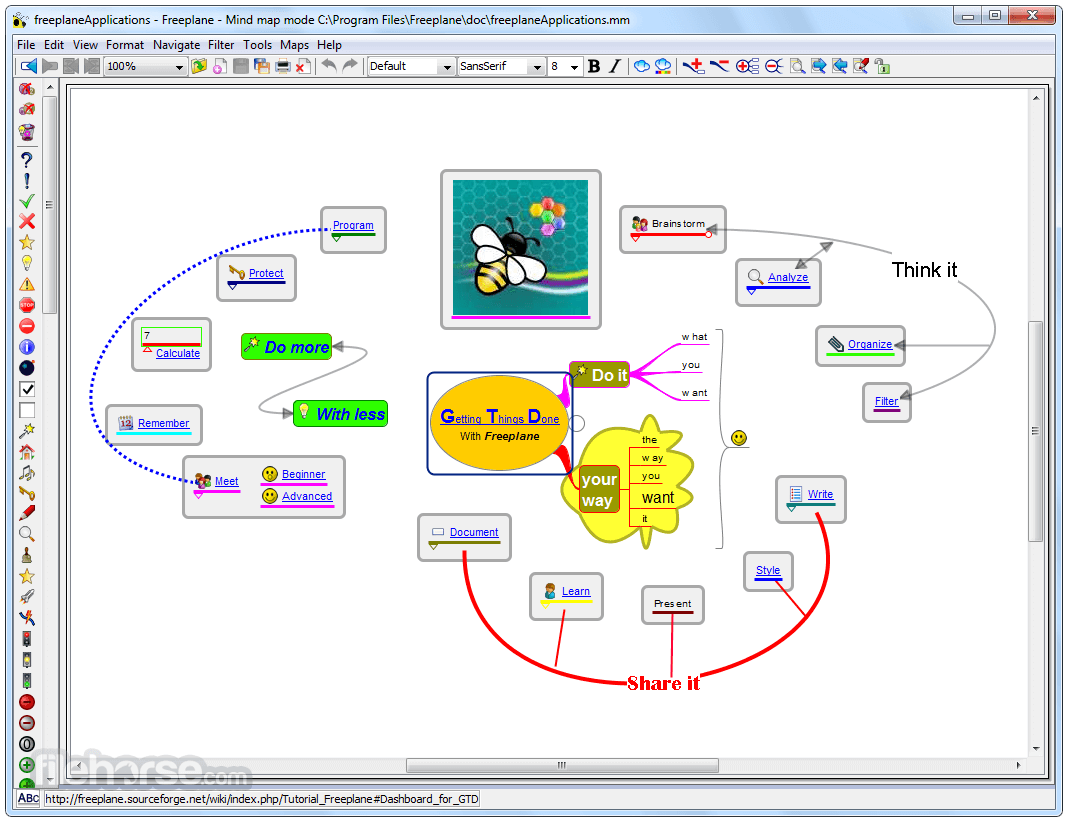
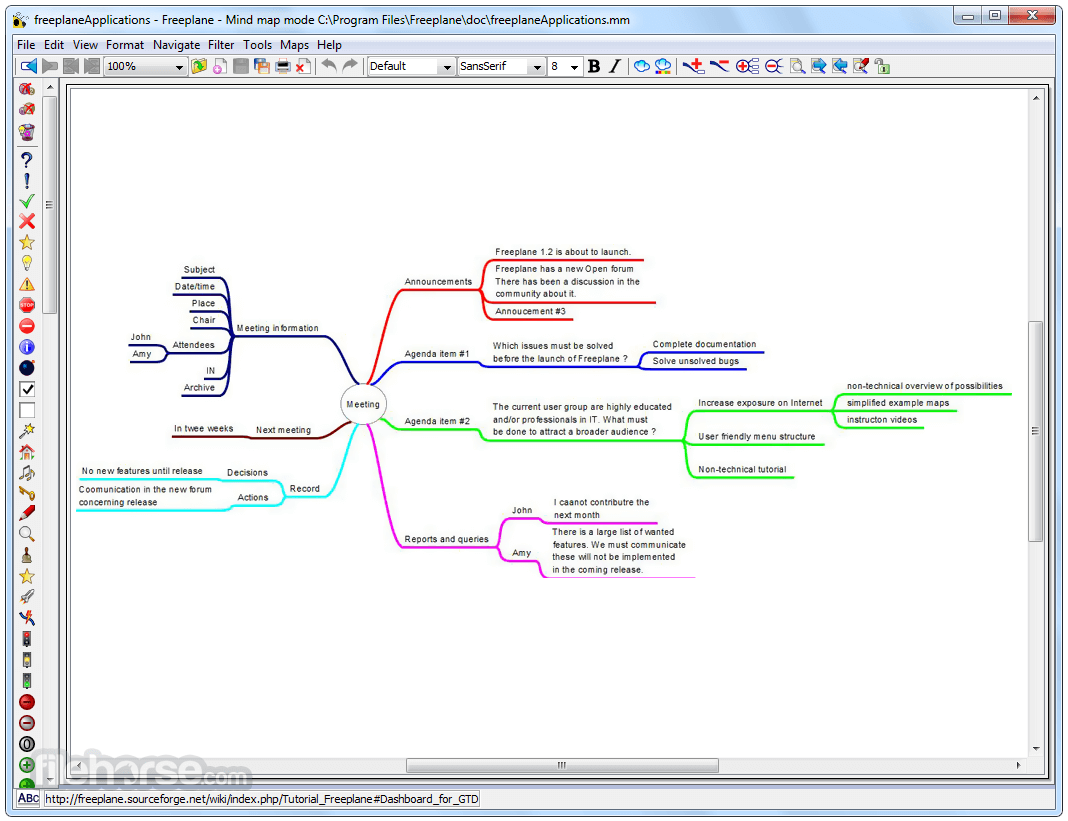
Intuitive Mind Mapping – Users can create, modify, and arrange nodes easily with drag-and-drop functionality.
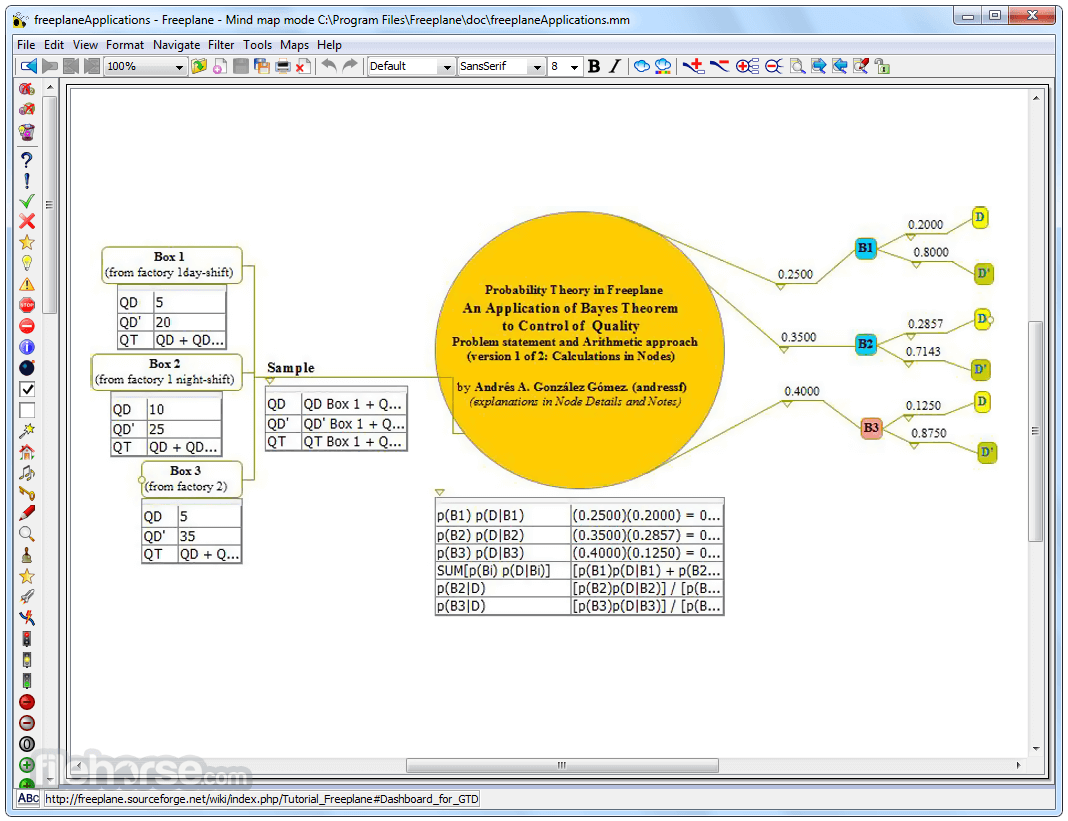
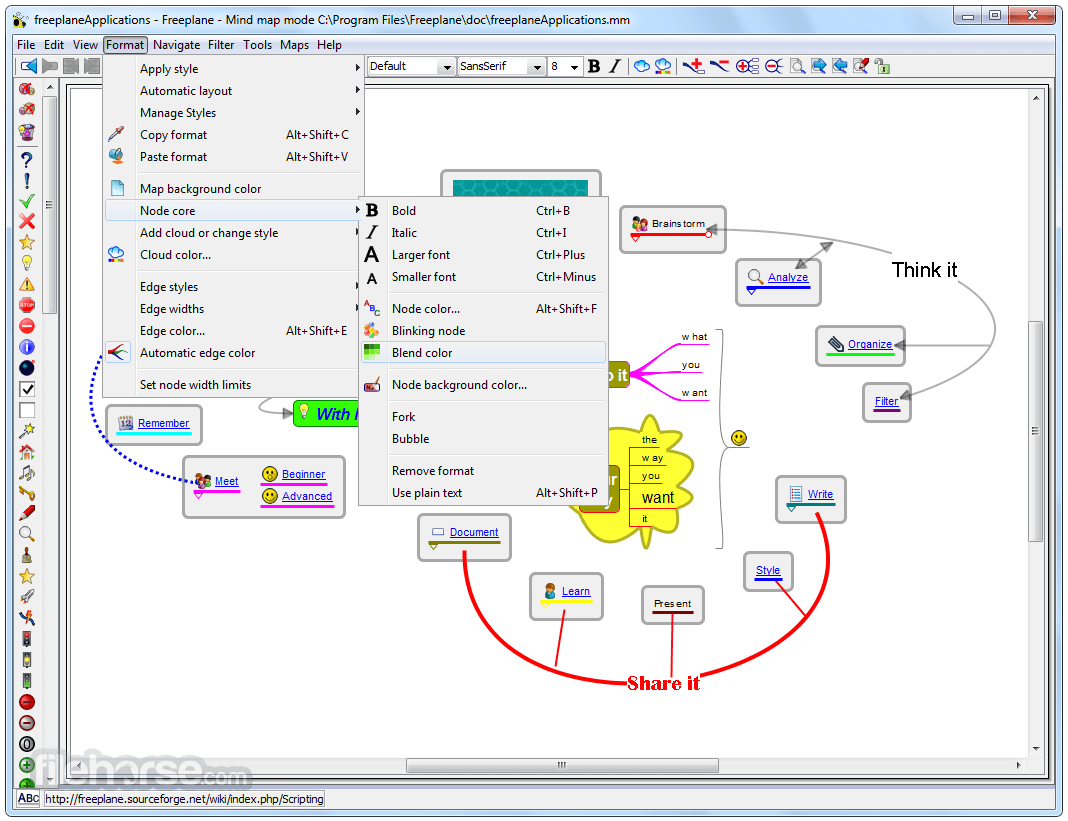
Rich Formatting Options – Supports text formatting, colors, icons, and images for better visualization.
Scripting & Automation – Includes Groovy scripting support to automate tasks and extend functionality.
Task Management Tools – Allows users to add priorities, deadlines, and reminders to nodes.
Encryption & Password Protection – Ensures privacy by securing mind maps with passwords.
Export & Import Support – Exports to formats such as PDF, HTML, PNG, and XML for compatibility with other applications.
Collaboration & Sharing – Offers local and cloud-based sharing options for team projects.
Add-ons & Plugins – Supports community-developed extensions for additional features.
User Interface
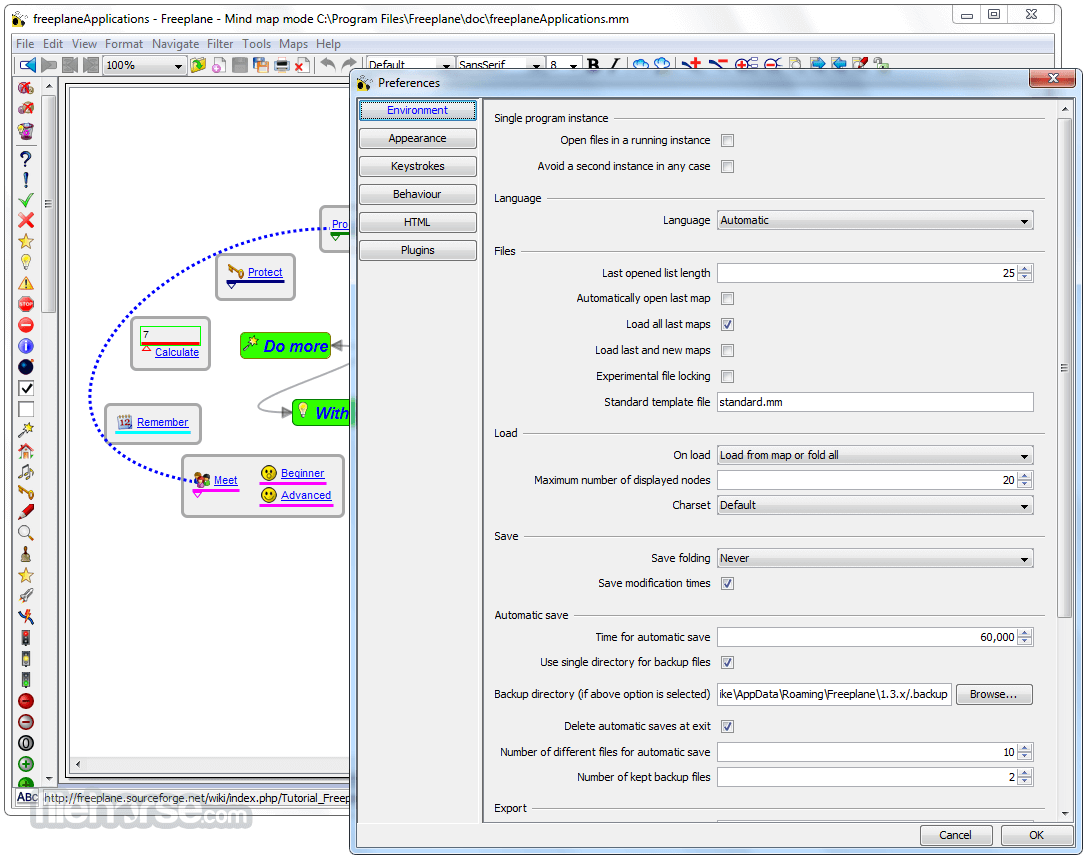
It features a minimalist yet functional interface that prioritizes usability. The workspace consists of a central canvas where mind maps are created, with toolbars providing quick access to formatting and editing options.
The left panel includes hierarchical navigation for managing nodes, while the right panel displays properties and additional customization tools.
Installation and Setup
Create a New Mind Map – Click on "File" > "New Map" to start a new project.
Add Nodes & Sub-Nodes – Use the Insert key or right-click to add child nodes.
Customize Appearance – Change colors, fonts, icons, and node shapes.
Connect Nodes with Relationships – Use links to establish relationships between different ideas.
Add Notes & Attachments – Enhance nodes with additional information such as images or external links.
Save & Export – Store files locally or export them for external sharing.
FAQ
Is Freeplane completely free?
Yes, Freeplane is open-source software available for free under the GNU General Public License (GPL).
Can I use Freeplane for professional work?
Absolutely. This program is widely used by professionals, educators, and project managers for organizing complex information and brainstorming sessions.
Does Freeplane support real-time collaboration?
While Freeplane does not have built-in real-time collaboration features, users can share mind maps via cloud storage services or version control systems like Git.
What file formats does Freeplane support for export?
It can export mind maps to formats such as PDF, HTML, PNG, SVG, and XML.
Can I use Freeplane on Mac and Linux?
Yes, Freeplane is cross-platform and works on Windows, macOS, and Linux, provided Java is installed.
Alternatives
XMind – A premium mind-mapping software with advanced design and cloud integration.
EdrawMind – A Full-Featured Cross-Platform Mind Mapping Software for PC!
MindManager Pro – An amazing software with strong collaboration features.
TheBrain – A powerful knowledge management and visualization tool.
Miro Mind Map – Easy way for teams to capture, organize, and structure their ideas!
Pricing
Freeplane is entirely free to use, with no hidden costs or premium versions. It is supported by an active open-source community, ensuring continuous improvements and updates.
System Requirements
Freeplane is a powerful, feature-rich mind mapping tool that stands out due to its flexibility, extensive customization, and cost-free accessibility. It is an excellent choice for individuals and professionals who need a robust solution for brainstorming, project planning, and knowledge management. Although it may require some time to master, its capabilities make it one of the best free alternatives to paid mind-mapping software.
Note: Freeplane can work on any operating system that has Java Runtime Environment installed.
Also Available: Download Freeplane for Mac
Download Freeplane Latest Version Why is this app published on FileHorse? (More info)
It serves as a versatile tool for brainstorming, organizing thoughts, and managing information in a hierarchical manner.
Freeplane is a successor to FreeMind and has gained popularity due to its extensive customization, scripting capabilities, and ability to handle large-scale mind maps efficiently.
Features
Intuitive Mind Mapping – Users can create, modify, and arrange nodes easily with drag-and-drop functionality.
Rich Formatting Options – Supports text formatting, colors, icons, and images for better visualization.
Scripting & Automation – Includes Groovy scripting support to automate tasks and extend functionality.
Task Management Tools – Allows users to add priorities, deadlines, and reminders to nodes.
Encryption & Password Protection – Ensures privacy by securing mind maps with passwords.
Export & Import Support – Exports to formats such as PDF, HTML, PNG, and XML for compatibility with other applications.
Collaboration & Sharing – Offers local and cloud-based sharing options for team projects.
Add-ons & Plugins – Supports community-developed extensions for additional features.
User Interface
It features a minimalist yet functional interface that prioritizes usability. The workspace consists of a central canvas where mind maps are created, with toolbars providing quick access to formatting and editing options.
The left panel includes hierarchical navigation for managing nodes, while the right panel displays properties and additional customization tools.
Installation and Setup
- Download Freeplane from the official website or a trusted source like FileHorse.
- Run the installer and follow the step-by-step setup wizard.
- Select the installation directory and choose additional components if needed.
- Launch the application and configure basic preferences.
- It requires Java to run, which is typically included in the installation package. However, if Java is missing, users may need to install it separately.
Create a New Mind Map – Click on "File" > "New Map" to start a new project.
Add Nodes & Sub-Nodes – Use the Insert key or right-click to add child nodes.
Customize Appearance – Change colors, fonts, icons, and node shapes.
Connect Nodes with Relationships – Use links to establish relationships between different ideas.
Add Notes & Attachments – Enhance nodes with additional information such as images or external links.
Save & Export – Store files locally or export them for external sharing.
FAQ
Is Freeplane completely free?
Yes, Freeplane is open-source software available for free under the GNU General Public License (GPL).
Can I use Freeplane for professional work?
Absolutely. This program is widely used by professionals, educators, and project managers for organizing complex information and brainstorming sessions.
Does Freeplane support real-time collaboration?
While Freeplane does not have built-in real-time collaboration features, users can share mind maps via cloud storage services or version control systems like Git.
What file formats does Freeplane support for export?
It can export mind maps to formats such as PDF, HTML, PNG, SVG, and XML.
Can I use Freeplane on Mac and Linux?
Yes, Freeplane is cross-platform and works on Windows, macOS, and Linux, provided Java is installed.
Alternatives
XMind – A premium mind-mapping software with advanced design and cloud integration.
EdrawMind – A Full-Featured Cross-Platform Mind Mapping Software for PC!
MindManager Pro – An amazing software with strong collaboration features.
TheBrain – A powerful knowledge management and visualization tool.
Miro Mind Map – Easy way for teams to capture, organize, and structure their ideas!
Pricing
Freeplane is entirely free to use, with no hidden costs or premium versions. It is supported by an active open-source community, ensuring continuous improvements and updates.
System Requirements
- Operating System: Windows 7, 8, 10, 11 (32-bit and 64-bit)
- Processor: 1 GHz or faster
- RAM: 2 GB minimum (4 GB recommended for large maps)
- Storage: 100 MB free disk space
- Java Runtime Environment (JRE): Required for execution
- Free and open-source with no restrictions
- Highly customizable and extensible via scripts and plugins
- Supports large and complex mind maps efficiently
- Provides encryption for secure data management
- Wide range of export options for compatibility
- Lacks real-time collaboration features found in some premium alternatives
- Requires Java, which can introduce compatibility issues for some users
Freeplane is a powerful, feature-rich mind mapping tool that stands out due to its flexibility, extensive customization, and cost-free accessibility. It is an excellent choice for individuals and professionals who need a robust solution for brainstorming, project planning, and knowledge management. Although it may require some time to master, its capabilities make it one of the best free alternatives to paid mind-mapping software.
Note: Freeplane can work on any operating system that has Java Runtime Environment installed.
Also Available: Download Freeplane for Mac
Download Freeplane Latest Version Why is this app published on FileHorse? (More info)
##
畫面截圖
- 2026-07-15 Freeplane 1.13.3 102.34 MB
- 2026-02-24 Freeplane 1.13.2 101.13 MB
- 2026-02-14 Freeplane 1.13.1 101.1 MB
- 2026-02-11 Freeplane 1.12.18 93.61 MB
- 2026-01-07 Freeplane 1.12.16 93.24 MB
- 2026-01-05 Freeplane 1.12.15 93.24 MB
- 2025-09-19 Freeplane 1.12.14 93.07 MB
- 2025-08-23 Freeplane 1.12.13 93.05 MB